

Making a good short video
07/19/2023
Overview
Short video is one of the most effective tools to promote and sell your products on TikTok Shop. We understand it can be intimidating, worry not because you do not need professional video editing skills to create one. In this material, you will learn about 7 essentials for making a better short video and key steps to follow that will level up your contents.7 Essentials in Short Videos
1. Trending Music
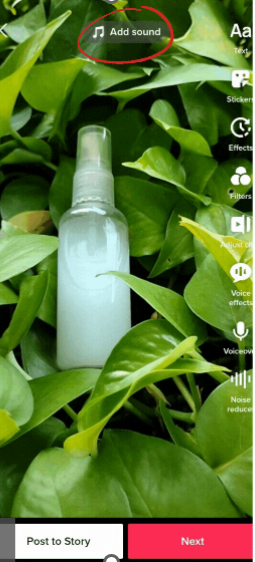
By adding the music that is currently most used among the creators, you will make your video attractive and reach a bigger audience- Open your TikTok app > start to add videos or photos that you want to upload
- Tap "add sound" at the top to add trending sound
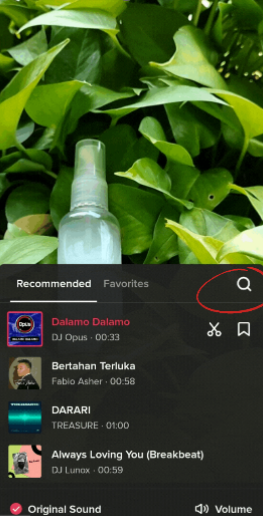
- Find the music you want to add to the videos
- Tap the music you want to add
- It will automatically be added to the videos
2. Text
Using captions on your TikTok videos is a great way to deliver important messages to the potential buyer .Using Text also improves accessibility, which is important in the digital world especially for those with visual and hearing impairments. Adding text and setting a custom duration can help you tell a story. Many viewers actually watch videos without sound, so using captions on your TikTok is a great way to grab the viewer's attention.- Add "text" at the top right of the screen
- Add the information you want to add
- Tap done for ending the session
3. Video effects/ stickers
Try using Popular Effects/Stickers on TikTok to make your videos more interesting!- Tap "sticker" on the top right on the screen
- Find the interesting sticker to add
- Tap done to ending the session
4. Live countdown sticker
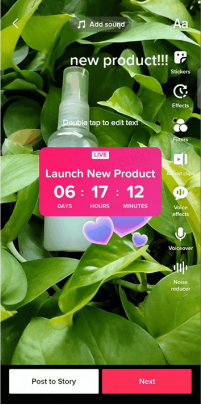
Live countdown stickers help you create online events such as product launches . It will create excitement for your upcoming launch/event- Tap "sticker" on the top of the screen
- Find the "Live countdown sticker"
- Edit the time and title of the countdown as you like
- Done
5. Hashtag
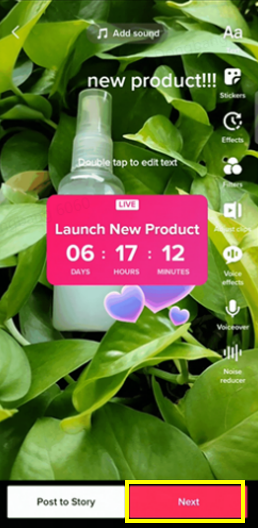
Hashtags help your content get more visibility and also help users find the content they are looking for. Anyone looking for content on a particular topic or interest can easily use the relevant Hashtags to find that content.- Tap "next" when you are done editing the videos
- You will be directed to the post page
- Write hashtag as you prefer
- Or tap the hashtag to find the most relevant and trending hashtag
6. Product anchor
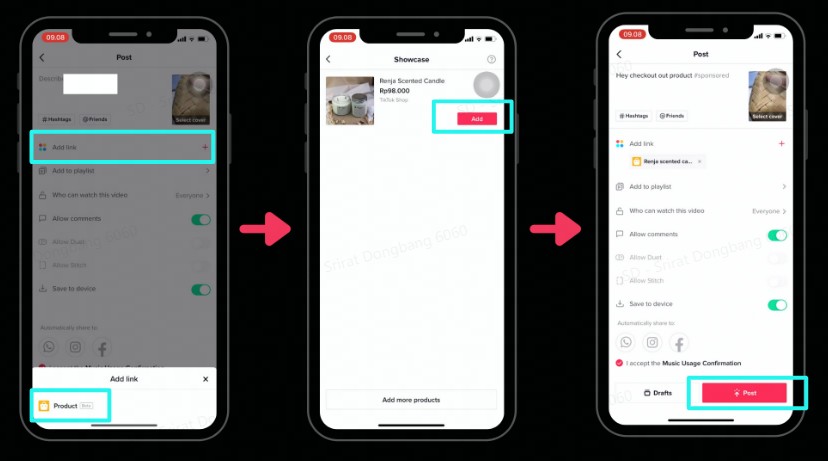
Product anchors are the features to bind your product (SKU) with the short video you created. Once the audience is triggered by your inspiring content, they can click the "basket icon" and it will lead the audience to "product display page (PDP)" for shopping's actions.- On the post page you see the "add link"
- Click the product you would like to bind with this short video > Add
7. Call to action
Call to action encourages your viewers to engage with your product. You always need to tell the audience in every short video to speed up decision making with "call to action" i.e., special promotion time, limited quantity. The call to action must give accurate information and not mislead viewers about the terms of purchase.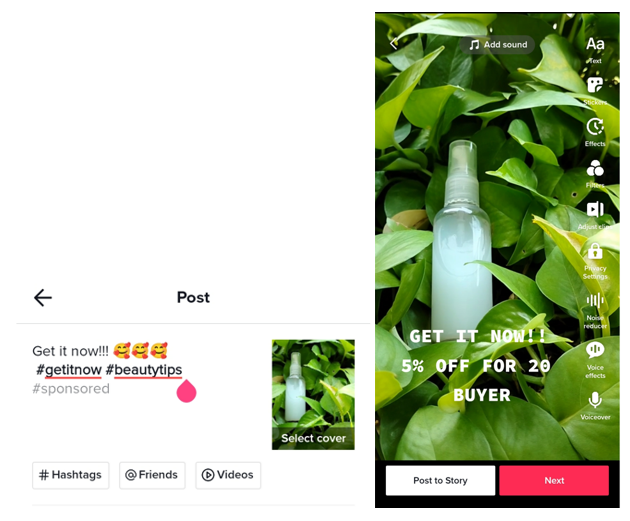
4 Key steps to making a short video
1. Brainstorming
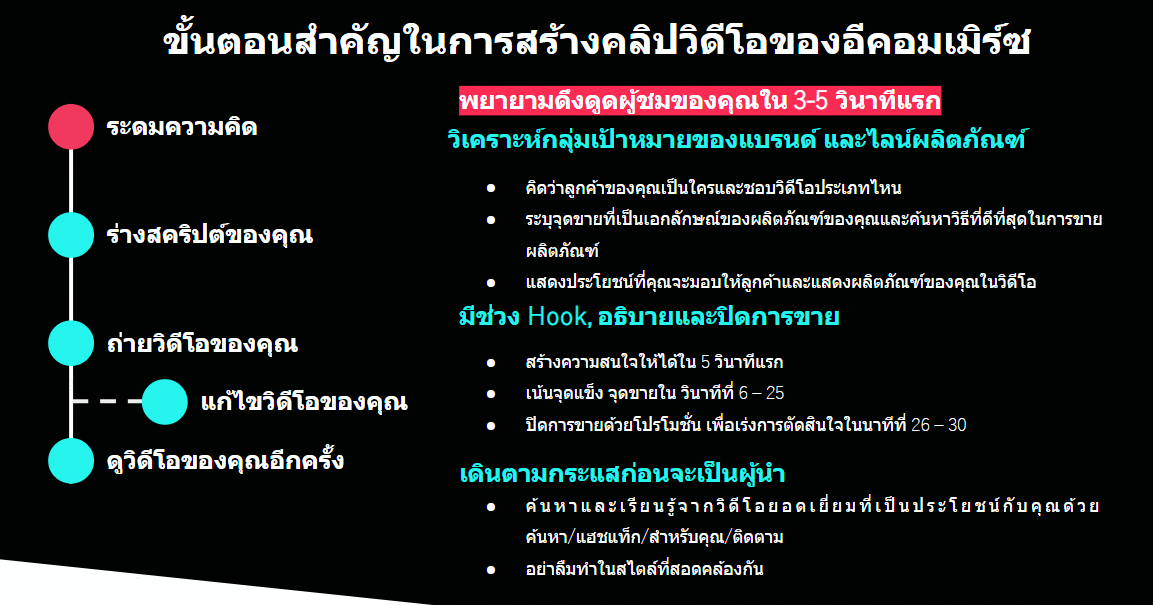
1.1) Identify your target group, customer persona and product characteristic- Think about who your buyers are and what types of videos they like
- Point out our unique selling points of your products and think about the best way to sell
- Show the customer benefits and product demonstration in the video
- First 5 sec: Hook, generate "audience's intention" to know more about your video
- 6 - 25 mins: Unique selling point, Why this product make their live better
- 26 - 30 mins: call to action quote such as invite to make a decision through special promotion of that product
- Figure out the excellent videos via Discovery/Hashtag/For You/ Following and learn the best practice from them
- Try to create your own brand/SKU identity, create "unique difference", for a better brand's recognition
2. Draft your script
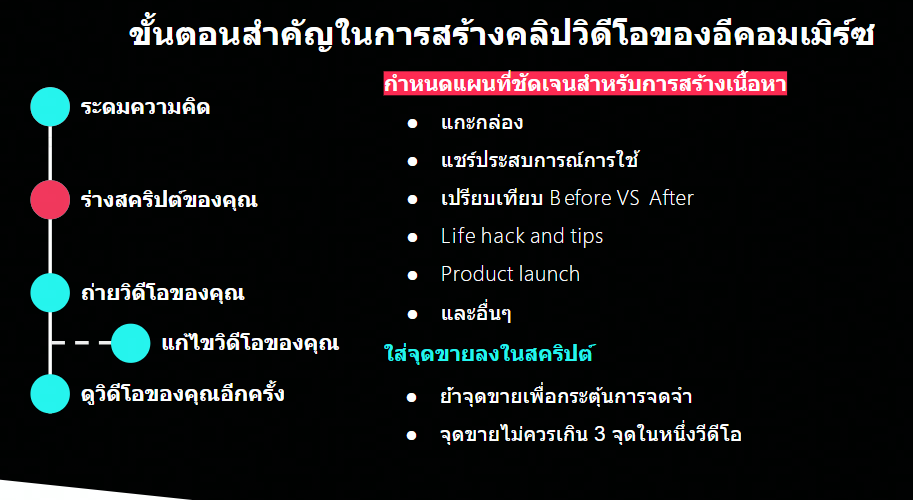
The key is to "have a clear communication plan and content theme"2.1) Identify the theme to generate content- Unboxing
- Experience sharing
- Before VS After
- Life hack and tips
- Introduce new product launch features
- And more
- No more than 3 selling points in 1 video
- Repeat the USP in several ways to remind and create SKU's remembering
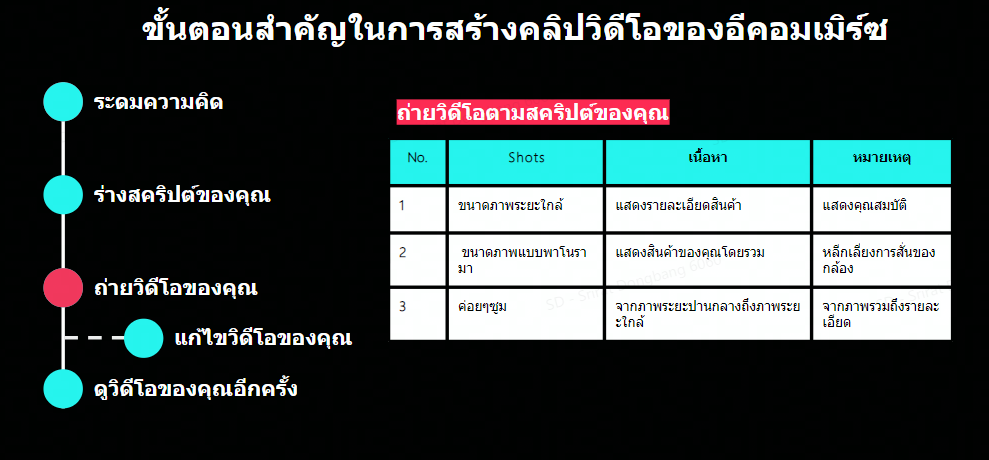
3. Shoot your video
- Shoot video based on your script, try to follow your script and add useful and attractive information there
- Select the proper shot either "Slowly Zoom", "Panorama", and "Close up" to fit with your script and theme.
4. Edit your video
Sometimes you need to edit the video before posting. The tool we recommend is "CapCut" which it ease to use, varies effects and stickers provided and capability to share the respective video to TikTok with seamless integration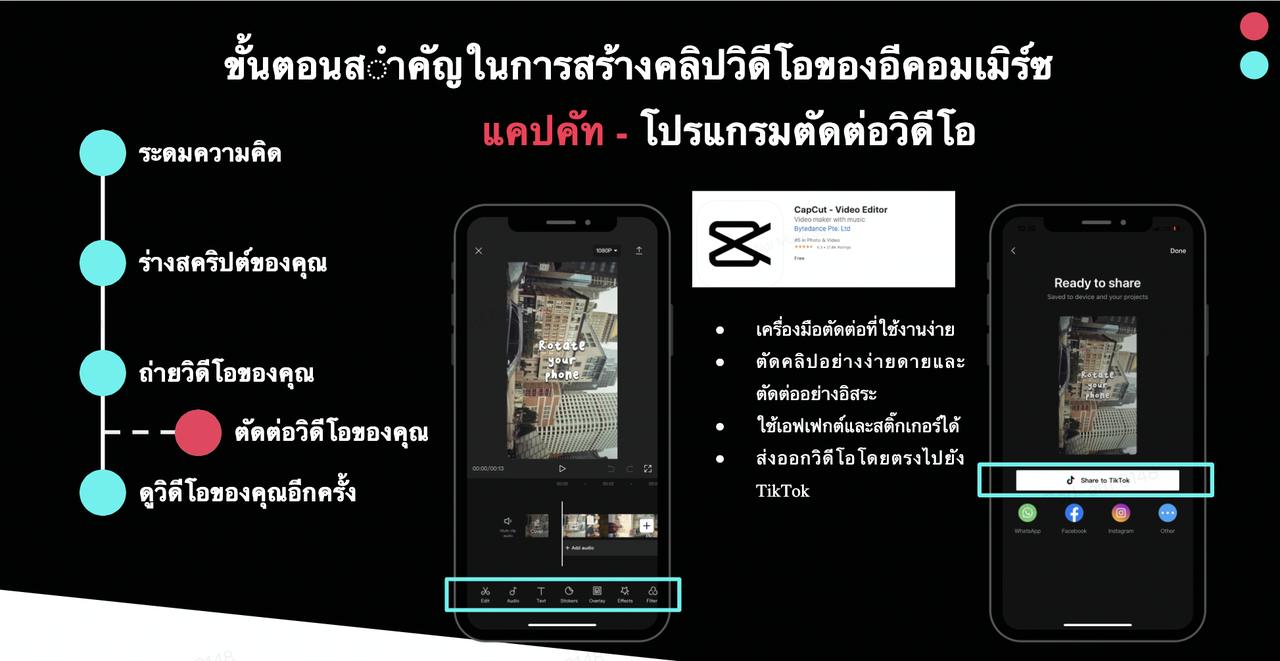
Content Ideas
Remember that interesting content will give you more opportunities to grow your business . Here are some ideas to help you start with:1. About your business
You can have fun while describing your business as your content, you can start with:- Introduces yourself or a team member
- workplace/warehouse
- About business name
- Daily activities
2. Product information
Your content can also explain business information further to promote your business to your audience- Packaging
- Product variation
- Product details
- Product manufacture
3. Advice and tips and tricks
additional content can also be in the form of business advice about business to interact with your audience who are interested in business- How do you start the business
- Favorite online media
- Challenges of running the business
- Complete business process
- Seller success stories
4. Entertainment
To attract and engage your audience, you can also create fun content in the form of entertainment. Here is some entertainment content that you can create:- Share interesting info
- Share discount code
- Giveaway announcement
- Share customer reviews
- Collaboration with other seller/ creators