What is the Account Standing used for?
TikTok Shop's Account Standing is an all-in-one tool creators can use to manage their account health and track any violations associated with their TikTok Shop account. It is also the place where violation tickets can be appealed.
Details creators can find in their Account Standing include:
- The date and time of violation(s)
- The reasons for violation(s)
- Any penalty actions
- Details about the violating content
- Suggestions for improvement
These details will help you better understand the kind of content we allow and disallow on our platform, as well as assist you in avoiding any potential violations of our policies and guidelines.
Where can I find my Account Standing?
On the App (Account Standing)
- Go to your TikTok Profile Page, click on the Shopping Cart icon to access TikTok Shop, then click on "Enter" TikTok Shop.
- Once in TikTok Shop, scroll down until you see "Account Standing" and click on it.
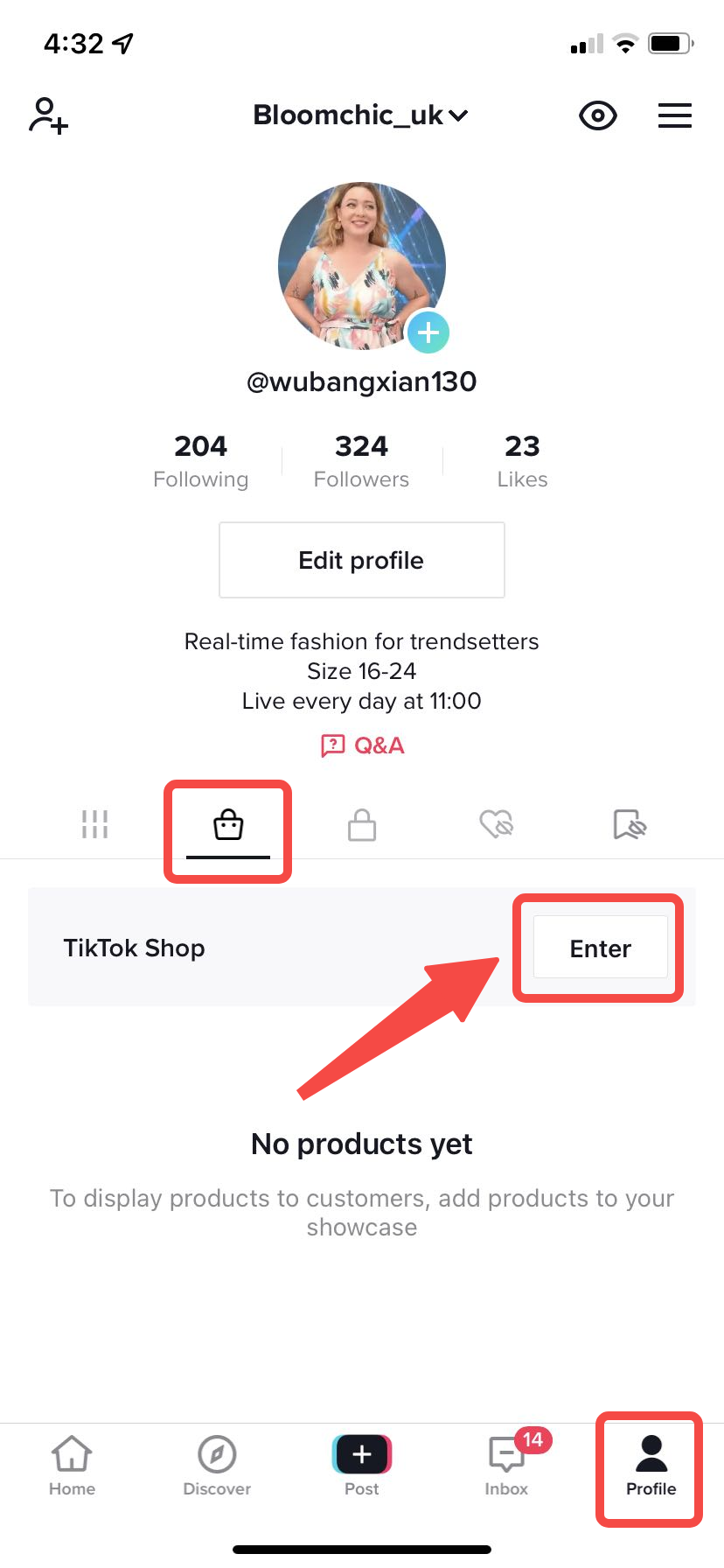
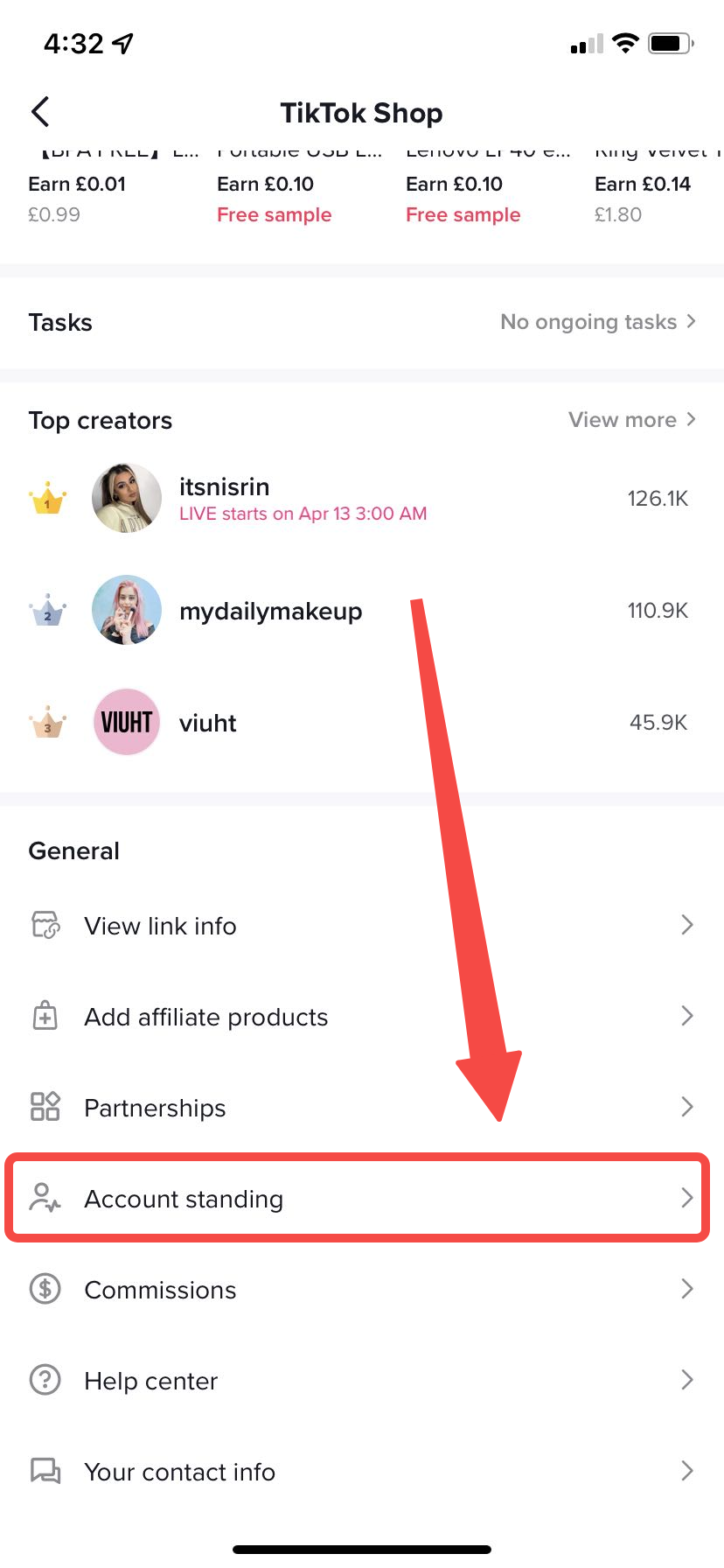
- When you enter your Account Standing, you will be able to view a list of your existing violations (if any) and the details of the specific violation behaviour.
- You will also be able to appeal violation tickets (if any) here.
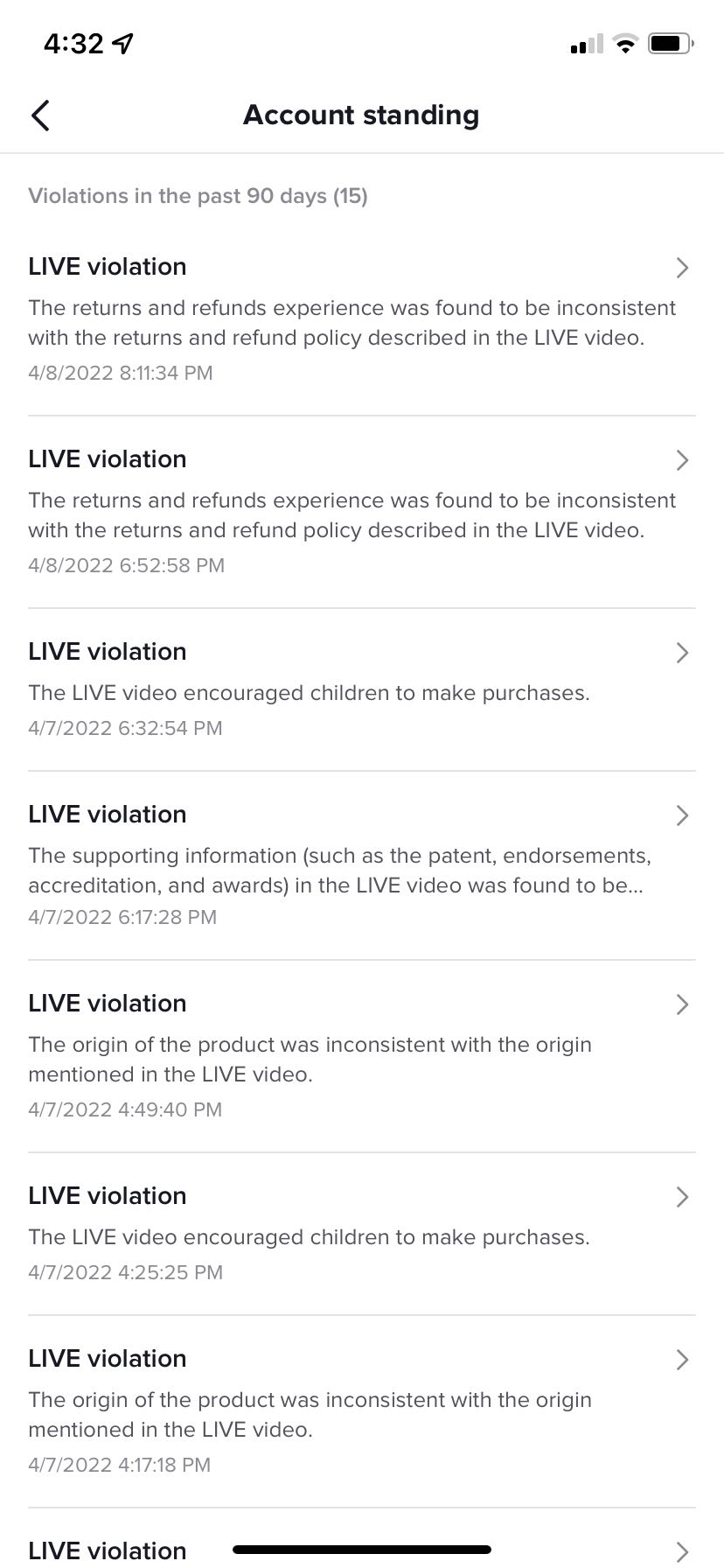
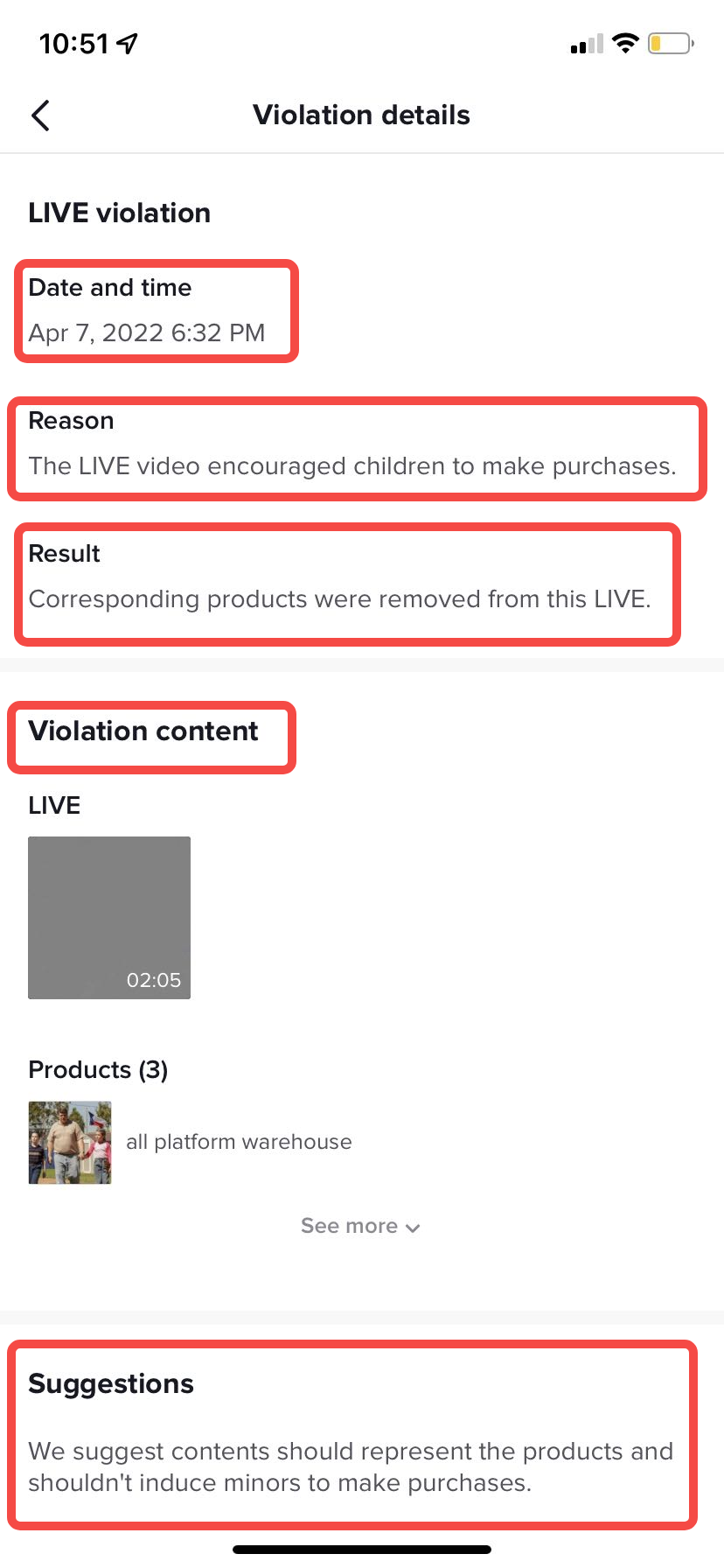
On PC (Account Standing)
- Go to https://shop.tiktok.com/streamer/welcome and log in with your TikTok Shop account credentials.
- When you enter your Account Standing, you will be able to view details of your existing violations (if any), as well as your overall account health.
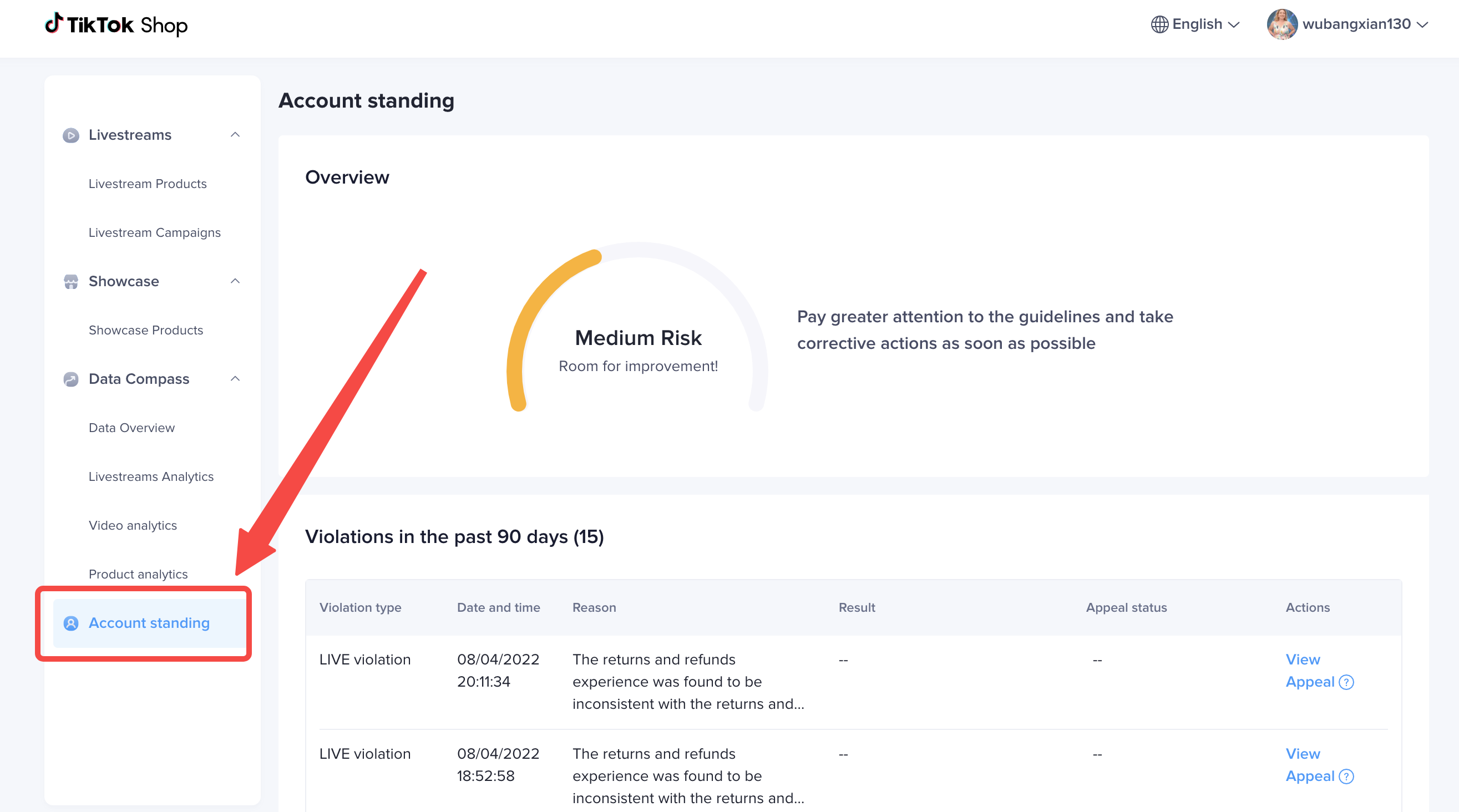
This is also where you can check your appeal status for violation tickets and where you can make an appeal.
How do I appeal my violations?
On the App (Violation Appeal)
- Go to your TikTok Shop profile and scroll down to find Account Standing.
- Click on the specific violation that you wish to appeal.
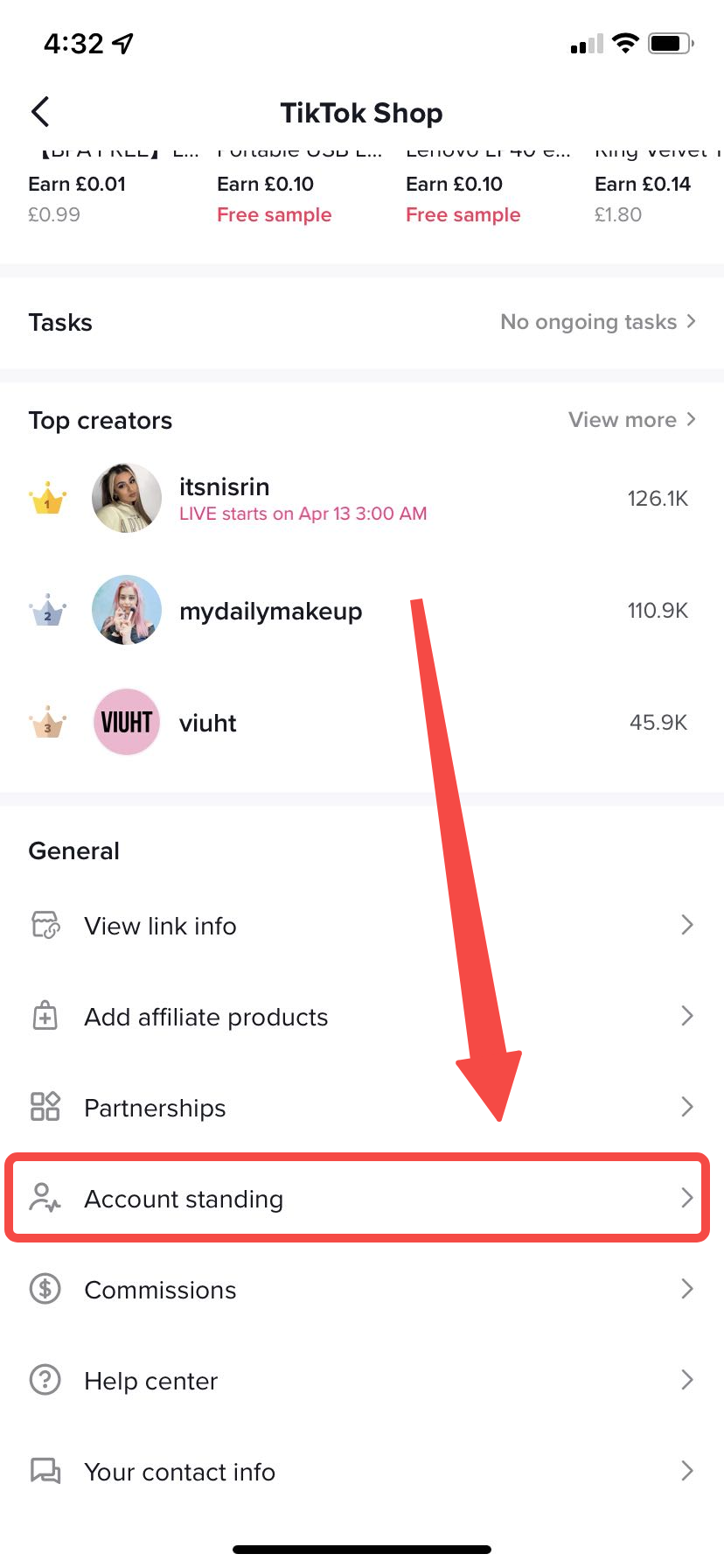
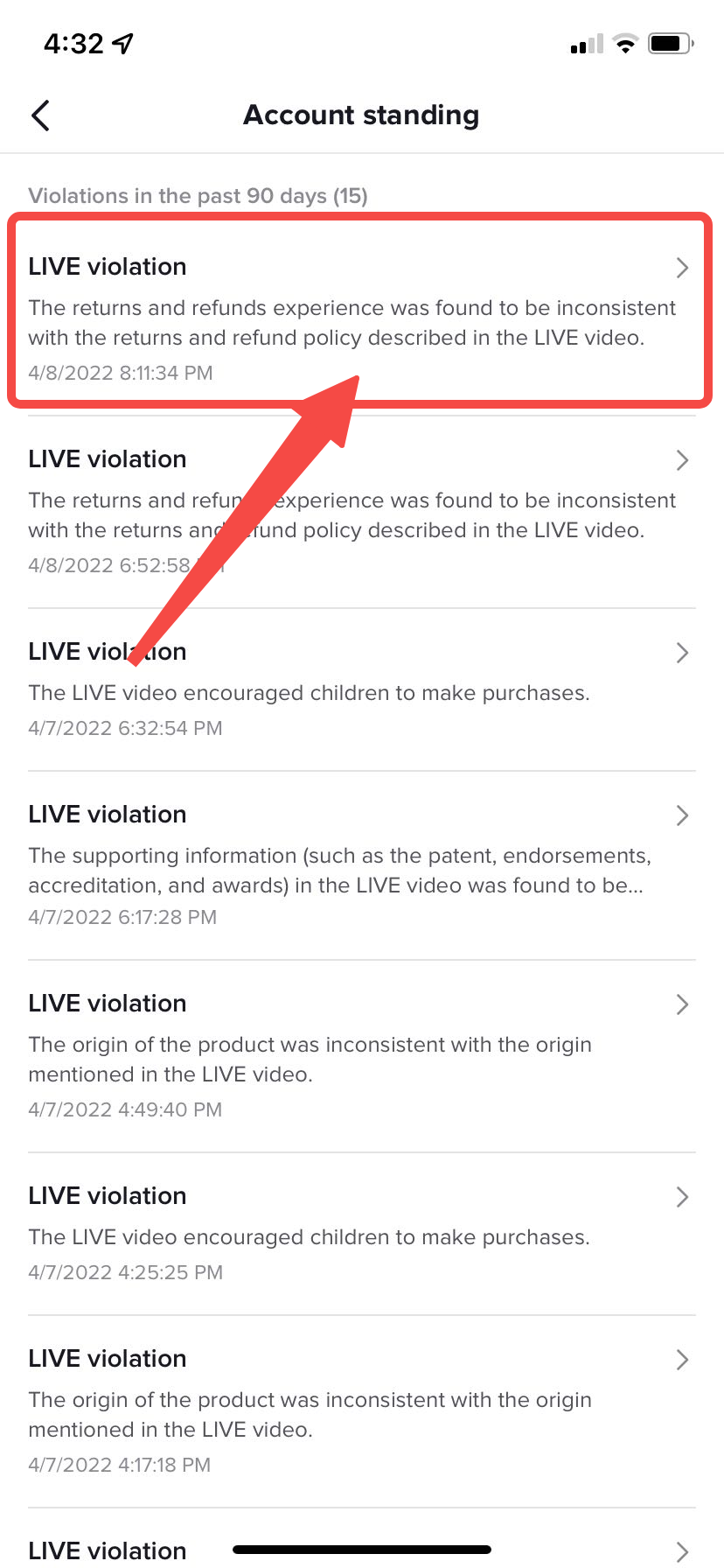
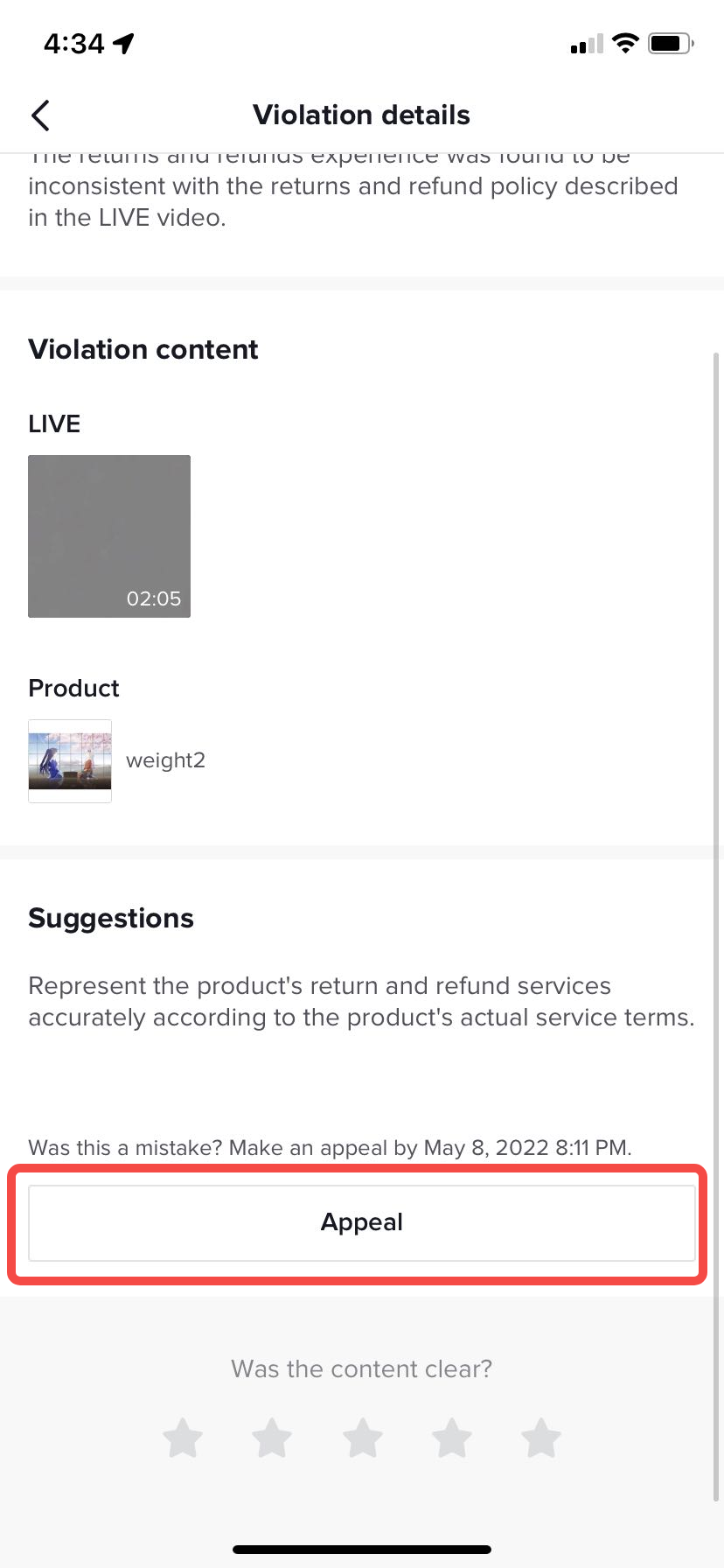
- Scroll down past Violation Details and click on "Appeal."
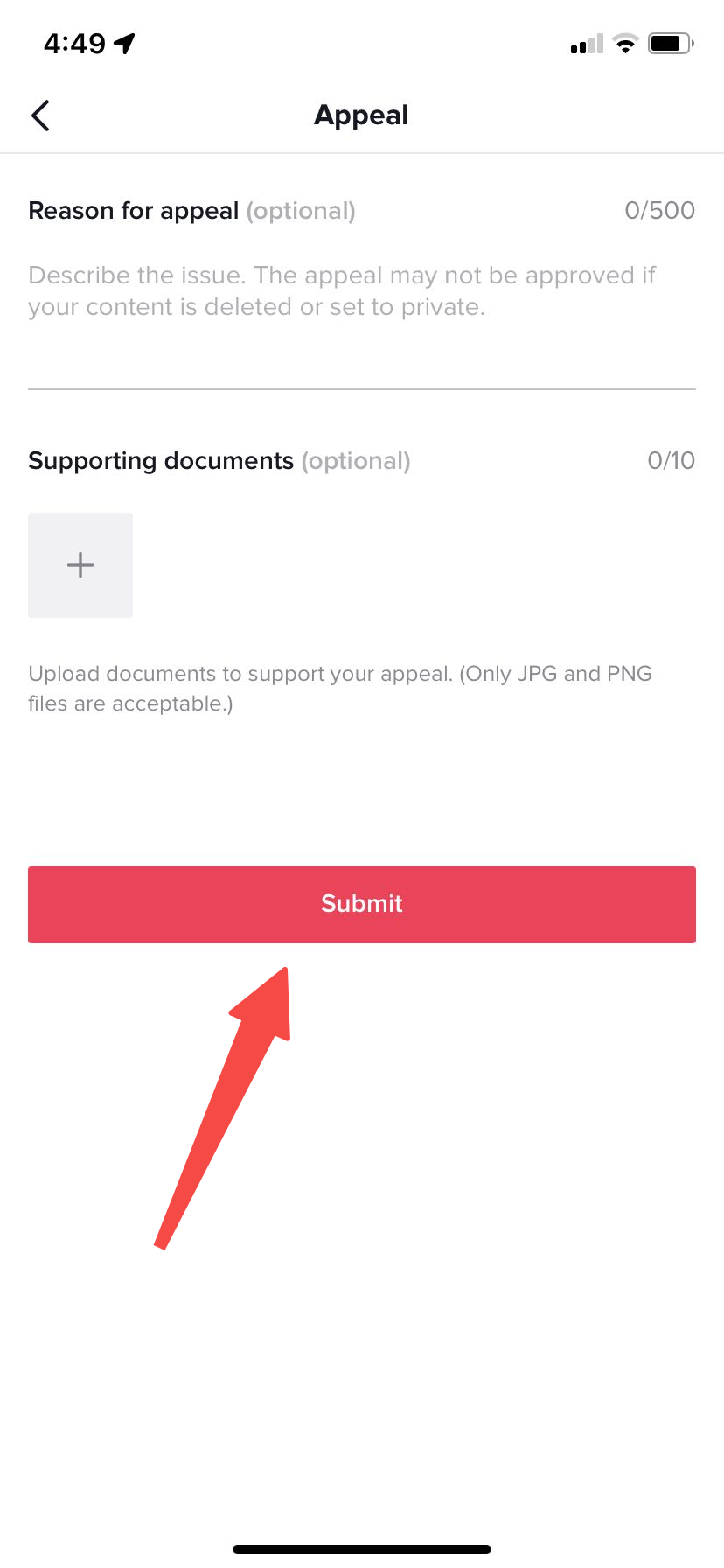
- Fill in your appeal reason and/or supporting documents and then click "Submit."
We will review your case and inform you of your appeal outcome.
On PC (Violation Appeal)
- Go to: https://shop.tiktok.com/streamer/welcome and log in with your TikTok Shop account credentials, then go to Account Standing.
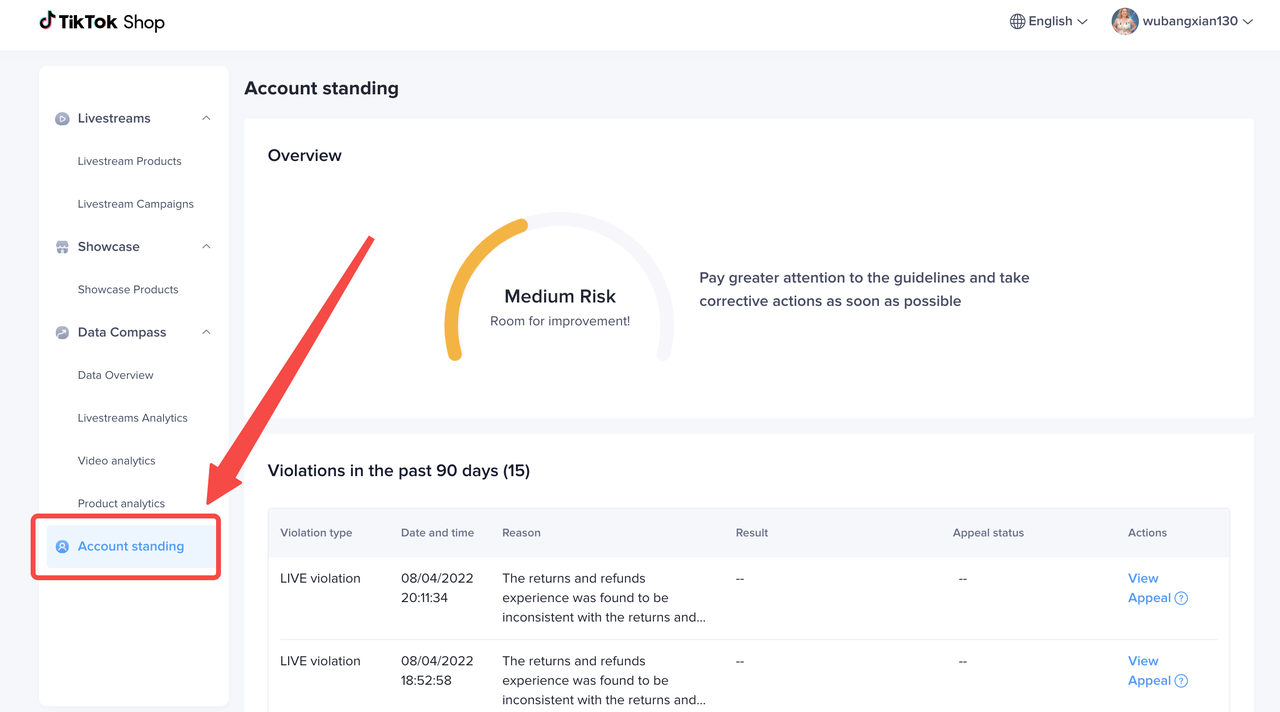
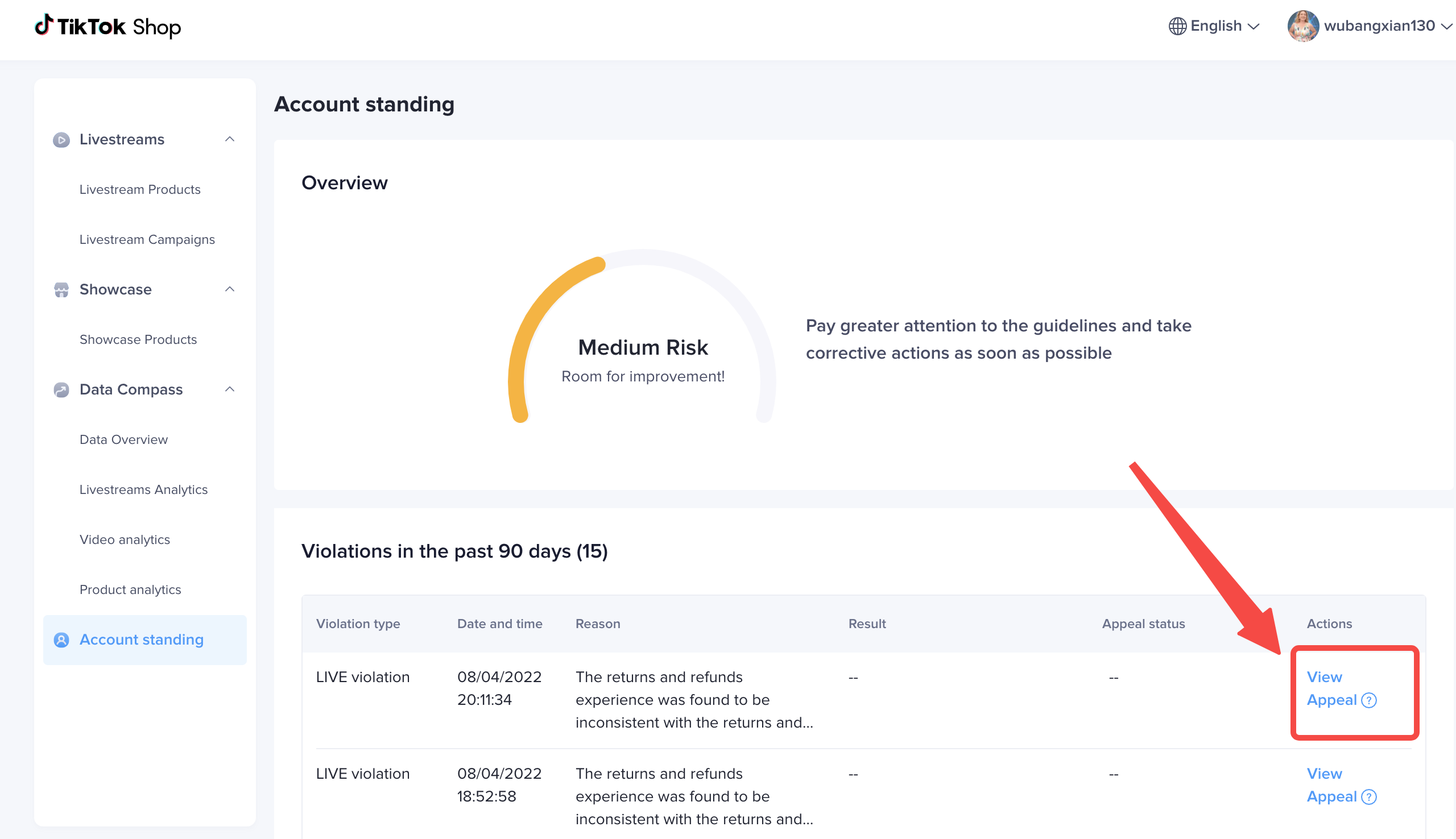
- Go to the specific violation you wish to appeal, then click on "View Appeal" under "Actions."
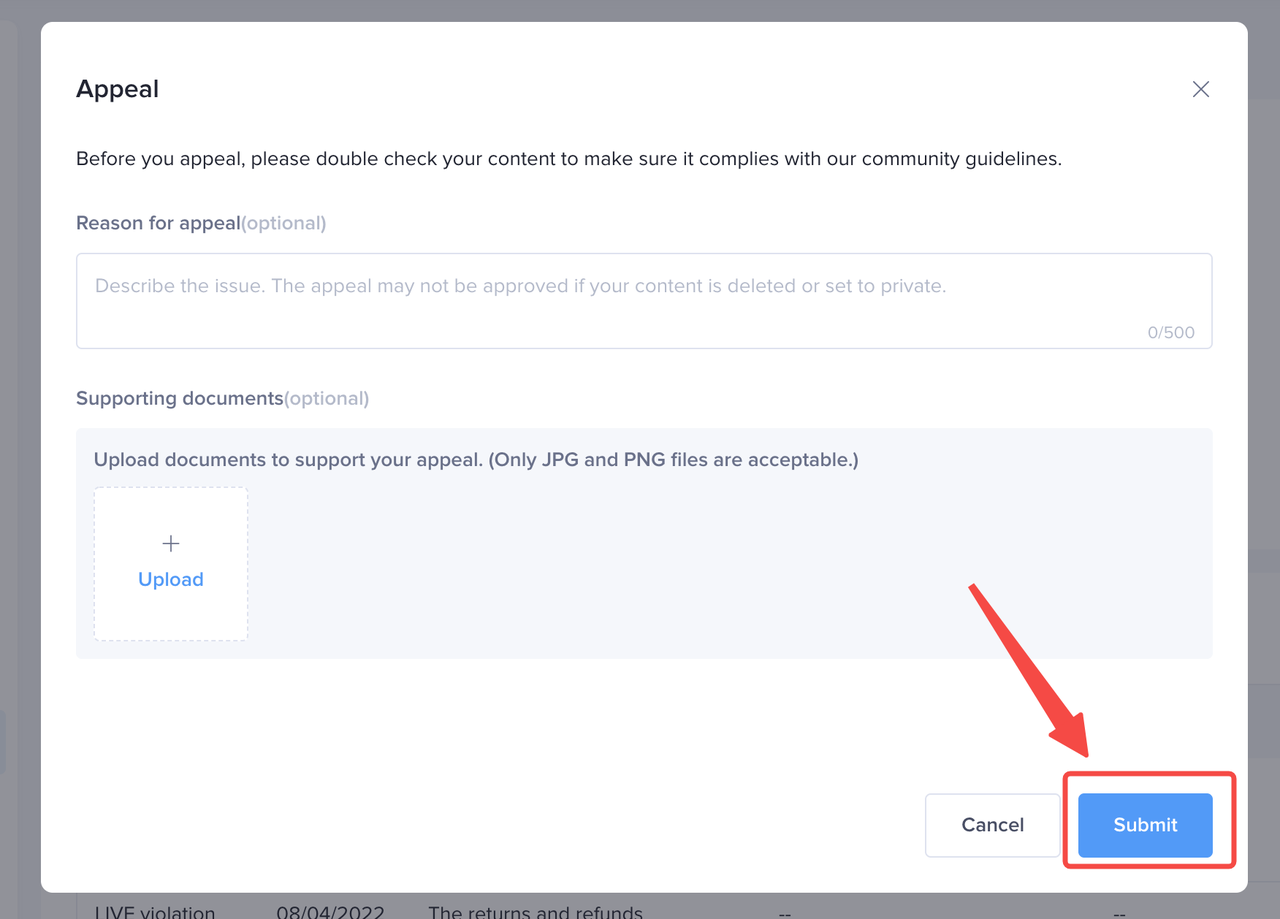
- Fill in your appeal reason and/or supporting documents then click on "Submit".
- We will review your case and inform you of your appeal outcome.
Frequently Asked Questions (FAQ)
Will all my violations appear under Account Standing?- No, only violations that have occurred within the last 90 days will appear in your Account Standing.
Are there any restrictions on appealing violations?- Each violation ticket can only be appealed once.
- Violation tickets must be appealed within 30 days from its date of issue.
Can all types of violations be appealed?- Yes, all types of violations can be appealed.
Where can I find the Community Guidelines for TikTok Shop?- Our Community Guidelines can be found on the Seller Academy.
Does my TikTok Shop content have to comply with TikTok's Community Guidelines or just TikTok Shop's?- Your content must comply with both TikTok and TikTok Shop's policies and guidelines.

