Affiliate Links Guide for Creators
01/12/2026
Overview
In this article, we will guide you on how to use the Affiliate Link sharing function to earn commission from affiliate products. Aside from earning commission through short videos or LIVE sessions in-app, as an Affiliate Creator, you can also earn commission outside of the app through the use of Affiliate Links.
The Affiliate Link function is part of TikTok Shop's External Traffic Program (ETP) wherein it enables Creators to generate commission from Seller's products from outside the TikTok App. The program incentivizes you to create content and share links on other online platforms and in turn, you receive commission for each product checkout attributed to your link. Affiliate Links provides a key benefit for Creators, which helps them get extra commission! Now with both direct and indirect attribution, you can share affiliate links and earn additional commission through one link!
To get started, we will go over the following:


Key note: Creators will need to fill in their bank details first before they can receive commission from Affiliate Links. If you haven't confirmed your details, adding a product to your showcase will start the process.
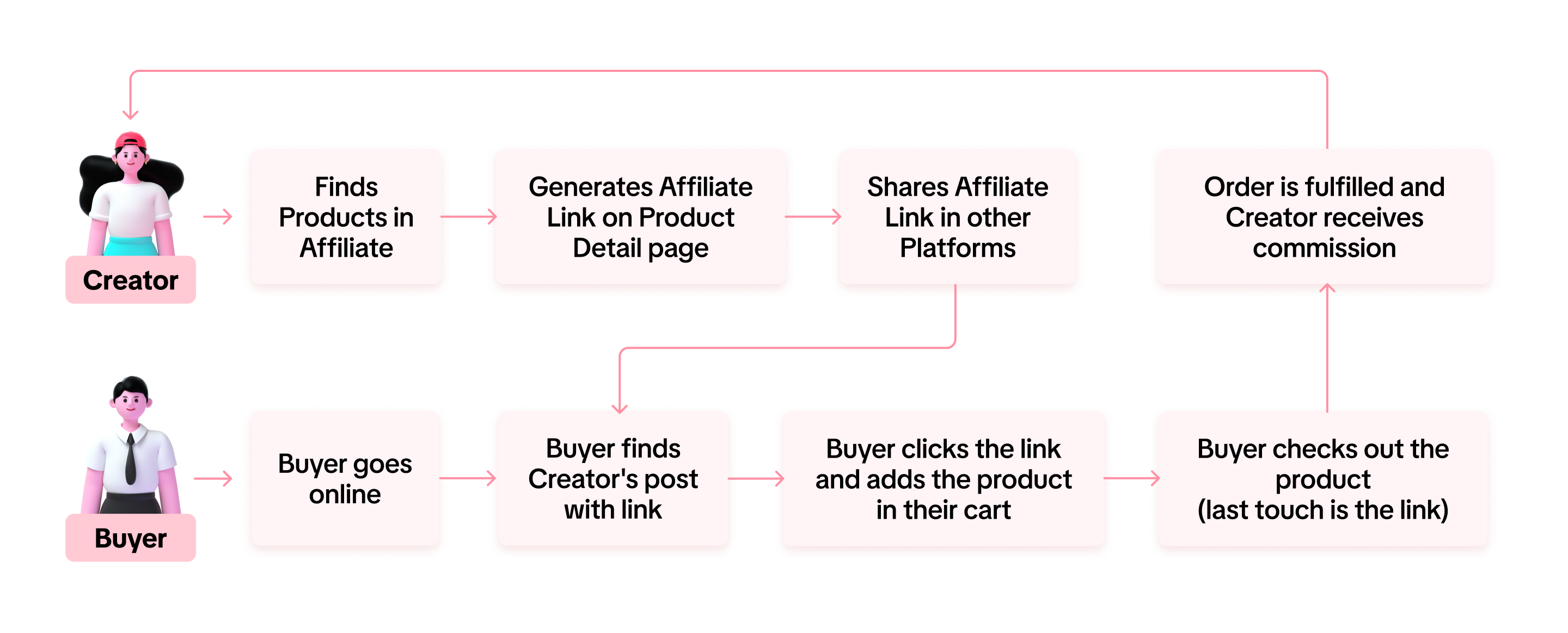
For a more detailed understanding of the link sharing process, feel free to read the flowchart below:
Link-Share Only and Affiliate Creators can both generate Affiliate links, but only the Affiliate Creator can create to share their Showcase (Products added to their account).
Direct Attribution also varies per Affiliate Link. Campaign, Shop Page and Showcase links can provide the Creator a wider scope of Direct Attribution. These commissions are granted if they come from the group of affiliate products directly shown on the link.
Only Product Affiliate Links support Indirect Attribution. Other Affiliate Links currently only provide Direct Attribution.To learn more about all the differences between Link-Share Only Creator and Affiliate Creator: Read the guide here.


However, before you can start earning by sharing affiliate links, you must first complete the age verification process! If you haven’t completed the verification, the link you generated and shared will be a regular link and won’t generate any commission.
You can start the age verification process through any of these three entry points by simply tapping "Verify":
After tapping "Verify," the verification process will begin. For more details on how to complete the verification, click here.
Once you’ve completed the verification process, you can track its status. Here’s how to do it:
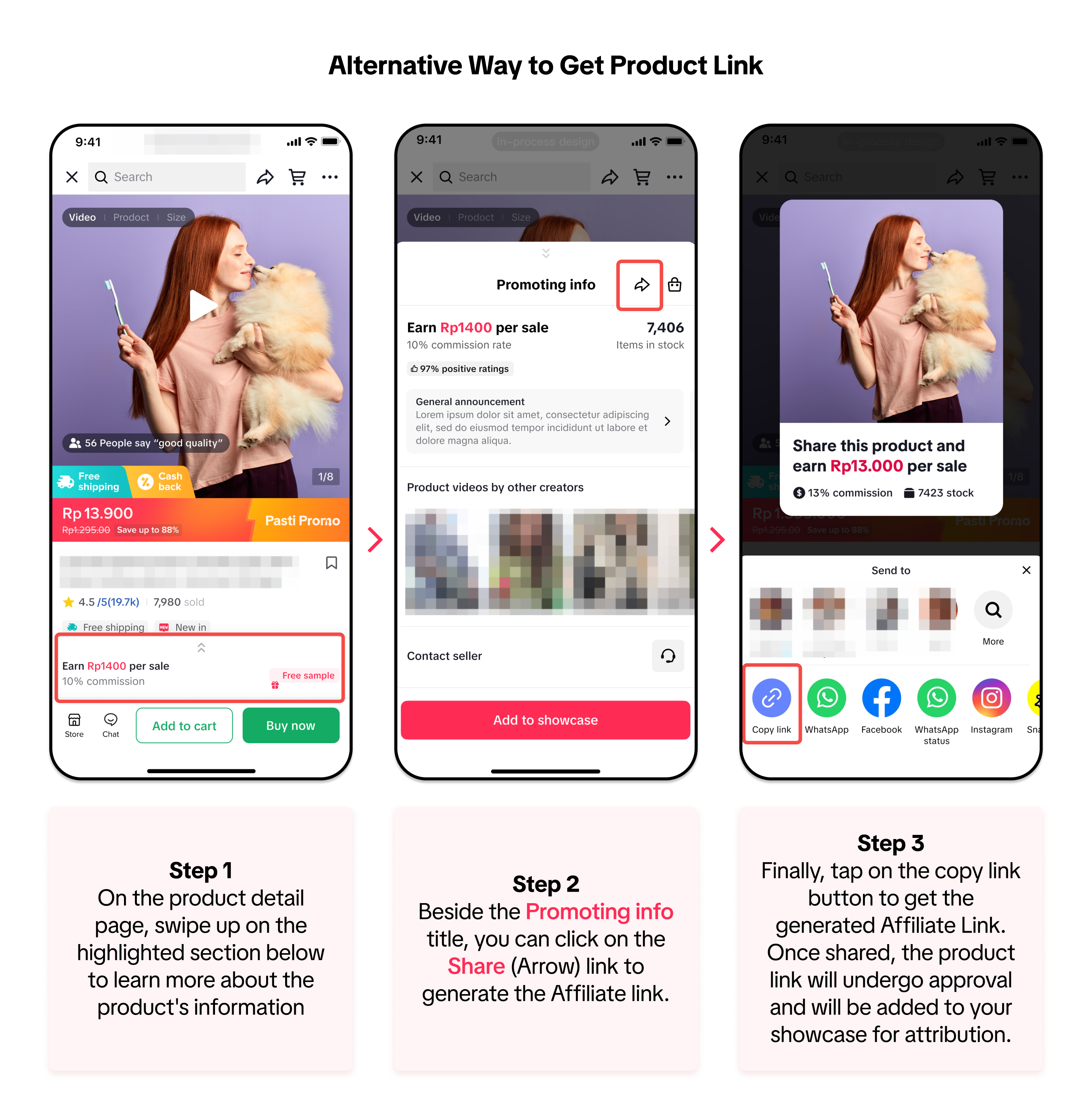
 In addition to the Copy Link button in Step 3, tapping on the other social media channels will also generate the Product Affiliate Link to share directly to your chosen channel.
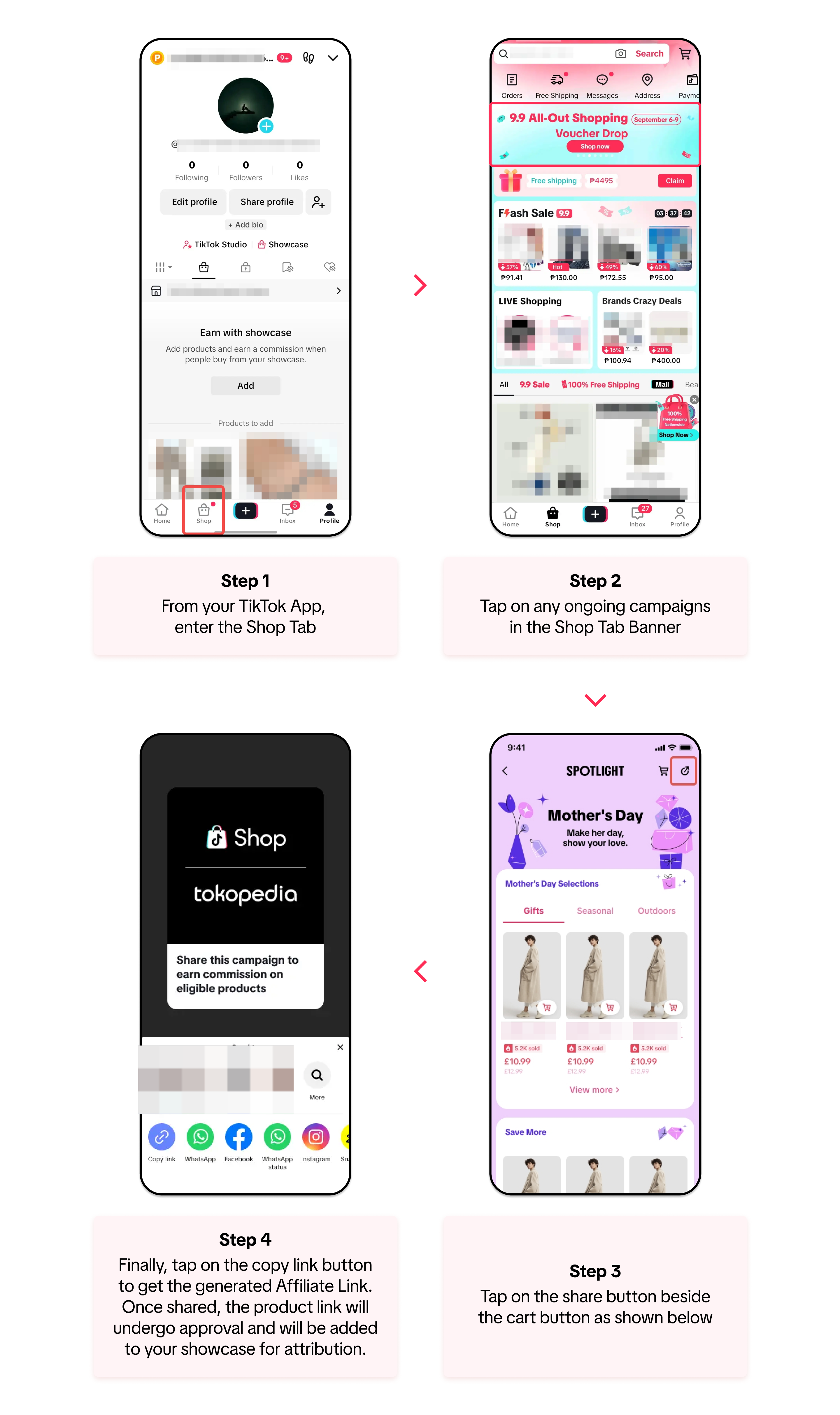 In addition to the Copy Link button in Step 4, tapping on the other social media channels will also generate the Campaign Affiliate Link to share directly to your chosen channel.
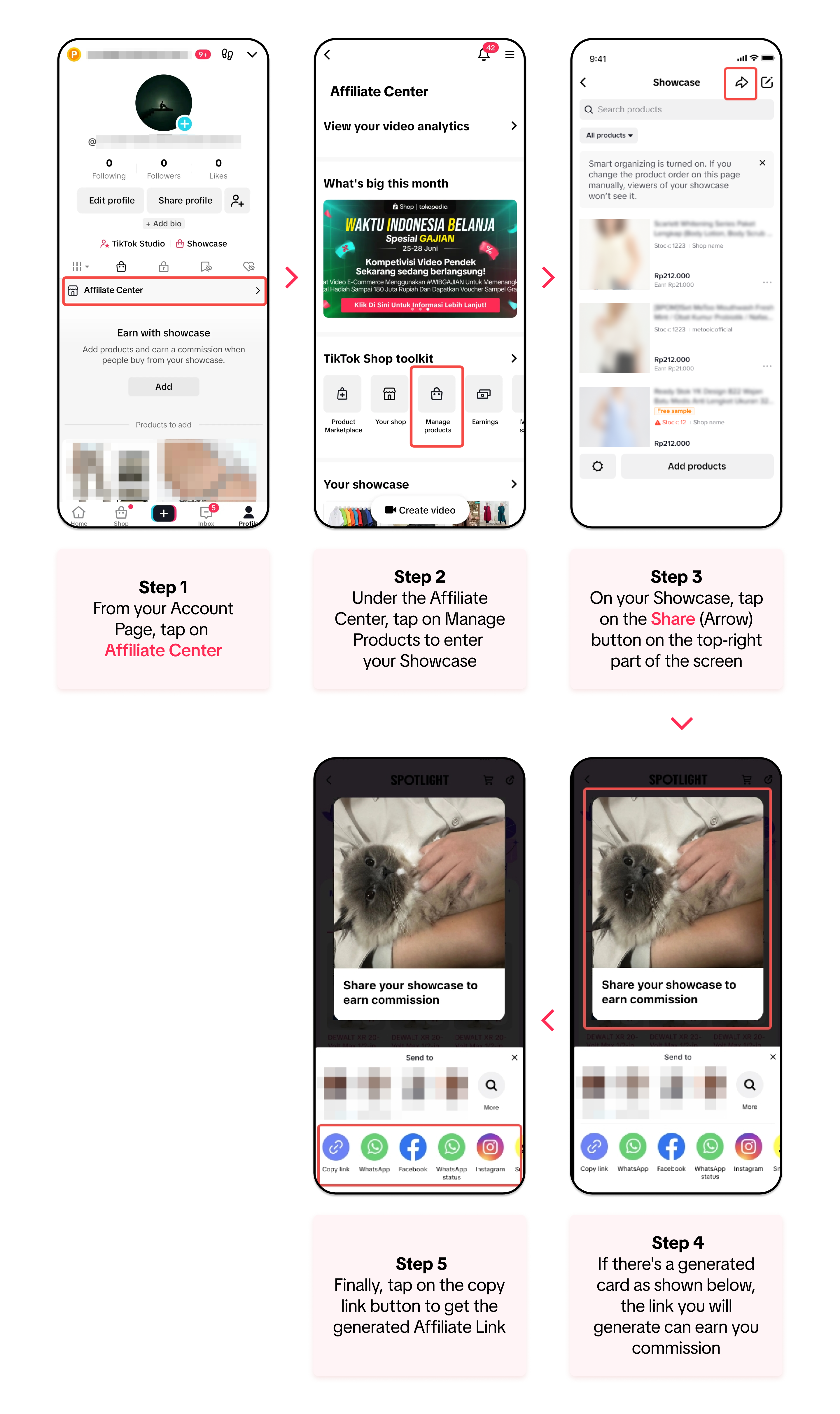 In addition to the Copy Link button in Step 5, tapping on the other social media channels will also generate the Product Affiliate Link to share directly to your chosen channel.
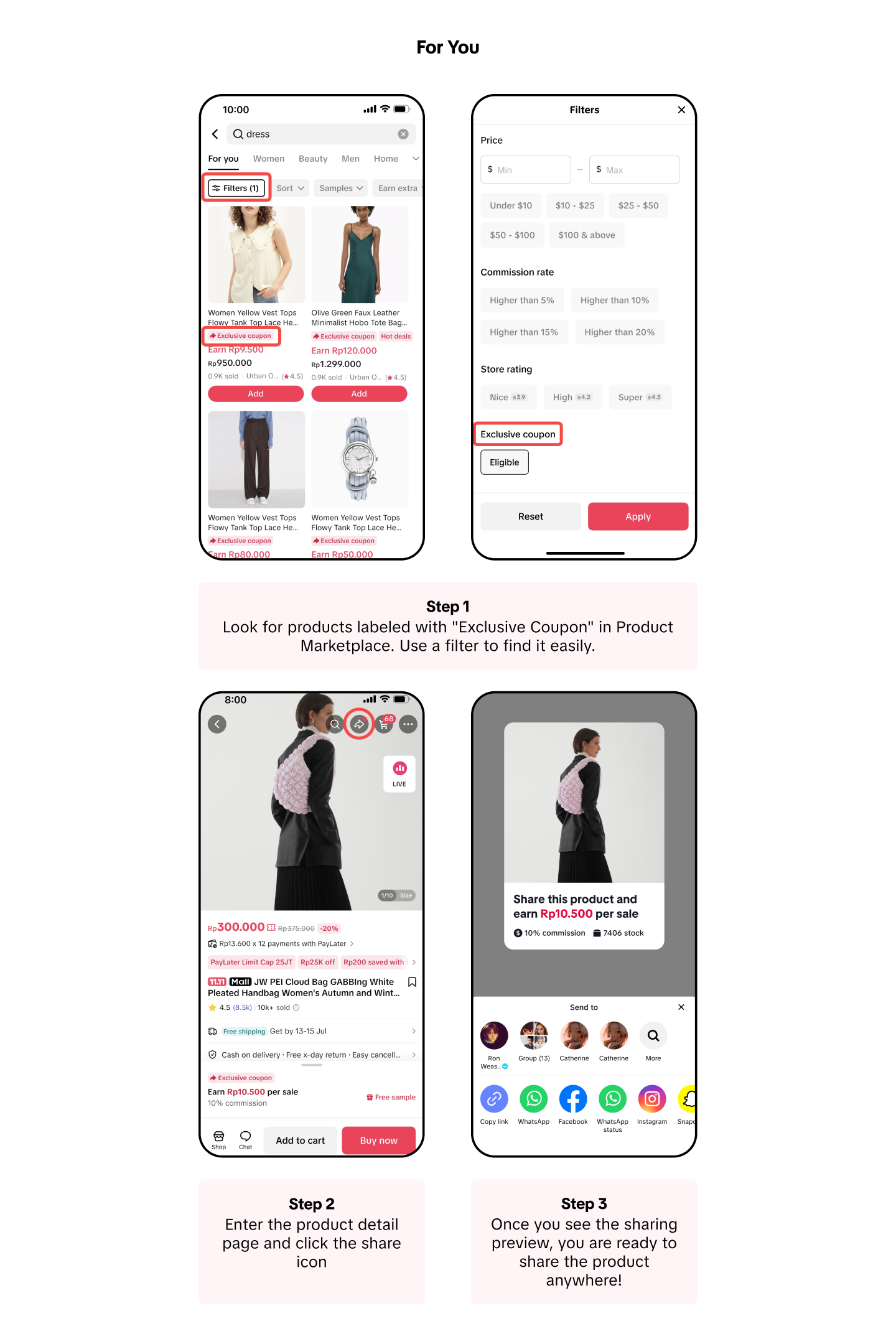
By sharing the links of products with Exclusive Coupons, you have the opportunity to get more clicks and sales! Here is how it works:
You can find these pages during a certain campaign period on several points:
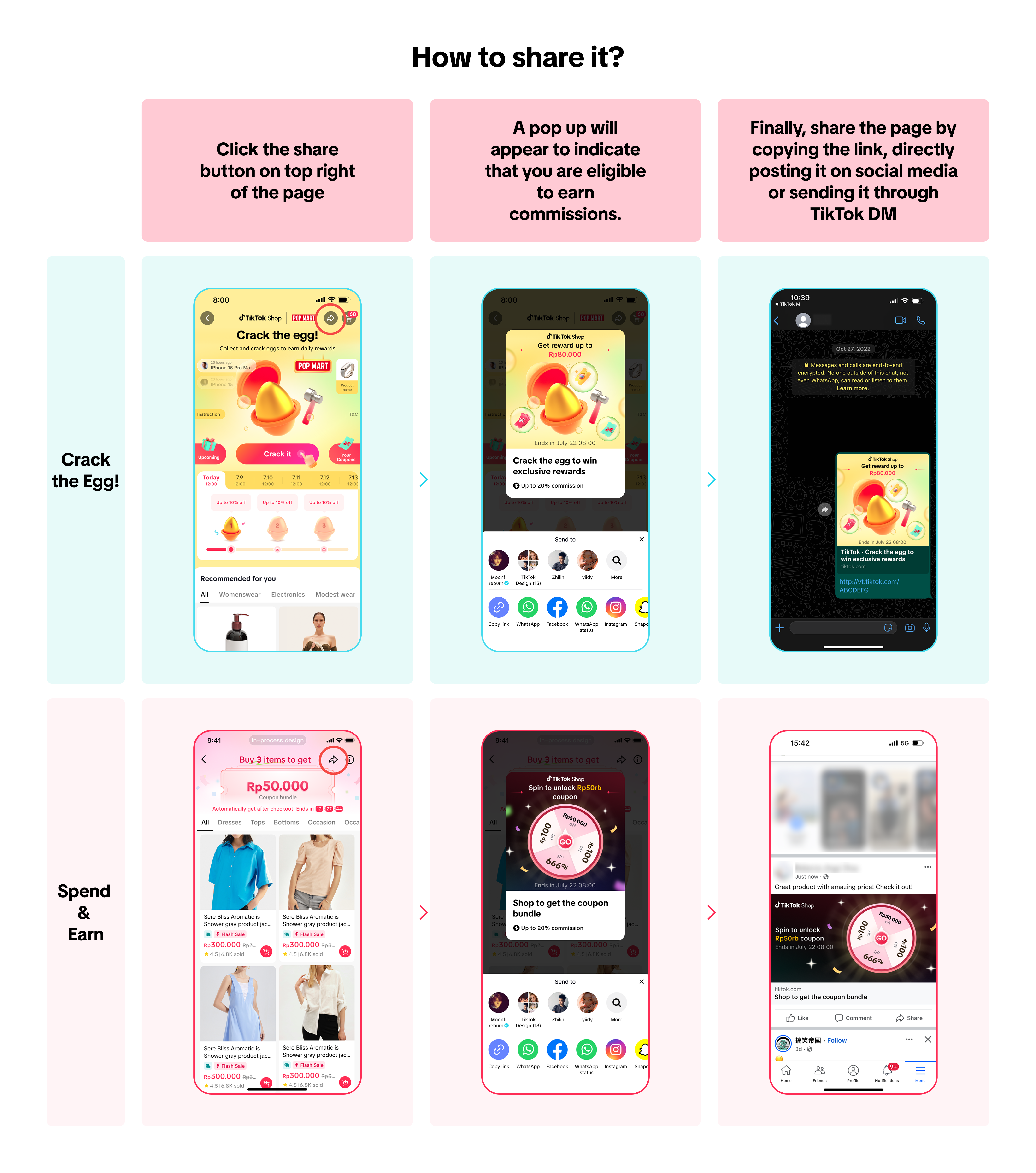
📌 Important Note: "Crack the egg!" and "Spend and Earn" are campaigns that may only be available during major campaign periods and to eligible users. 

In this article, we will guide you on how to use the Affiliate Link sharing function to earn commission from affiliate products. Aside from earning commission through short videos or LIVE sessions in-app, as an Affiliate Creator, you can also earn commission outside of the app through the use of Affiliate Links.
The Affiliate Link function is part of TikTok Shop's External Traffic Program (ETP) wherein it enables Creators to generate commission from Seller's products from outside the TikTok App. The program incentivizes you to create content and share links on other online platforms and in turn, you receive commission for each product checkout attributed to your link. Affiliate Links provides a key benefit for Creators, which helps them get extra commission! Now with both direct and indirect attribution, you can share affiliate links and earn additional commission through one link!
To get started, we will go over the following:
- What is the External Traffic Program?
- What are Affiliate Links?
- How does Affiliate Link Sharing Work?
- Direct & Indirect Attribution Commission for Affiliate Links
- How to Generate Affiliate Links
- How to Track your Affiliate Links Performance
What is the External Traffic Program (ETP)?
External Traffic Program is a TikTok Shop affiliate program that lets creators' and external traffic partners' promote sellers' products using affiliate links. As an Affiliate Creator, you can share these links on platforms like social media, websites, apps and more, helping you reach new customers outside TikTok and drive extra visibility to boost sales. Learn more about the External Traffic Program from a Seller's perspective here in this guide.What are Affiliate Links?
Affiliate link is a feature that allows you, the Creator, to promote Shop products outside the app. The link is connected to your creator account and when buyers click on the link and checkout the product, the commission can be attributed to you.Key note: Creators will need to fill in their bank details first before they can receive commission from Affiliate Links. If you haven't confirmed your details, adding a product to your showcase will start the process.
How does Affiliate Link Sharing work?
The overall process on Affiliate links is pretty simple. Creators will obtain a link from an affiliate product to promote, then Buyers will view the Creators' posts which includes the link and checkout the affiliate product(s) inside the link. The Creator will only receive a commission on eligible sales from the link once the order is fulfilled.For a more detailed understanding of the link sharing process, feel free to read the flowchart below:
Direct & Indirect Attribution Commission
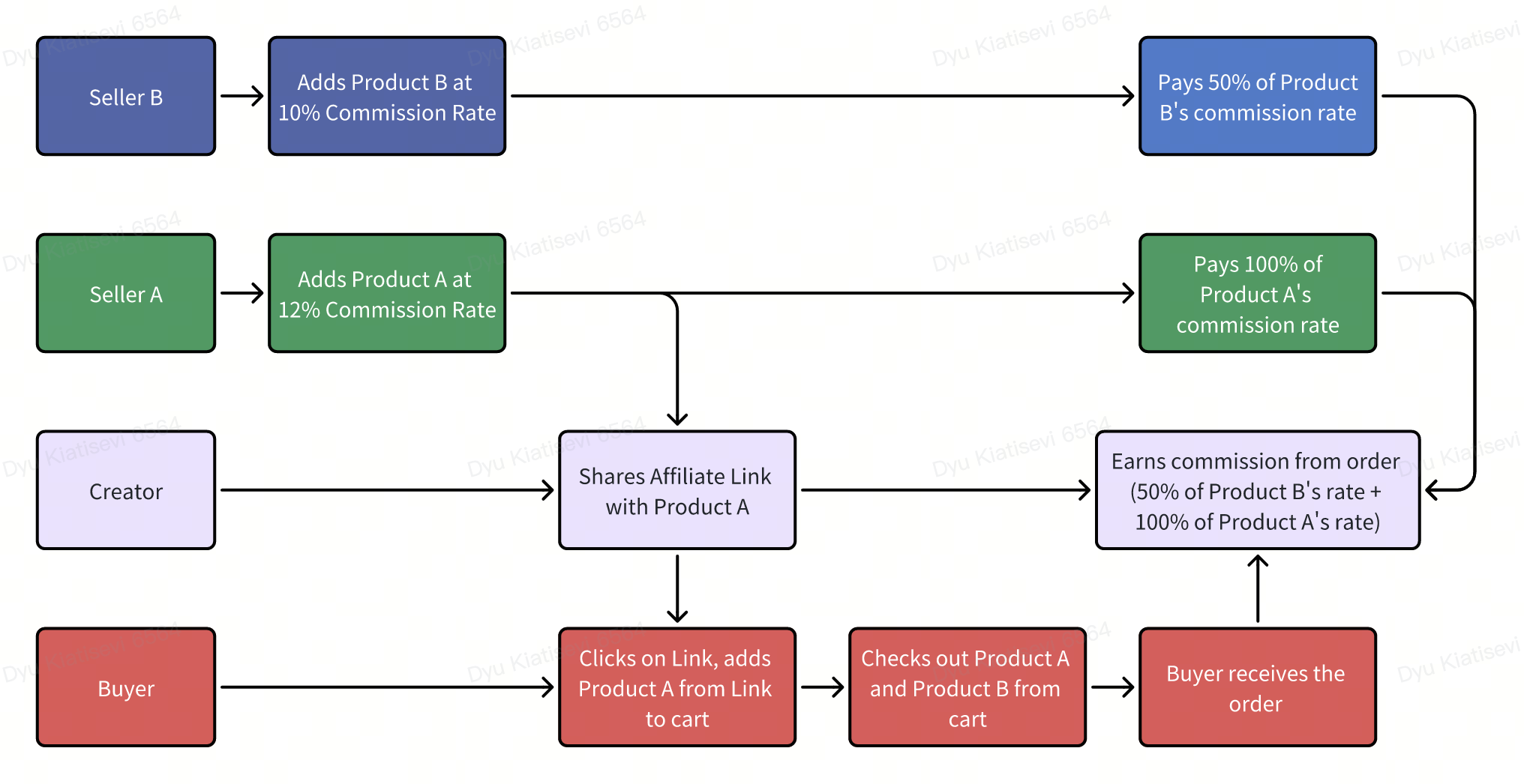
Affiliate Links can provide Creators with two types of commission rate called: Direct Attribution and Indirect Attribution. The commission rate a Creator can receive varies differently according to the table below:| Direct Attribution | Indirect Attribution | |
| Attrbution | Receives commission when a buyer purchases an affiliate product directly from the Affiliate Link shared | Receives commission when a buyer purchases through TikTok Shop recommendations after clicking on the shared Affiliate Link |
| Commission Provided | 100% of the product's commission rate | 50% of the recommended product's Original commission rate |
Direct Attribution also varies per Affiliate Link. Campaign, Shop Page and Showcase links can provide the Creator a wider scope of Direct Attribution. These commissions are granted if they come from the group of affiliate products directly shown on the link.
| Affiliate Link Type & Commission Scheme | Affiliate Creator |
Product Affiliate Link (Product Detail Page)
| Yes |
Campaign Affiliate Link
| Yes |
Shop Page Affiliate Link
| Yes |
Showcase Affiliate Link
| Yes |
Commission Scheme for Direct & Indirect Attribution
To provide more context on how the commission scheme works for Direct & Indirect Attribution, we provided these two (2) scenarios:- Commission Scheme from Creator and Buyer POV
- Commission Scheme with Seller POV
Tracking Indirect & Direct Affiliate Link Orders
To track whether the commission you received comes from Direct or Indirect Attribution, you can go to your Affiliate Orders page: Go to Creator Center > Earnings > Affiliate Orders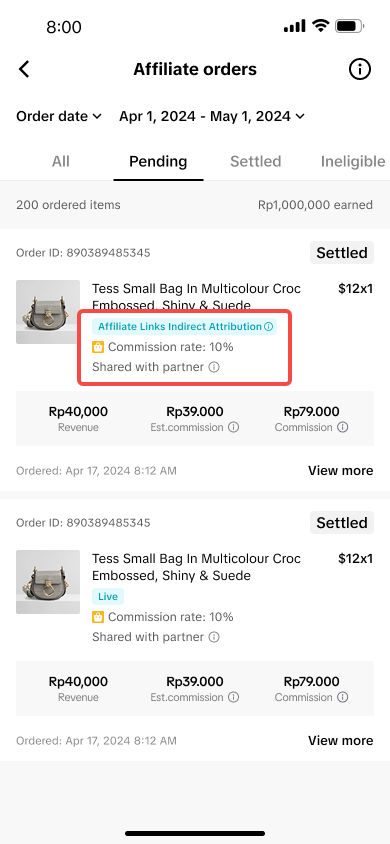 | The affiliate orders page will show which orders generated Indirect or Direct Affiliate Links Promotion |
How to Generate Links for Affiliate
The ability to create Affiliate Links is all done inside the app. You, as an Affiliate Creator, can freely share the Affiliate Links outside the app like other social media platforms.However, before you can start earning by sharing affiliate links, you must first complete the age verification process! If you haven’t completed the verification, the link you generated and shared will be a regular link and won’t generate any commission.
You can start the age verification process through any of these three entry points by simply tapping "Verify":
- Product Page
On any product page you would like to share, scroll up the section circled in red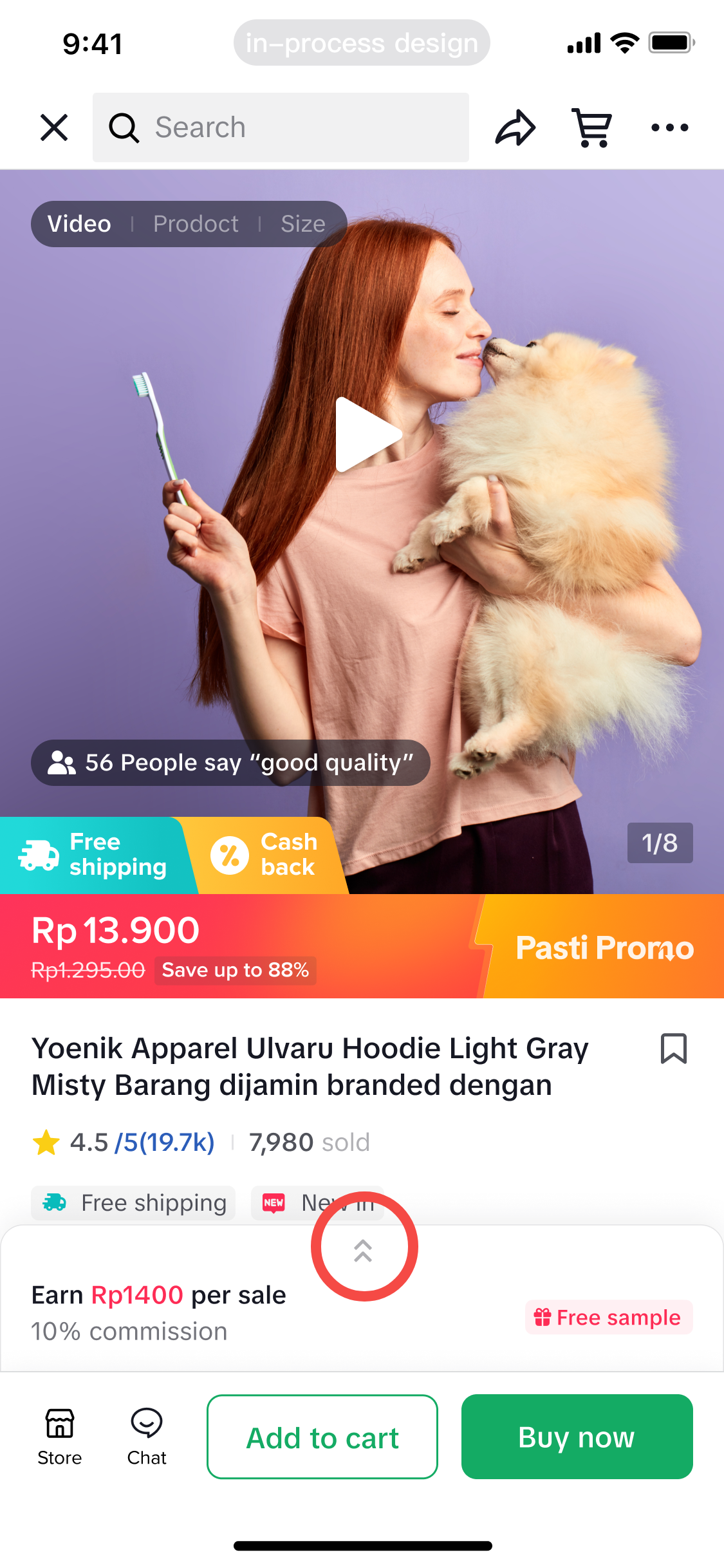 | You'll see a prompt indicating that you have not completed the age verification yet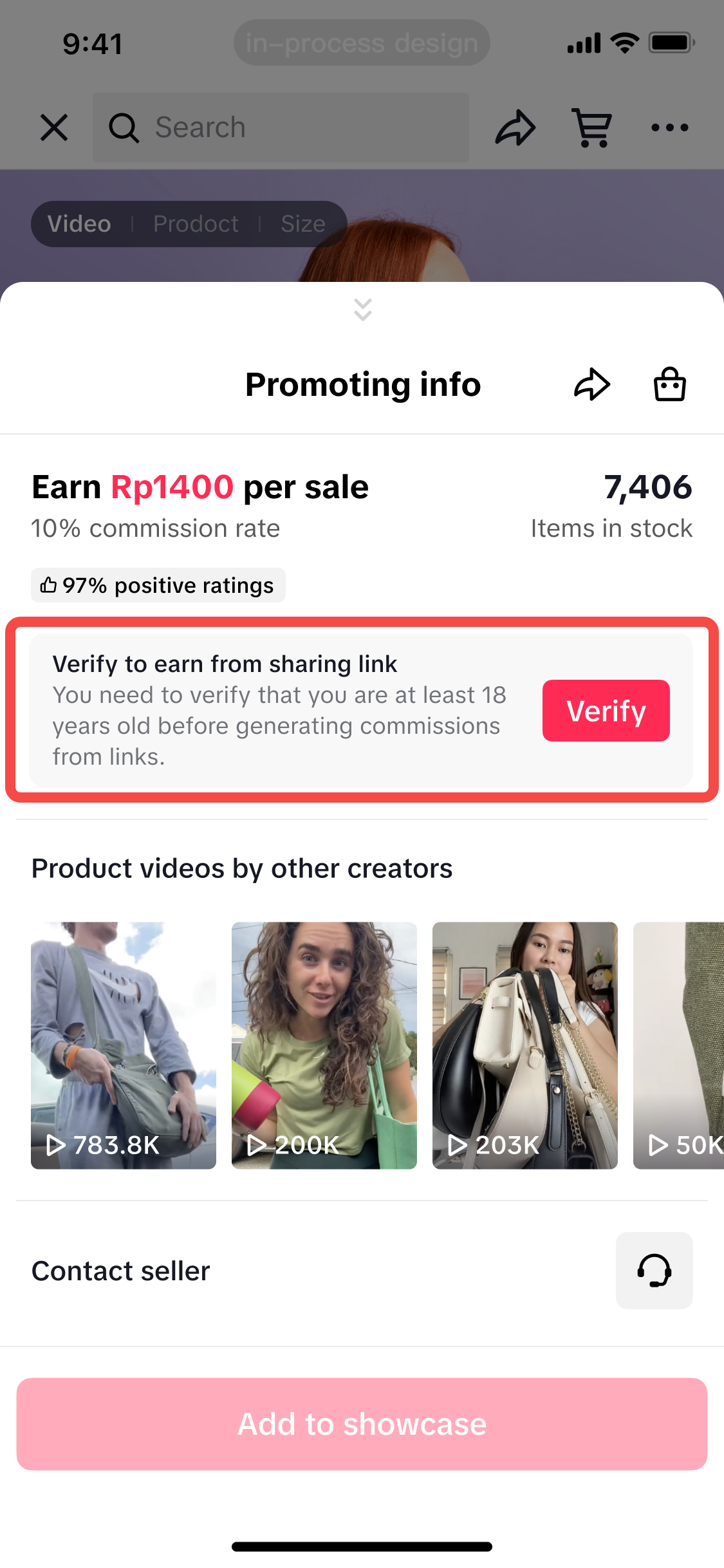 |
- Pop up on Creator Center
Access the Creator Center from your profile by tapping the "Affiliate Center" button on your Showcase page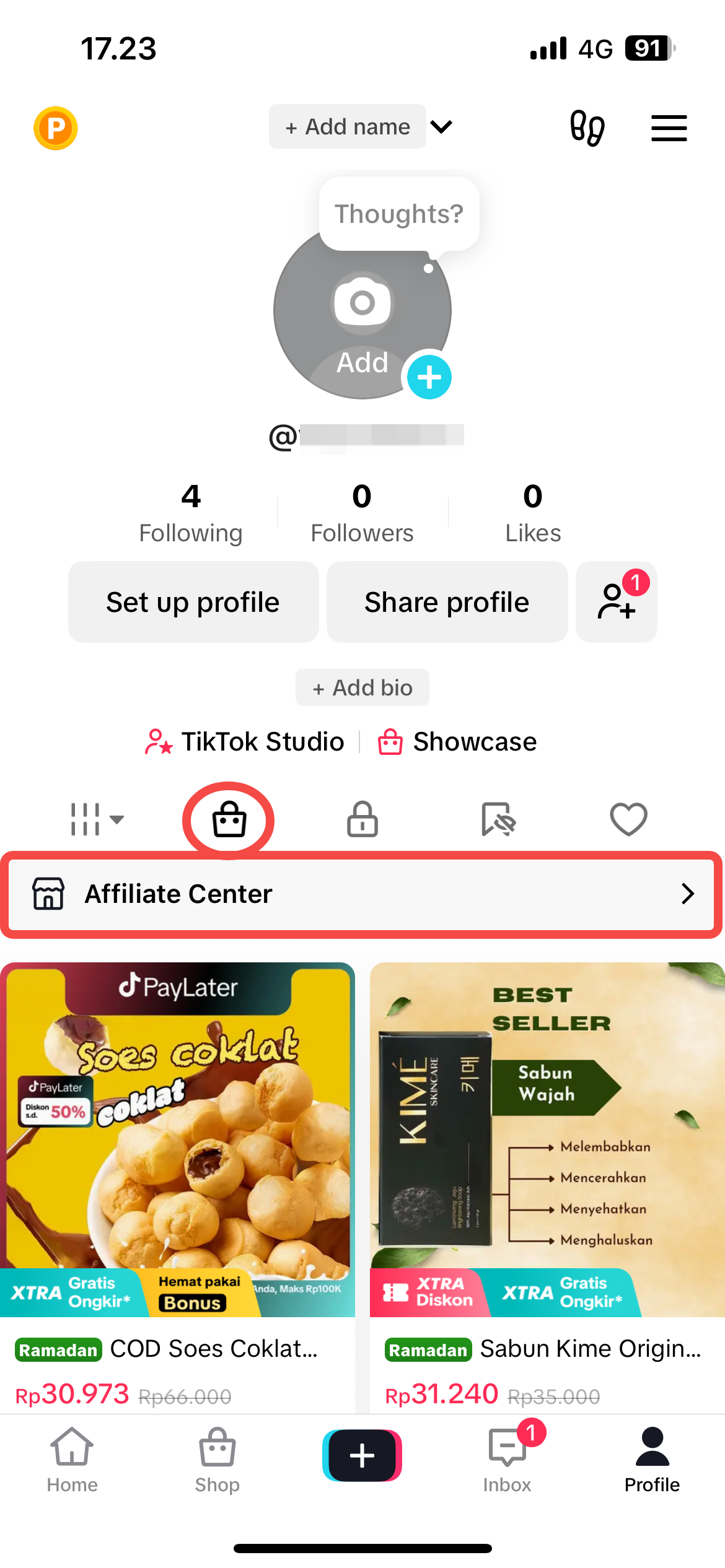 | A pop-up prompting you to complete the age verification may appear once you enter the Creator Center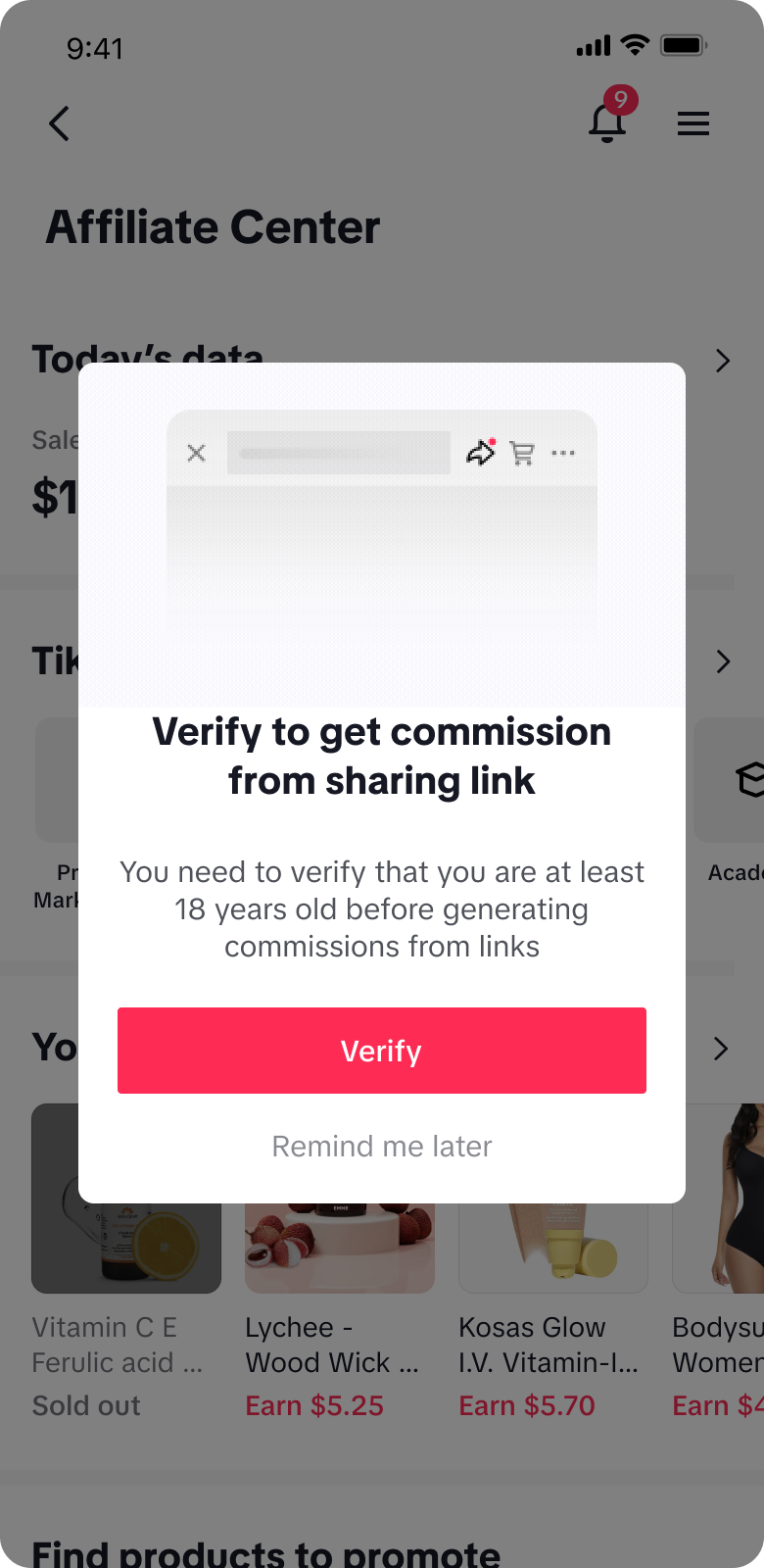 |
- Creator Center Homepage
Access the Creator Center from your profile by tapping the "Affiliate Center" button on your Showcase page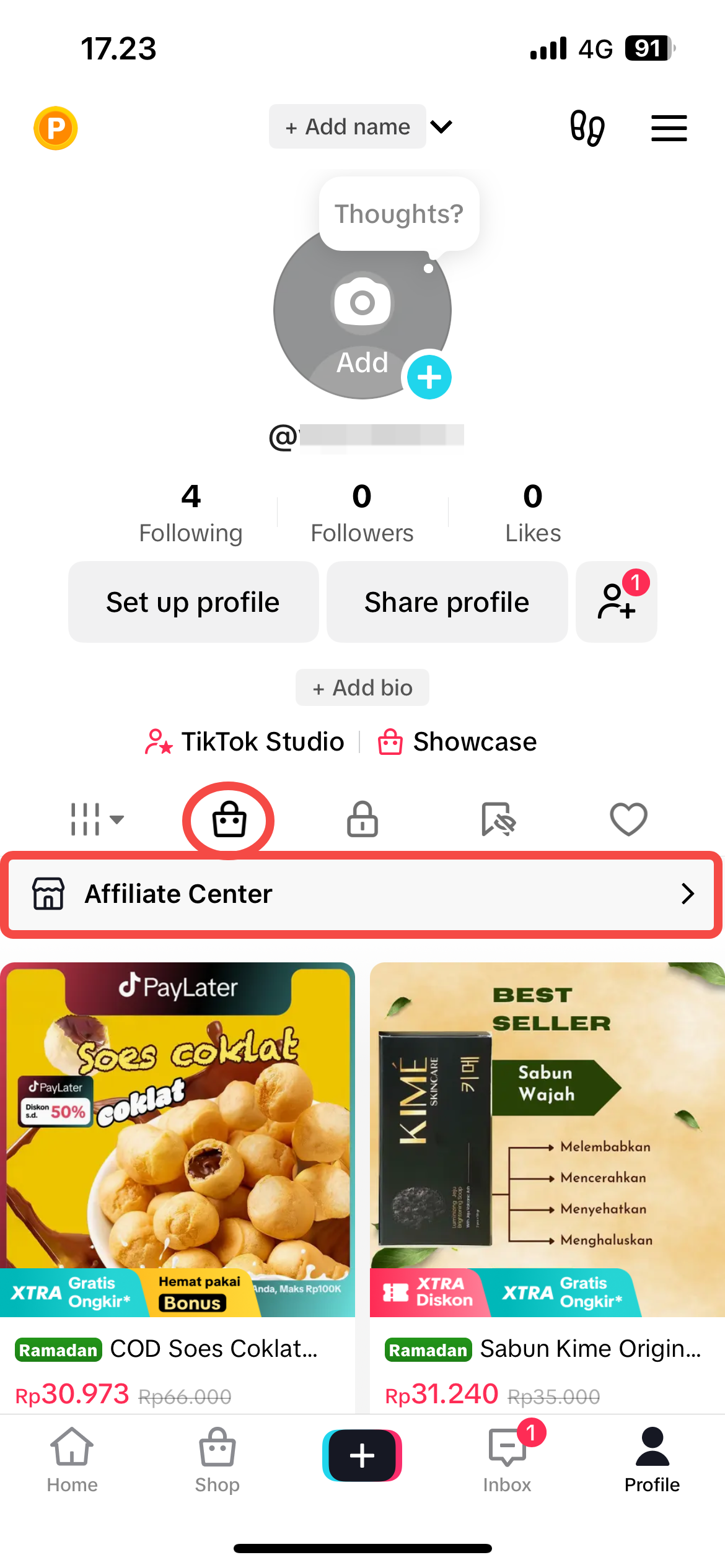 | An announcement prompting you to complete the age verification may appear at the top of the page once you enter the Creator Center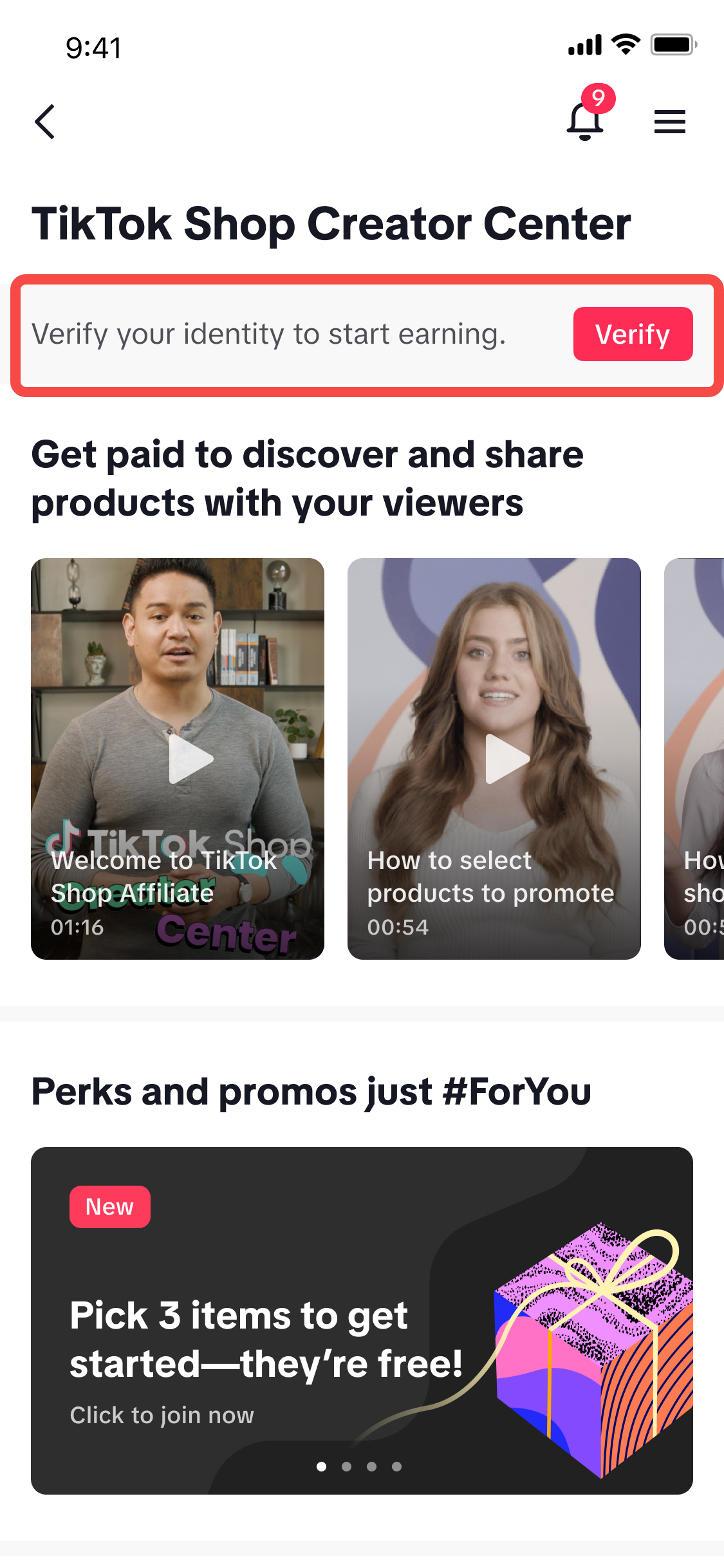 |
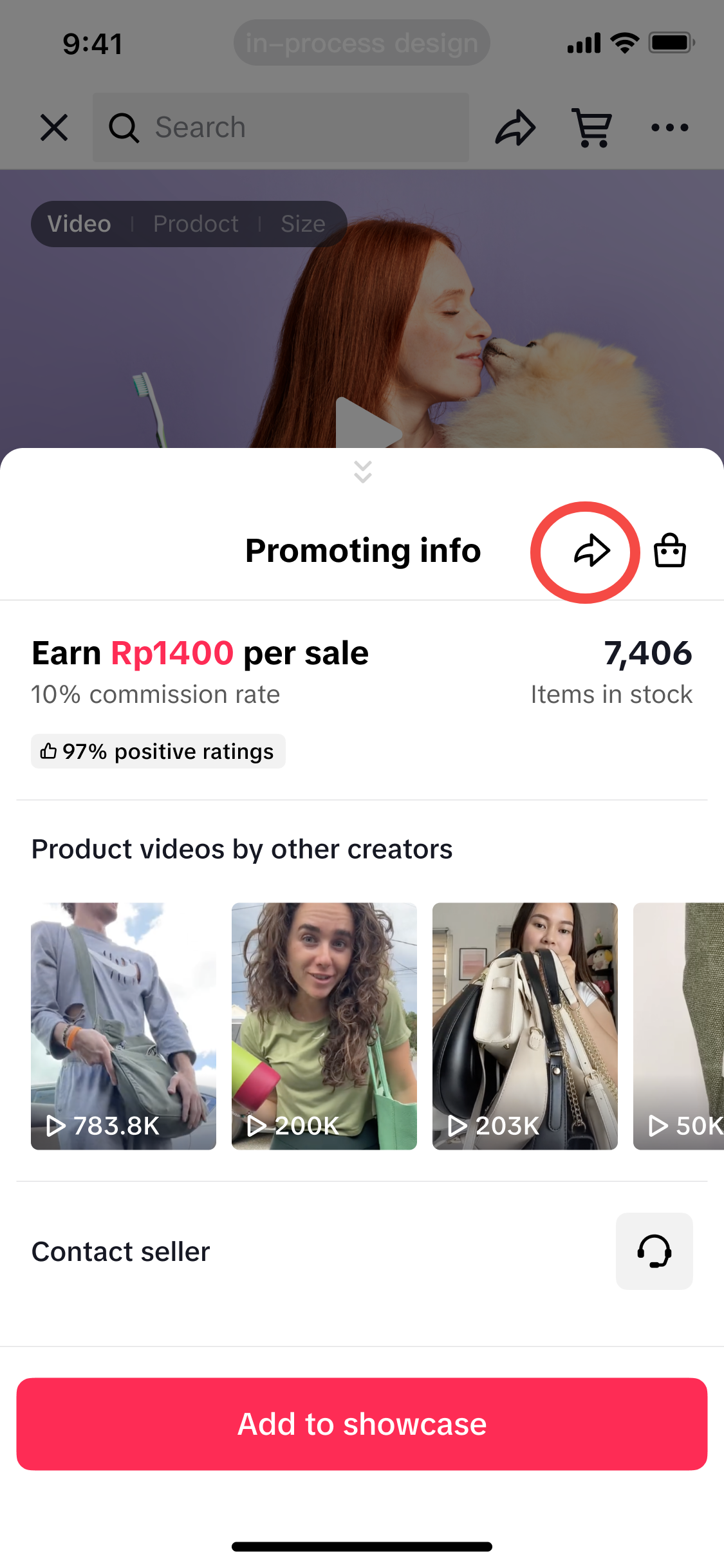
Once you’ve completed the verification process, you can track its status. Here’s how to do it:
| First, go to the product page of an affiliate product. Then, tap the share button: | If the verification is still under review, you won’t be able to see the affiliate link commission preview. The option to share the link will be visible, but you won’t receive any commission for sharing the link. | If the verification fails and requires an appeal, tap the appeal button to begin the appeal process. | If the verification is successful, you'll see the affiliate commission preview. This means you're now eligible to start sharing links and earning commissions! |
 | 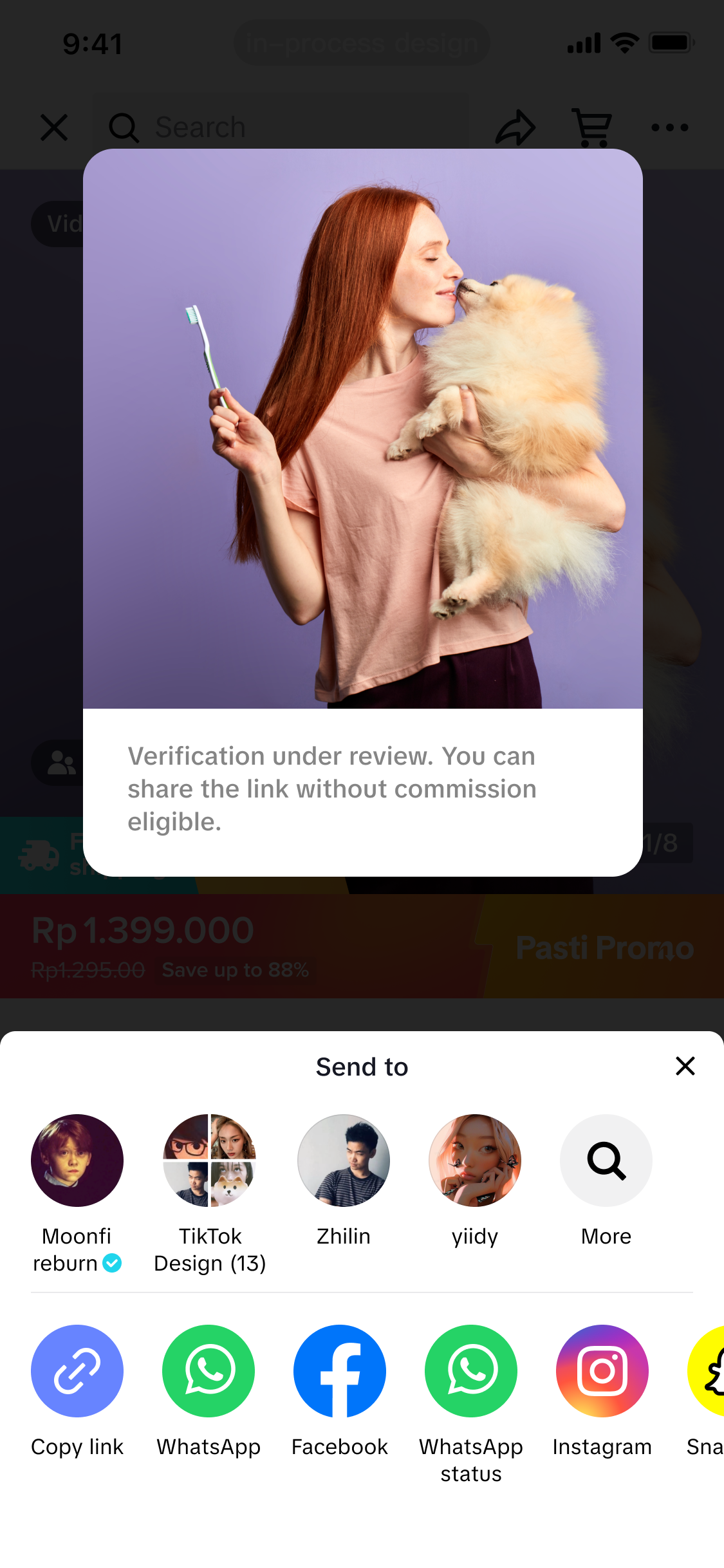 | 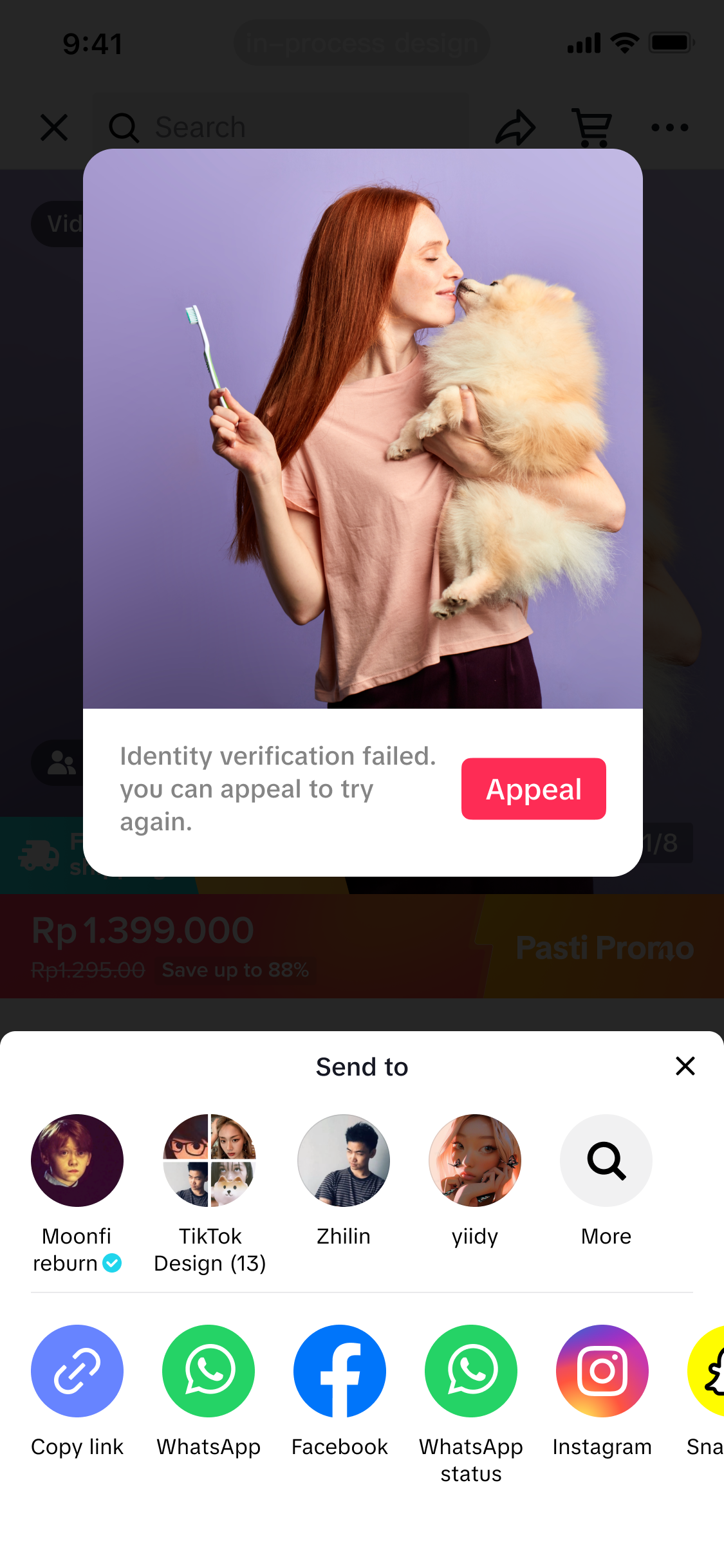 | 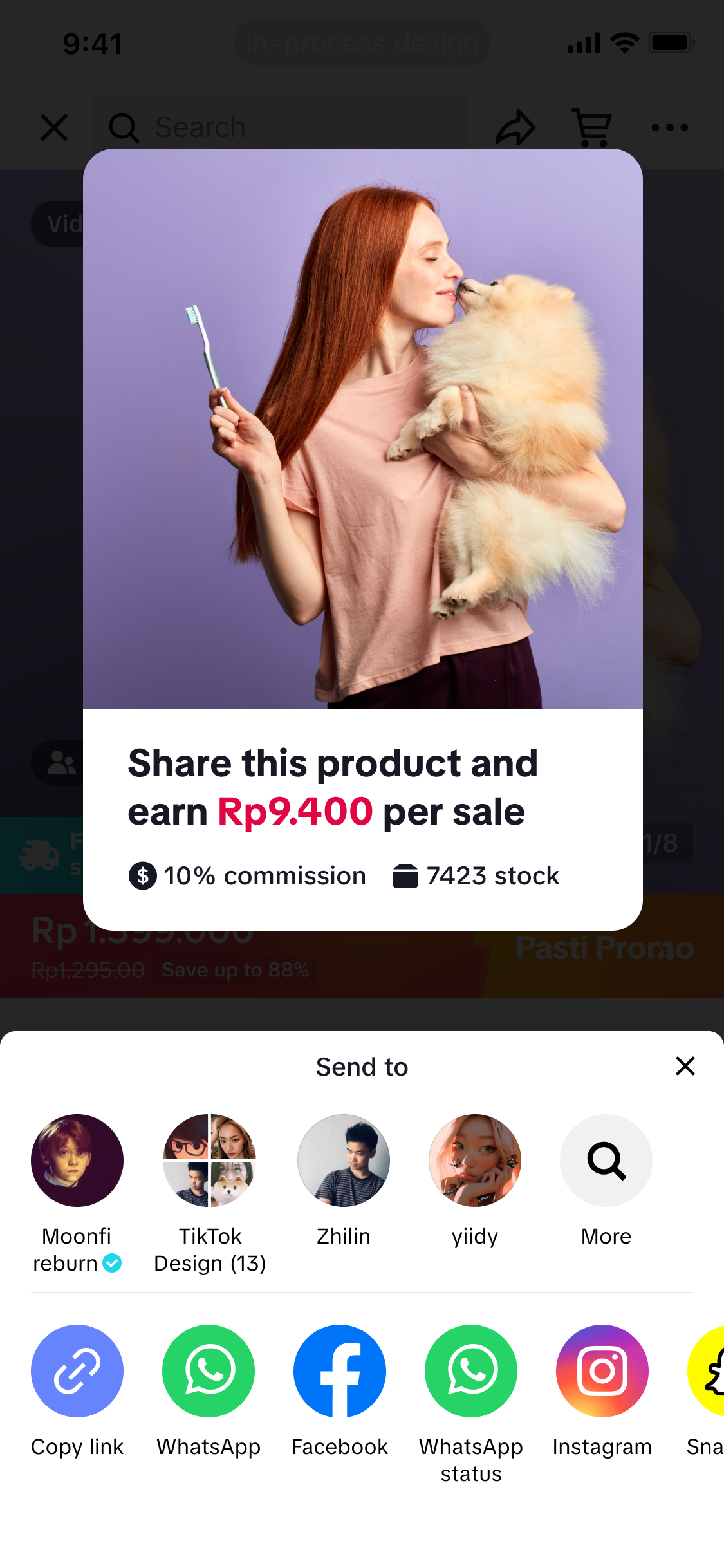 |
Product Link
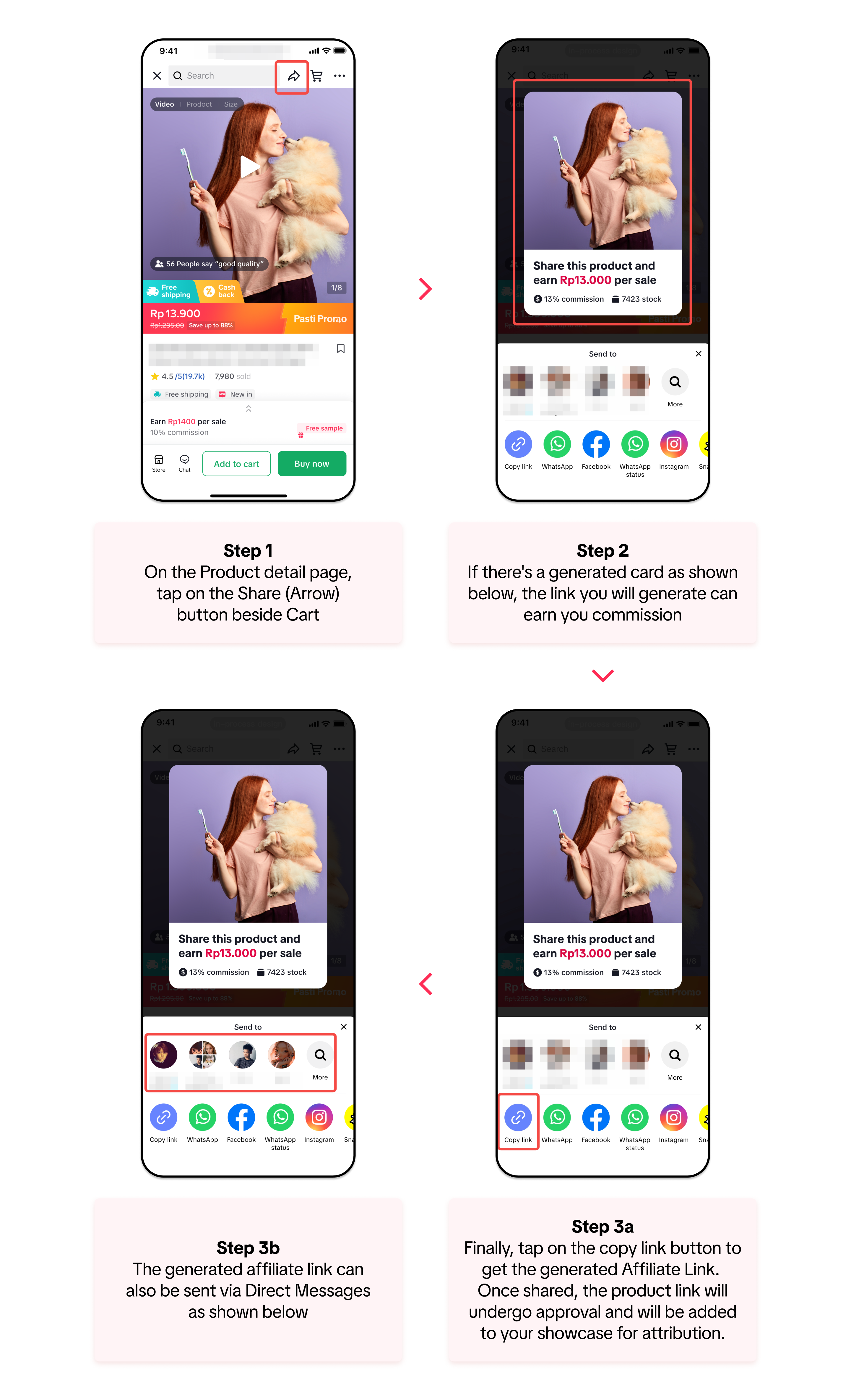
For this guide, we will start Step 1 when you have selected a product you want to promote. Don't worry, finding products is easy! You find products that are available for affiliate through the following pathways: Product Marketplace, Shop Tab, and the FYP Page.In addition to the Copy Link button in Step 3, tapping on the other social media channels will also generate the Product Affiliate Link to share directly to your chosen channel. - Ex. If you choose Facebook, it will redirect you to Facebook's create status page with the generated link added .
Campaign Link
All types of Creators can also earn commission when they share links for campaigns from the Shop Tab. Creators can earn from all the products inside the campaign through just one link.In addition to the Copy Link button in Step 4, tapping on the other social media channels will also generate the Campaign Affiliate Link to share directly to your chosen channel. - Ex. If you choose Facebook, it will redirect you to Facebook's create status page with the generated link added.
Showcase Link
For Affiliate Creators, you can also generate affiliate links that lead to your account's showcase. This means you can earn commissionIn addition to the Copy Link button in Step 5, tapping on the other social media channels will also generate the Product Affiliate Link to share directly to your chosen channel. - Ex. If you choose Facebook, it will redirect you to Facebook's create status page with the generated link added.
Shop Page Link
All creators can also earn affiliate commissions by sharing an entire shop. With this feature, creators can earn a commission whenever a buyer makes a purchase in the shop after clicking the link shared by the creator.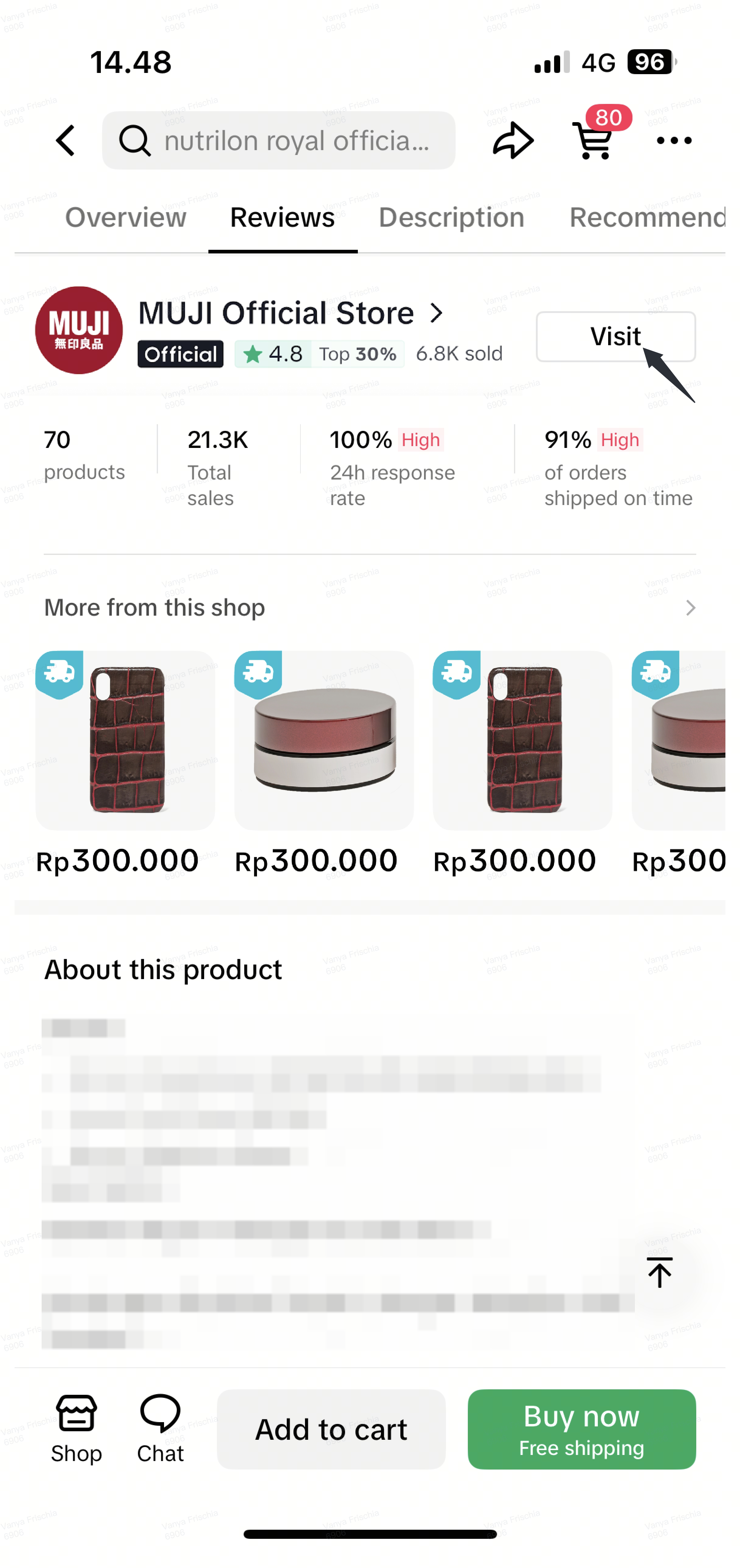 | 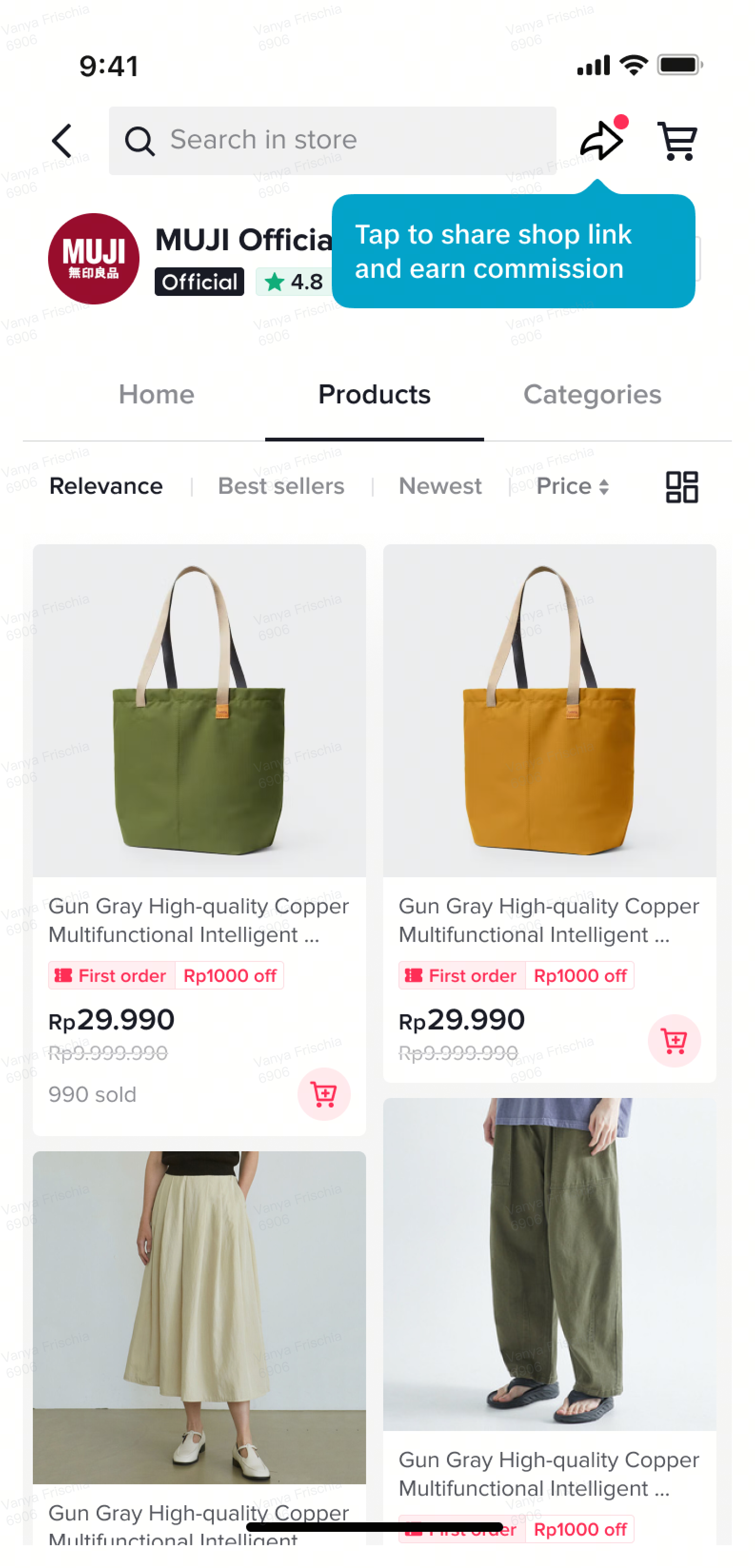 | 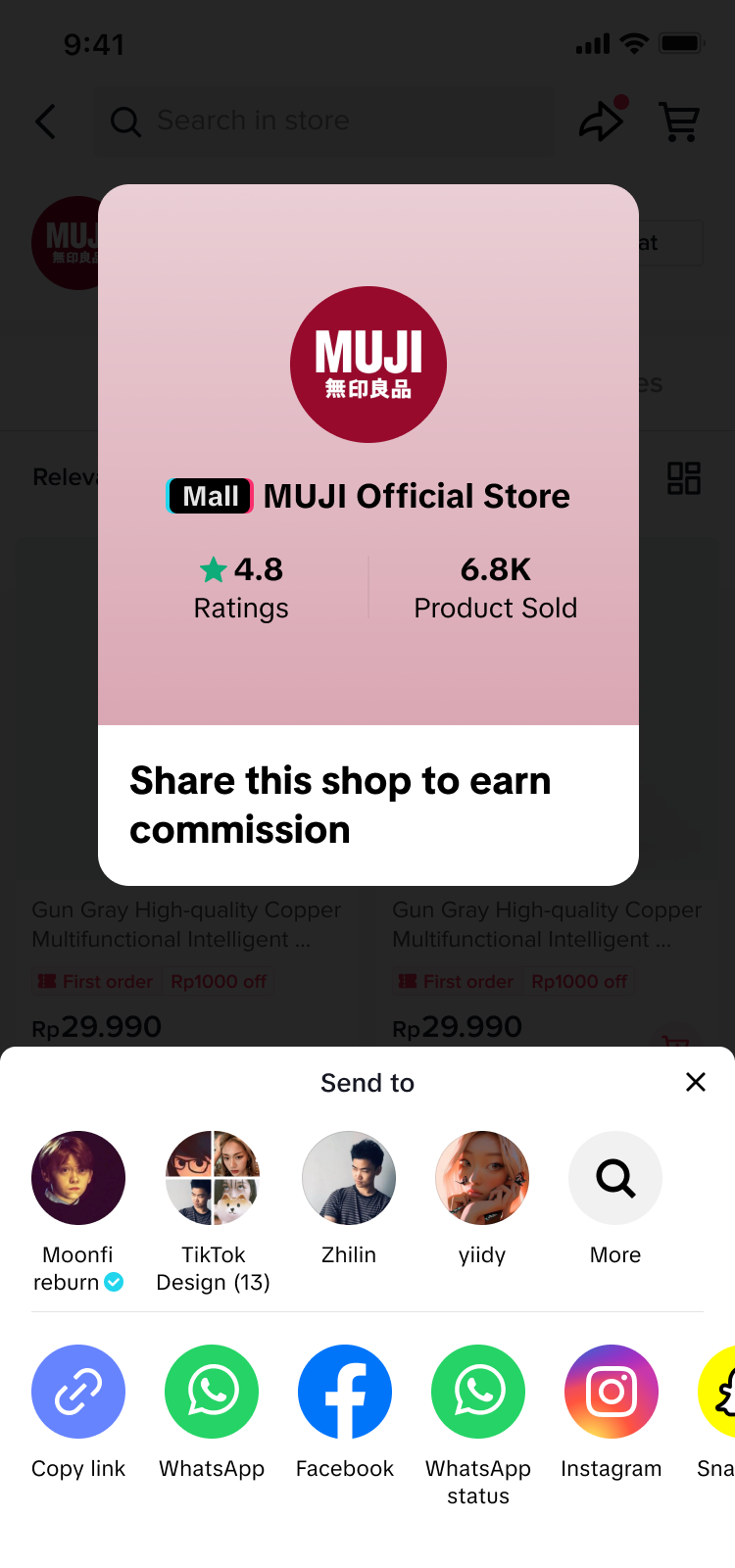 |
| Step 1: Search a shop on the Shop Tab or scroll down a Product Detail Page to find the "Visit" shop button and tap on it to visit the shop | Step 2: On the shop page, tap the share link arrow at the top right of the page | Step 3: Finally, Share the shop page by copying the link, posting it on social media, or sending it through TikTok DM! |
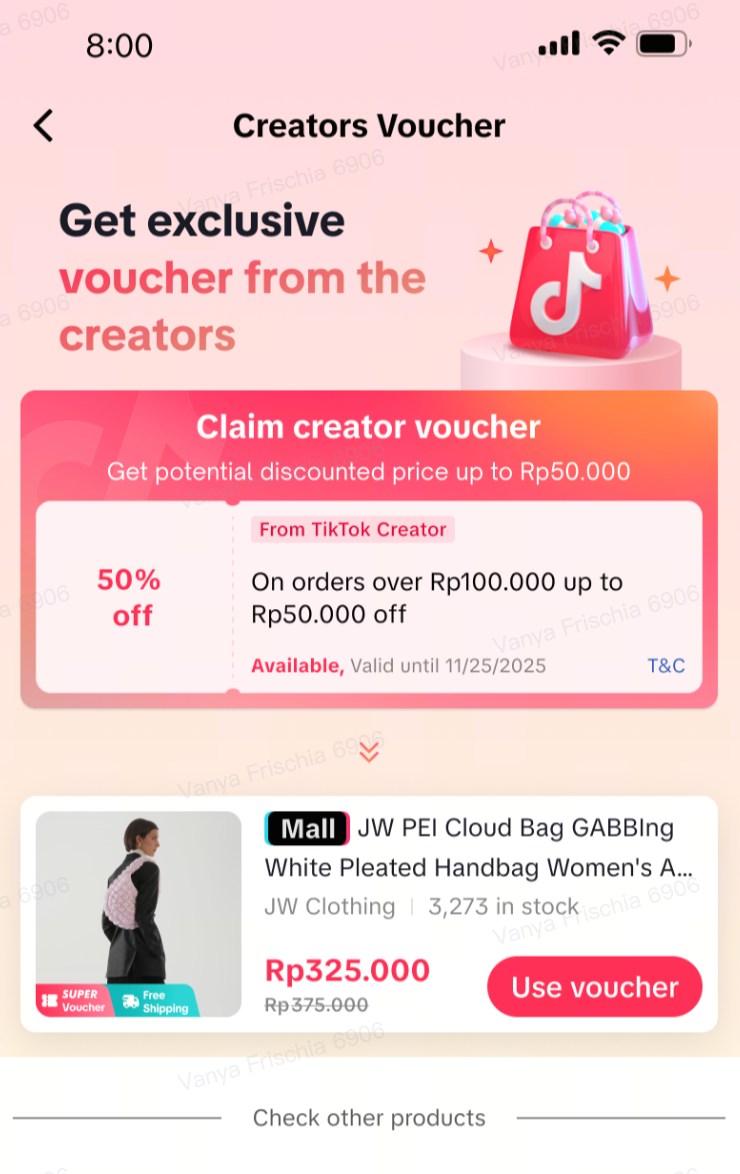
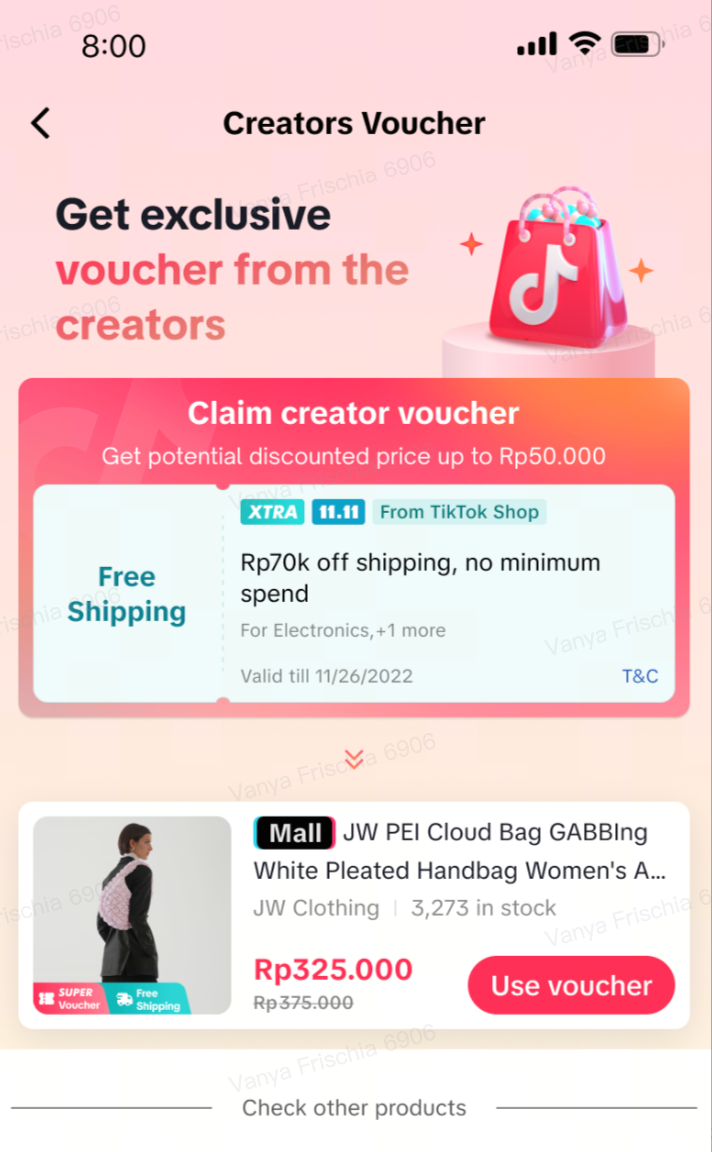
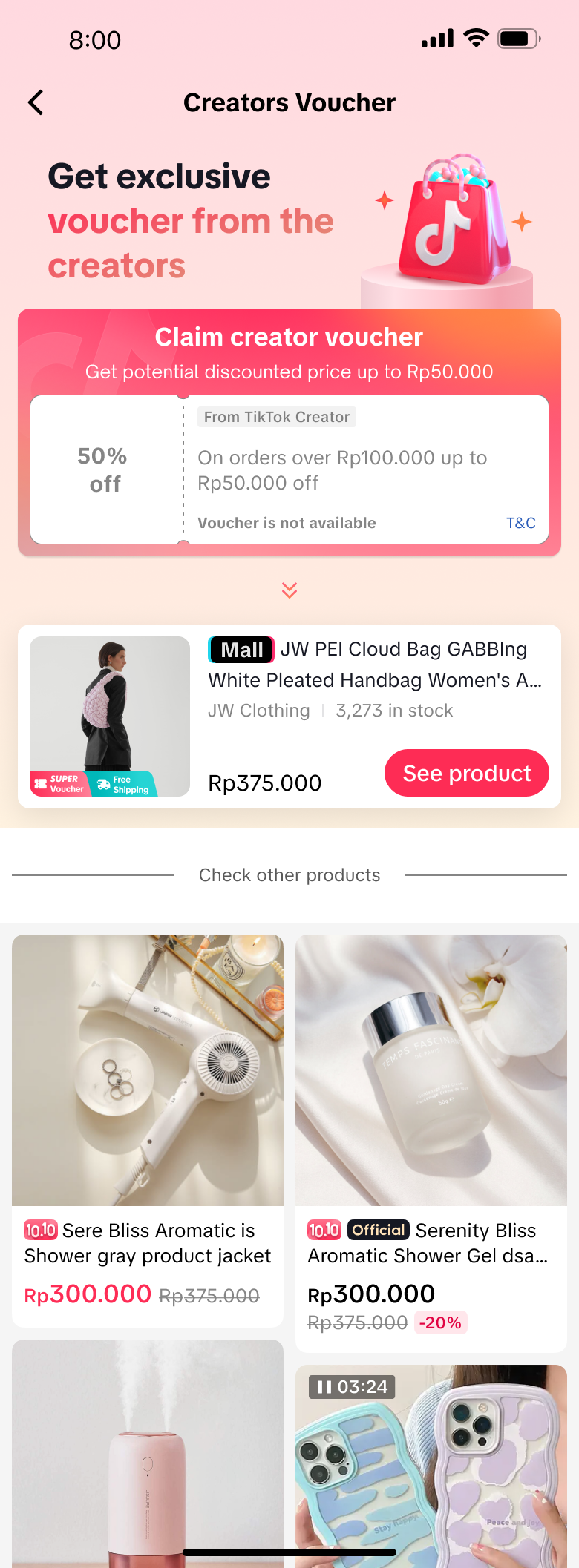
Product Links with Exclusive Coupons
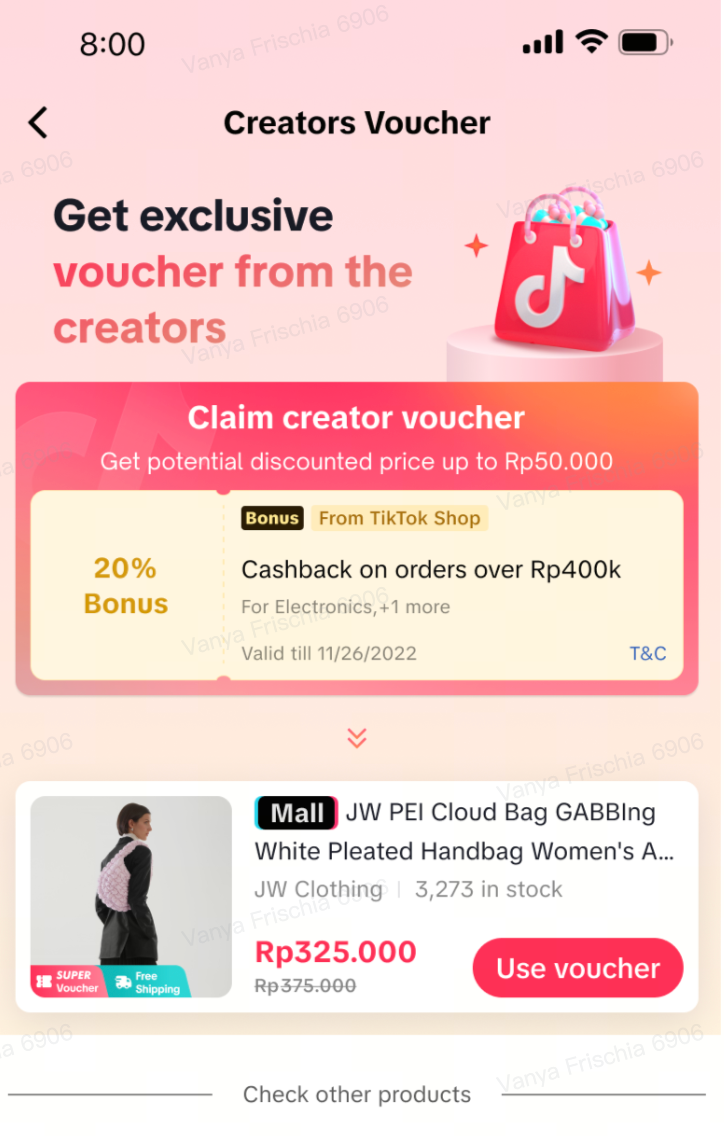
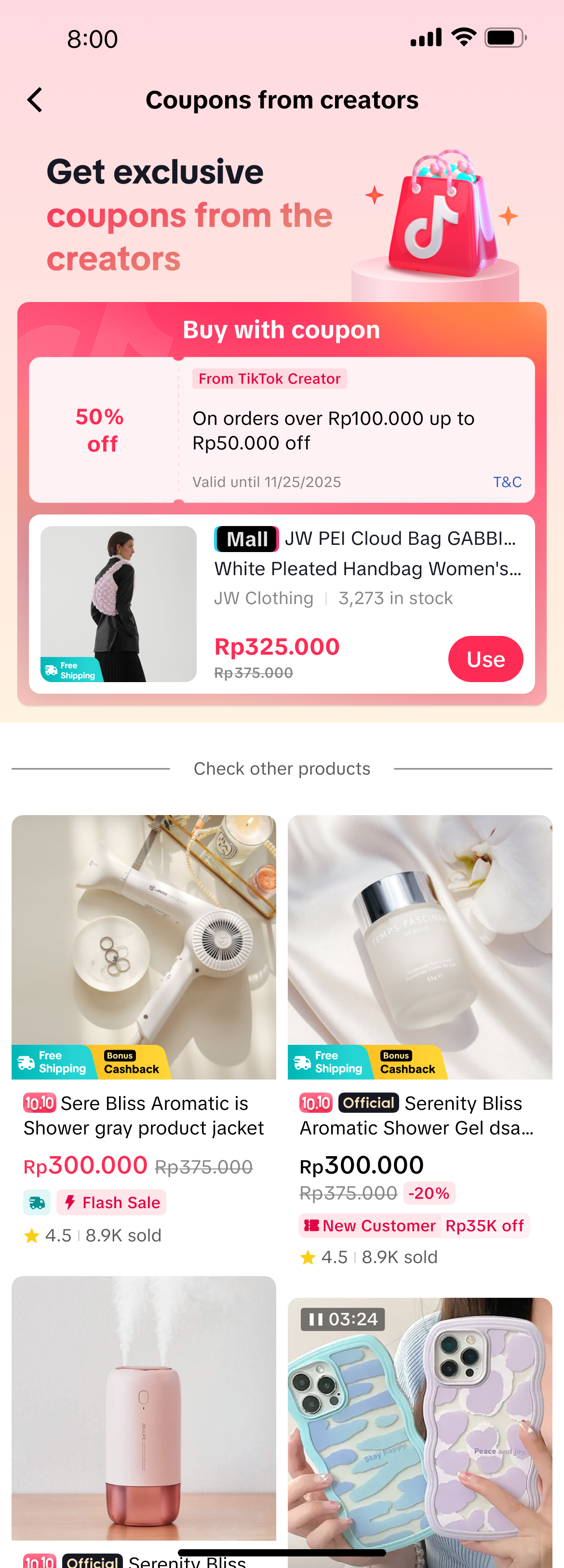
Some products come with Exclusive Coupons - a coupon that buyers can only claim through the link you shared! Buyers can enjoy various deals only from the link you shared, such as:Product Discounts | Free Shipping | Cashback |
 |  |  |
 | 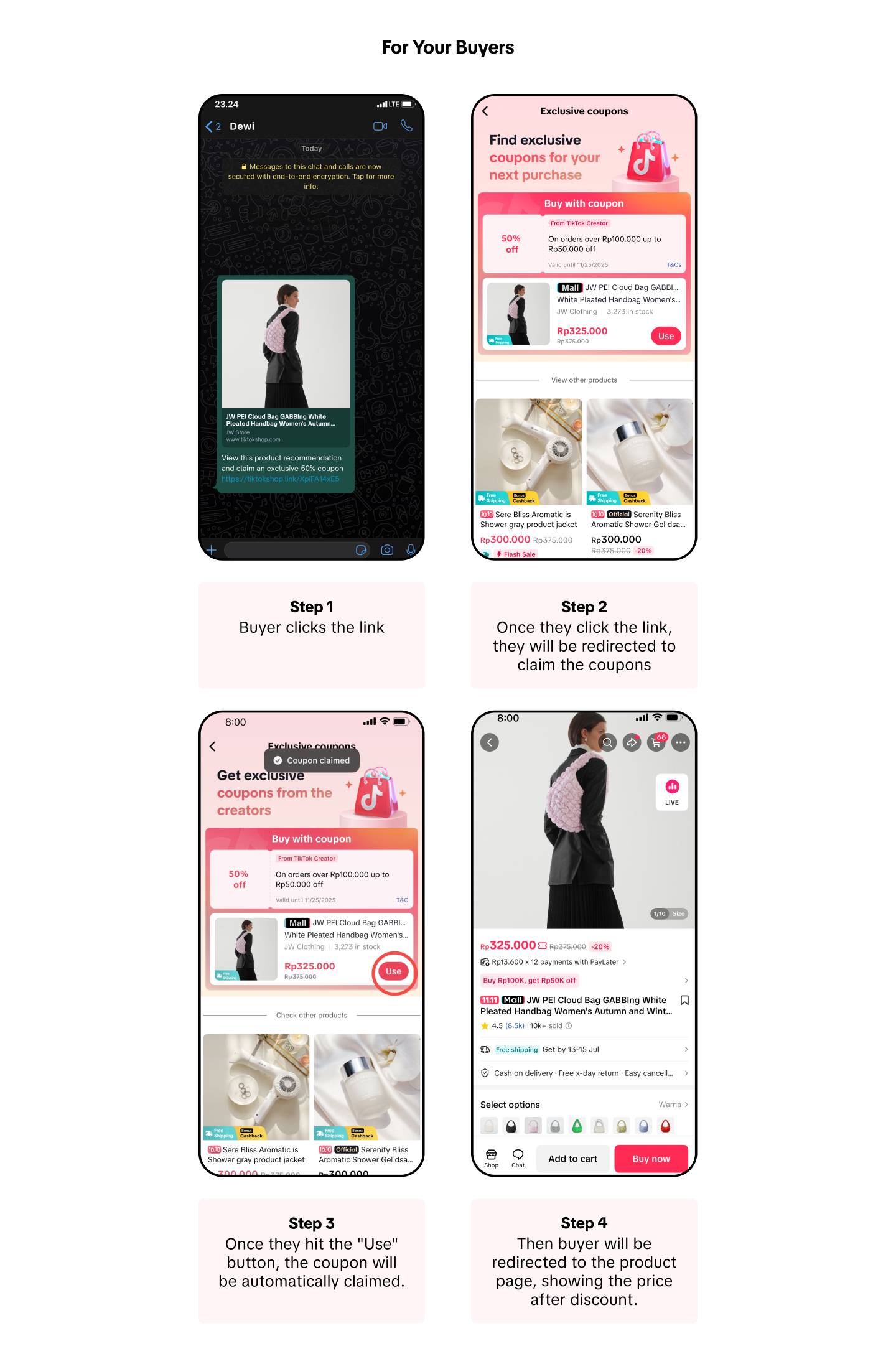 |
Finally, if the buyer checks out the product you shared, you will earn commission based on the commission set for that product.
The coupons are only eligible for a product you shared which has the "Exclusive Coupon" label and some other products curated by the platform. If a buyer purchases the other products recommended by the platform shown on this page, you will earn 50% of the product's original commission. | The coupons are subsidized by the platform and are available for a limited time and quantity. Once the quota is reached, the coupon can no longer be claimed. However, buyers can still view and purchase the product without using the coupons, and you will still earn a commission on those sales. |
 |  |
Engagement Page Links
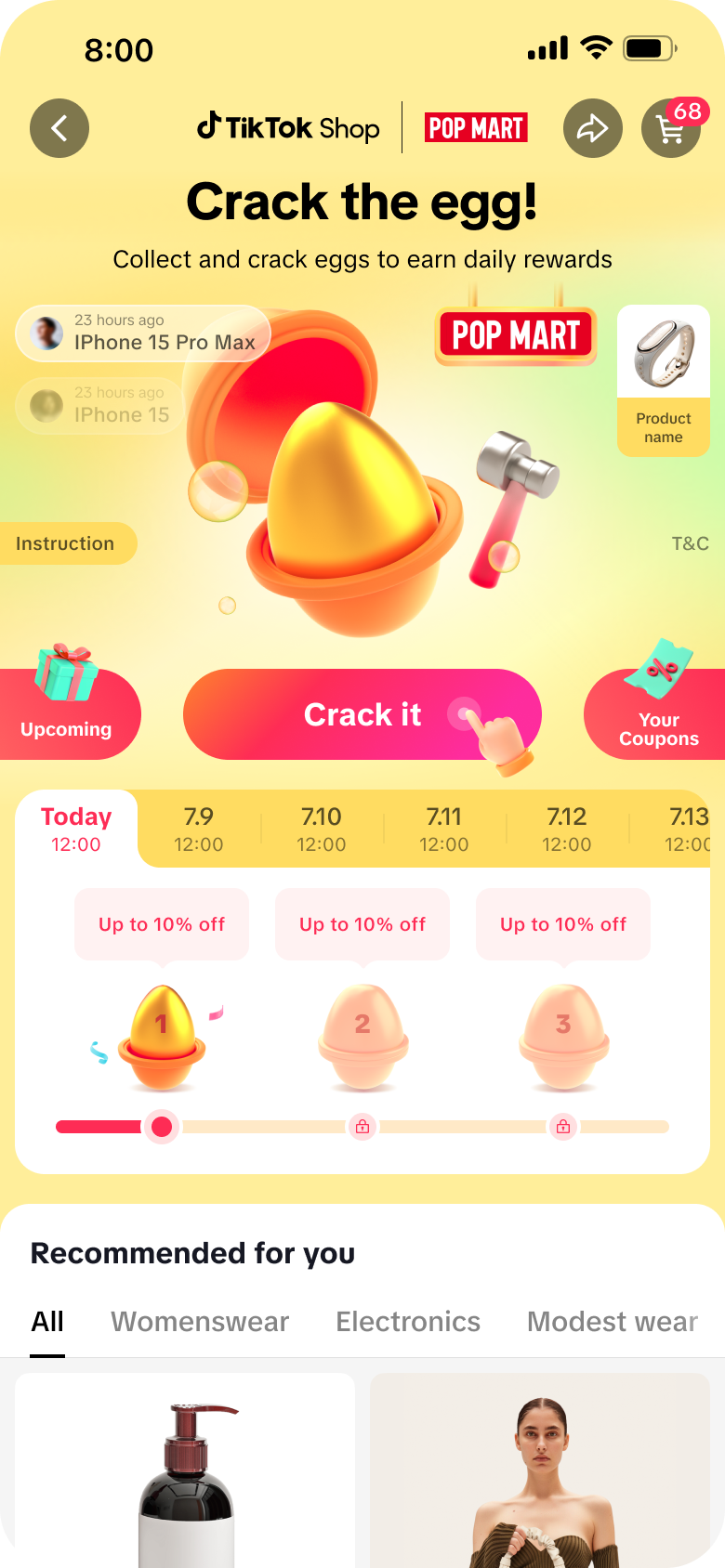
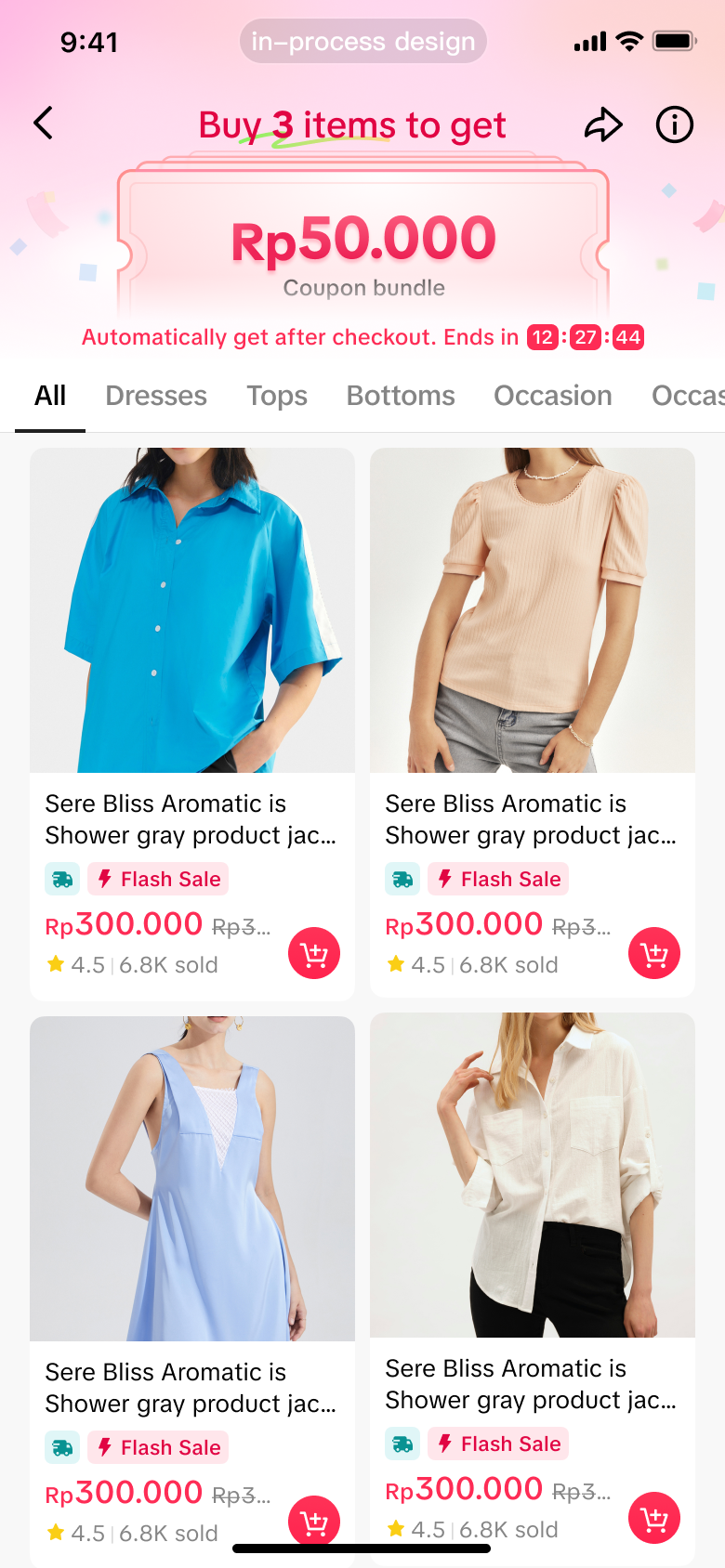
You can now share a variety of engagement pages with your buyers! These pages let buyers play games and unlock deals like discount vouchers, free shipping vouchers, and many more. Here are some that you can share:| Crack the egg! | Spend and Earn |
 |  |
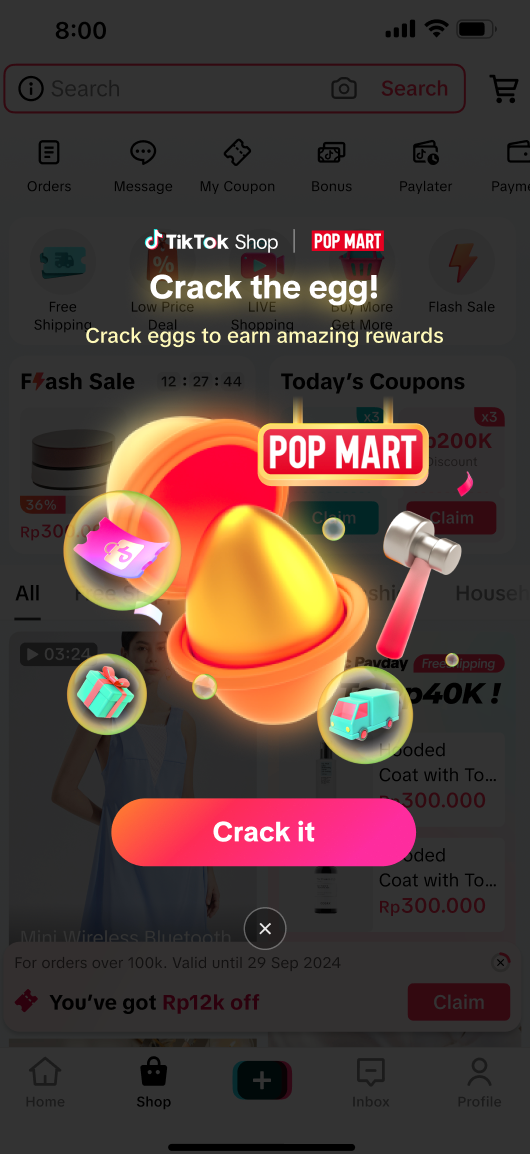 | 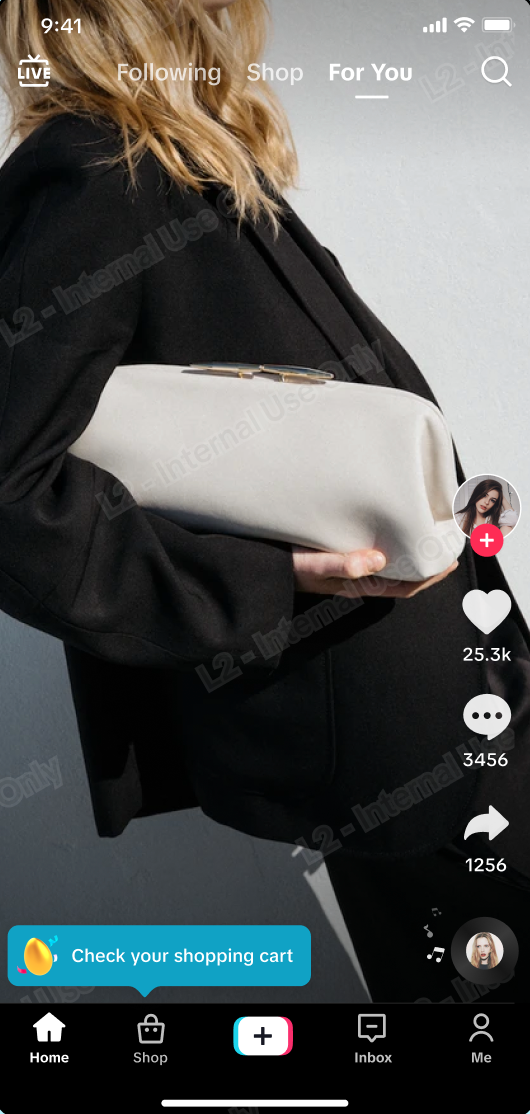 | 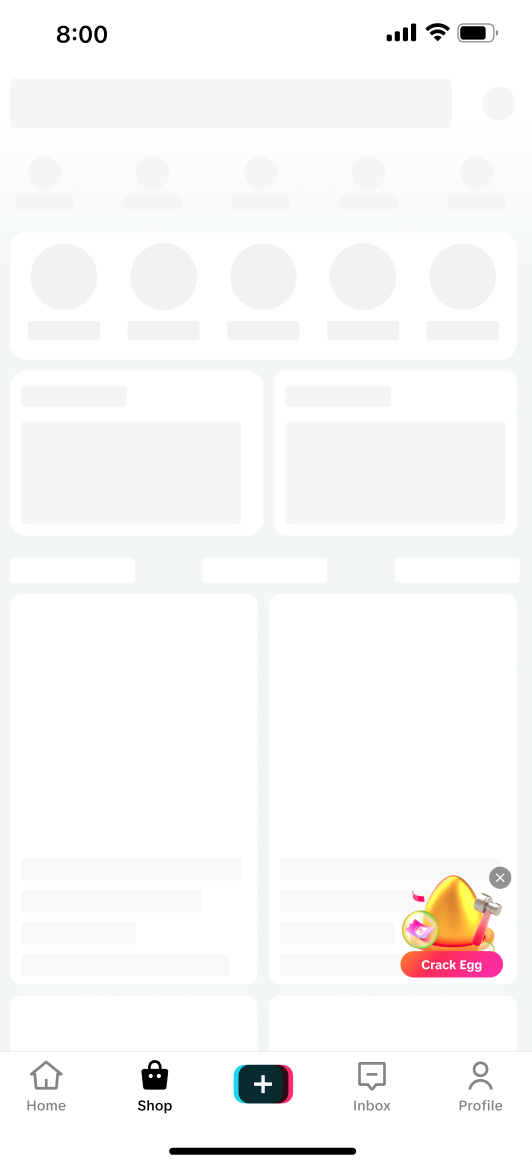 | 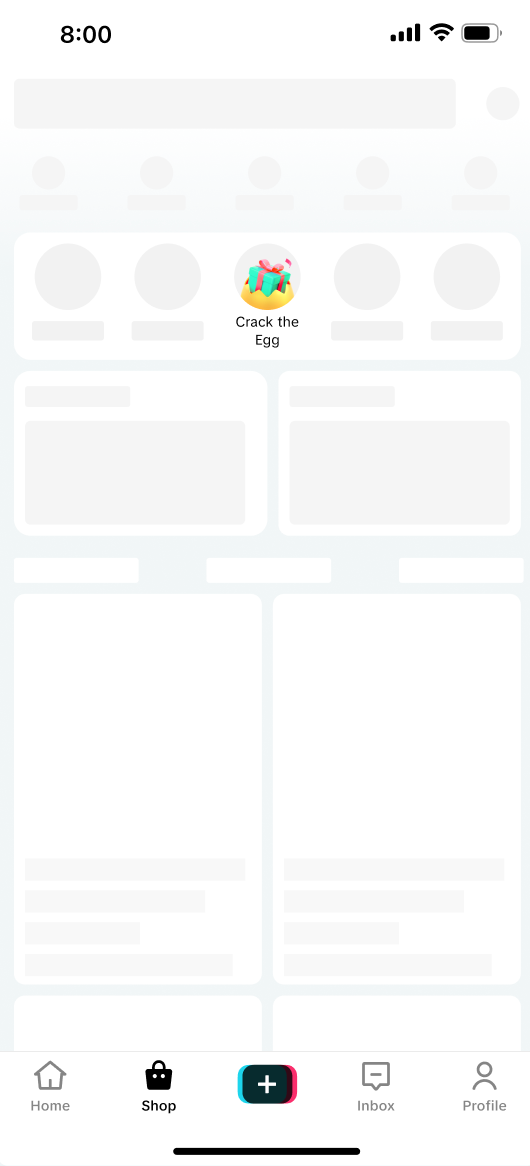 |
It’s a fun, interactive way to engage your audience, drive clicks, and earn commissions at the same time! When a buyer clicks the link, enters the page and makes a purchase on the gamified pages, you earn 100% of the product’s commission (direct attribution). If the buyer buys a product that is not on the gamified pages, you will receive 50% of the product’s commission (indirect attribution). |
How to Track Affiliate Links Performance
Navigate to: Affiliate Center > Performance Data > Data Upon landing on the Data page, scroll down until you see the Link Performance module. This is available to both Link-share only Creators and Affiliate Creators.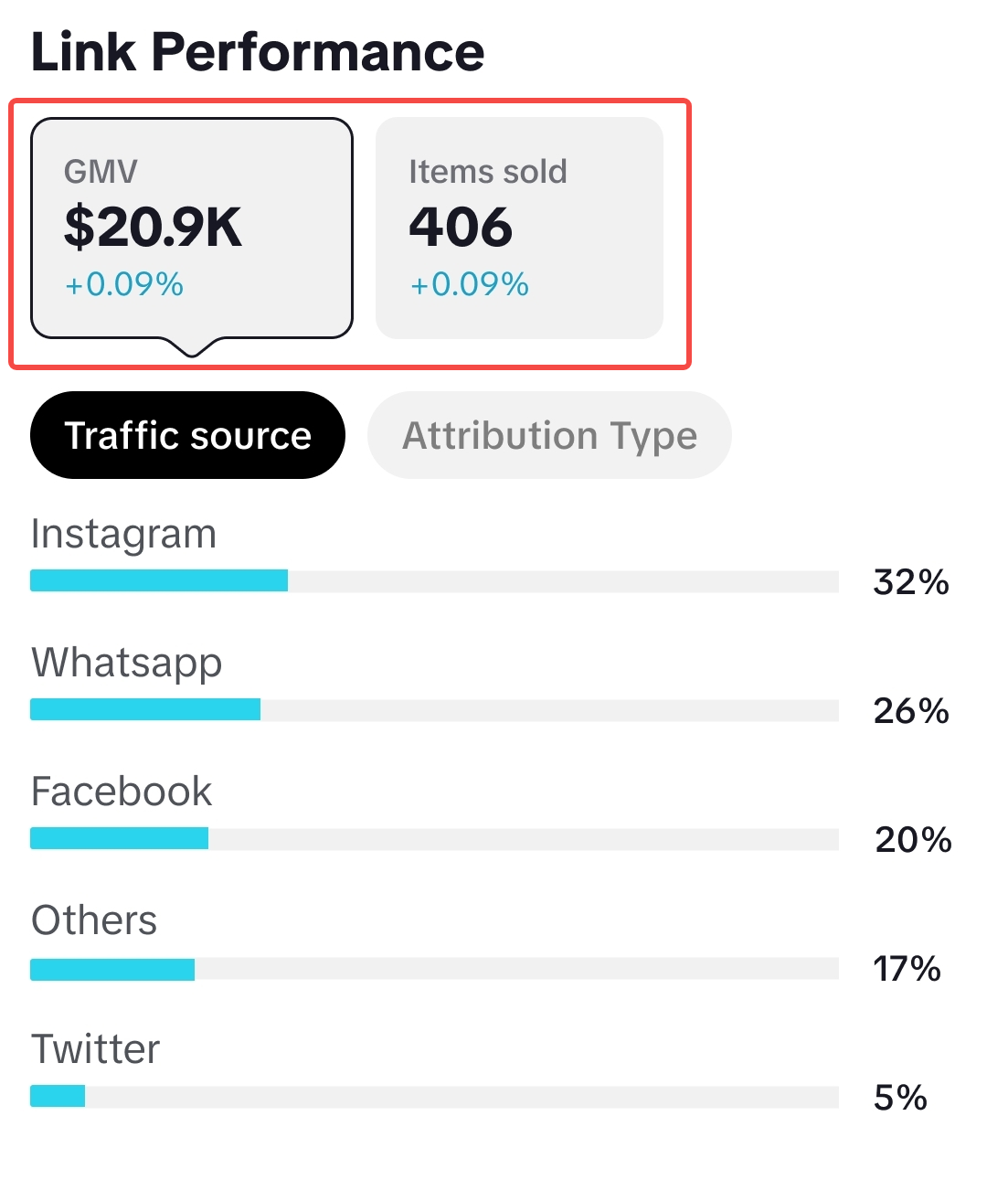 | Overall PerformanceHere, you can analyse how much GMV and Items sold were attributed to Affiliate Links. Toggle between Traffic Source or Attribution Type to learn more on how different channels or attribution types contribute to your overall Affiliate Links performance. |
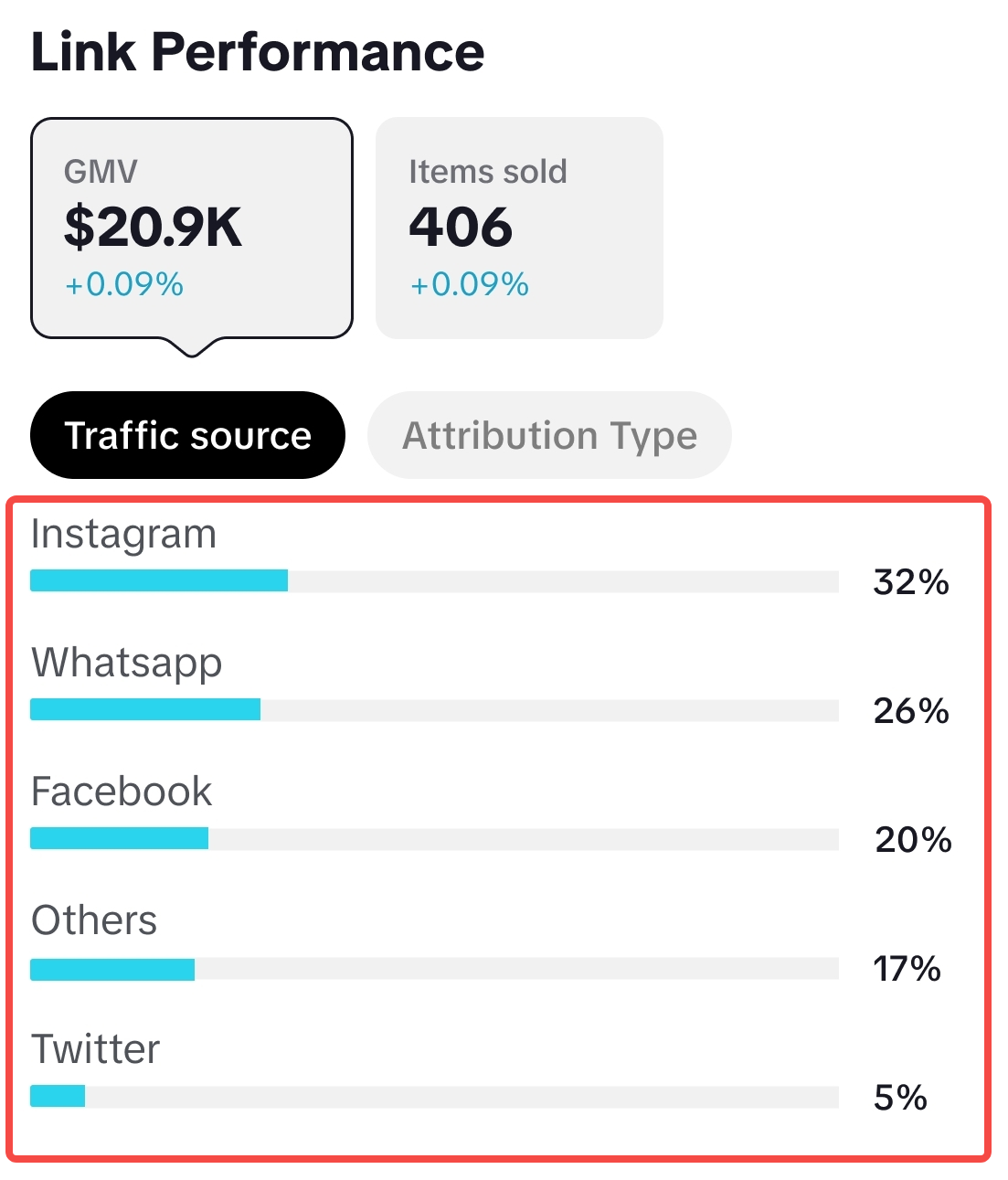 | Traffic SourceExplore the percentage of traffic coming from each platform where you shared the affiliate link. This helps you identify successful channels working well for you, and know which low traffic channels to optimize further!By default, the top 5 traffic sources will be displayed. If you have shared links on more than 5 channels, all other channels will be aggregated under "Others". |
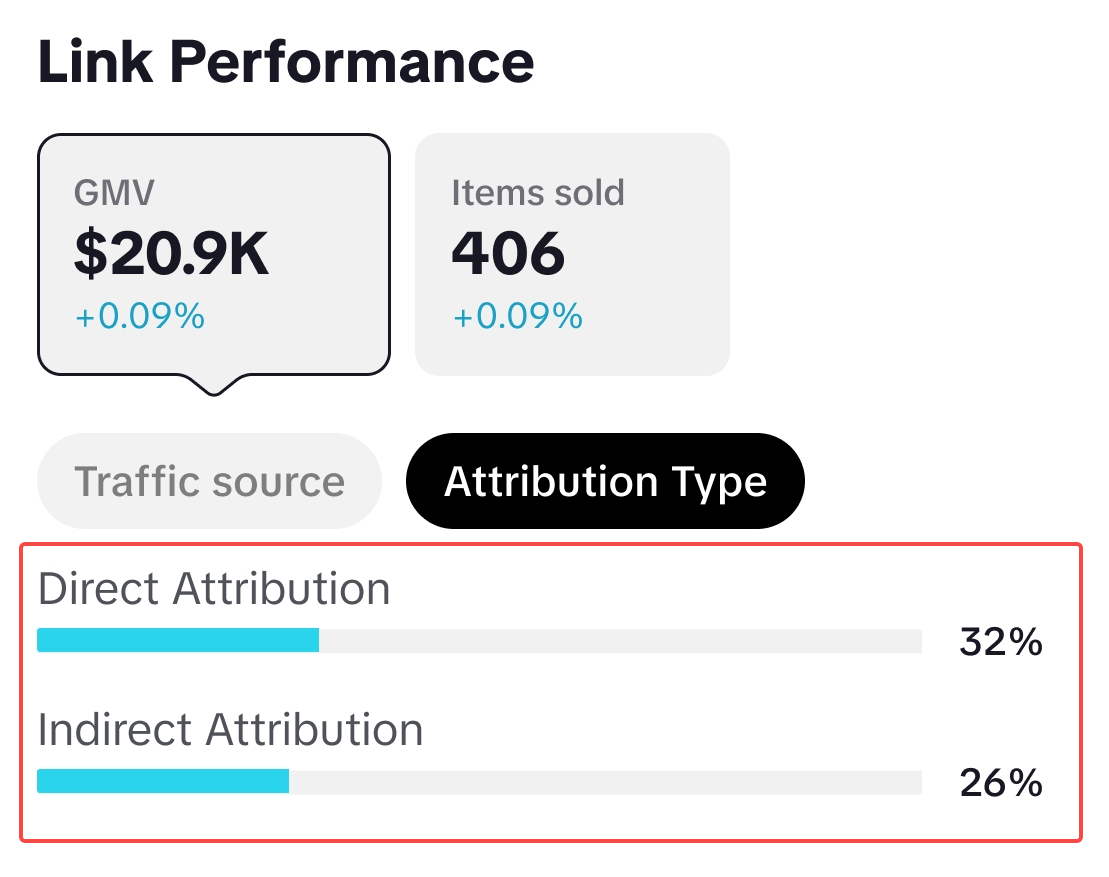 | Attribution TypeExplore the percentage attribution of direct attribution or indirect attribution to understand if audiences are drawn to your main links shared, or otherwise.
|
Differences in Key Metrics Overview
At Creator Analytics, data shown in the Key Metrics section will now also include data from Affiliate Linkshare, unless otherwise stated*.
| Creator Type | Key Metrics | Description |
| Affiliate Creator | 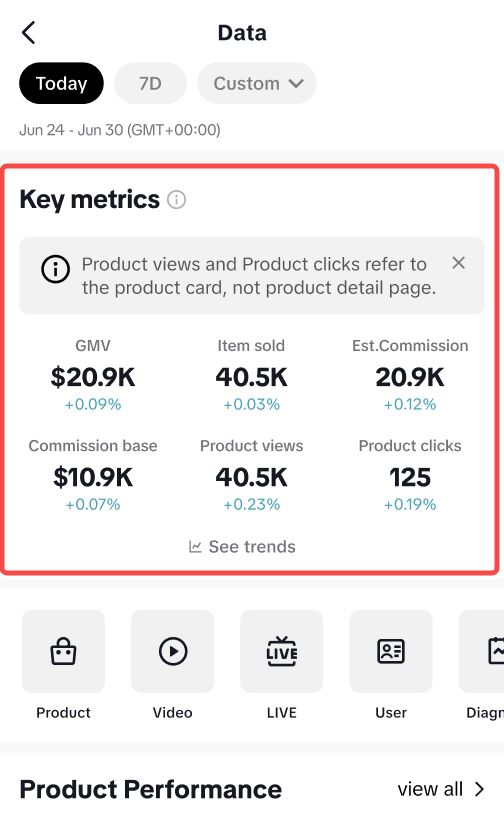 | Alongside the same key metrics available for Link-share only Creators, Affiliate Creators will also see another 2 metrics known as Product Views and Product Clicks.For Product Views & Product Clicks, the data shown is attributed via views or clicks from a product card. Kindly note the differences below:
|
FAQ
- What if two creators have the same product in their two separate links: The Buyer added the product to their cart using the 1st link, but then the Buyer clicked on the 2nd link before checking out. Who will receive the commission?
- In this case, the commission will be factored into the 2nd Creator's link. This is based on which product link was the last one that the Buyer clicked before checking out the product.
- Will I only receive commission from the product link upon the buyer's checkout?
- No, commission can only be received after the order is fulfilled by the Seller side
- If a buyer clicks on the Creator's link, adds the product and checks out with their cart with other products, will I receive commission from all the products checked out?
- The Creator will receive commission for other checked out products if they are from the same shop/seller. If the Buyer checks out two products from two different sellers, the direct attribution commission rate will only be provided to the product link the buyer clicked on. For checked out products that are not from the same shop/seller, the Creator will receive indirect attribution commission
- Is there a limit to how long I can receive commission from the link I generated?
- The validation period of an Affiliate Link is at a maximum of 100 days. Anything after that, you will need to generate a new link.
- However, the attribution window only works for 14 days for direct attribution and 7 days for indirect attribution.
- Example: If a buyer clicks your link and adds a product to their cart directly from that link (direct attribution), you are eligible to earn commission on that product for up to 14 days. Once the 14-day window expires, the attribution is removed, and the creator will no longer receive any commission.
- Will I receive a higher commission payout once I upgrade to Affiliate Creator?
- No, your payout is still based on the commission rate provided by the Affiliate Seller.
- Can I customize the coupons?
- No, the coupons offers are set by the platform and can't be customized by creators. However, you can choose which products to promote based on the coupon deals available, such as discounts, free shipping, or cashback.
- Do I earn more commission when a buyer uses the Exclusive Coupons through my link?
- You will still earn commission based on the commission rate set for that product, but the coupon can help boost your conversion rate, which may lead to higher overall earnings.
- Can buyer claim another coupon from the same link?
- No, buyers can only claim it once
- How many buyers can claim coupons through the product links I shared?
- The number varies, depending on the terms and conditions set for each campaign. If the coupon quota is reached, the buyers will see an indicator that the coupon has been exhausted.
- Can I claim the coupons?
- Yes, as a creator, you are also eligible to claim a coupon and use it as long as they are still available