

AI LIVE Practice Room
To better facilitate sellers and creators in getting accustomed to LIVE selling and training a effective e-commerce LIVE host, the platform is introducing the AI LIVE Practice Room on the LIVE Manager PC. The practice room simulates an actual e-commerce LIVE rooms, where host can practive LIVE selling for each product, with AI-powered user comments and interactions.
All images within this article are for reference purposes only and the actual interface may vary sightly.

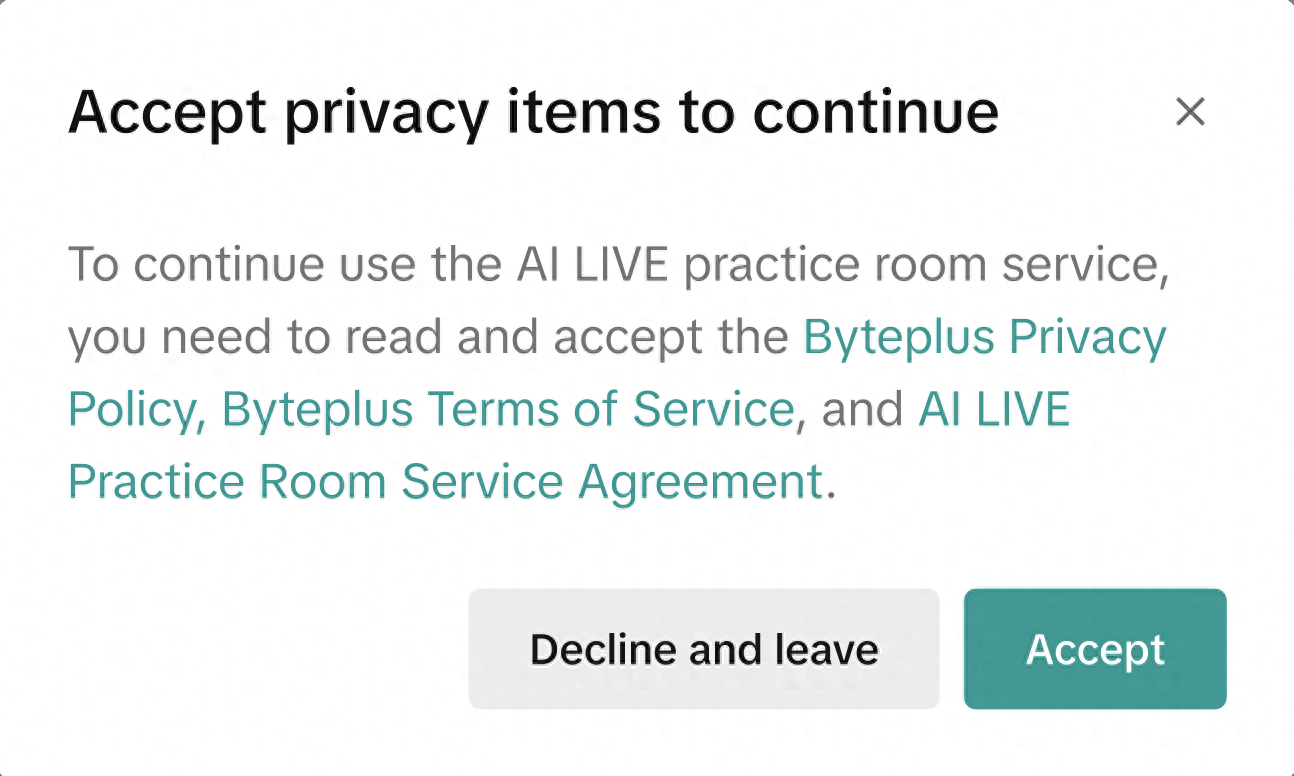
 Once clicked, before accessing and using the feature, sellers/creators need to acknowledge the Byteplus Terms of Service and Privacy Policy, and AI LIVE Practice Room Service Agreement.
All images within this article are for reference purposes only and the actual interface may vary sightly.
What is AI LIVE Practice Room?
The AI LIVE Practice Room is a feature powered by BytePlus. It provides a simulation of an actual e-commerce LIVE rooms, where host can practice LIVE selling end-to-end, from selecting products to presentation. Host can also practice interacting with AI users, to train their improvisation and communication skills before going for real LIVE selling.Benefits of the AI LIVE Practice room | ||
Script Generation | AI User Comments & Interaction | Performance Assessment & Compliance Check |
Users of the AI LIVE Practice Room can select their own product or select a product outside of their own catalog.Based on the product added, the AI Room will generate a script based on product information (such as selling points and application promotions) and the language chosen by the user.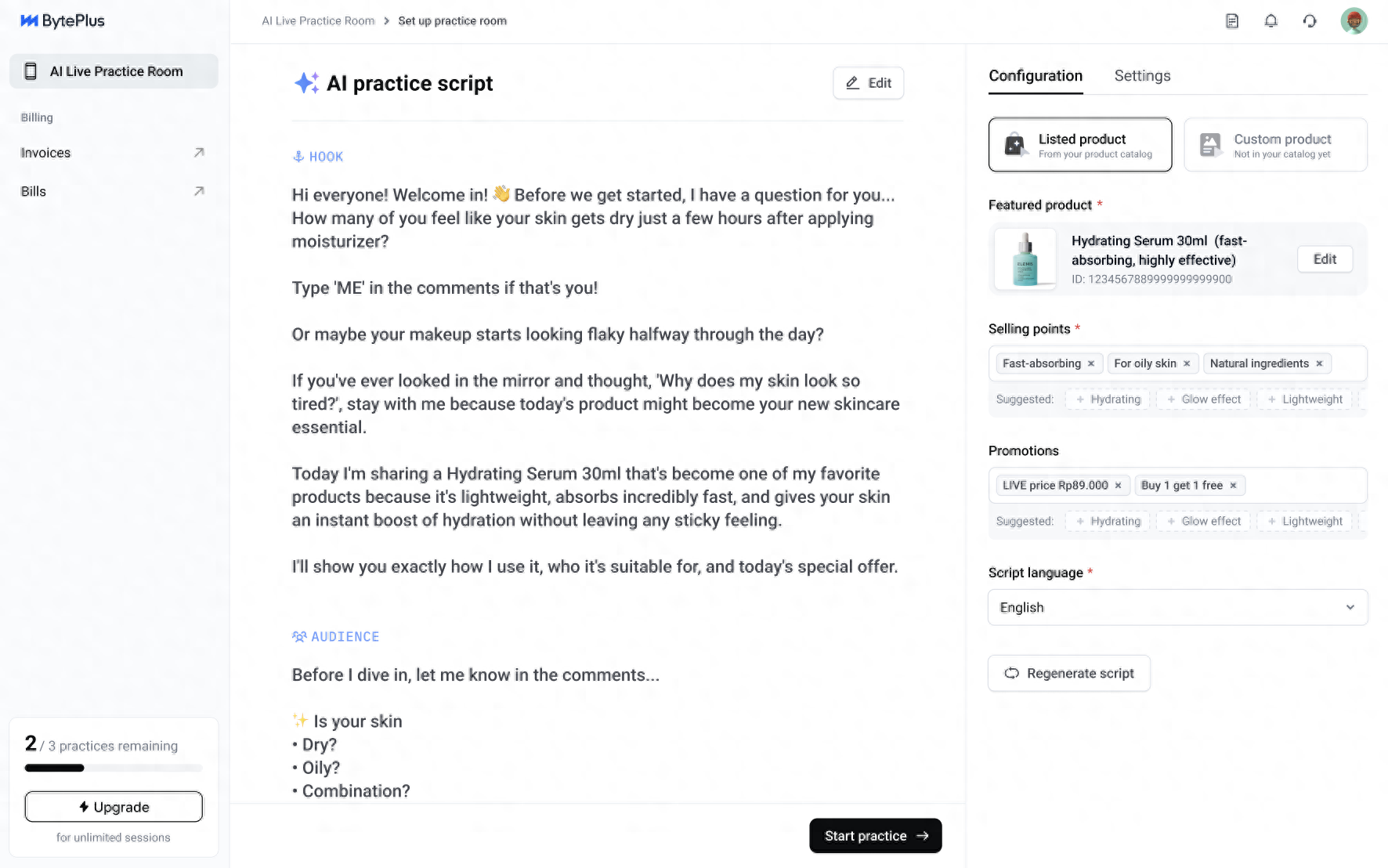 | Once the user is ready, they can start the LIVE practice session.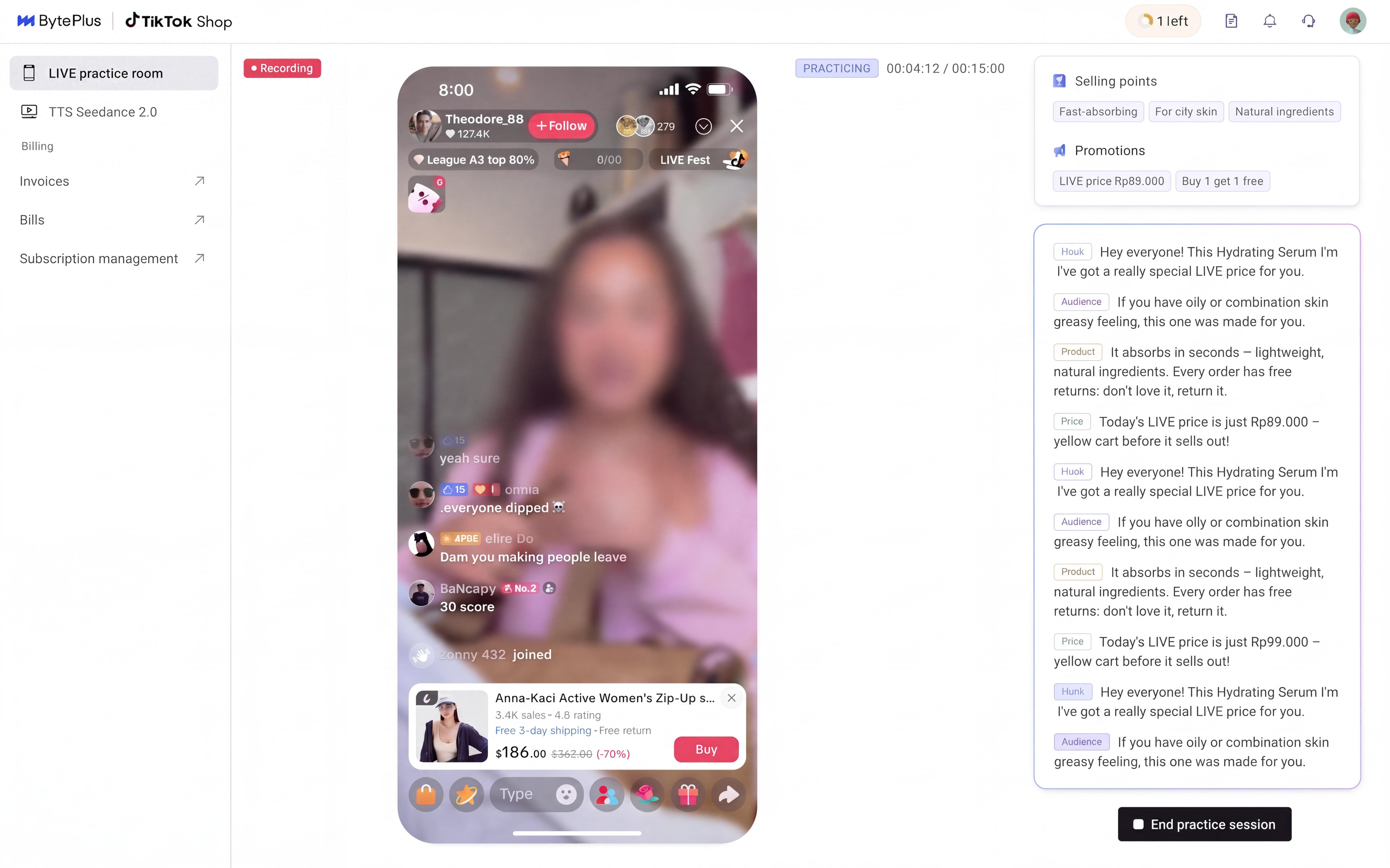 | After the practice session, the user will be provided with a performance summary.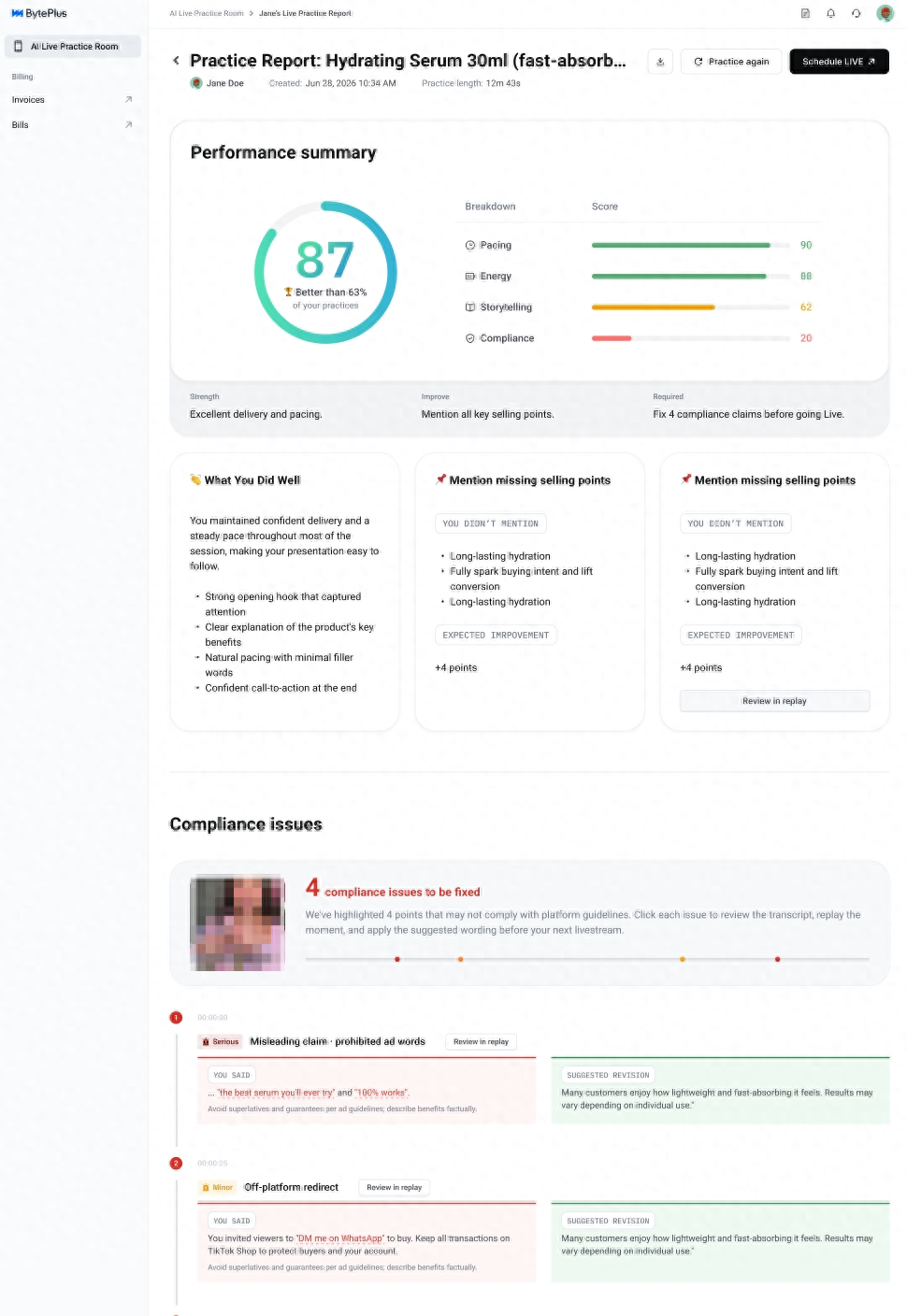
|
How to Access and Use the AI LIVE Practice Room?
Accessing the AI LIVE Practice Room
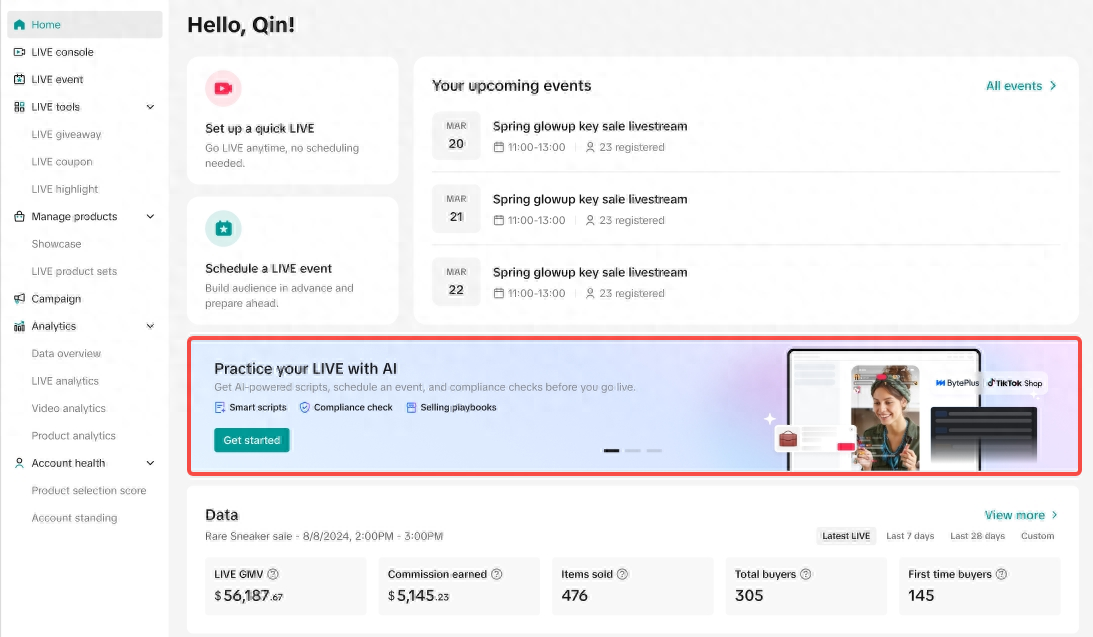
Sellers and e-commerce affiliate creators can access the AI LIVE Practice Room via the LIVE Manager PC > Home > Click on the "Practice LIVE with AI banner"Using the AI LIVE Practice Room
Step 1: Choose a product and generate scriptSelect a product and generate script | Regenerate script (max 10 times per hour) |
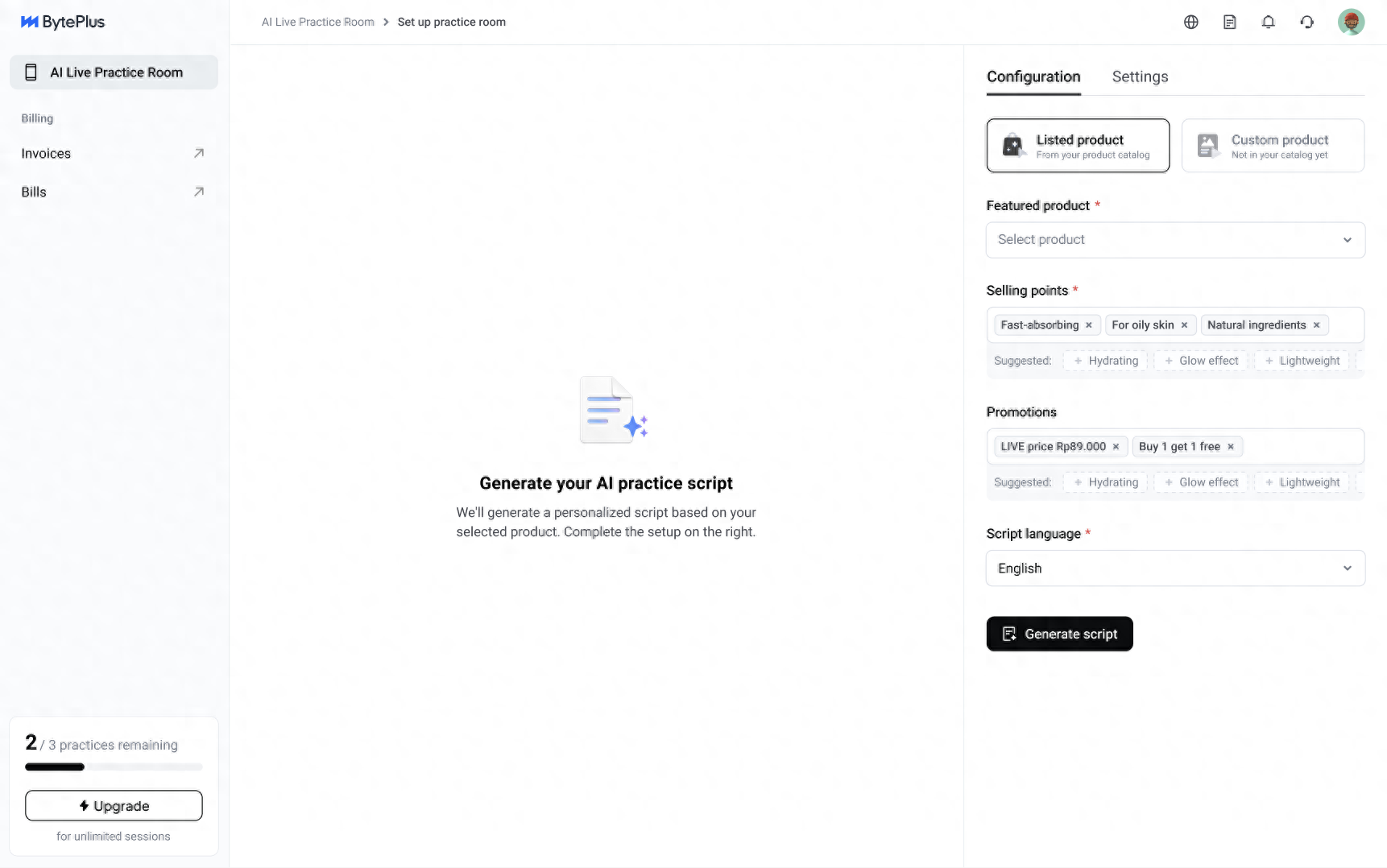 | 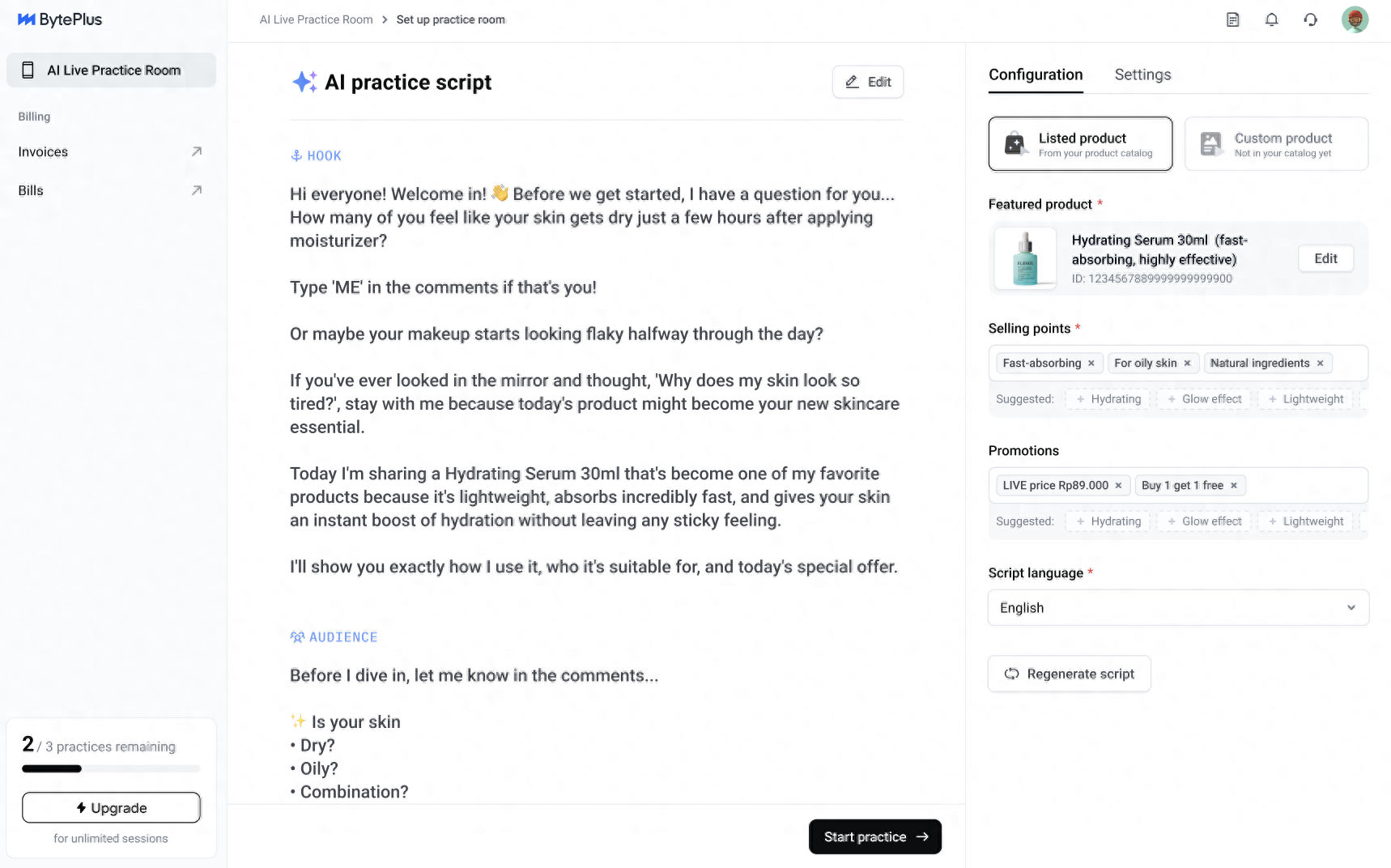 |
- Users can select a product from their shop or a custom product outside of their catalogue.
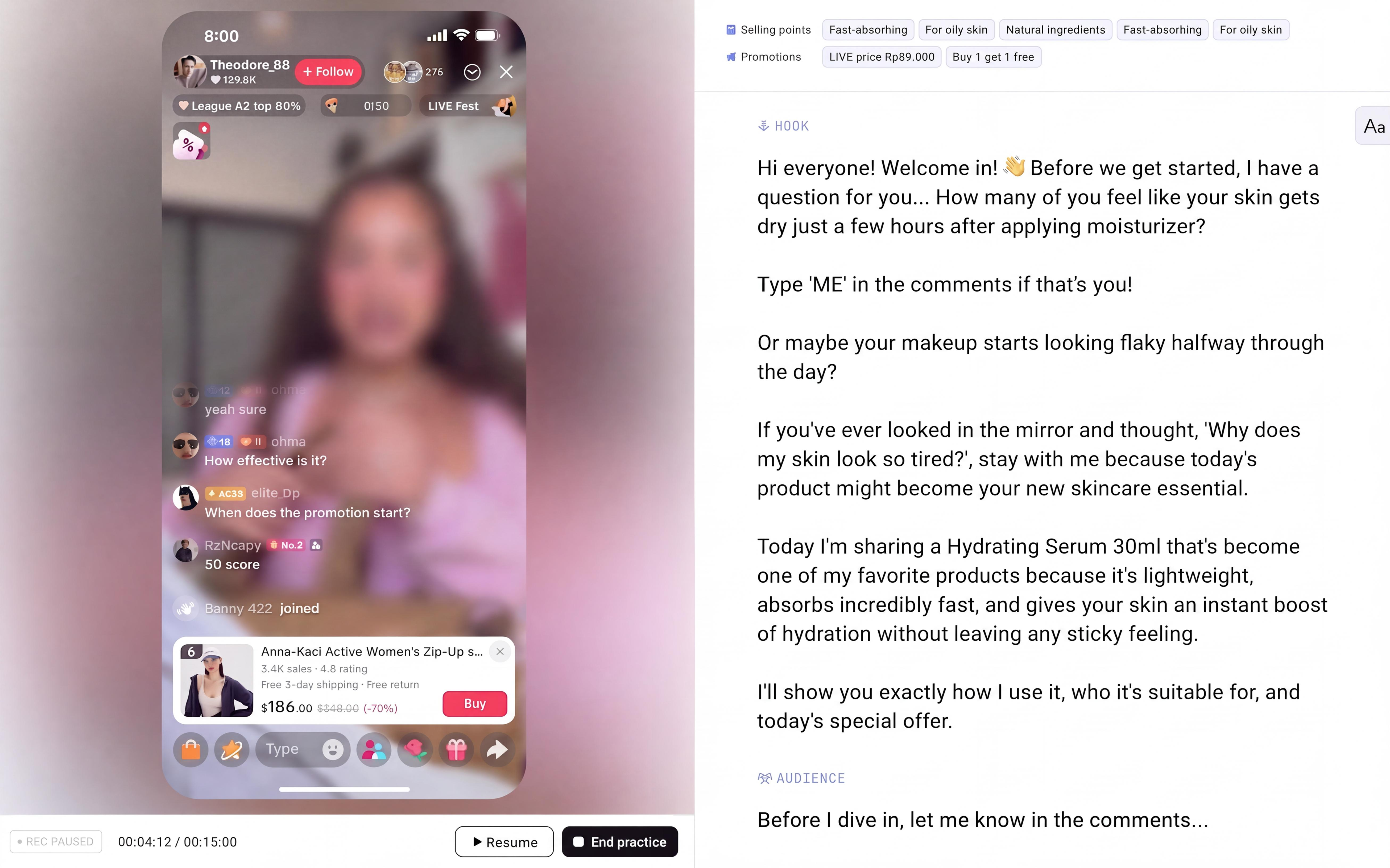
- The system will automatically detect the product's selling points and promotions from the product information. Users can also manually edit these details.
- Then, users can select their language. Currently, the following are supported: English, Bahasa Indonesia, Vietnamese, and Thai.
- Once all details are filled, users can start generating the script for the selected product. If the script is unsatisfactory, users can regenerate the script. A maximum of 10 regeneration is possible per hour.
- Once details are ready, click "Start practice" to enter the practice room. Users will be asked for visual and audio access on their device.
- During practice, users can see AI-powered audience comments asking about product details or promotions. Users can utilize these AI interactions to practice their communication and improvisation skills.
- Each practice session is at most 15 minutes.
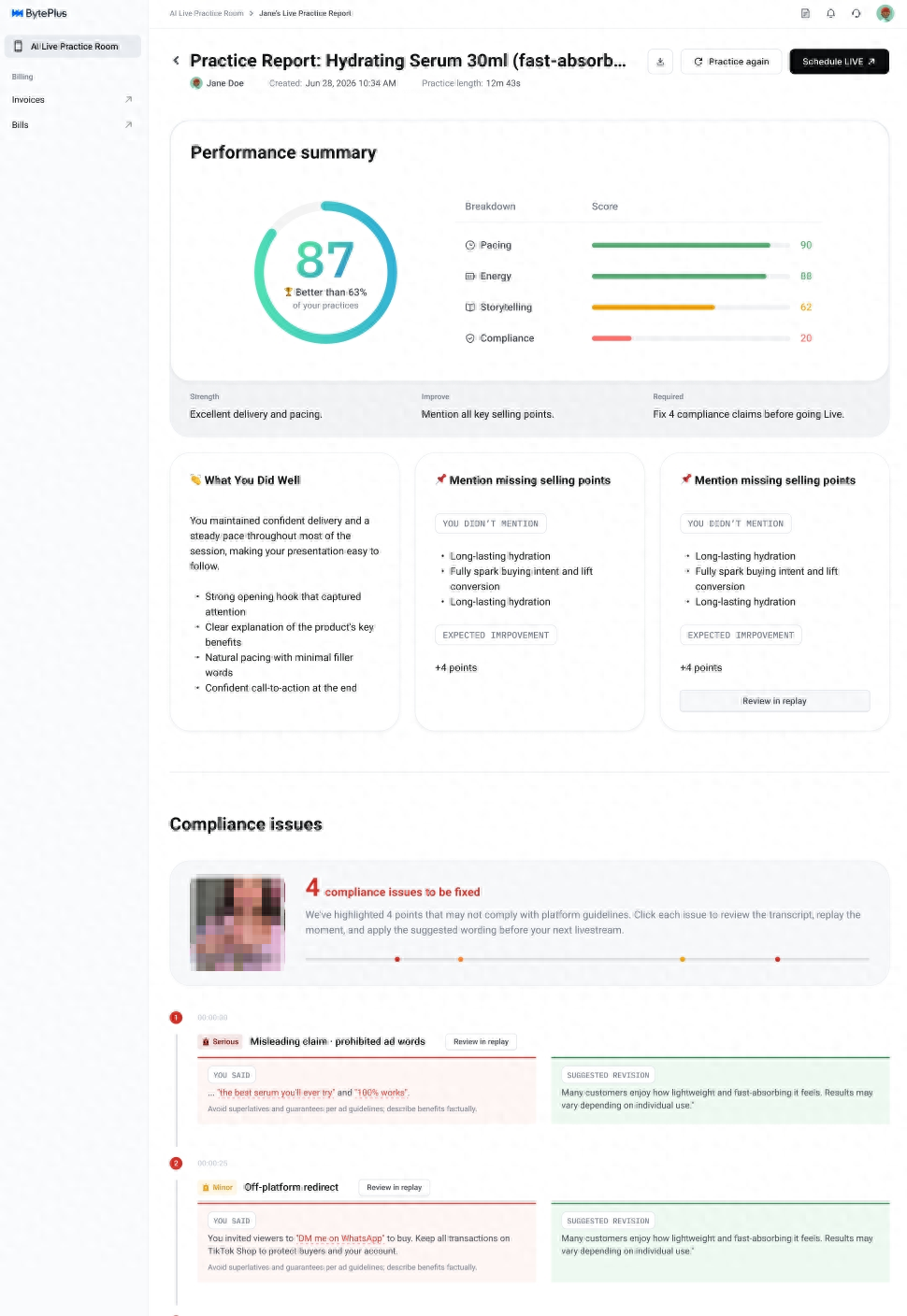
- After each practice session, users will be provided with the following information
- An overall grading of the session, based on pacing, energy, story telling, and compliance.
- Detailed and actionable comments and what went well and what not.
- Compliance issues and suggested solutions.
- These assessments serve as a guideline for a smooth real LIVE selling session.

FAQ
- Do users (sellers and creators) have to pay to use the LIVE Practice Room?
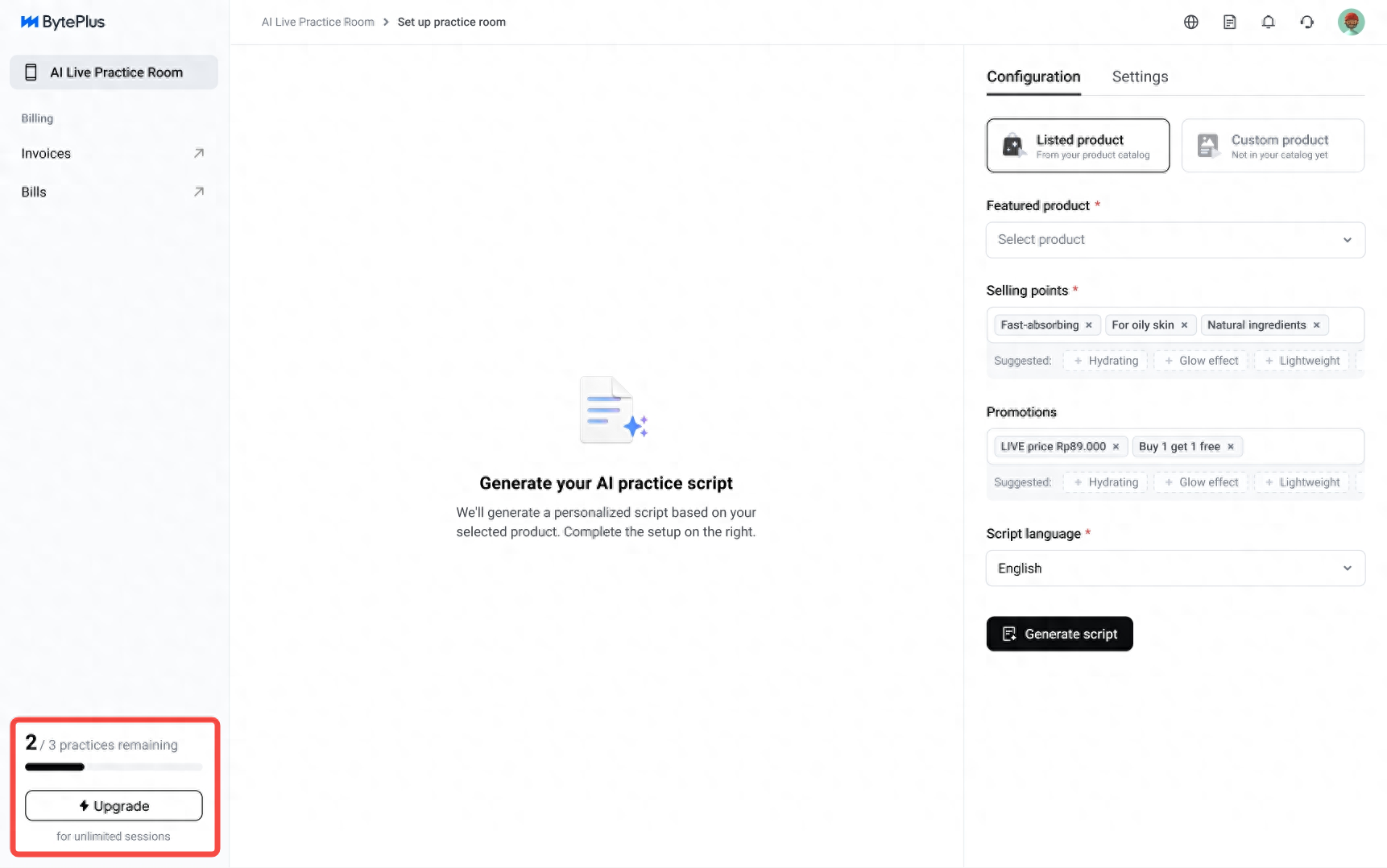
- The AI LIVE Practice Room provides 5 free trials. After finishing the free trials, users can choose to purchase more tokens for more practice session.
- Each practice session, free trial or upgraded, is for one product and is 15 minutes long.
- Users can check their remaining free trials and purchase upgrade at the bottom left corner of the LIVE practice room screen.
- Why can't some users find the LIVE Practice Room?
- The LIVE Practice Room is in early roll out. Therefore, not all sellers and creators can see it yet.
- The feature will be fully available in the near future.
You may also be interested in
 1 lesson
How to Make Your First Livestream a Success
How to Make Your First Livestream a Success

Group Deal
👉 Watch the Group Deal webinar replay here What is Group Deal Note: This feature is currently ava…
Price Cut
👉 Watch the Price Cut webinar replay here What is Price Cut Note: This feature is currently avail…