

Warehouse Setup
Entering Warehouse Address
4. Click on "Warehouse Settings"
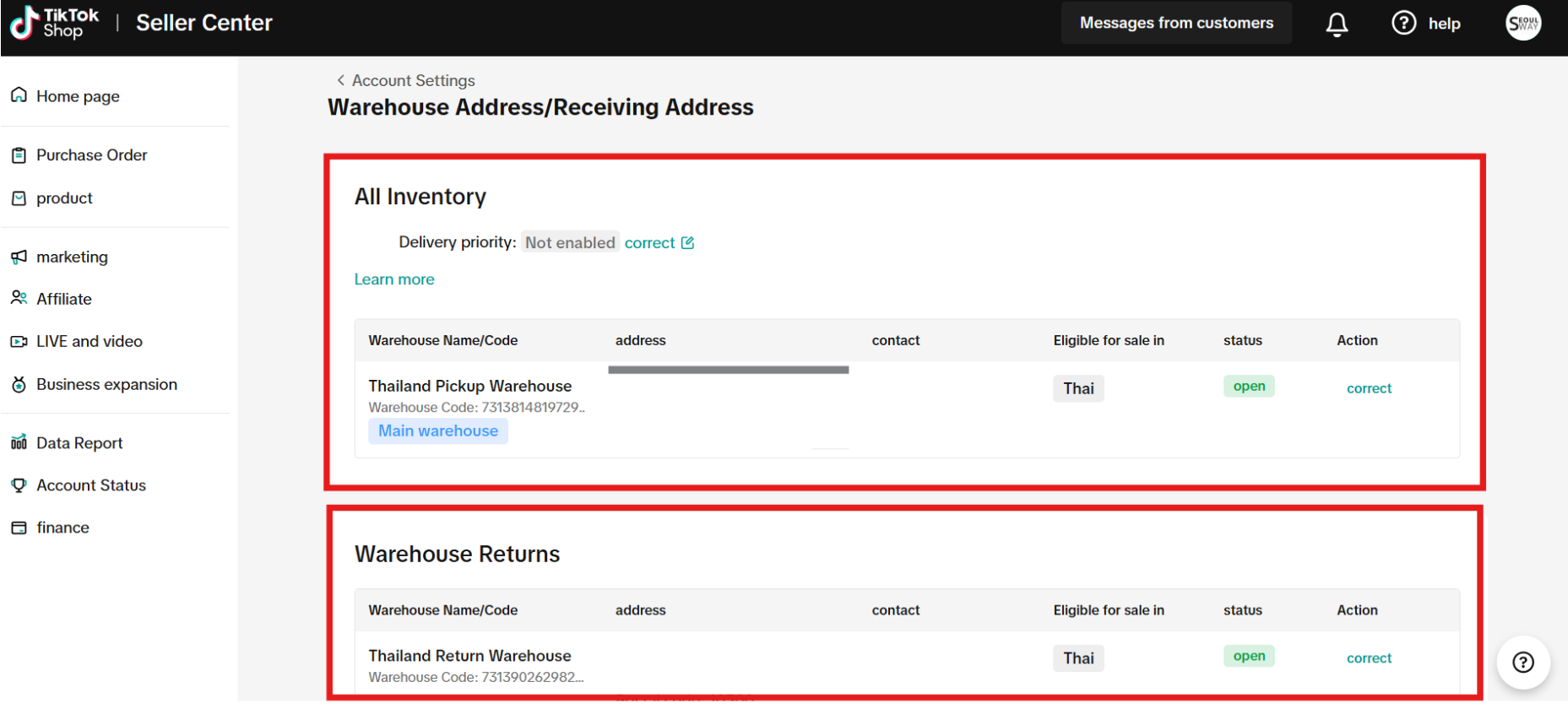 On the Warehouse Address page, provide the correct warehouse address details:
Set up via Seller Center Website
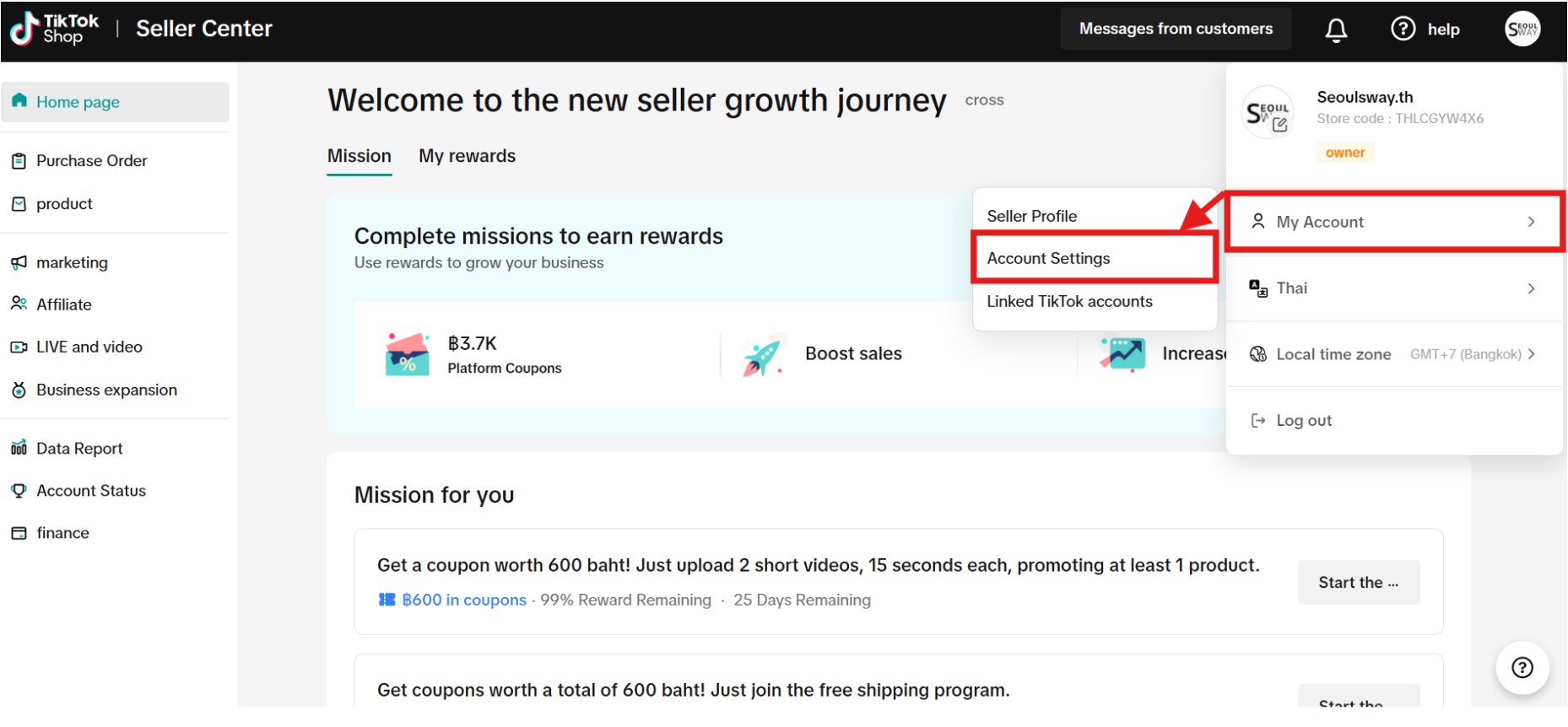
Go to the Account Settings menu- Click on the store profile picture
- Click on "My Account"
- Click on "Account Settings"
4. Click on "Warehouse Settings"
On the Warehouse Address page, provide the correct warehouse address details:- Receiving Warehouse
- Enter the address for the delivery of goods, and receive returned parcels from failed delivery
- Return Warehouse
- Enter the address for receiving products sent back from customers (this can be the same address as the receiving warehouse)
Set up via the Seller Center Application
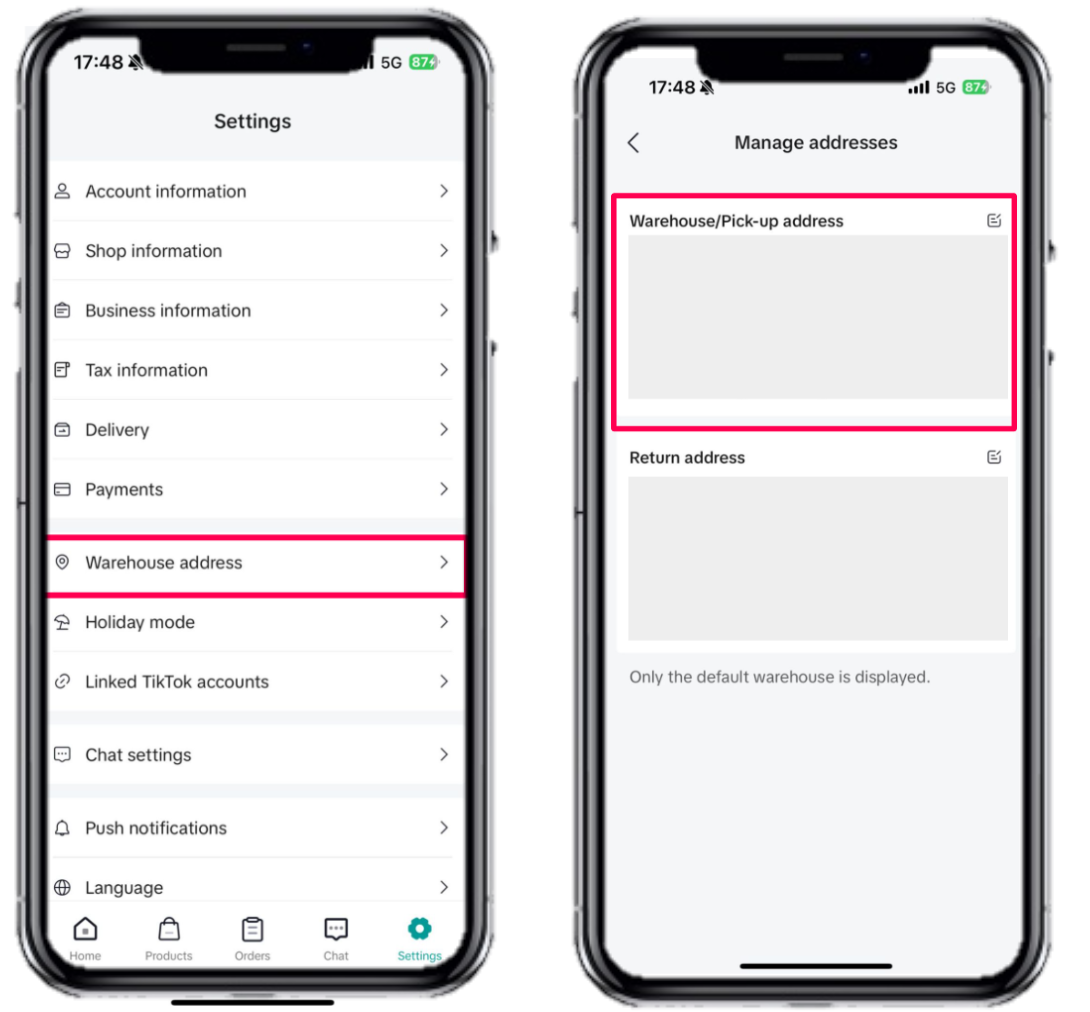
Go to the Settings menu- Click on the "Warehouse Address" menu
- The system will display the "Manage Address" page
- In the "Warehouse Address / Receiving Address" field
- Enter the address for the delivery of goods.
- Select the correct geolocation of your selected warehouse, and select "save"

- In the "Return Address" field
- Enter the address for receiving returned goods or products sent back from customers (this can be the same address as the warehouse address)
- Enter the address for receiving returned goods or products sent back from customers (this can be the same address as the warehouse address)