

TikTok Shop Showcase
08/05/2025
This article will teach you how to set up your TikTok account's Showcase after you have set up your Commission Account. We will go over these three key steps to increase your knowledge of Showcase and start selling more effectively.

At the same time, Showcase is also an important product favorite, so any products you want to add to videos and LIVE afterwards can be quickly found in Showcase.

Accessing your Showcase via Account Page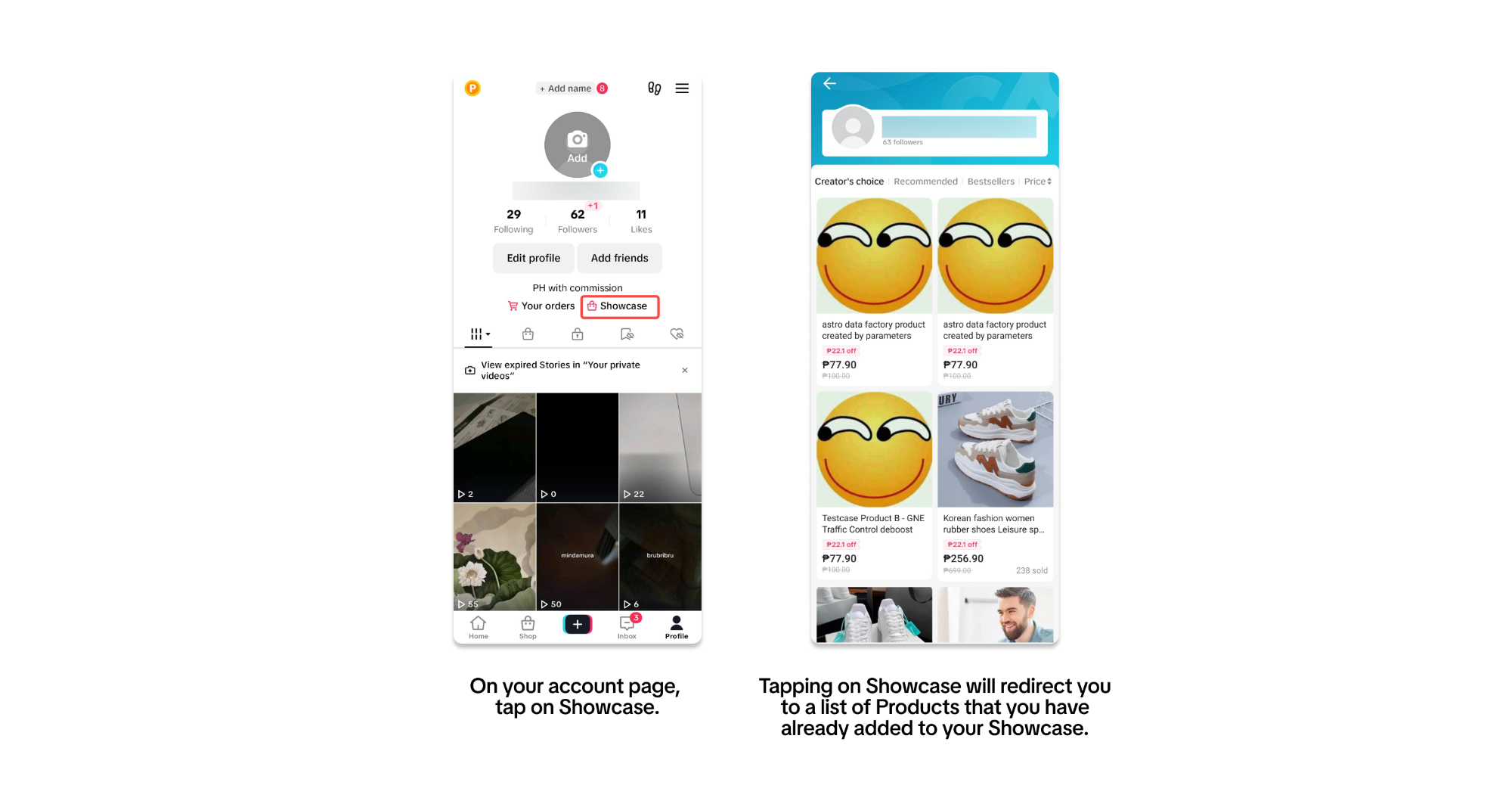 Accessing your Showcase via TikTok Shop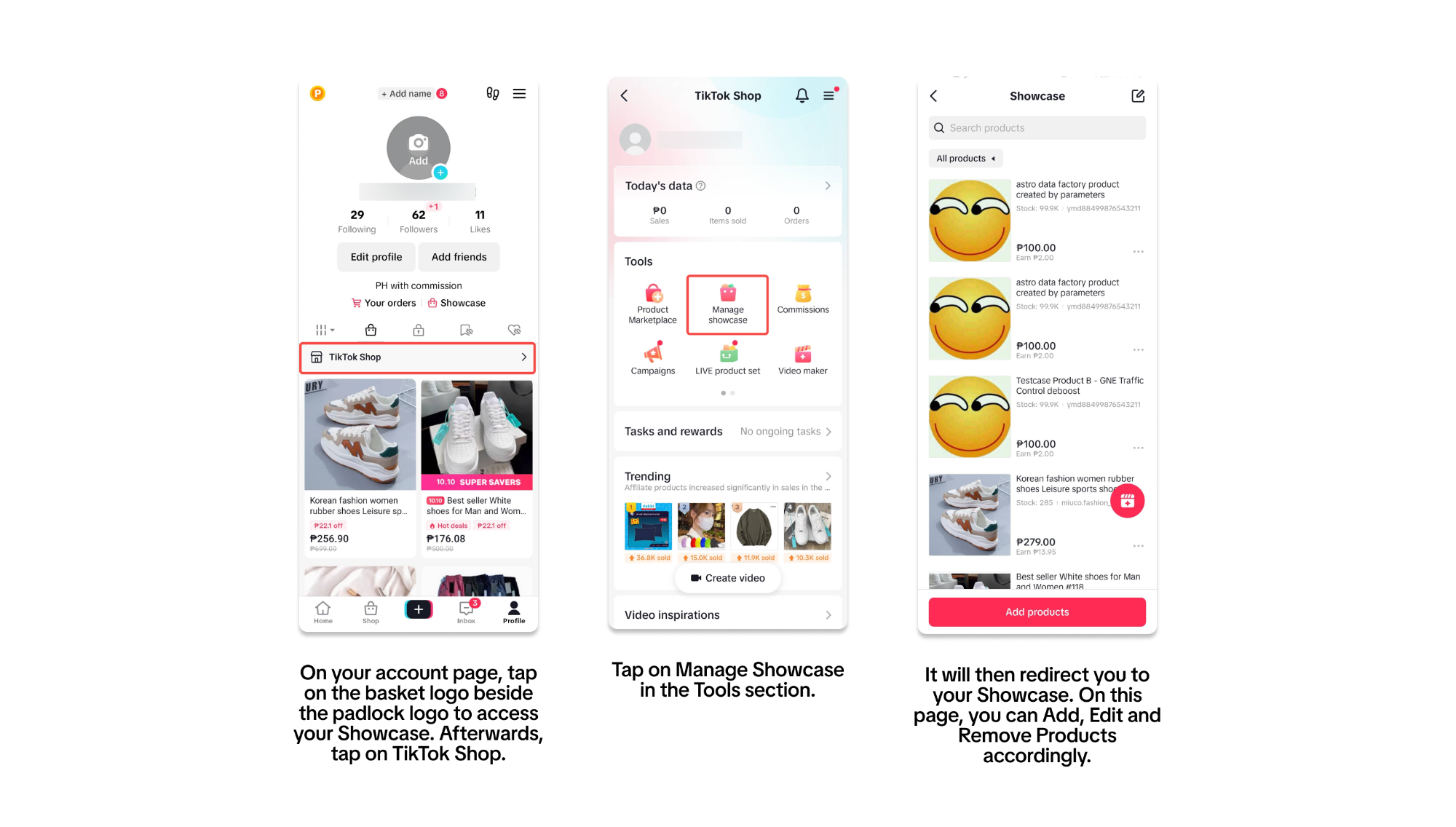

Where to find the Product Marketplace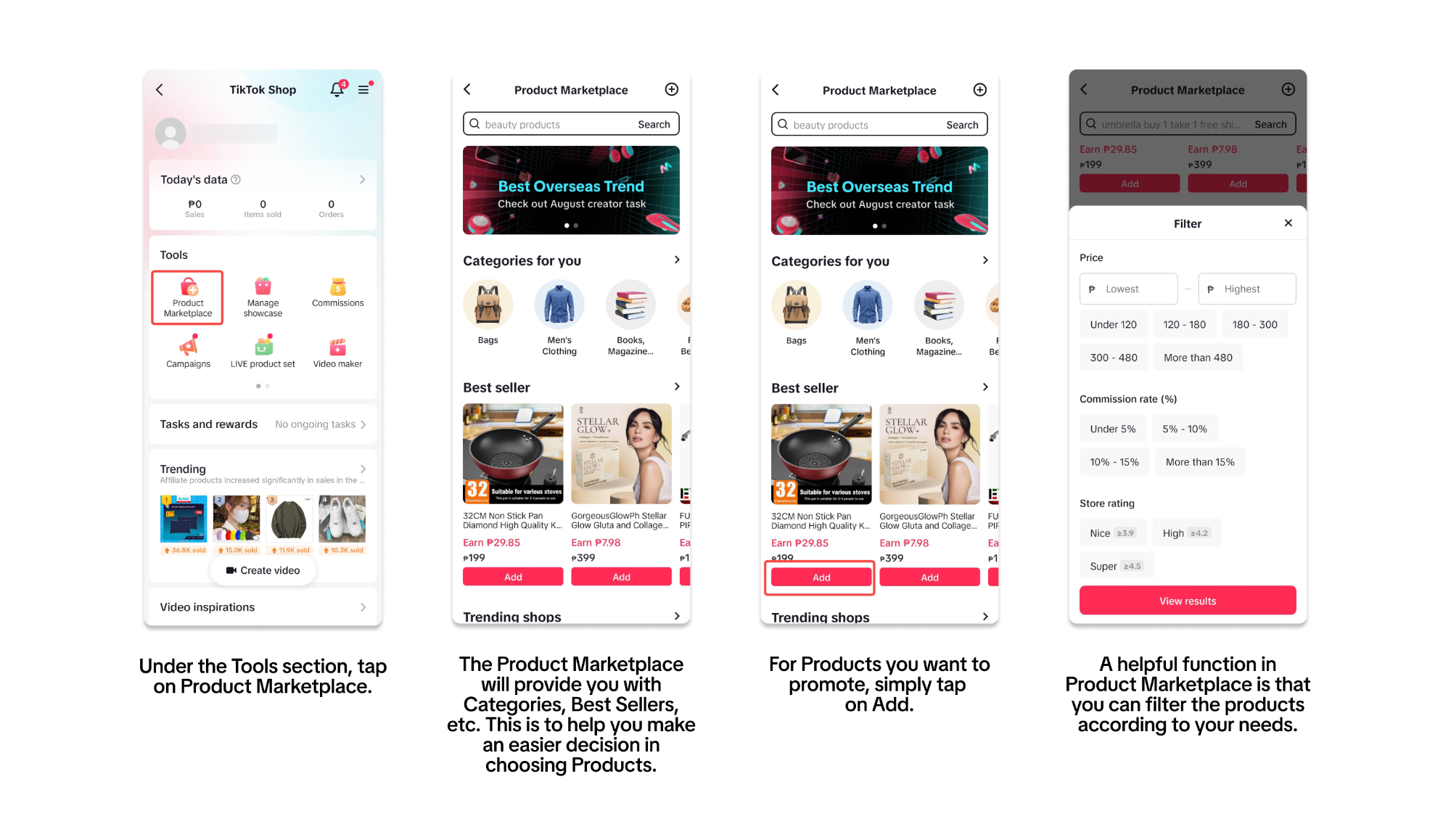 📝 For a deeper dive into using Product Marketplace to add and find Products for your Showcase, read through our guide here: Find Products From Product Marketplace.
Where to access Seller Invitations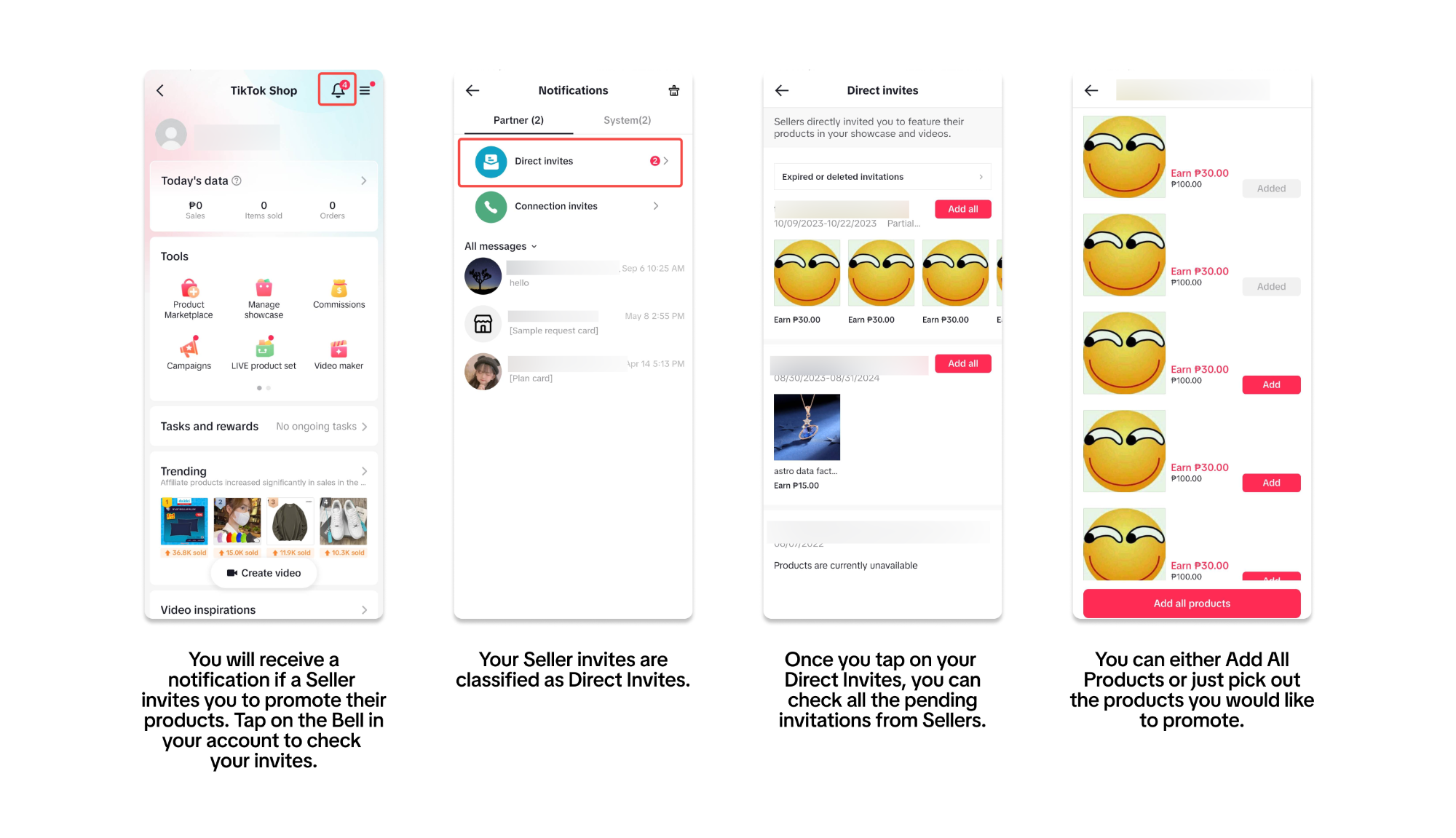 📝 To learn more about how to get invited by Sellers, check out this feature guide: Adding Products by Seller Invitation.
Shopping Cart: Use Products that are currently in your shopping cart in TikTok Shop
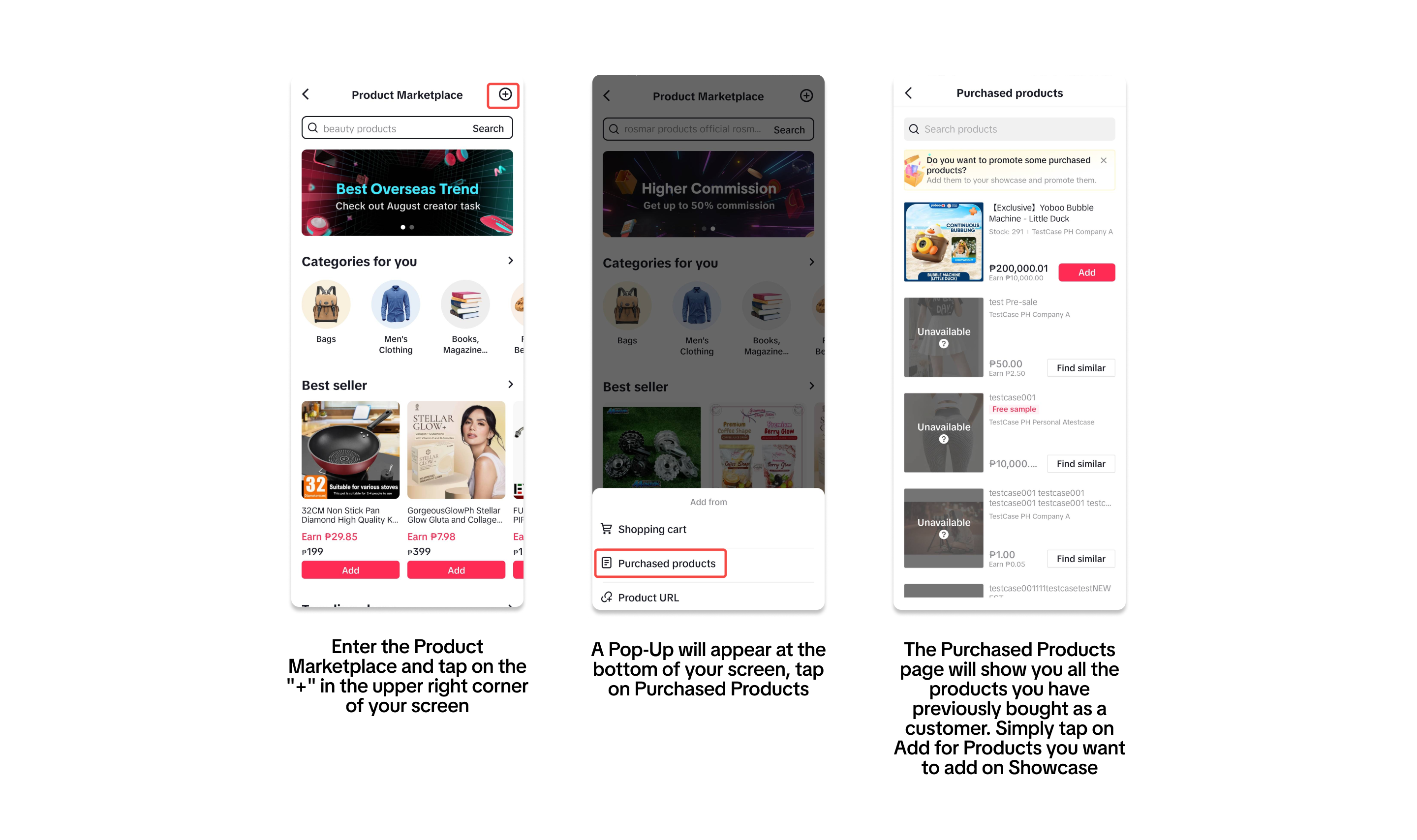
Purchased Products: Use Products that you have bought previously in TikTok Shop
Product Link: Get an individual product listing's link to add it to your Showcase. This may come from Social Media or Sellers.
Add Products using your Shopping Cart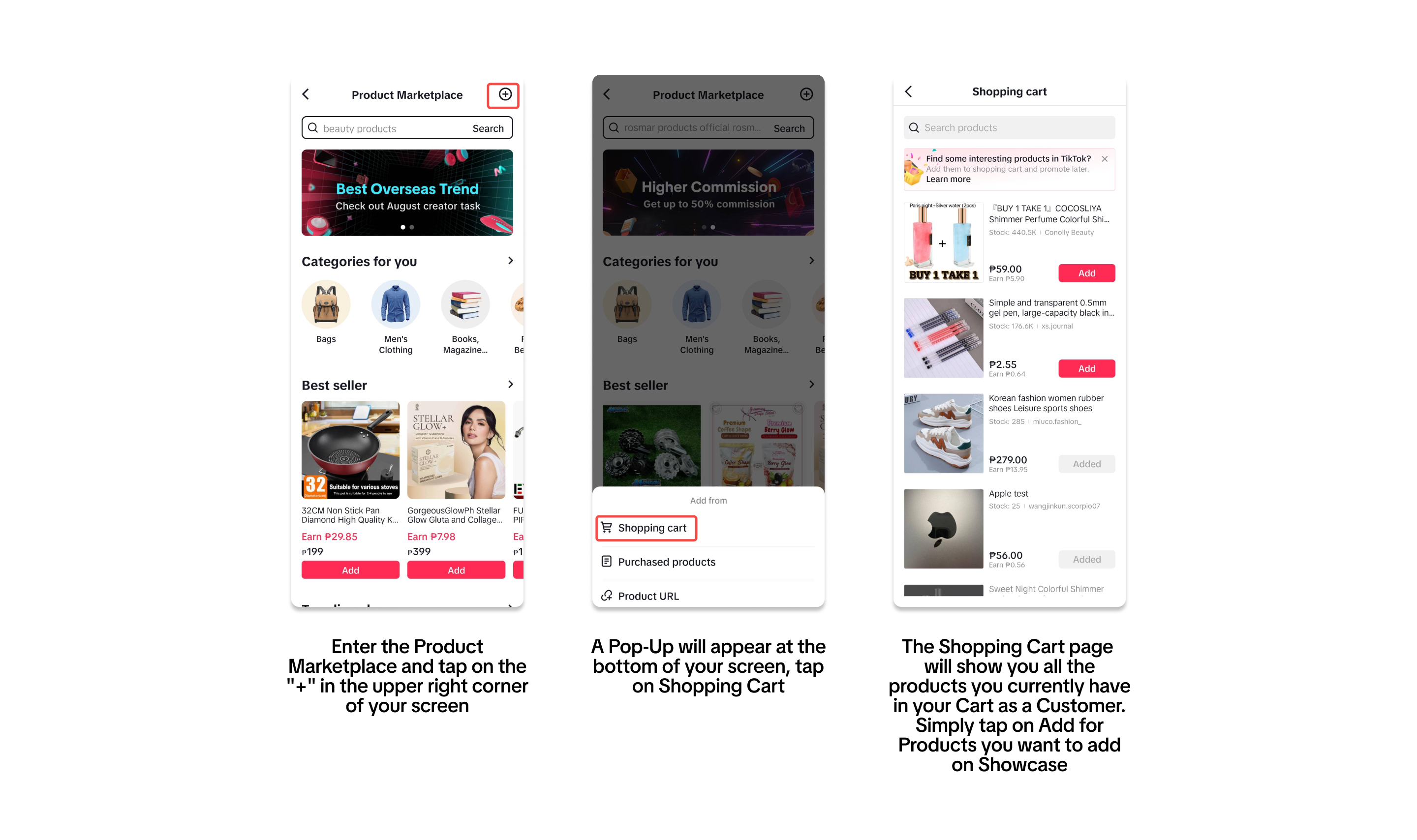 Add Products using your Purchased Products
 Add Products using Product Links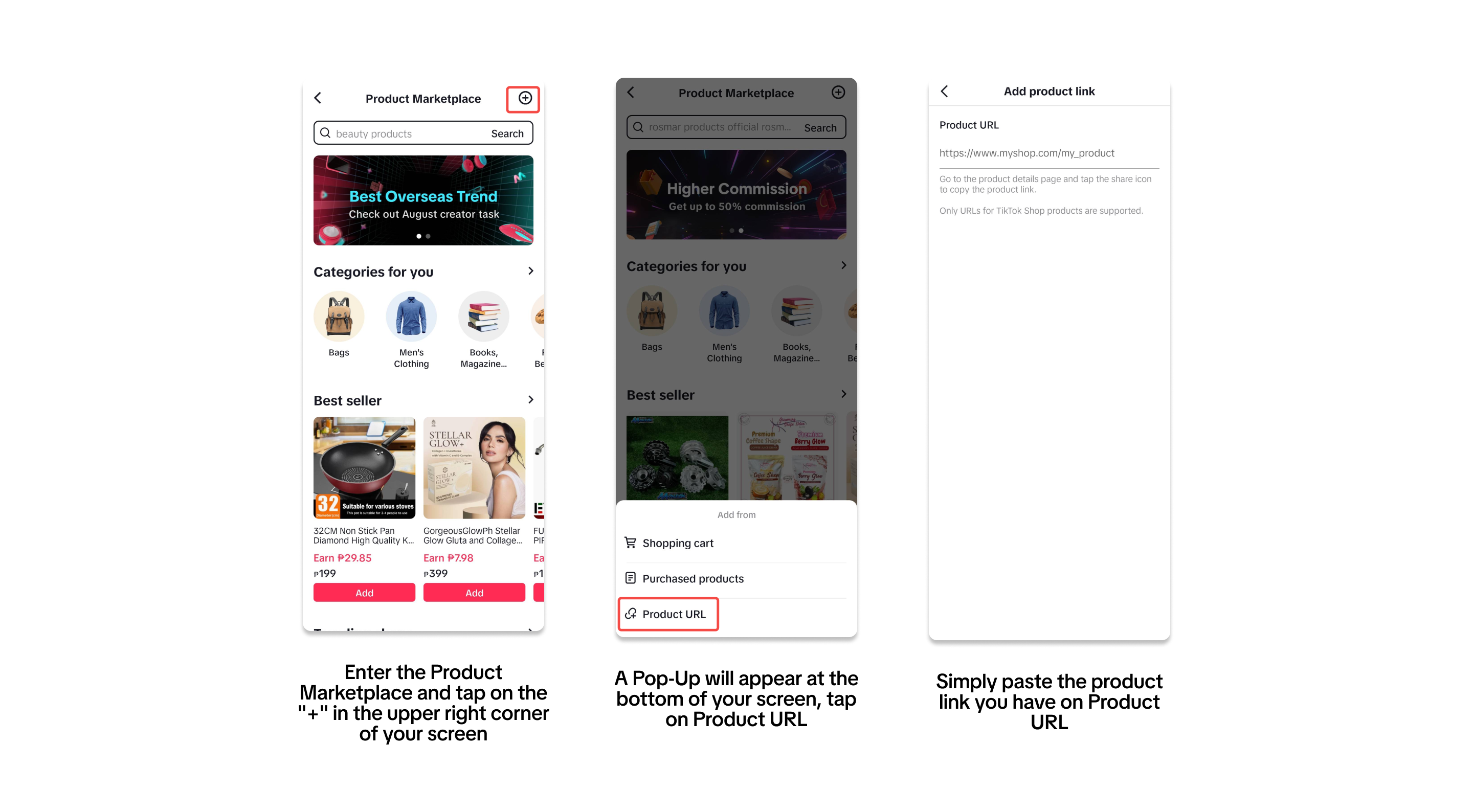

- What is Showcase?
- Where do I access my Showcase?
- How do I use my Showcase?
- FAQ
What is Showcase?
Showcase is one of the key places for Creator to operate on TikTok, where creator can build relationships with fans, refine operations and select products. Products added by Creator to the showcase will be seen by consumers and sold to earn commissions.At the same time, Showcase is also an important product favorite, so any products you want to add to videos and LIVE afterwards can be quickly found in Showcase.
- If your account is Shop Official Account, and intended to promote products from other shops or the Product Marketplace, it must be bound as a Marketing Account and meet the affiliate permission criteria.
- If your account is Shop Marketing Account, and intended to promote products from other shops or the Product Marketplace, it can apply for affiliate permission in the Creator Center once they meet the affiliate permission criteria.
Where do I access my Showcase?
You will be able to access your Showcase by going to your Account Page or via Product Marketplace.Accessing your Showcase via Account Page
Accessing your Showcase via TikTok ShopHow do I add Products to my Showcase?
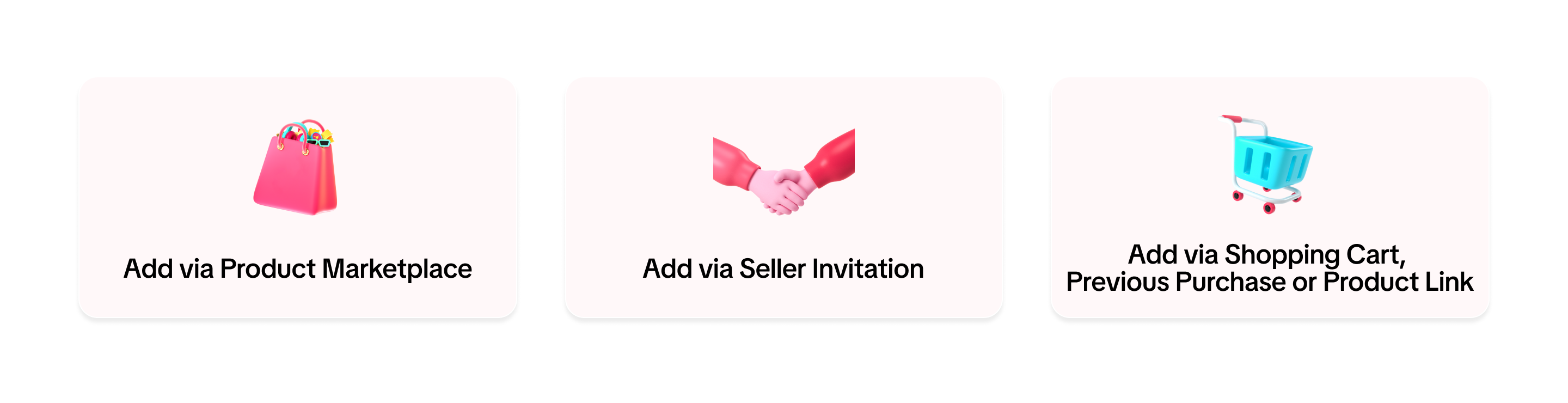
You can add Products to your Account's Showcase through these three (3) pathways: Product Marketplace, Seller Invitation, and Using the Shopping Cart, Purchased Products or Product LinkUsing Product Marketplace
The Product Marketplace is your one-stop place where everything is laid out for you to pick, choose and add Products that you want to promote. You can scroll through the page and see all the different Categories and Recommendations we have provided for you.Where to find the Product Marketplace
📝 For a deeper dive into using Product Marketplace to add and find Products for your Showcase, read through our guide here: Find Products From Product Marketplace. Getting an Invitation by Seller
As you establish yourself as a Creator, you may receive opportunities and form relationships with TikTok Shop Sellers. These Sellers may invite you to use their products in your Showcase or video content. The invitation is received like below:Where to access Seller Invitations
📝 To learn more about how to get invited by Sellers, check out this feature guide: Adding Products by Seller Invitation.Using Shopping Cart, Purchased Products or Product Link
Other methods to add Products to your Showcase include the following:Shopping Cart: Use Products that are currently in your shopping cart in TikTok Shop
Purchased Products: Use Products that you have bought previously in TikTok Shop
Product Link: Get an individual product listing's link to add it to your Showcase. This may come from Social Media or Sellers.
Add Products using your Shopping Cart
Add Products using your Purchased ProductsAdd Products using Product LinksFAQ
- How can I earn through adding Products to Product Showcase?
- Creators can earn Commission based on the what the Seller settled on. For each product bought from your Account's Showcase, you will receive Commission per product sold (Commission = % of the Product's Price)
- Is there a maximum amount of products I can add on my account's showcase?
- The maximum number of showcase products is 2000
- What would happen if the Products added to my Showcase are suddenly unavailable or sold out?
- The products that are unavailable or sold out will automatically be removed from your showcase.
- Why can’t I add affiliate products to the showcase?
- You may find that you're unable to add affiliate products to your showcase. This could be because if your account is linked to seller account as an official, your creator account may not be eligible to promote affiliate products from other sellers, since official accounts can only promote products from the linked shop.