

Collab Invites
05/06/2025
This article will show you how to add products to your TikTok Shop Showcase after getting an invite from a seller. These invites are part of the TikTok Shop Affiliate program, meaning a seller has chosen you to work with them.
We'll explain how to receive an invite and guide you through the process from invite to partnership

To know more about the filters, read each of their descriptions below:


We'll explain how to receive an invite and guide you through the process from invite to partnership
How can you get a Collab Invite?
As you establish yourself as a Creator, you may receive opportunities and form relationships with TikTok Shop Sellers. These Sellers may invite you to promote their products in your Showcase or video content.Getting a Collab Invite
The invitation is received as shown below: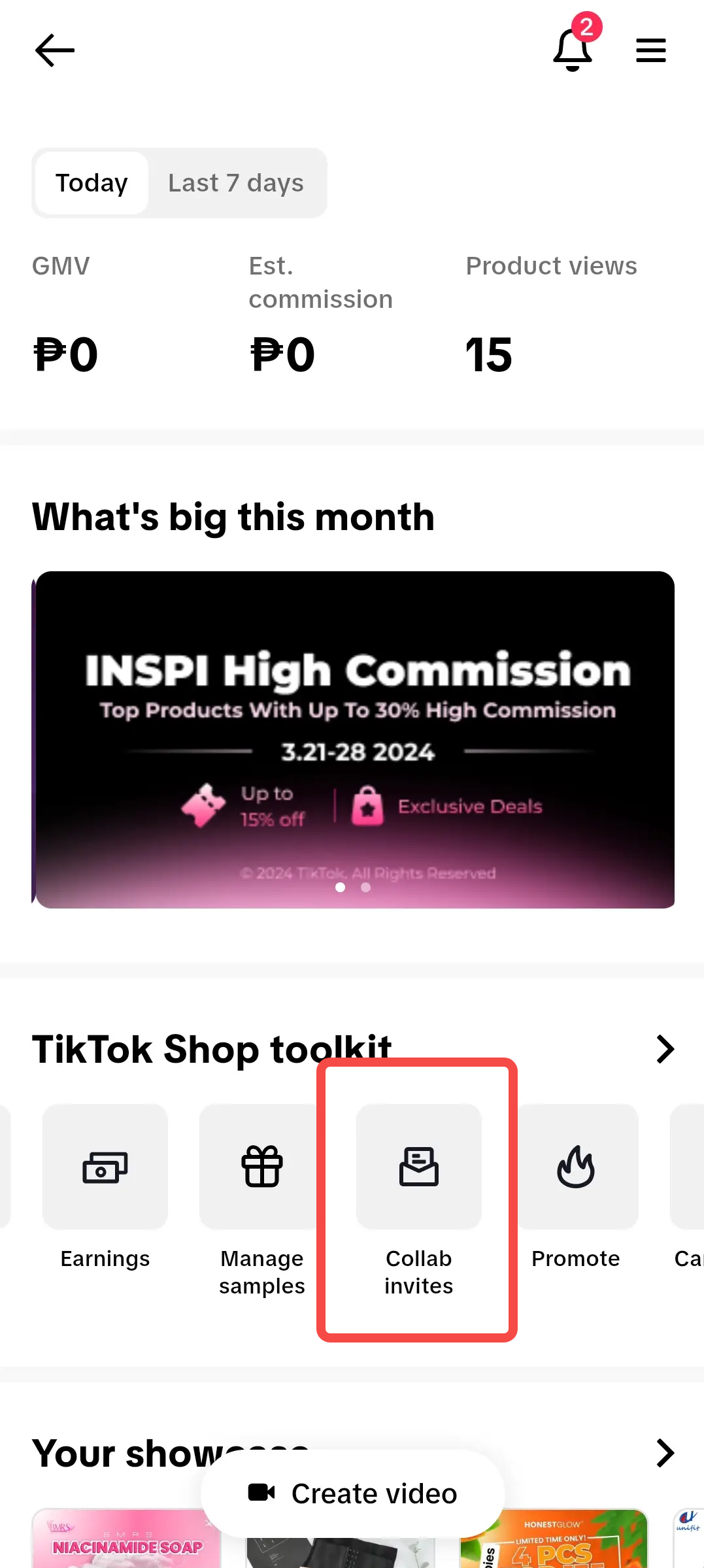 In the TikTok Shop Creator Center, tap on Collab Invites under the toolkit | 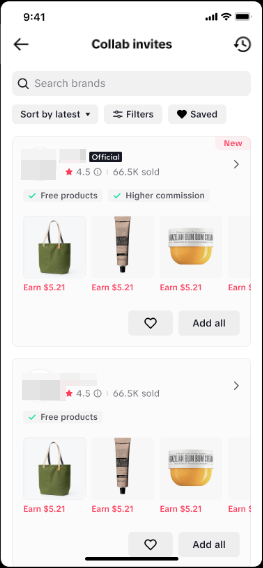 On the Collab invites page, you can see all your pending invitations from Sellers | 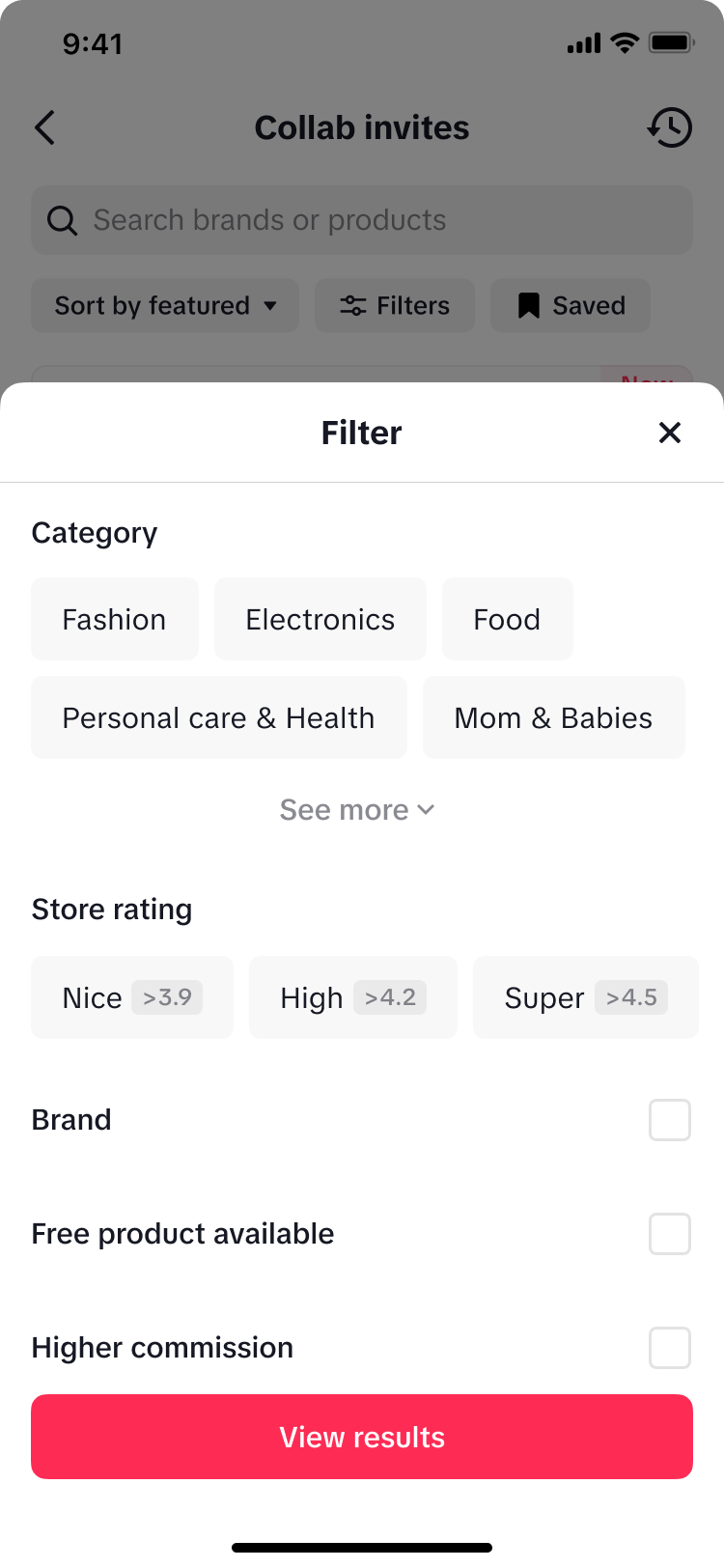 Additional Tip! Additional Tip! Creators can filter the invitations they receive based on their preferences and needs. | 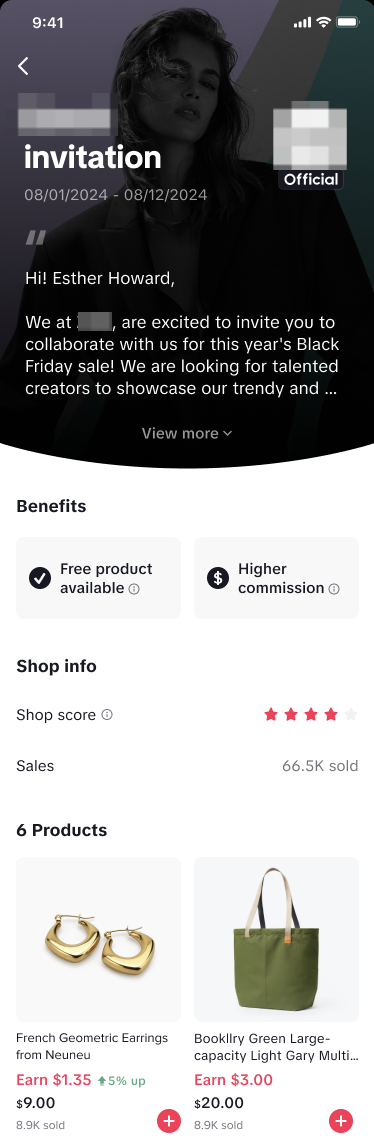 Tapping on the invitation will show its full details. Read through the benefits, shop info and prod |  The Creator can freely choose any product from the invitation. They don't need to promote all the products listed. |
- Category: Filter your invite to check the product's category
- Store Rating: Filter your invites according to the invitee's store rating
Collab Invite Details
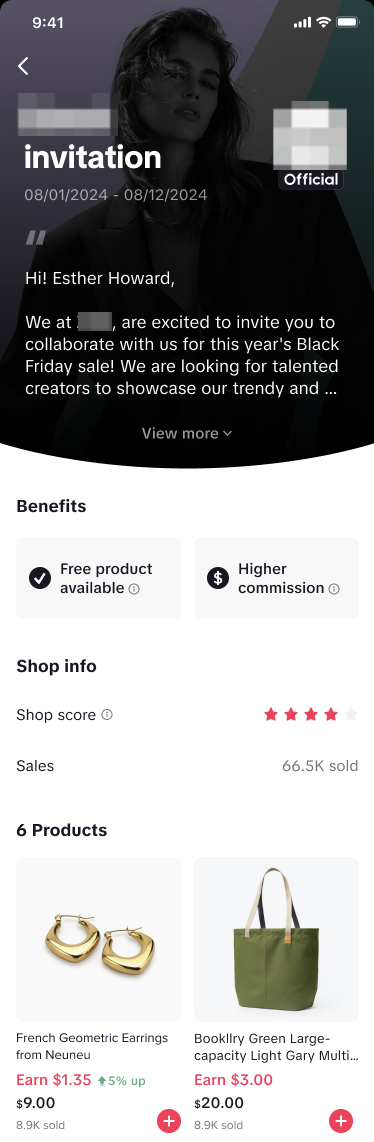 | Seller's Message:
|
Using Invites and Product Tabs
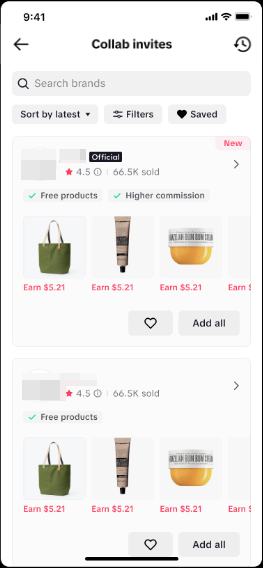
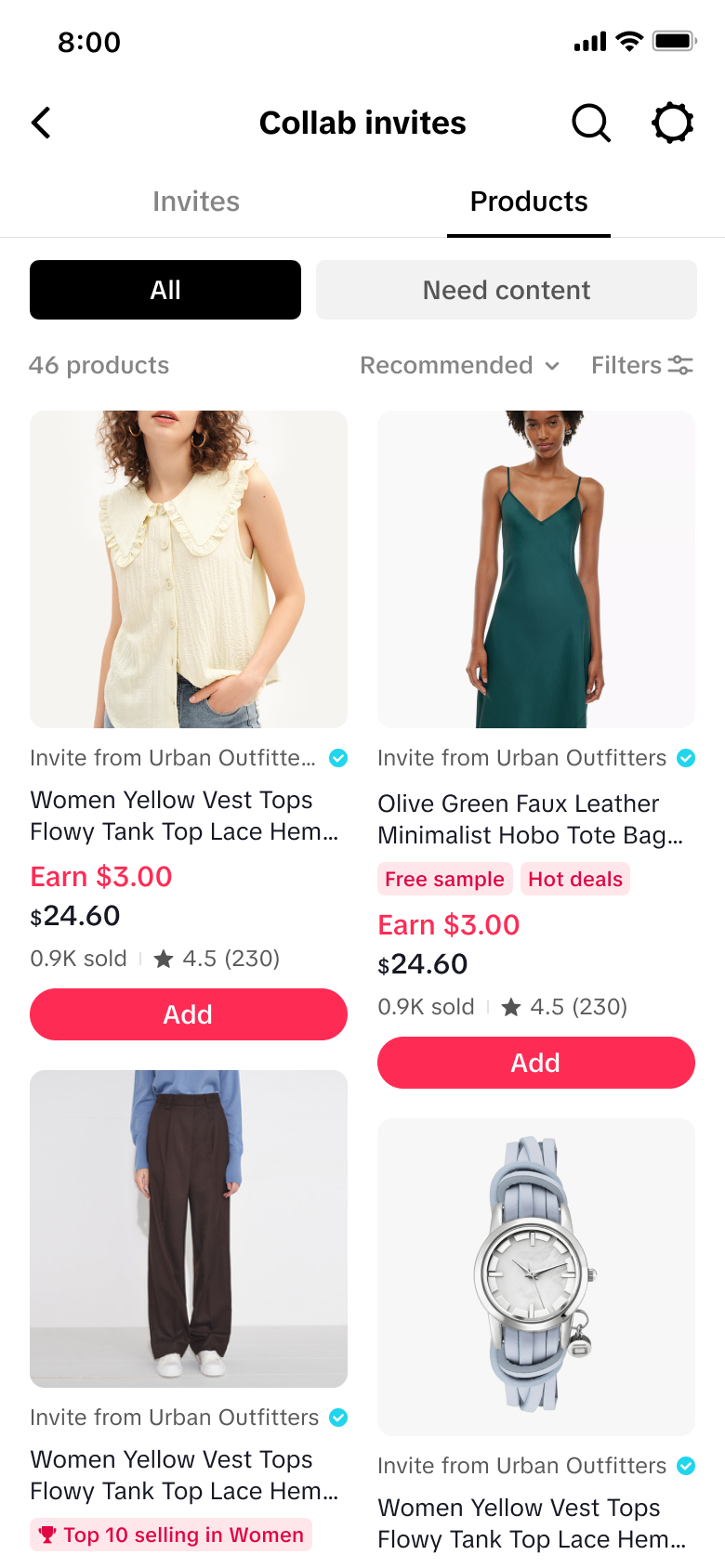
On the Collab Invite page, you’ll find two tabs to help guide your decision: Invites and Products.Invites TabFilter by Sellers first. Get a quick snapshot of which Sellers are inviting you and the affiliate products they offer. | Products TabFilter by Products first. Browse the available products under each collab invite. Adding one automatically accepts the full invite from that Seller. |
 |  |
FAQ
- Is there a limit on how many Seller invitations a Creator can receive and accept?
- There is no limit
- Is there a time limit when the creator can add products from an invitation?
- Only during the invitation's valid period. After this time, the invitation and the commission rate offered will no longer be available.
- What if a Creator rejects the Seller invitation?
- If you are interested in the offer, you can choose to add the products. If not, you don't need to do so. Rejecting a seller invitation will not affect your chances of receiving collaboration invites in the future. However, we encourage you to use the communication channels available to discuss more about potential collaboration opportunities.
- What if the products in the Seller invitation becomes unavailable or sold out?
- If the products are unavailable or sold out, you can not add the products to your showcase