

Guide for TikTok Shop Partner
12/03/2567
Introduction of TikTok Shop Partner
What is the TikTok Shop Partner?
TSP (Full name is TikTok Shop Partner) is a third-party expert who can help you start a business, sell products, and manage content for your e-commerce businesses on TikTok Shop. You can now browse all services provided by TikTok Shop Partner and authorize the services that suit your business.How to work with TikTok Shop Partner?

How to get your service TikTok Shop Partner
Step 1: Browse the service on the
Go to Seller Center-> Service Store to browse services by category.You can filter the service category according to your needs.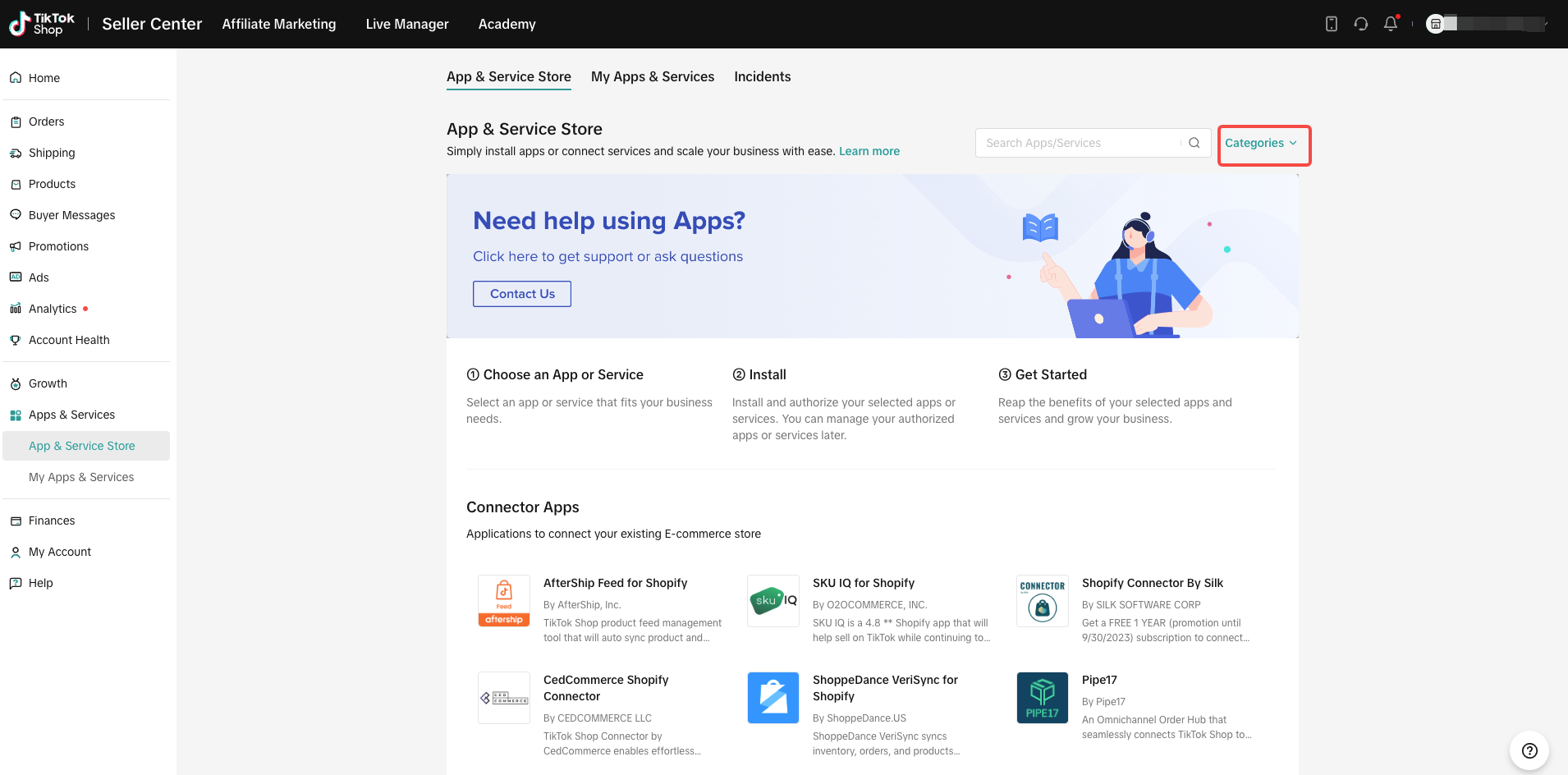
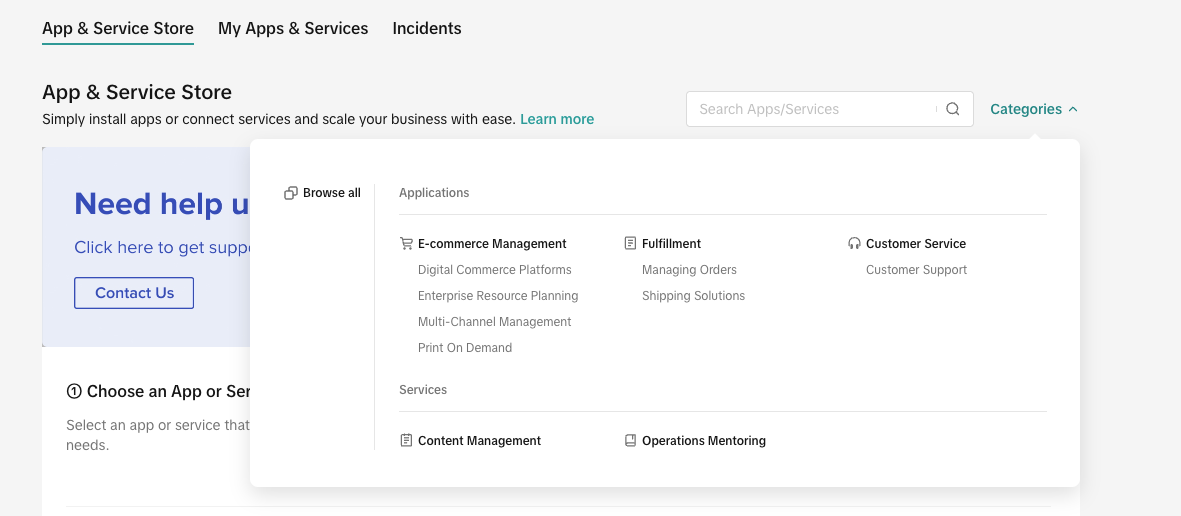 Use filters to narrow your options, and filter out the services you want through Content Management and Operations Mentoring
Step 2: Check the Service Details
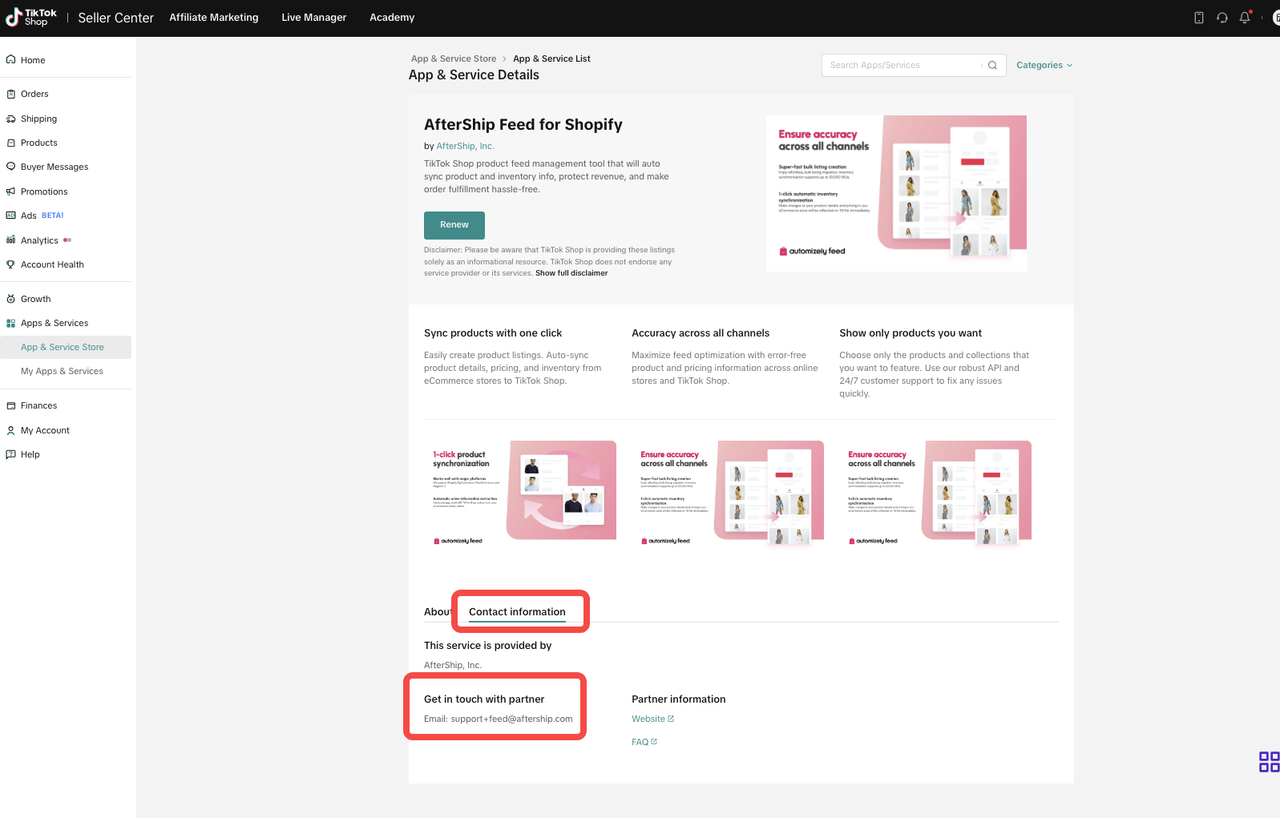
If you’re interested in a service, you can click it and go to the Service Details page for more information.Click Contact Information to get in touch with a partner and discuss details.
Step 3: Authorize the service
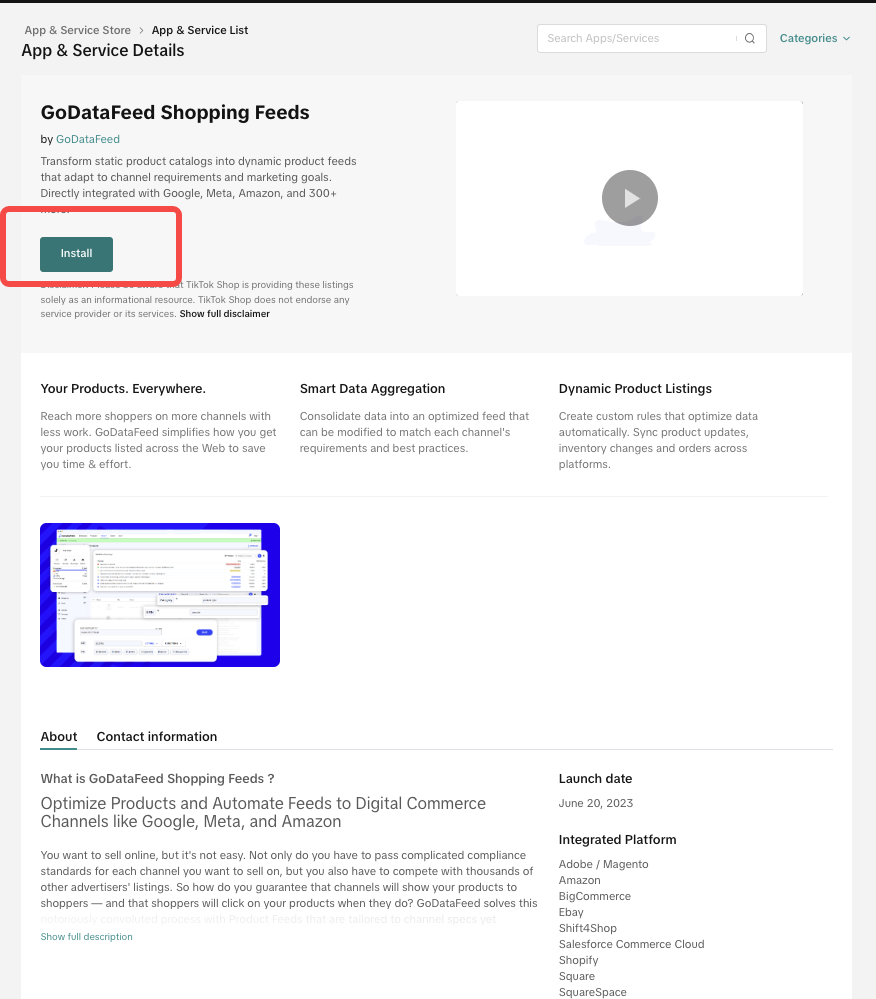
- If you decide you’d like to use the service.
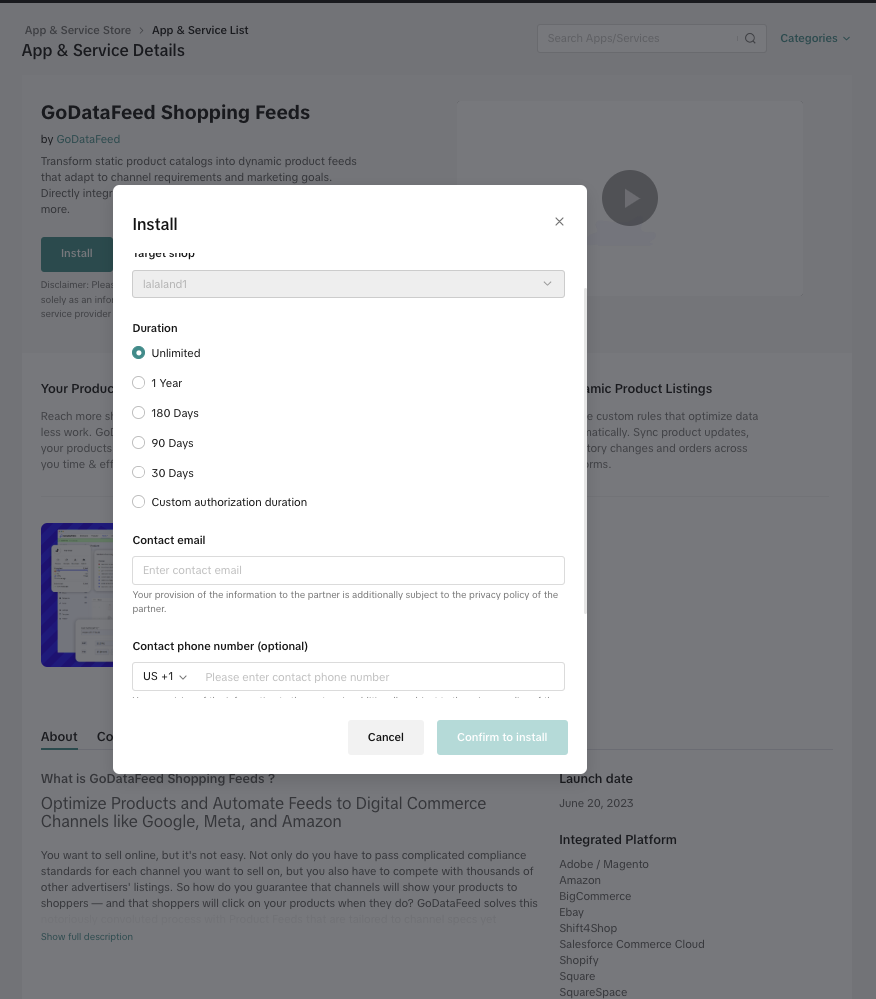
- Click Install on the Service Details page.
- Fill out the installation information, making sure everything is correct.
- Finish authorization, please review the partner's analytics and management permissions before you authorize them.
- Click Confirm to authorize.
How do I manage services?
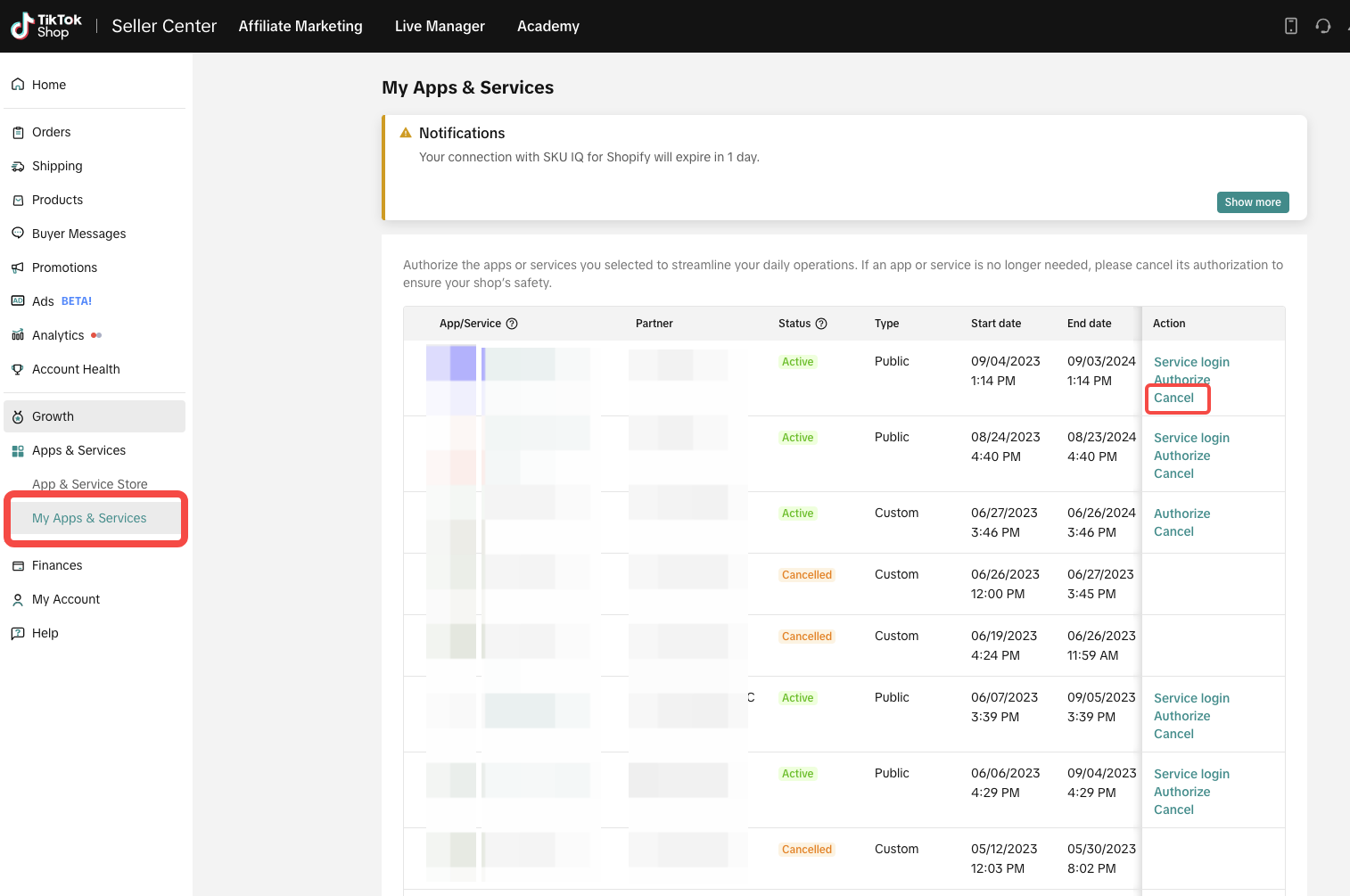
Go to Seller Center->Services Store->My Services to view and manage all of your services.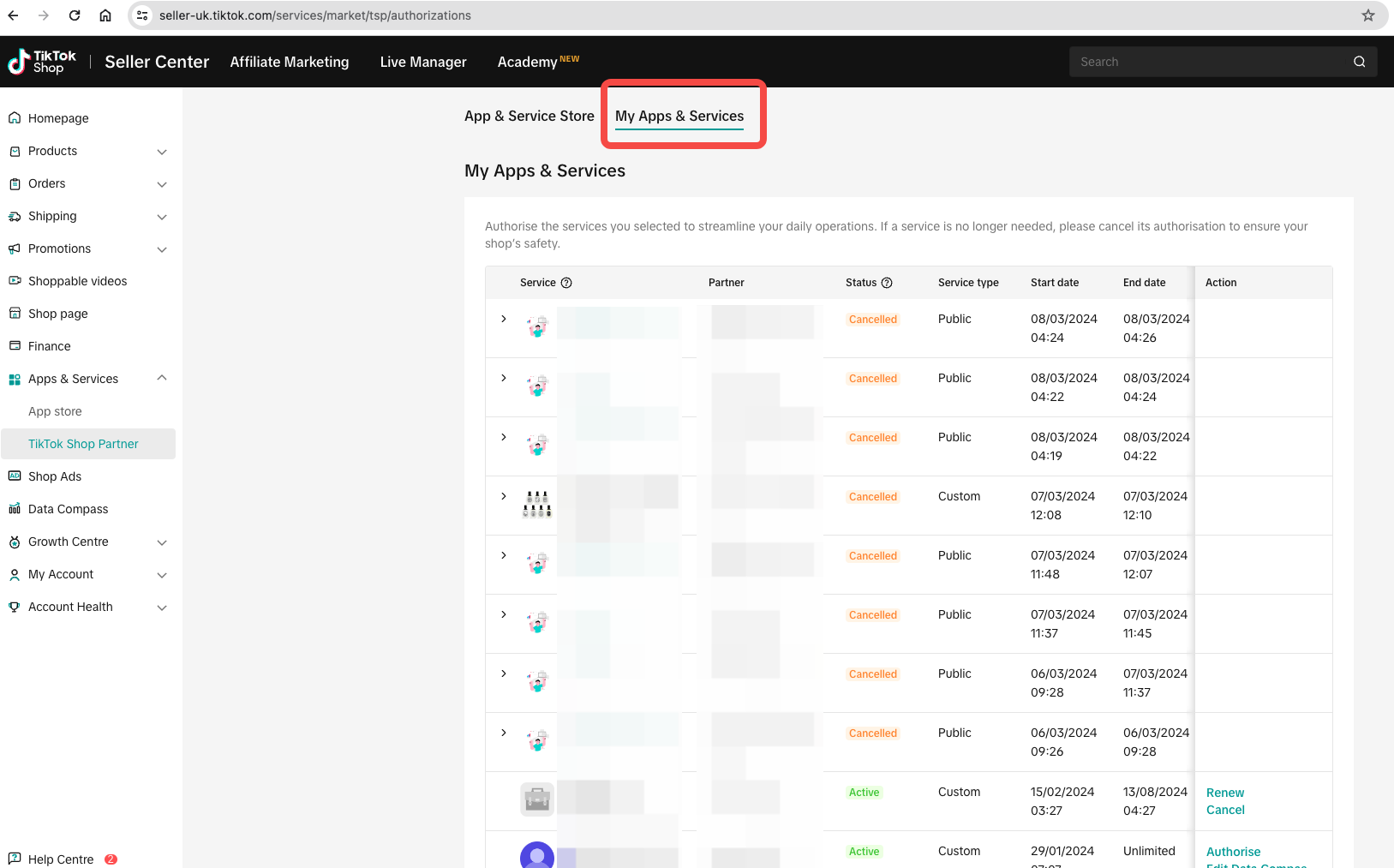
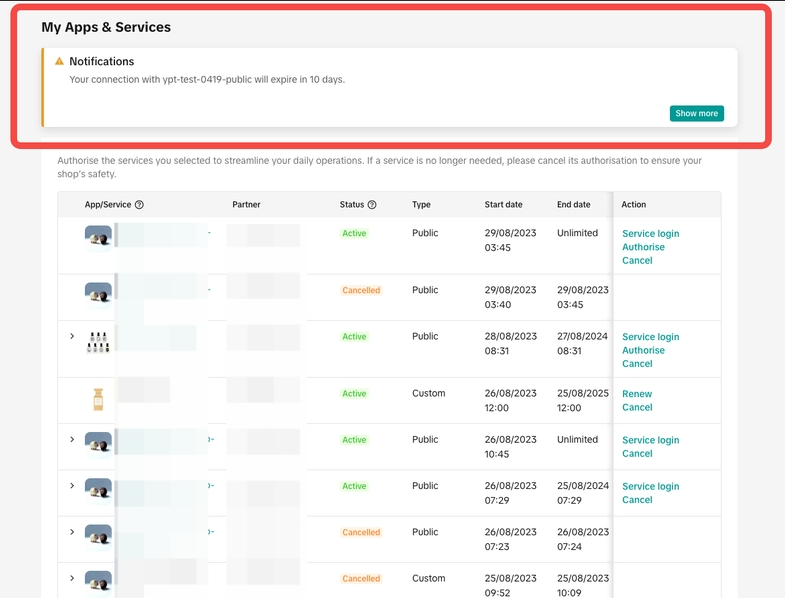
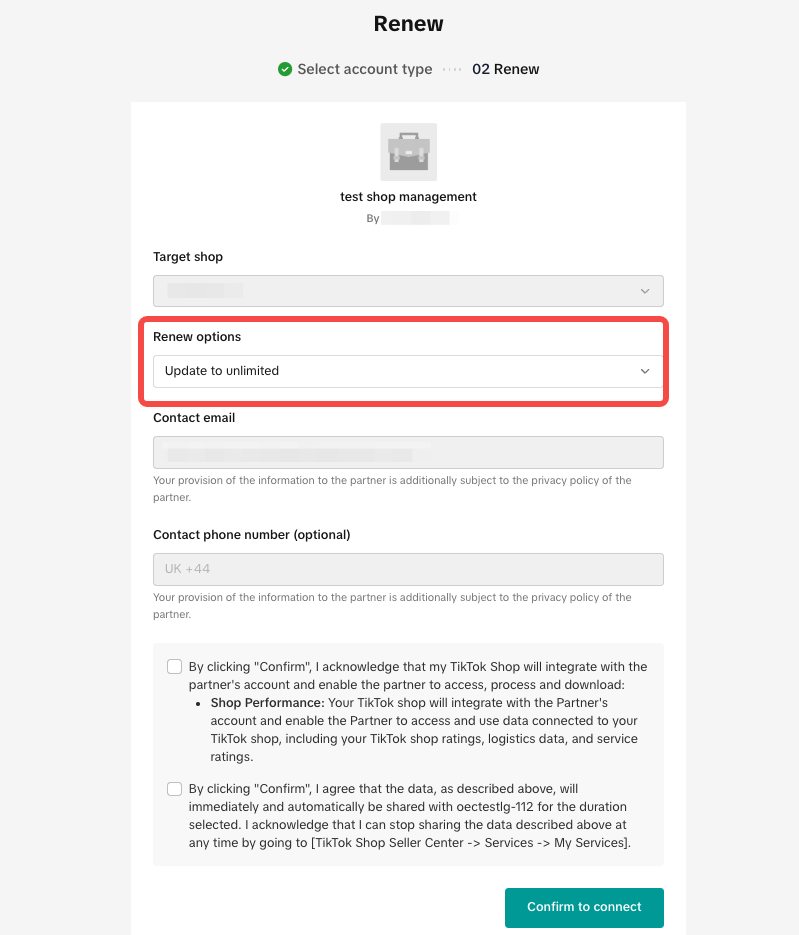
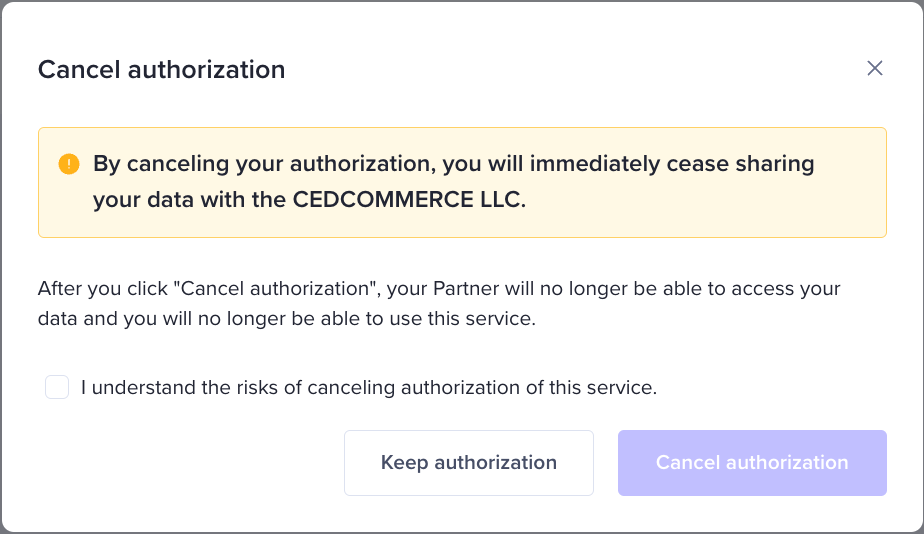
Please note: after the cancellation of service, your partner will no longer be able to access your data and you will no longer be able to use this service
 If you've unlined with a TikTok account that was previously authorized for a service, that authorization will no longer be valid from the moment of unlink. You can verify the current status of the account under the 'Linked Status' section.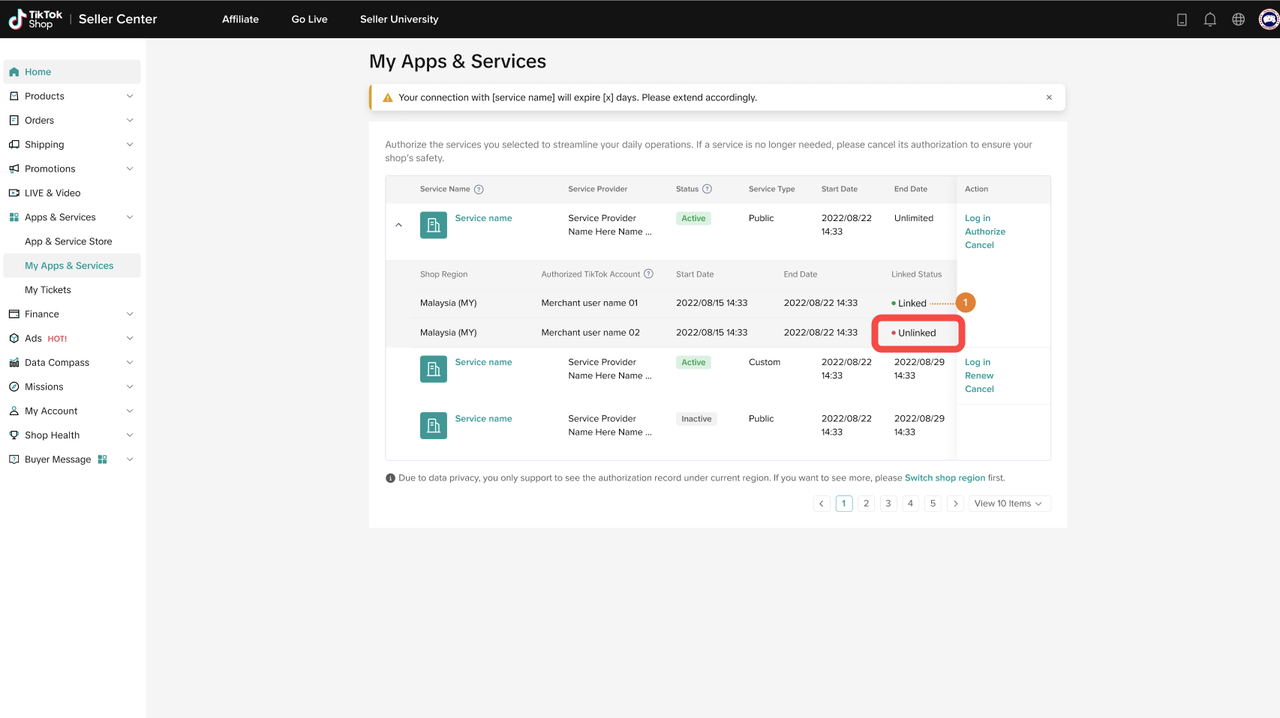
| Service Type Terminology | Definition |
| Custom Service | The service is not listed on the Service Store, so only sellers with an authorization link from the partner can authorize it. |
| Public Service | The service is listed on the Service Store and is available to every seller who can see it there, as well as to sellers with an authorization link. |
| Status Terminology | Definition |
| Active | Your authorization with the partner is active. |
| Completed | Your authorization with the partner has expired. |
| Authorization Canceled | You have canceled your authorization with the partner. |
| Closed | The partner has been removed from the platform for violating platform policies. Your authorization with the partner has been deactivated. |