

Sample Voucher
07/17/2023
This article teaches you how to claim your Sample Vouchers and use them as a Creator. 


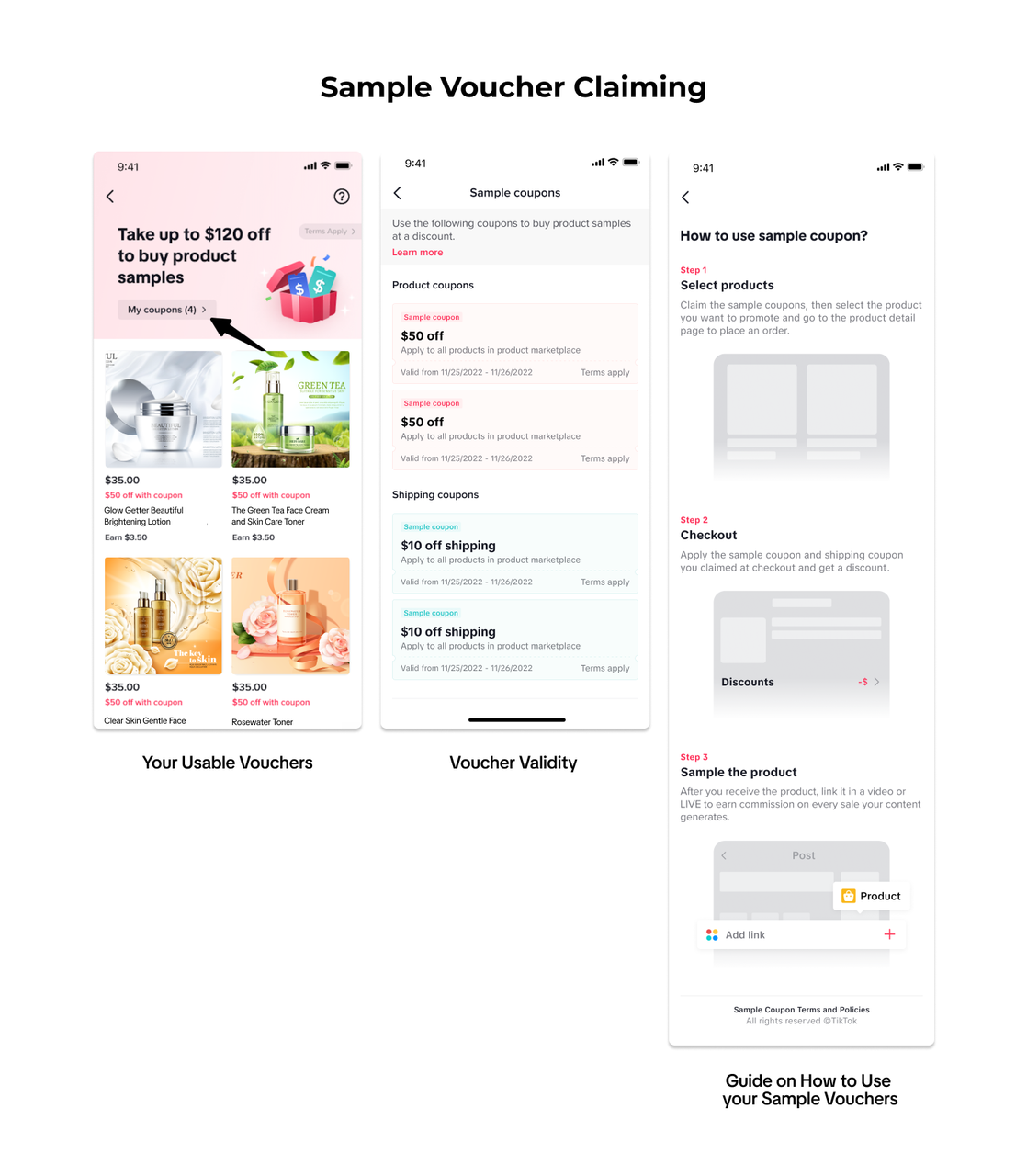

 After placing the Sample order, you will be guided to do the next steps:
What is a Sample Voucher?
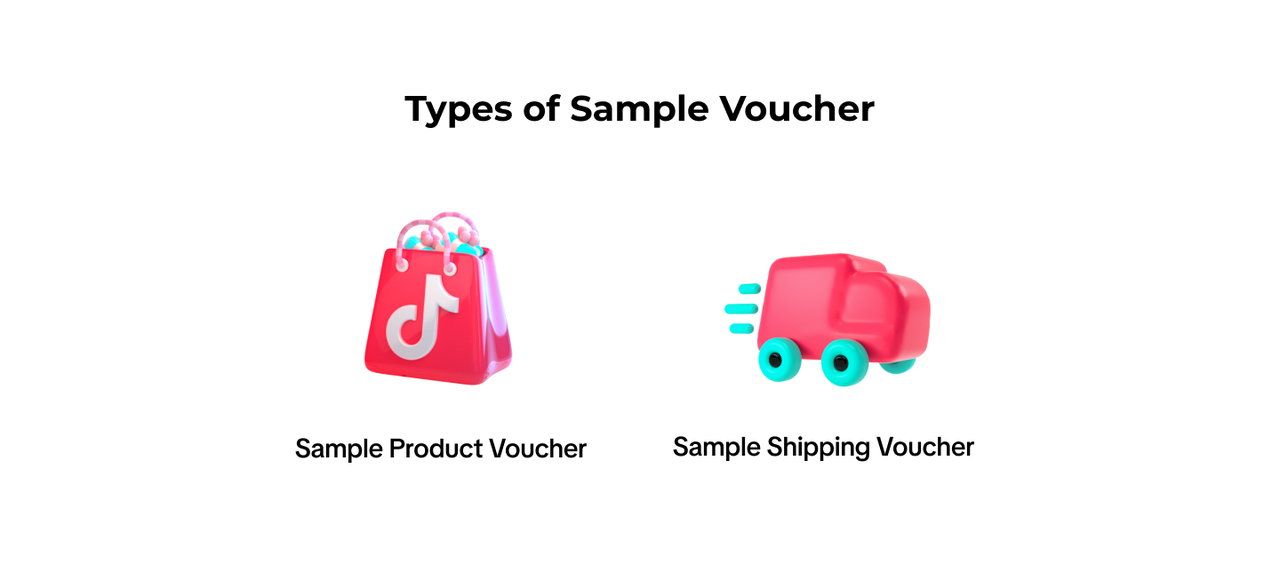
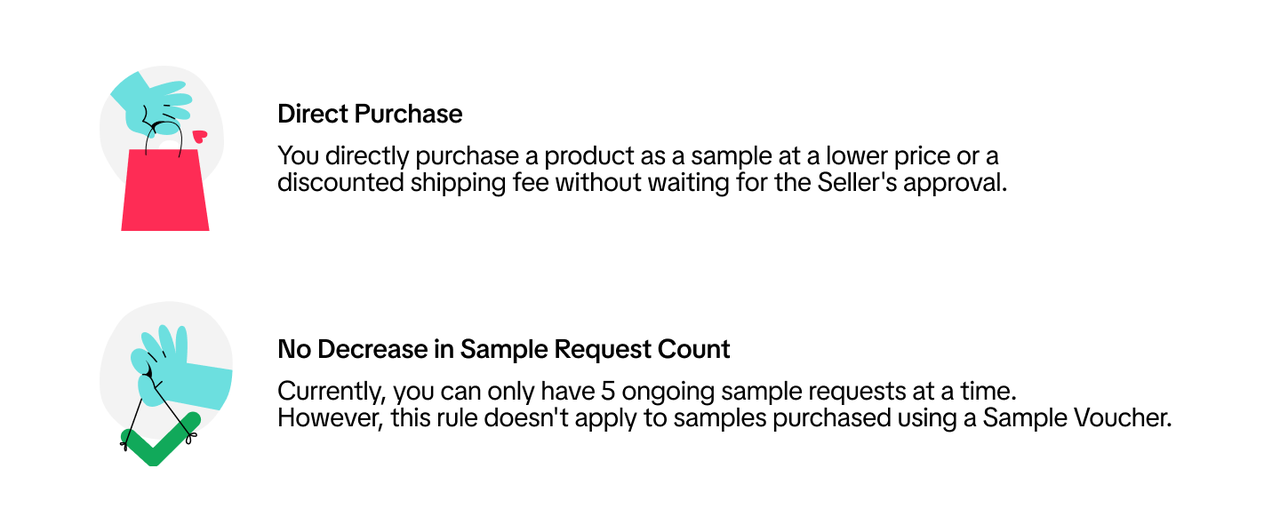
Sample Voucher is provided by TikTok Shop for Creators to purchase selected products at discounted prices or lowered shipping fees.There are two types: Sample Product Voucher and Sample Shipping Voucher. By using these Vouchers, you can have more products to showcase in your videos and during your Livesteams.Benefits of Using your Sample Voucher
How to Claim your Sample Voucher
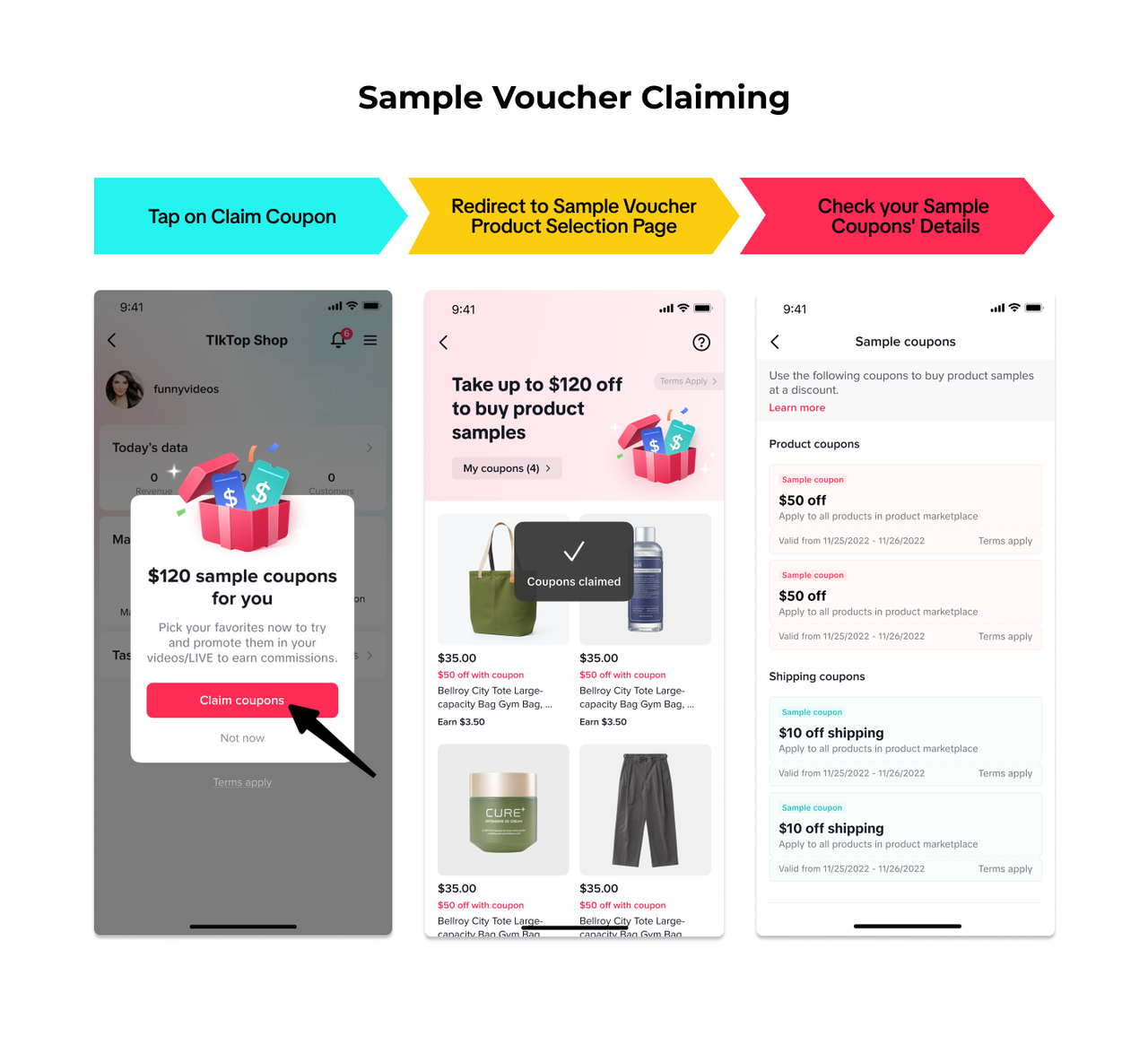
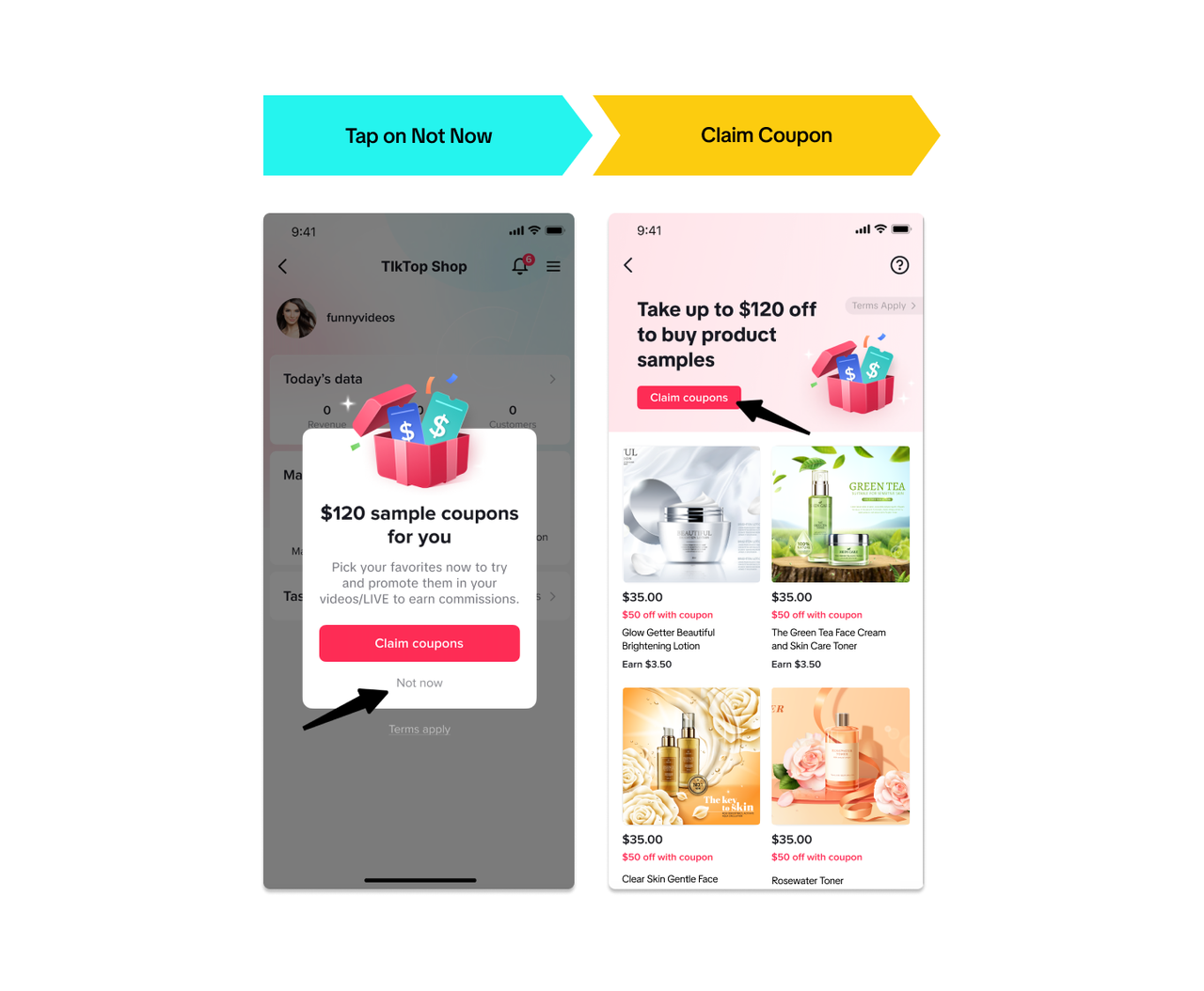
You can claim your Sample Vouchers by tapping on the [Claim Voucher] button on the Pop-Up and it will redirect you to the Sample Voucher Product Selection page.- If you tap [Not Now], it will redirect to the Sample Voucher election page. You can still claim your Sample Vouchers on the [Claim Voucher] button.
Check your Sample Voucher Details
- If you want to know more about the details of your Sample Voucher, just tap on [My Vouchers] on the Sample Voucher Selection page.
- On this page, you can check the following:
How to Use your Sample Voucher
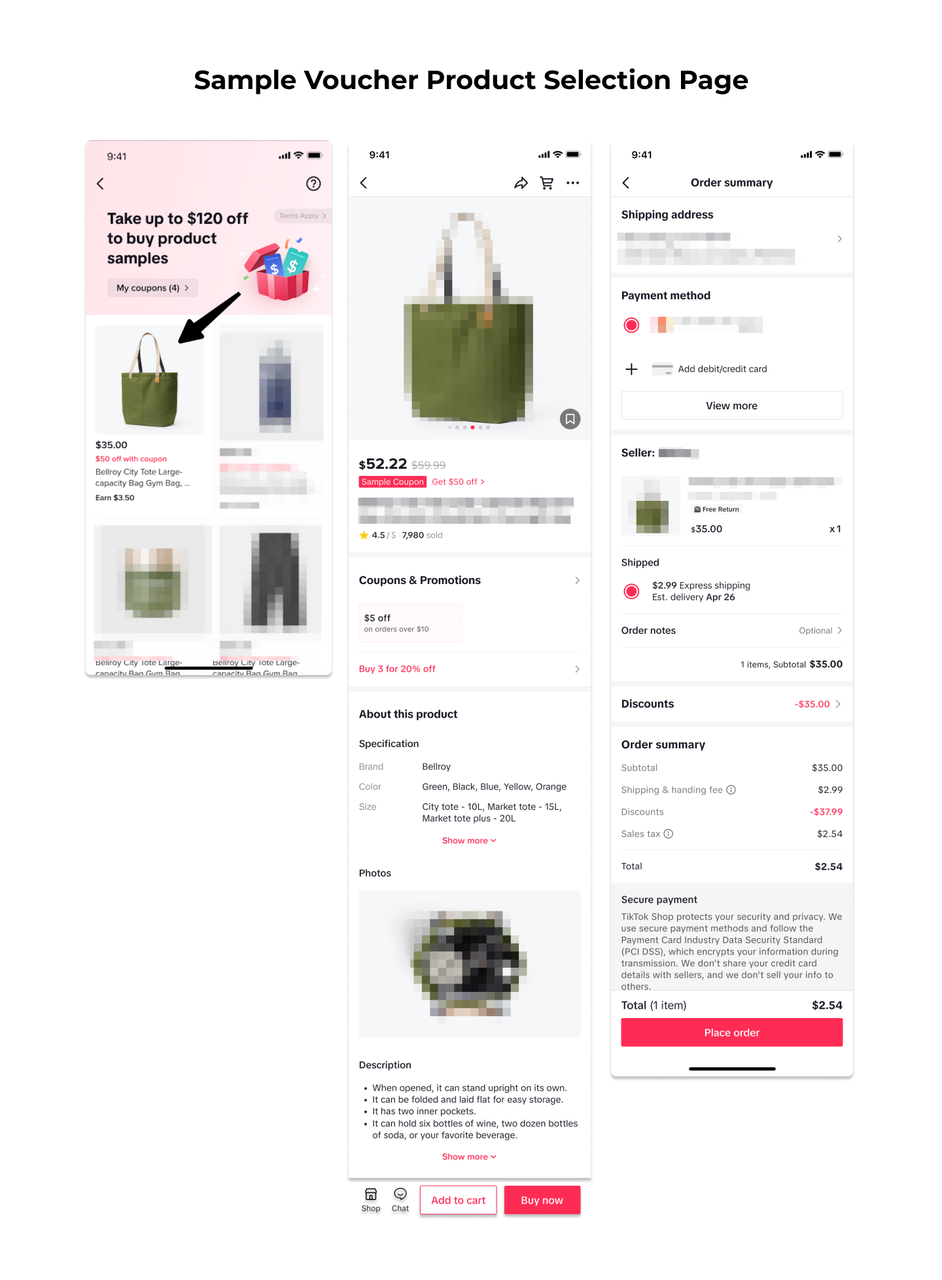
Sample Vouchers can be used through two points: Sample Voucher Product Selection page and Product Marketplace.Sample Voucher Product Selection Page
- After claiming the Sample Voucher, you can explore the list of eligible products on the Product Selection page.
- Enter the Product details page before tapping [Buy Now], it will then redirect you to the checkout page. The Voucher will be automatically applied and you can place your order.
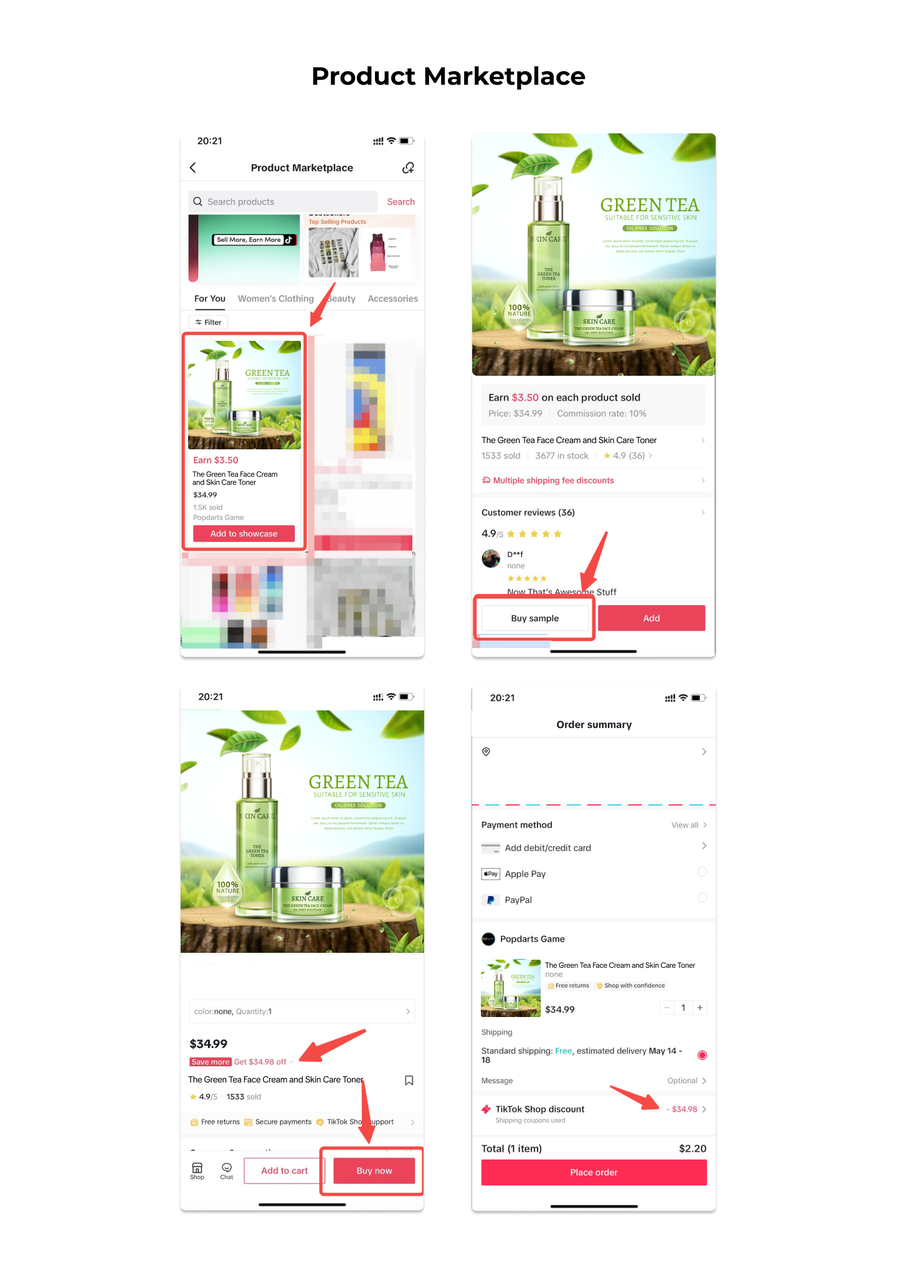
Product Marketplace
- Once Sample Vouchers are claimed, select a product that is eligible for Voucher use in the Product Marketplace.
- Tap on [Buy Sample] and it will redirect you to the Product Detail page.
- Confirm your order by tapping on [Buy Now] to redirect you to the checkout page. The Voucher will be automatically applied and you can place your order.
After placing the Sample order, you will be guided to do the next steps:- Add the product to your Showcase
FAQ
- When will I get the Pop-up?
- The Pop-up is visible whenever you are eligible for Sample Vouchers.
- What will happen if I can't create content for the Sample because the Product is out of stock or no longer for sale?
- There are 2 main scenarios that may make creators unable to fulfill the Sample Fulfillment task:
- The seller or product is completely removed from the platform:
- In this case, the Sample Fulfillment task will be cancelled, and creator is no longer required to create content for the sample
- The product is out of stock, deleted, or another scenario that is still possible for seller to fix:
- In this case, the sample fulfillment task will be paused for 10 days. If the seller does not reactivate the product within 10 days, the sample fulfillment request will be cancelled. If the seller reactivates the product before the suspension period ends, the creator needs to fulfill the sample content following the 12-day time limit.
- Refer to this article for more details
- The seller or product is completely removed from the platform:
- There are 2 main scenarios that may make creators unable to fulfill the Sample Fulfillment task: