

LIVE Shopping Ranking
02/27/2026
All images within this article are for reference purposes only and the actual interface may vary slightly.

What is LIVE Shopping Ranking
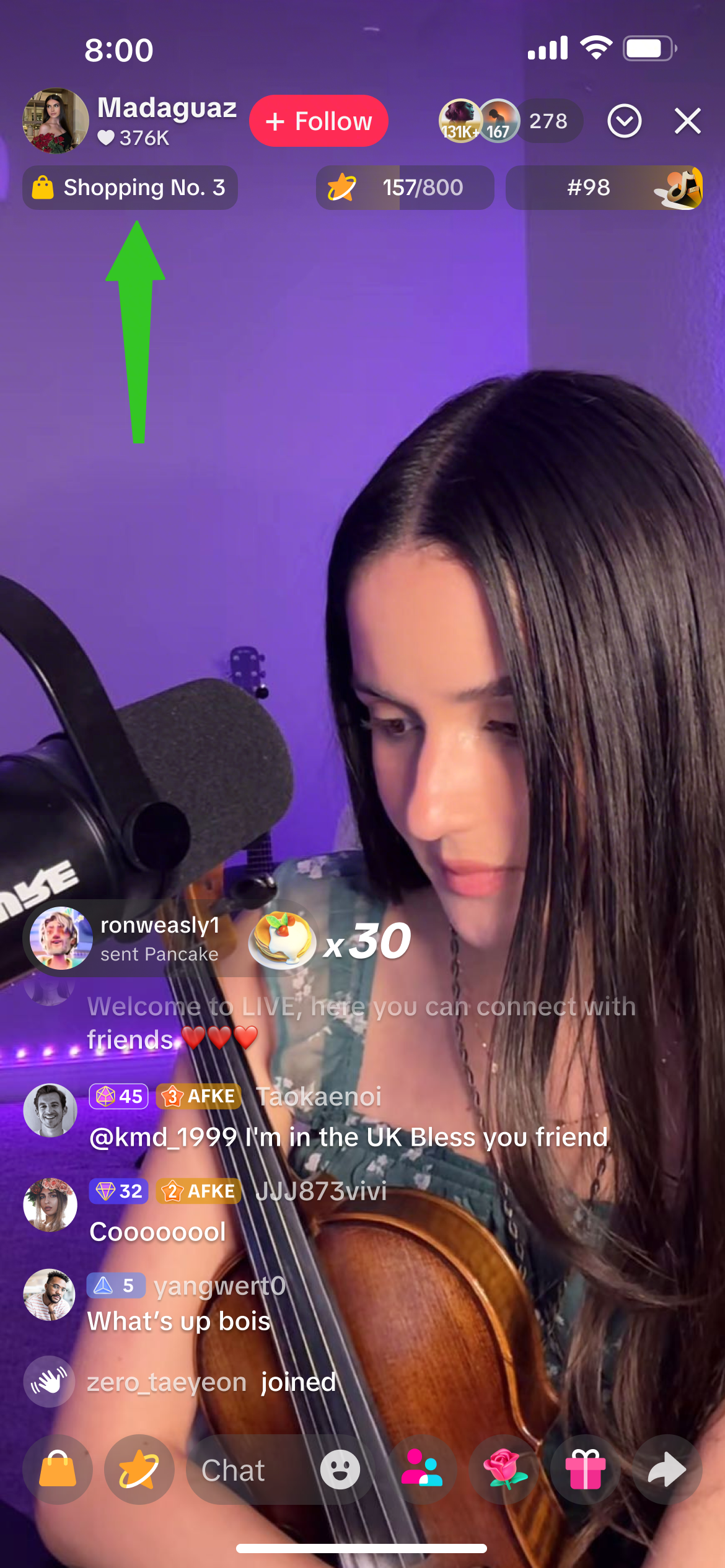 | 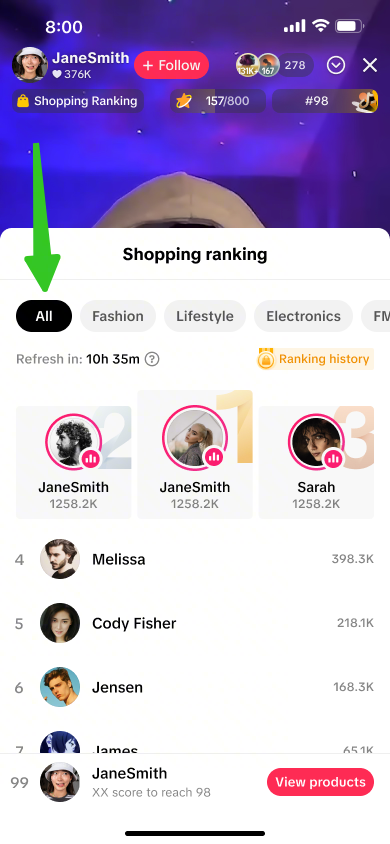 | 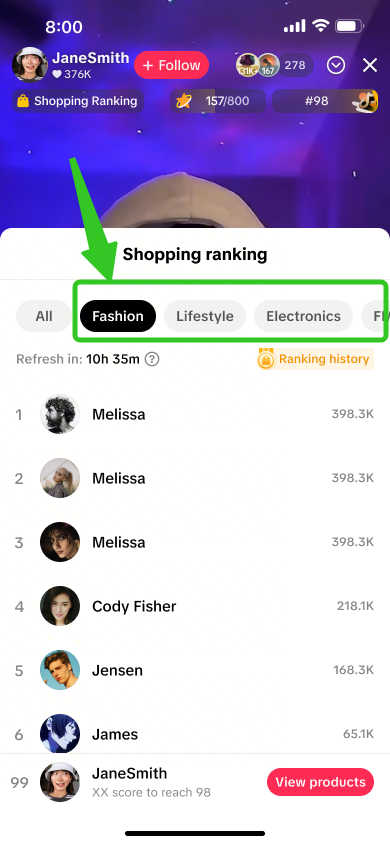 |
LIVE Shopping Ranking is automatically enabled for all livestreaming sellers and affiliate creators by default, in order to drive higher visibility of hosts and their liverooms towards potential viewers. By being featured on LIVE Shopping Ranking, only the host's username, profile picture and ranking points will be displayed.

Check LIVE Shopping Ranking
Upon clicking on the LIVE Shopping Ranking label in the top left corner of the livestream, the shopping ranking details page will appear where livestream hosts and viewers will be able to check the daily livestreamers ranking list, and filter by selected categories of their choice.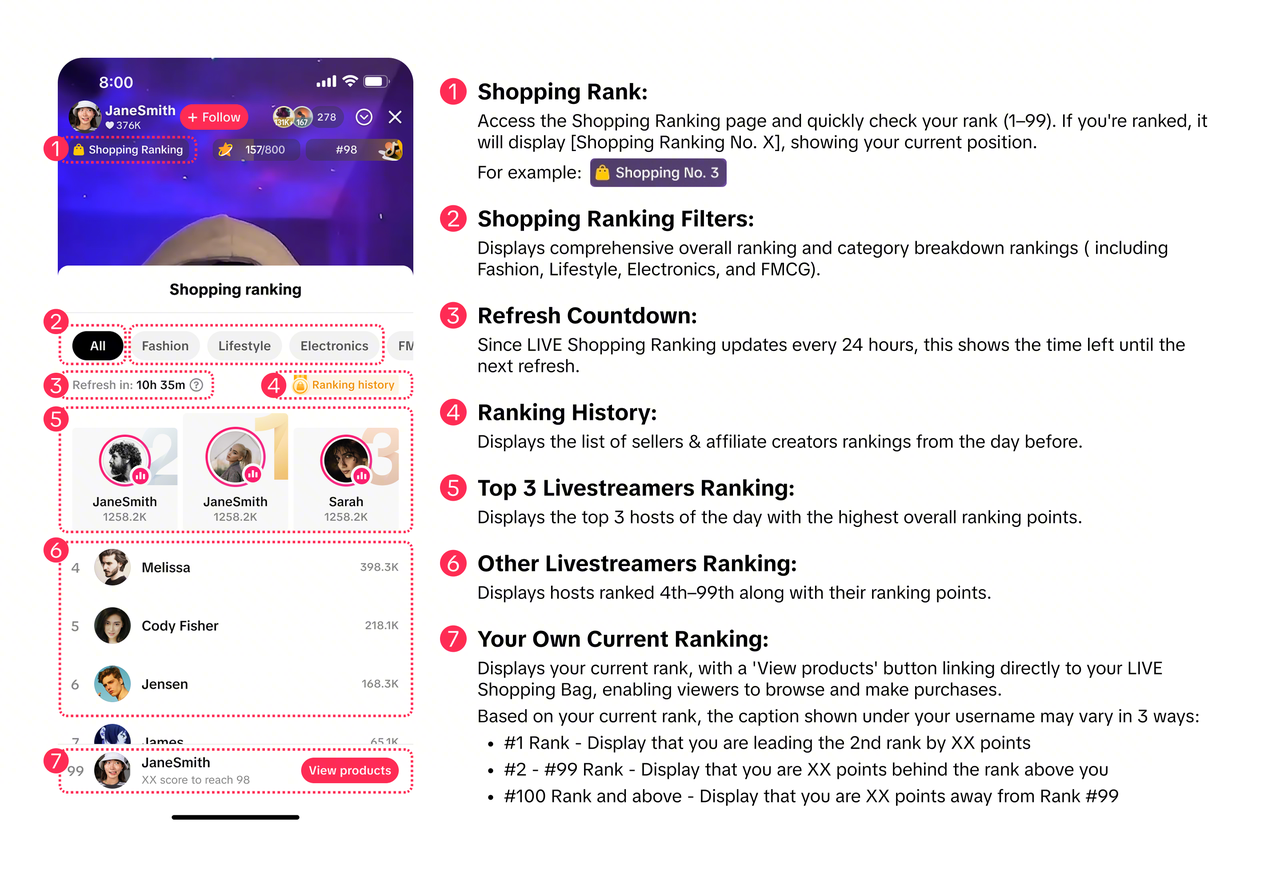

How to Optimise LIVE Shopping Ranking
| To Do | Impact | |
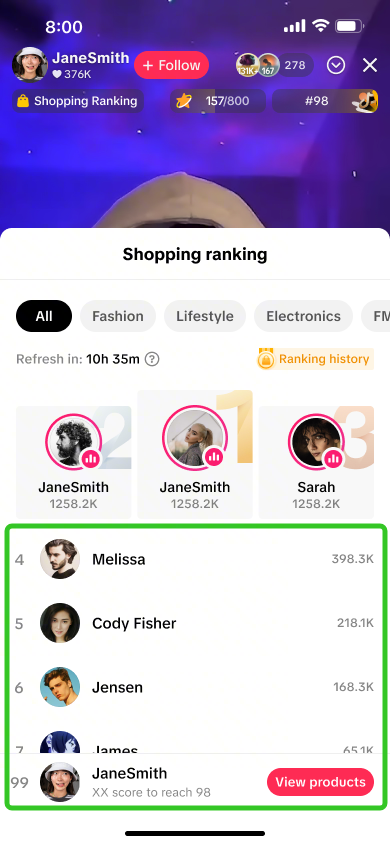 | Check your daily ranking and set small goals to achieve certain rank positions | If your rank moved up -> Review your past day's livestream to identify what you did differently that worked well at increasing your points, and continue to do so to boost your ranking!If your rank moved down -> Optimise your next livestream to aim for stronger results in aspects of GMV, number of followers, number of comments, viewing duration and LIVE duration. |
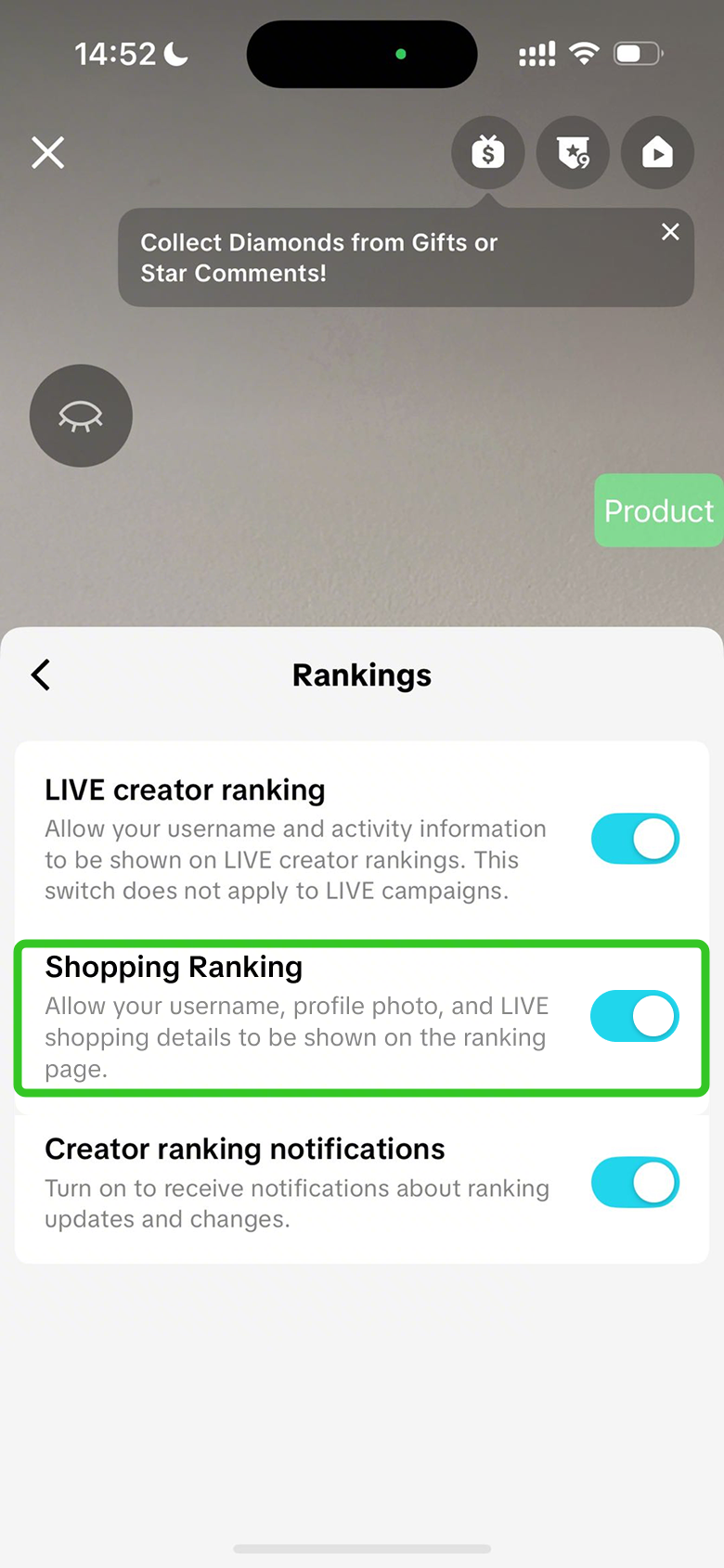 | Keep your Shopping Ranking settings toggled on | Profiles that are displayed within the Shopping Ranking page get to leverage an extra entry point for viewers to enter your livestream in real-time, by clicking on your profile picture.
|
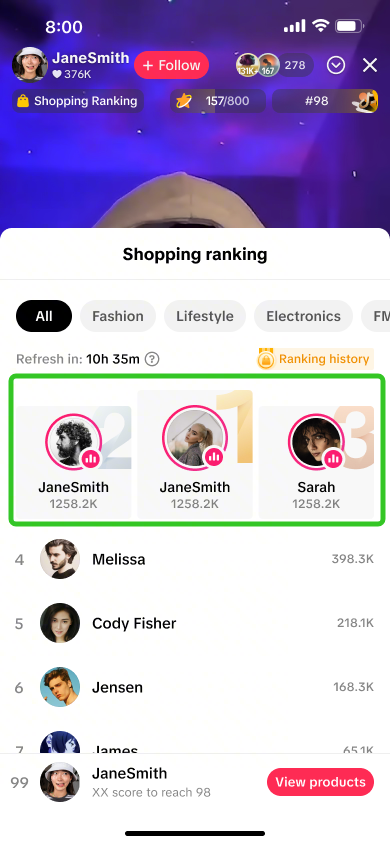 | Review other top livestreaming hosts to compare their livestream style and strategy | Observing how top hosts engage their audience can fast-track your own livestream performance by adopting proven practices, instead of relying on your own trial and error.
|

FAQs
- What is the difference between LIVE Shopping Ranking and Daily Ranking?
 |  |
| LIVE Shopping Ranking: This ranking is calculated based on GMV, number of followers, number of comments, viewing duration and LIVE duration. | Daily Ranking: This ranking is calculated based on Diamonds that are gifted by viewers to livestream hosts. |
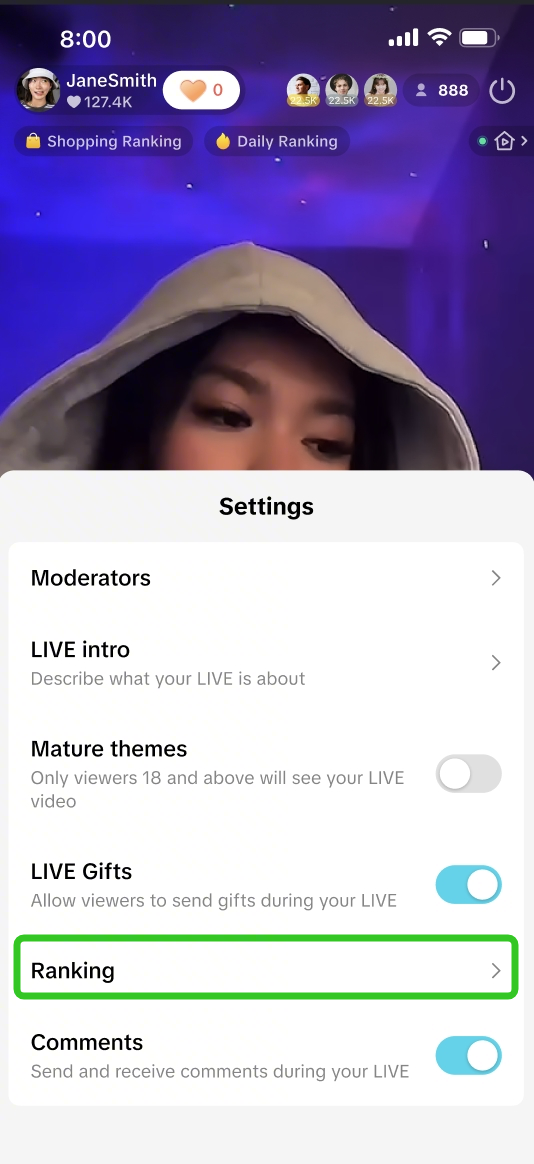
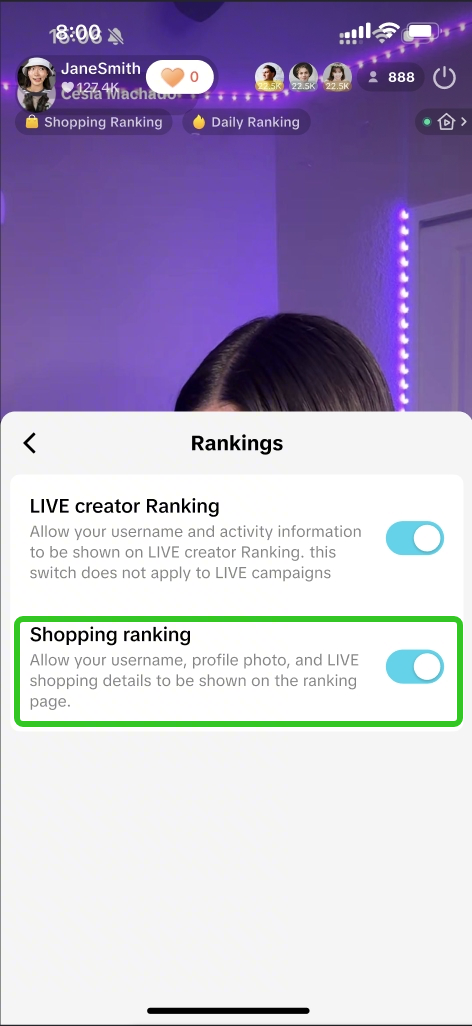
- Can I deactivate Shopping Ranking so that my details are not displayed within the Shopping Ranking page?
Before LIVE Click on Settings > Ranking > Shopping Ranking | During LIVE Click the 3 dots > Ranking > Shopping Ranking | ||||
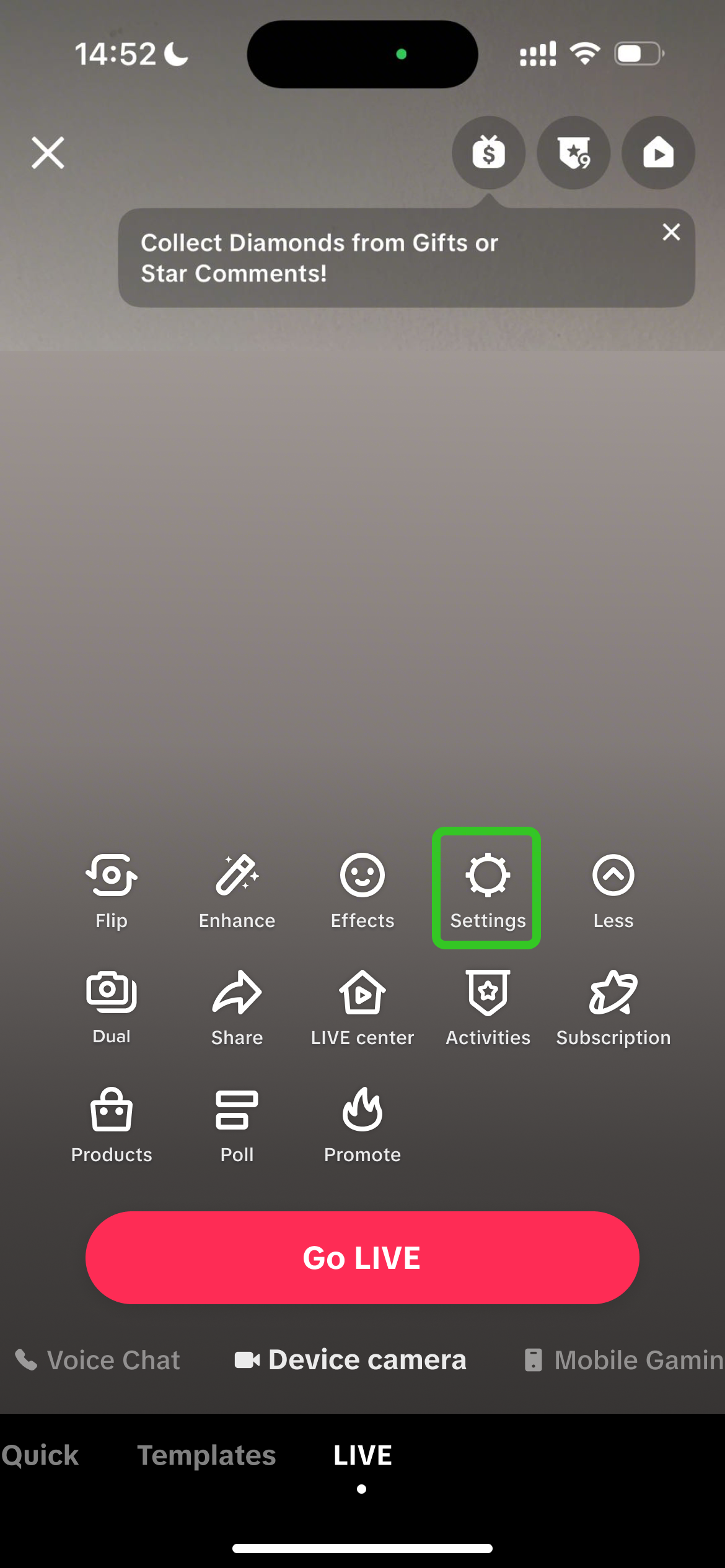 | 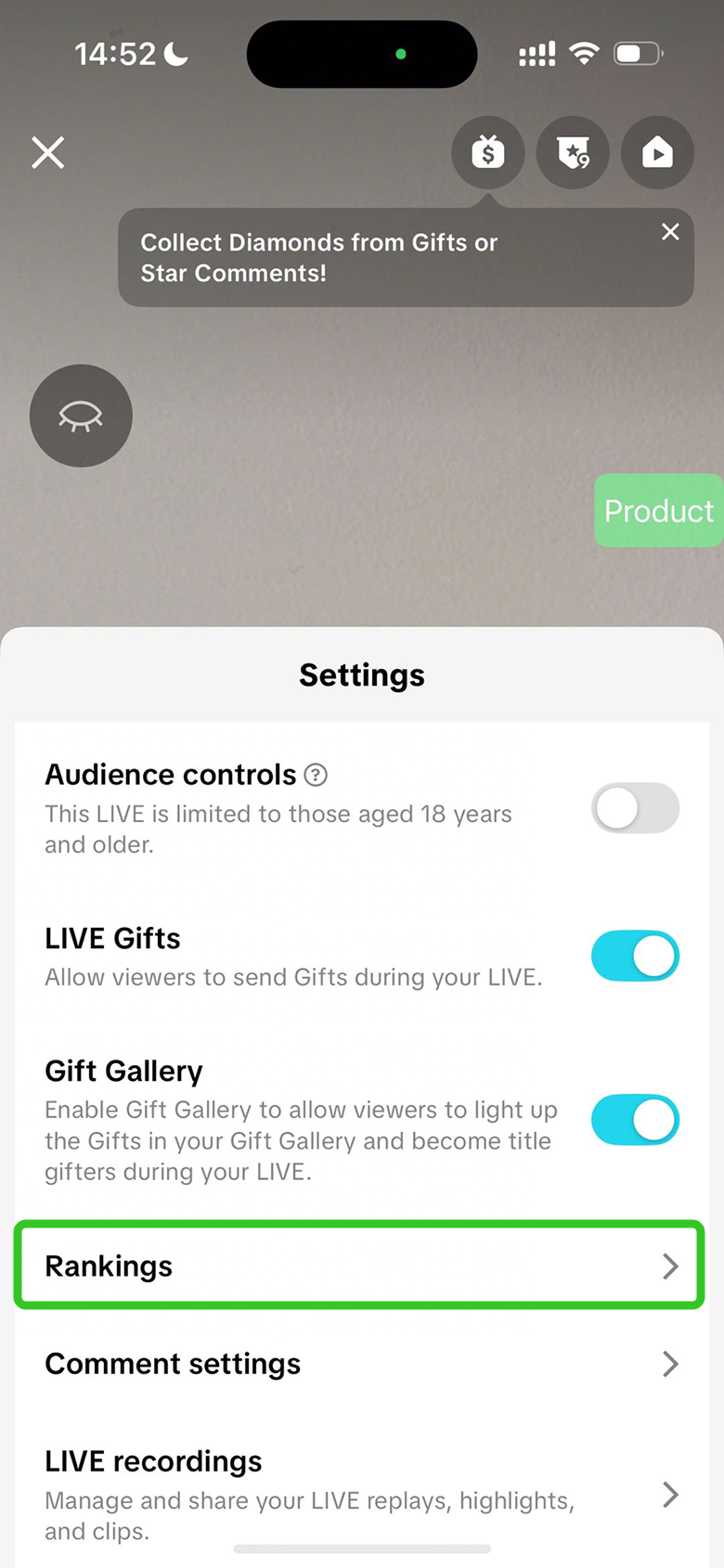 | 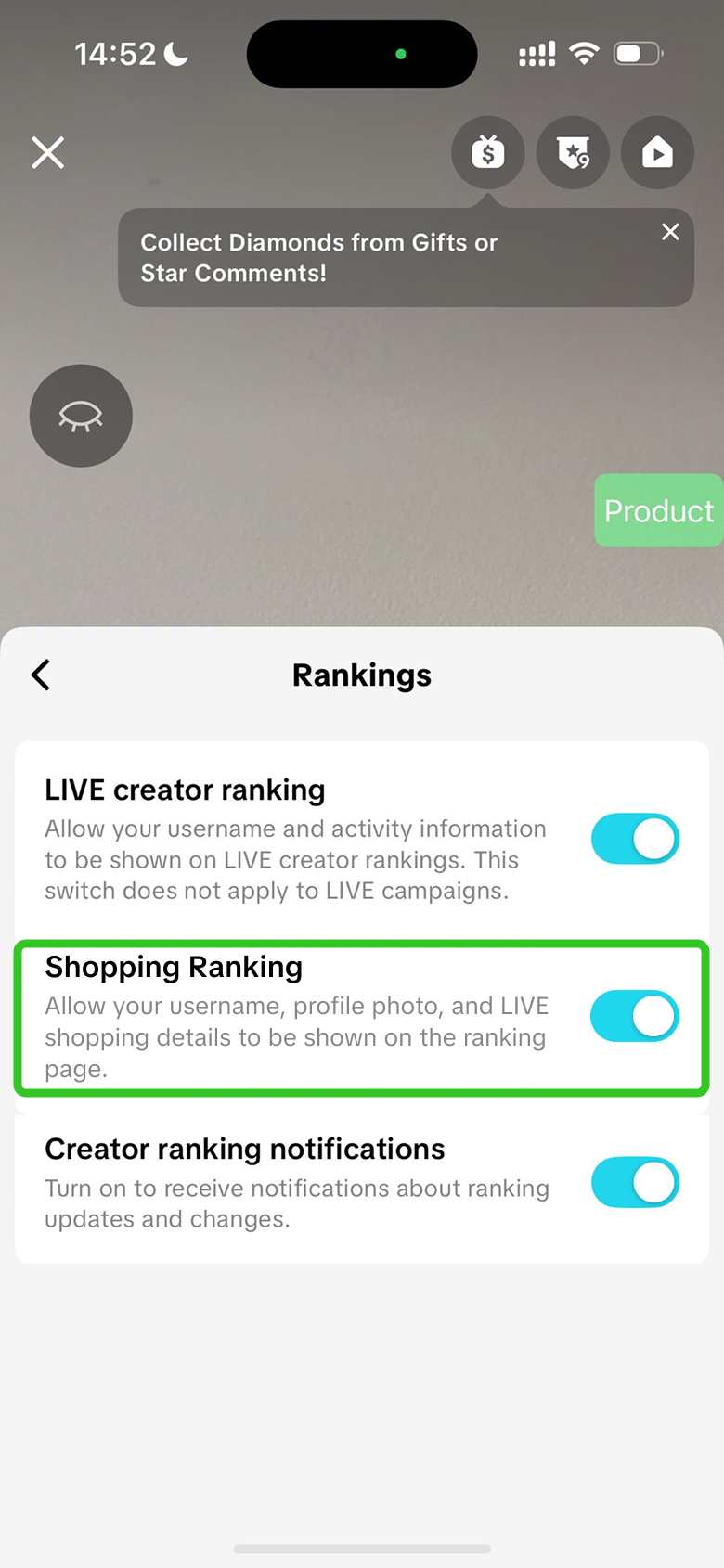 | 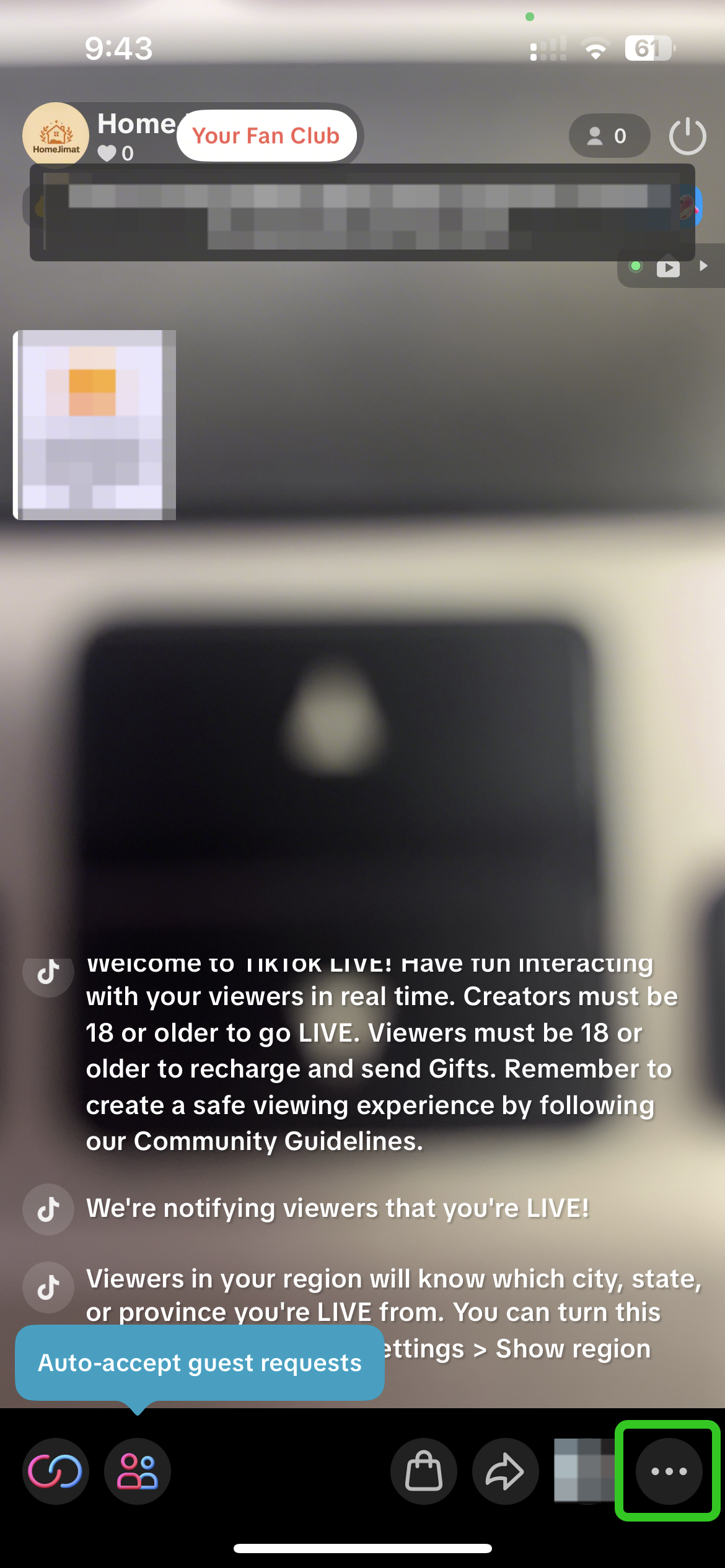 |  |  |
- If I sell products across multiple categories, will I appear in multiple category rankings?
Anda mungkin juga tertarik
LIVE Setup
What is LIVE Setup? We have received feedback from Sellers and Creators indicating that selecting an…
LIVE Event
What is LIVE Event? Many viewers find it hard to keep track of livestream schedules because each cre…

Creator LIVE Flash Sale
What is Creator LIVE Flash Sale? Creator LIVE Flash Sale is a type of Seller Flash Sale, whereby it…
Auto-Sort Products for LIVE
In this article, we will teach you how the auto-sort products feature works and how it can benefit y…
LIVE Highlights
LIVE Highlights is a tool designed to provide you with the best-performing segments of your livestre…
Prime Time Coupon
This article teaches you what Prime Time Coupon is, how to activate it during your livestream as a s…
LIVE Highlights Replay on PDP
LIVE Highlights is a tool designed to provide you with the best-performing segments of your livestre…
LIVE Follower Voucher
This article will share with you what a LIVE Follower Voucher is, how you can leverage these LIVE Fo…
Link Products Tool
What is the Link Products tool? The Link products tool allows creators to add product links to eligi…
Checking LIVE Data within LIVE Shopping Bag
As a host actively doing livestreams, having real-time data on how your LIVE is performing will be h…