

Service market
12/13/2022
What is TikTok Shop Service Market?
As a TikTok Shop seller, there are many issues you may run into while running your shop. To help focus on growing your business, you need to leverage all the professional applications and services you can get. Luckily, TikTok Shop now offers a one-stop "browse and authorise" Service Market where you may contact and authorise partners for the right applications and services.For example, under the customer support category, you'll find an efficient and easy-to-use live chat tool, capable of handling customer inquiries and requests all on one panel, with chatbots available. To find out more, click Service Market to start browsing, and reach out to any partner who interests you.How to get your service?

How can I find and get the application or service I need?
STEP 1: Browse for application or service on Service Market.
Go to [ Seller Center] > [Services] > [Services Market]. You can browse applications or services on Service Market by category.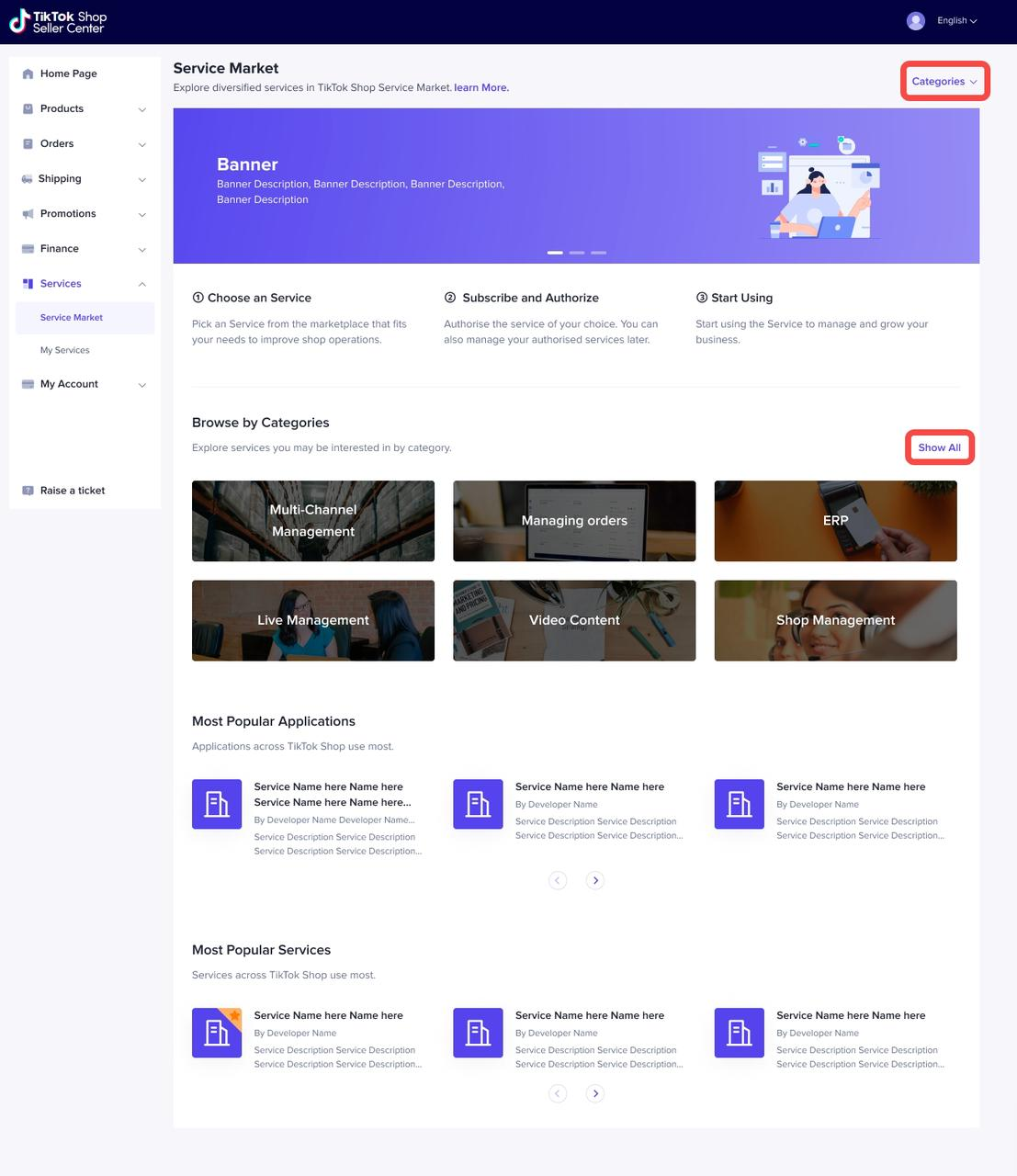
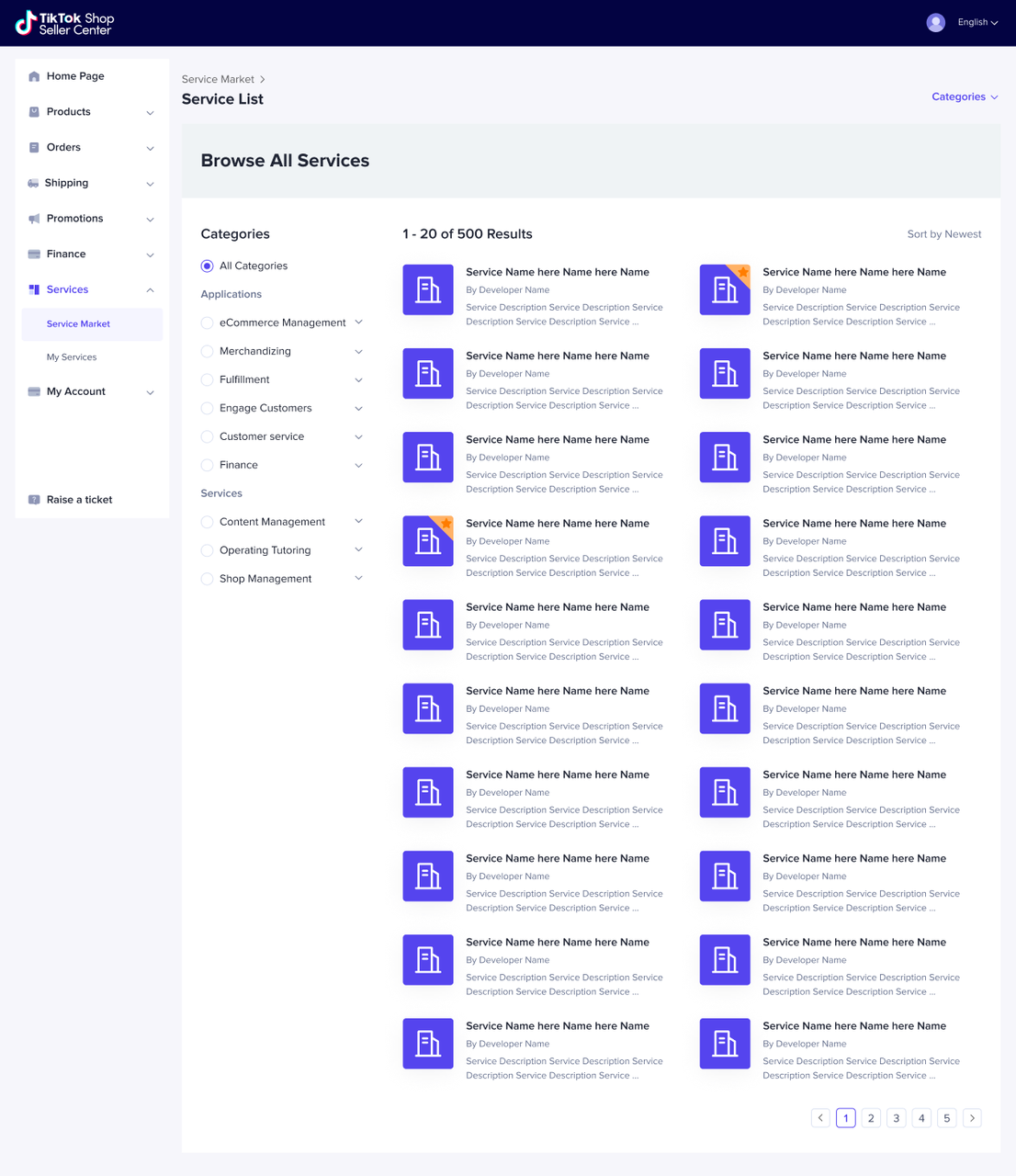 You can search for specific services by using the search bar.
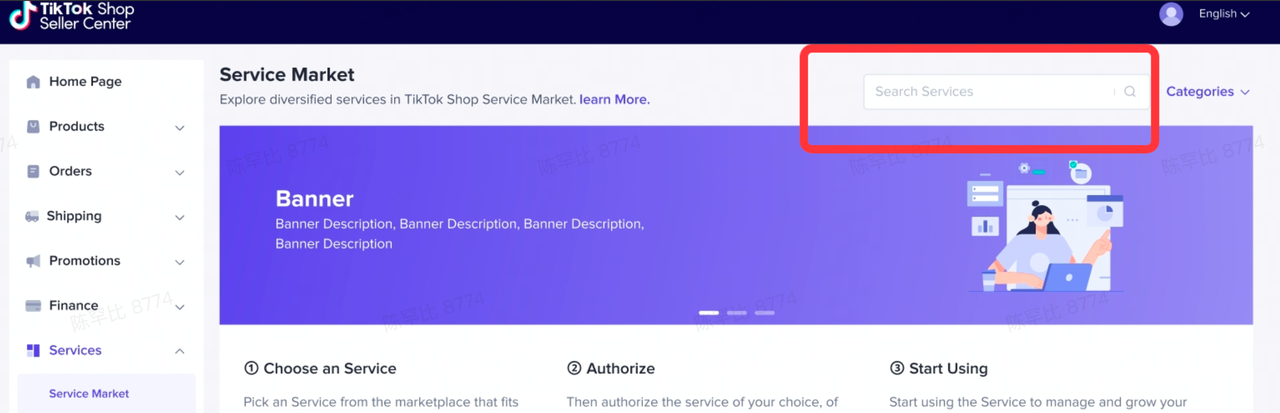 Use filter options to help narrow down your choices. Don't forget to take a look at featured services and recommended services (listings with stars).
STEP 2: Check the Service Details
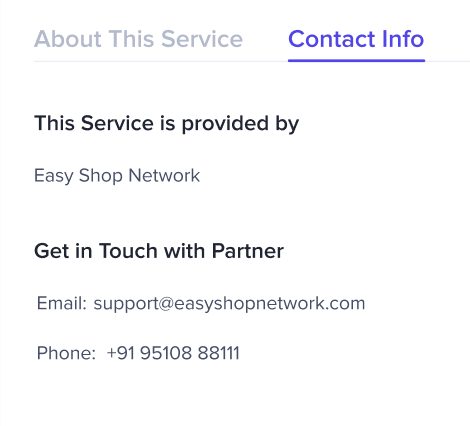
If you are interested in an application or service, you can click the service and go to the service details page for more detailed information, such as video and service descriptions.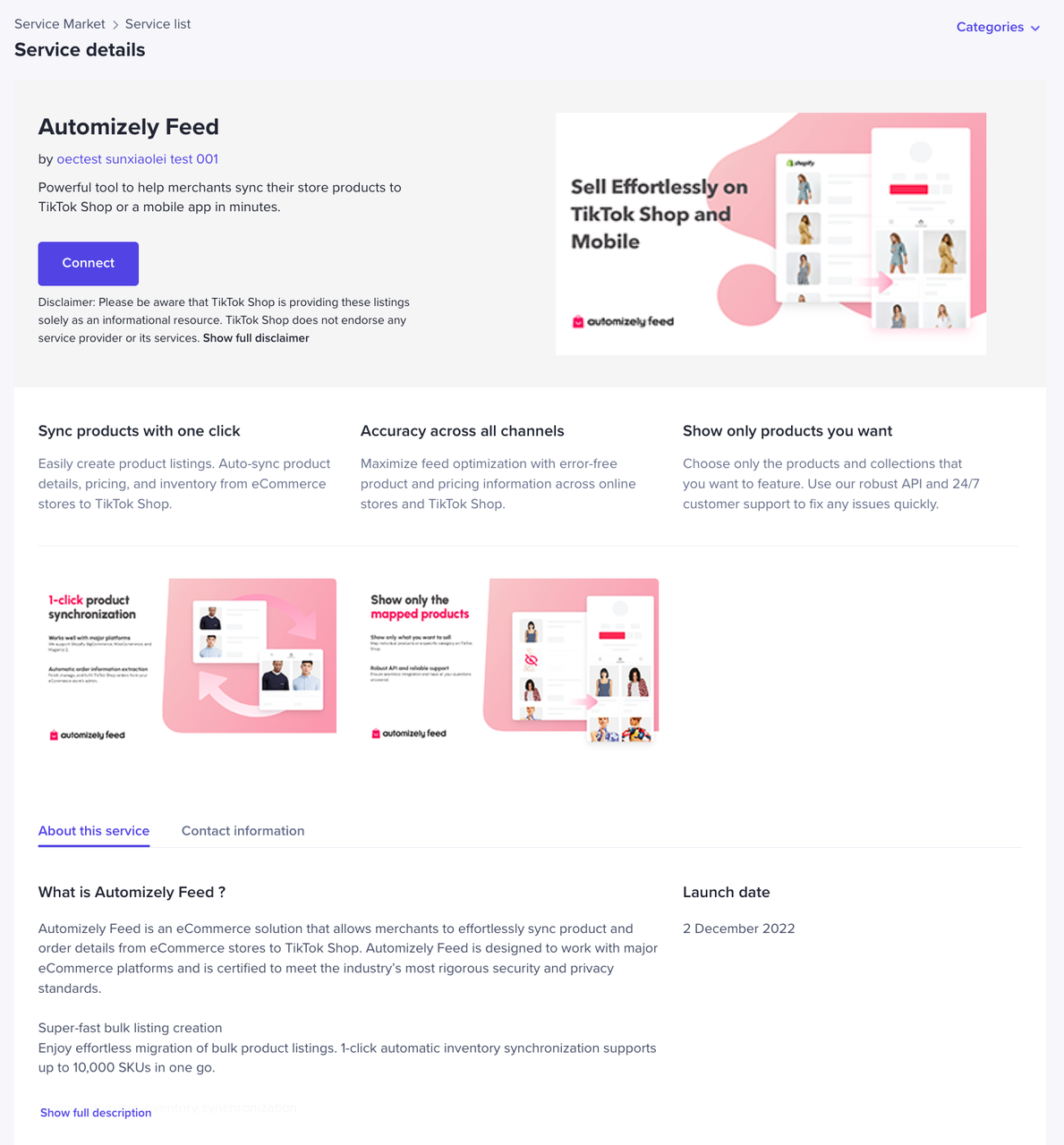 Click on Contact Info to get in touch with a partner and discuss in detail.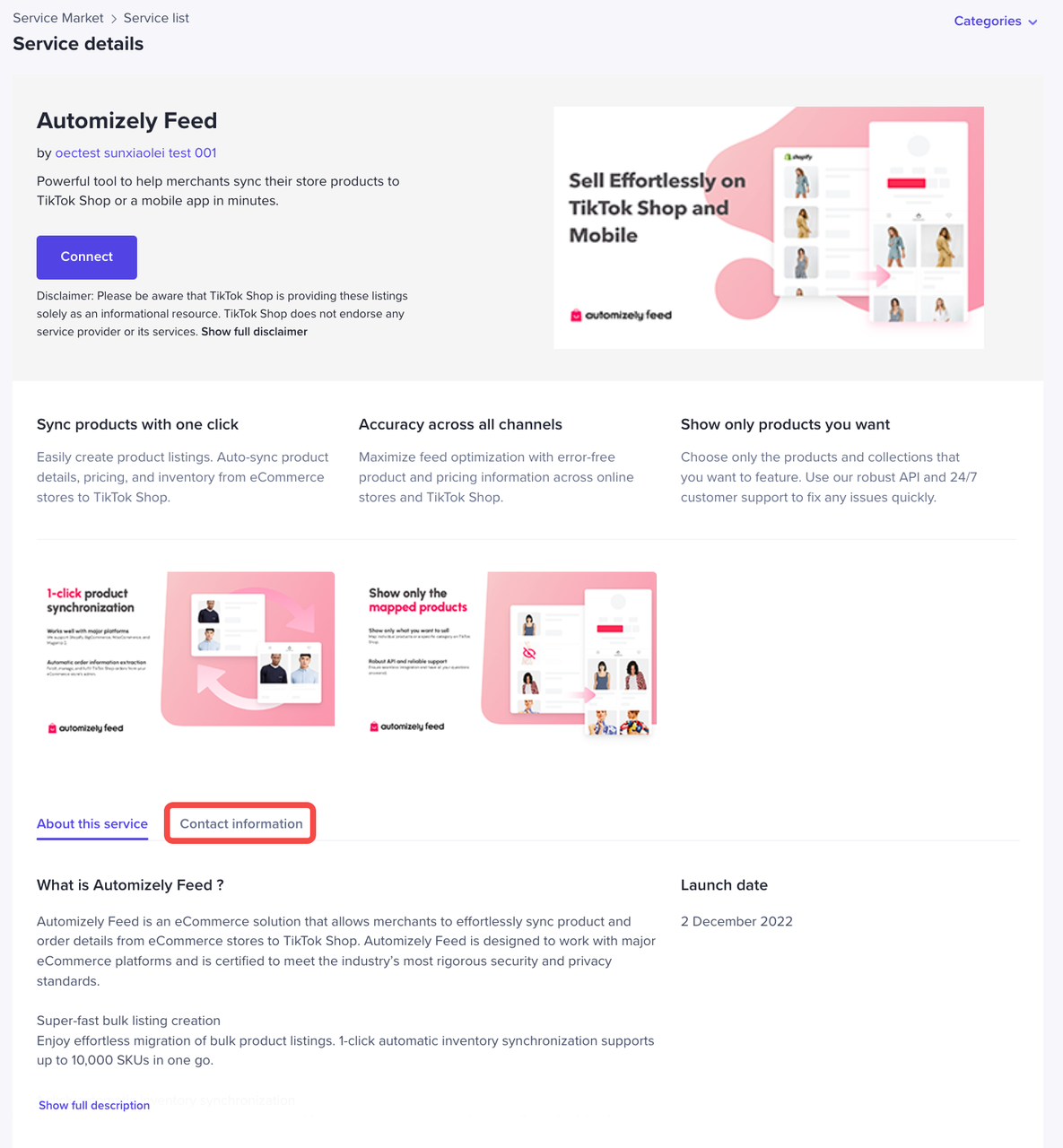
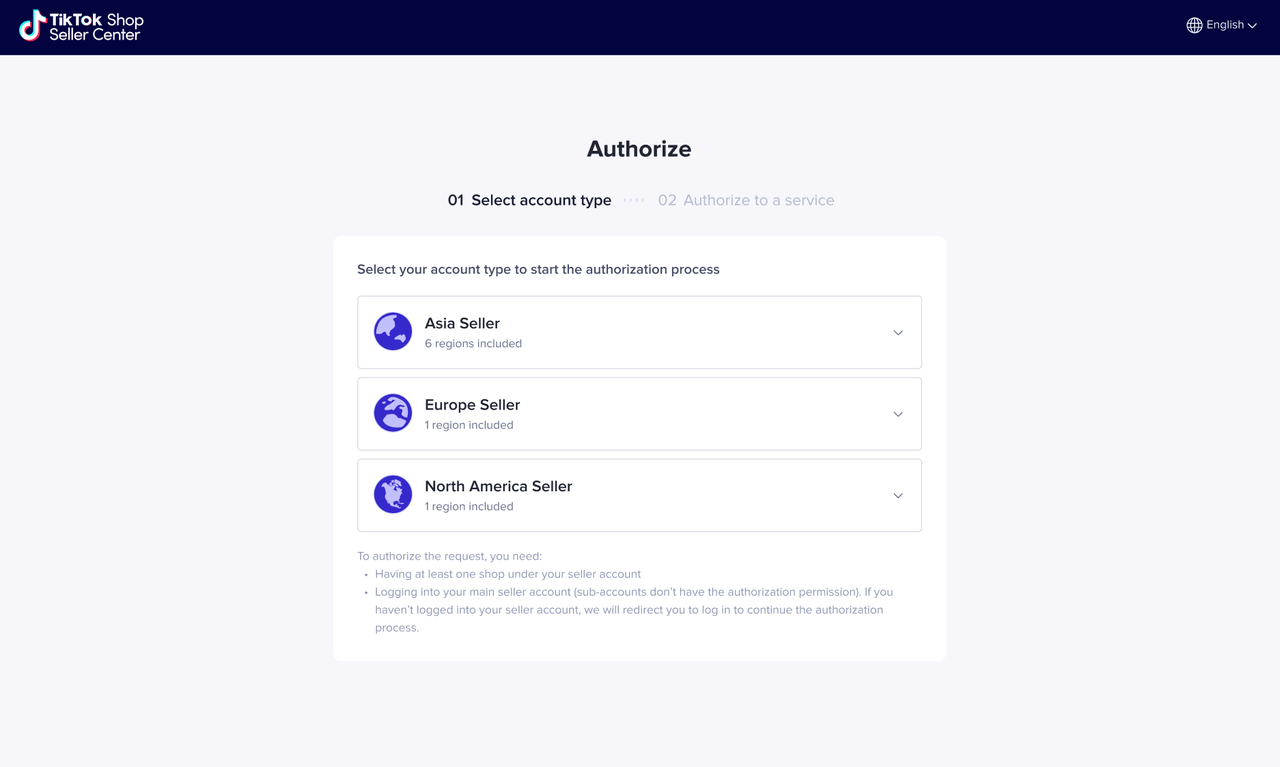
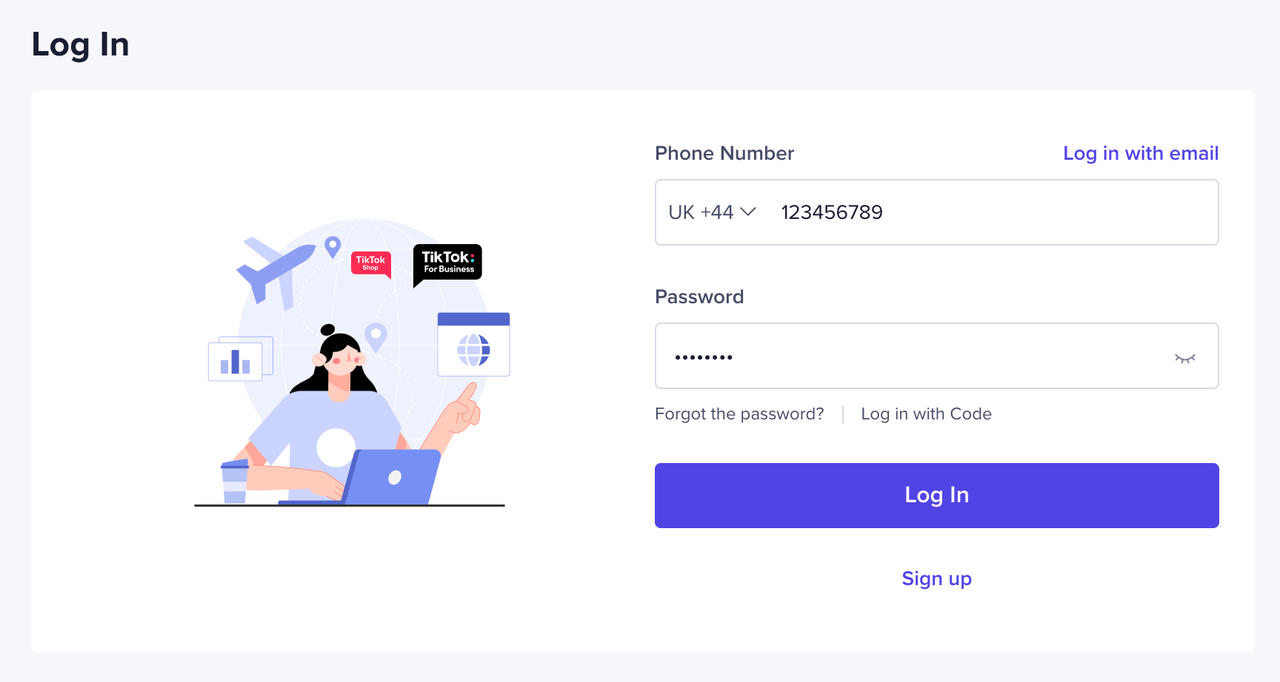
STEP 3: Authorise the Service
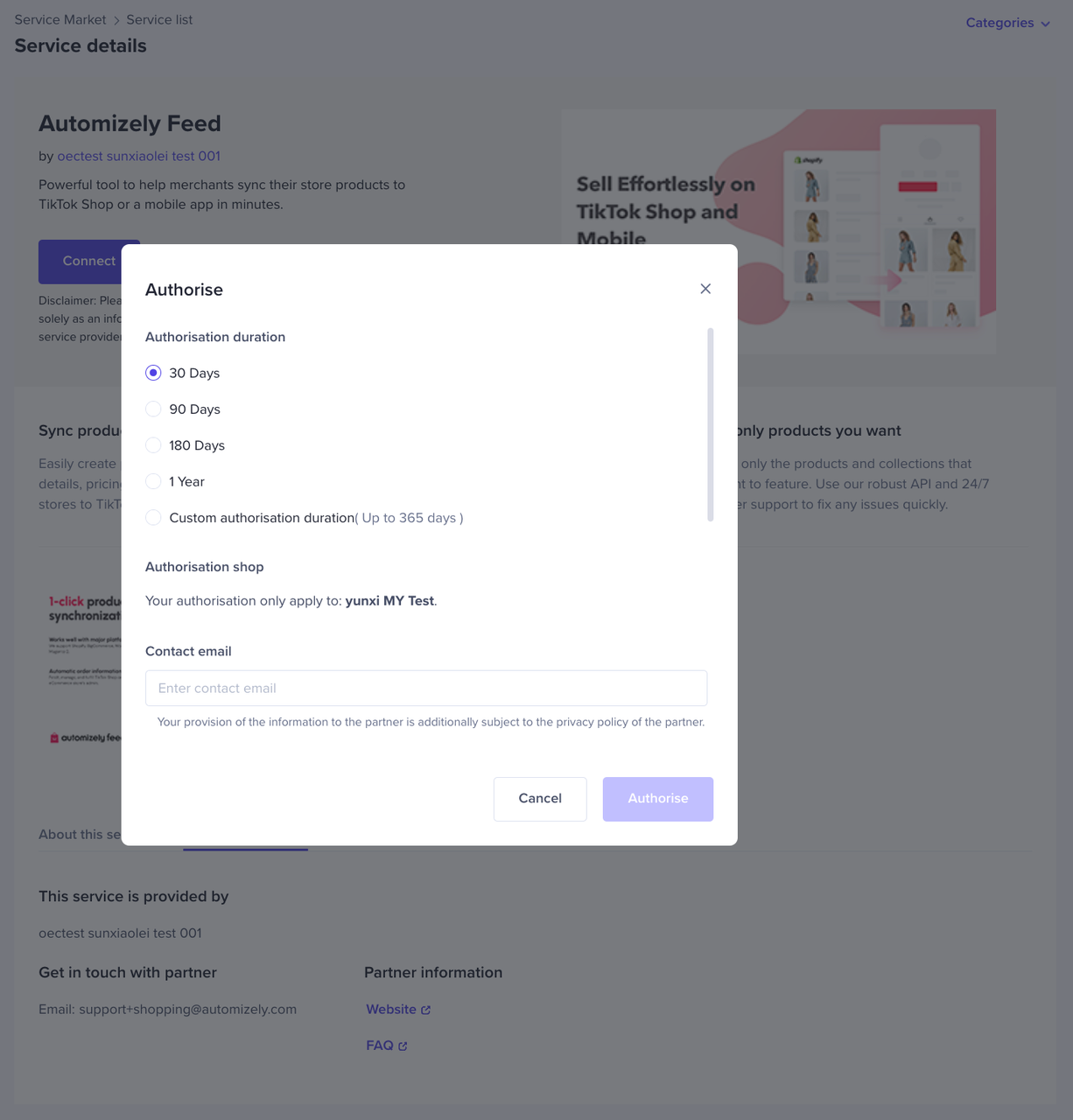
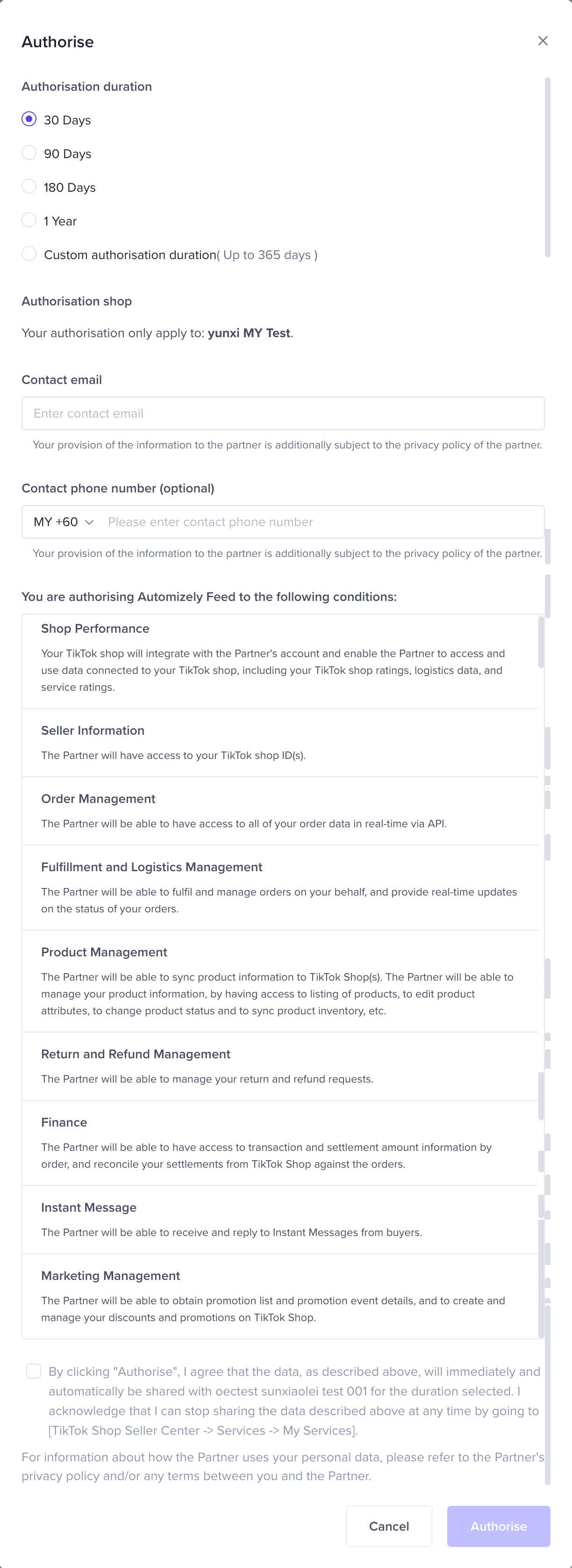
- If you decide to use this service and cooperate with the partner, you can set the partner's analytics and management permissions before you start using the service
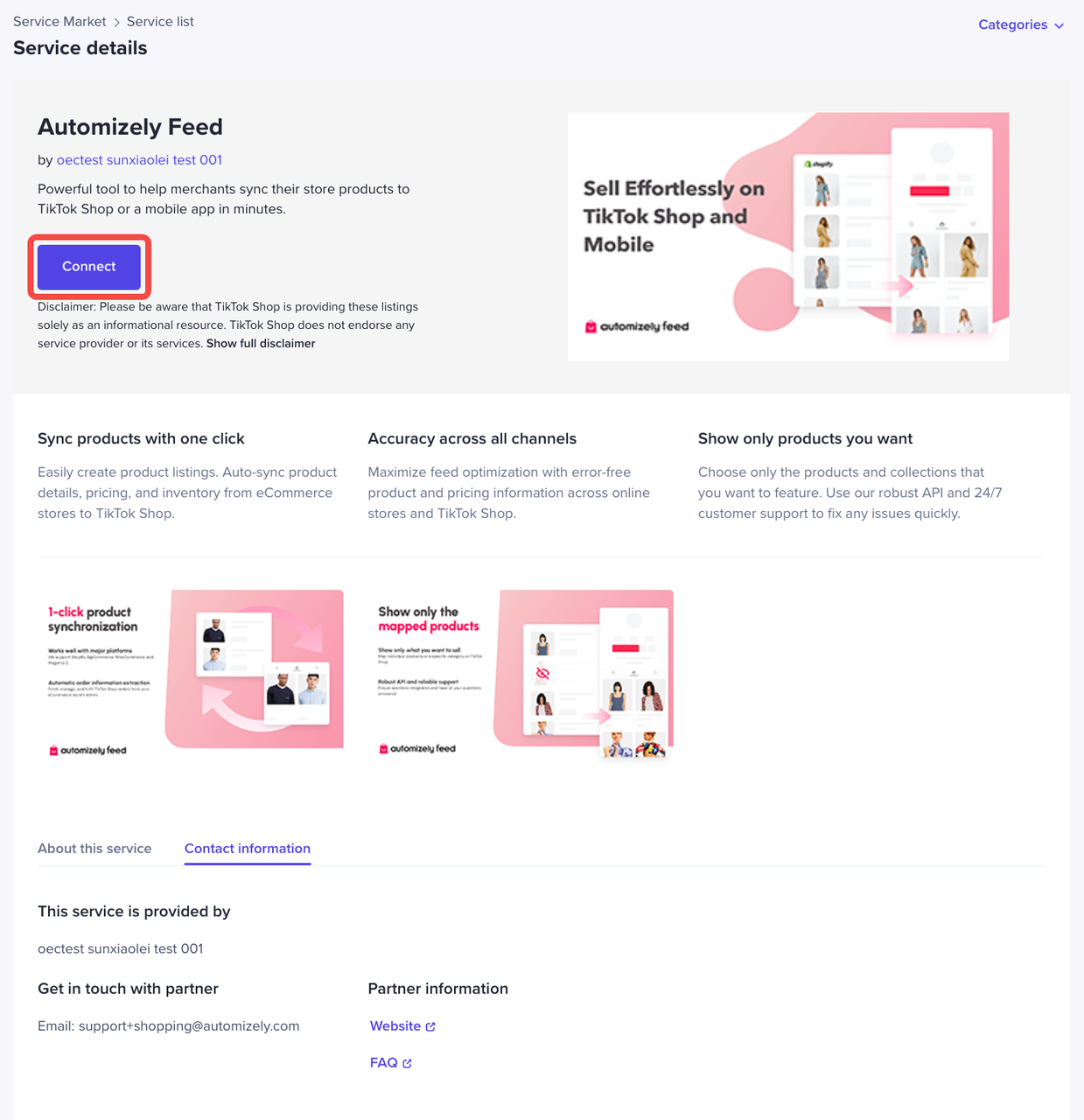
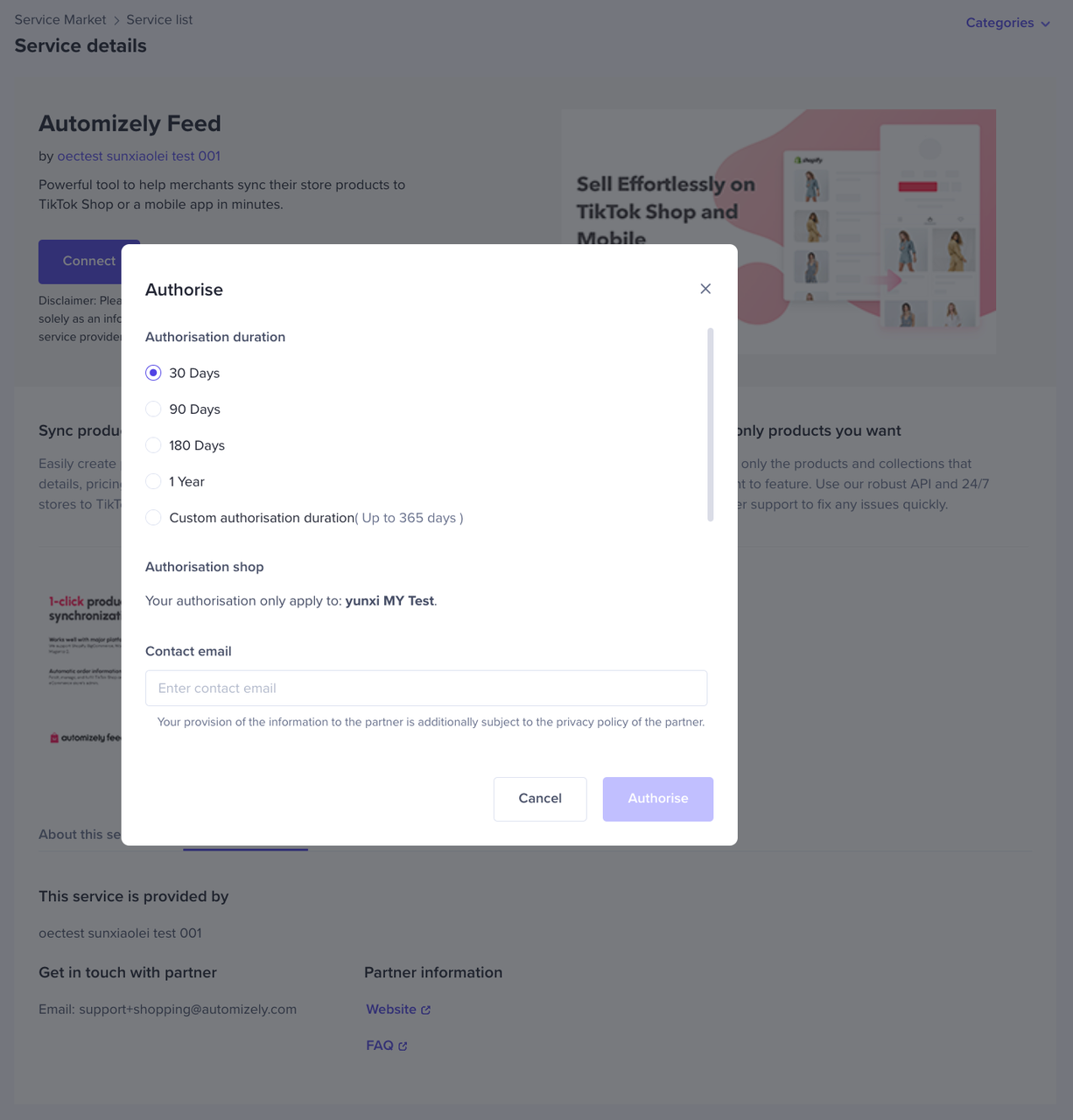
- Click Authorise on the service detail page
- Fill out the authorisation information, making sure all the information is correct
- Click Confirm to authorise
How do I manage my applications and services?
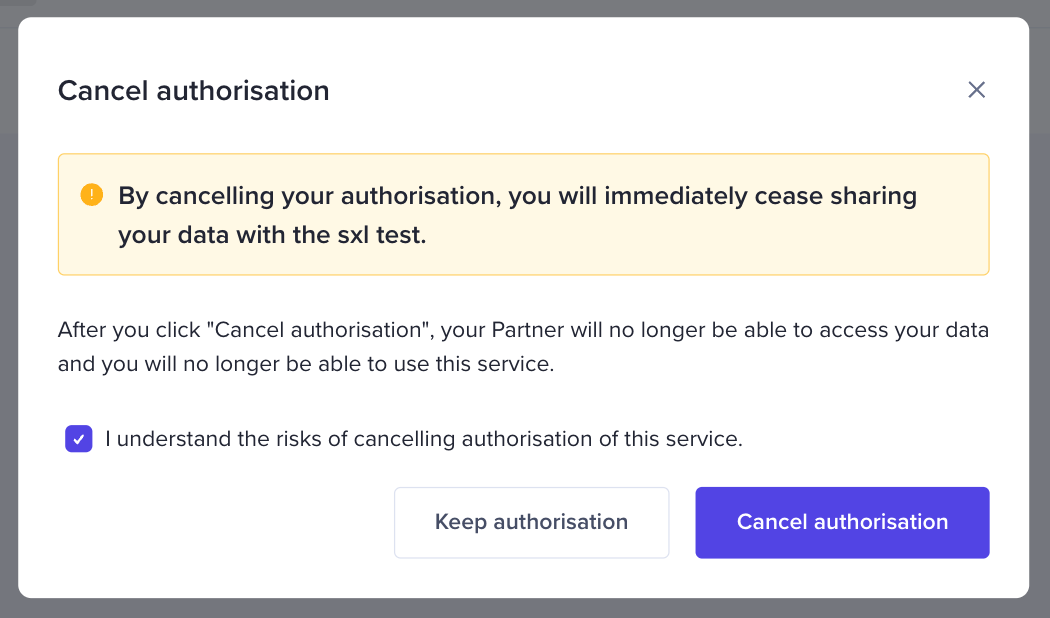
Go to [ Seller Center] > [Services] > [Manage authorisation] to view and manage all of your applications and services.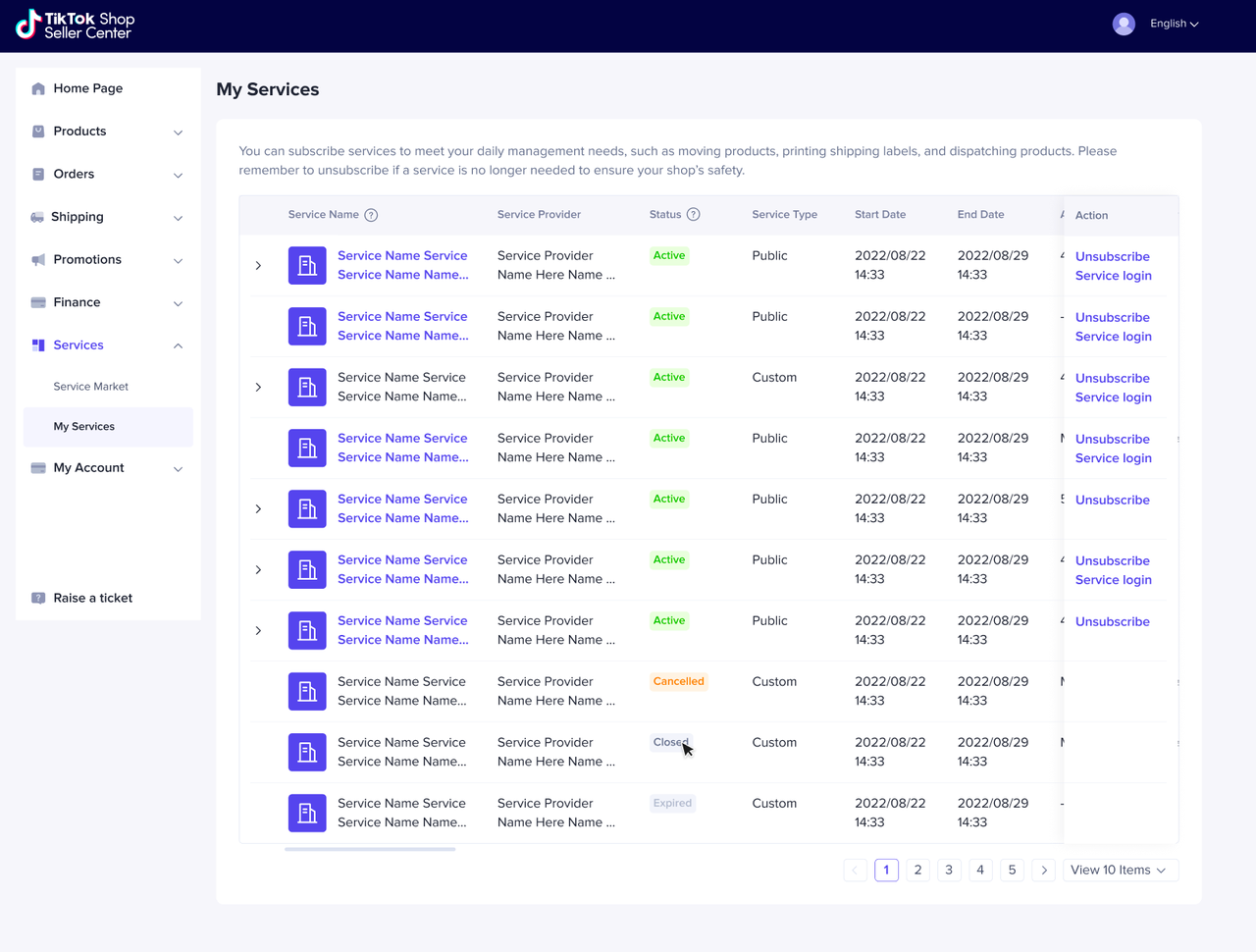 If you would like to cancel a partner's authorisation, simply click Cancel Authorisation to the right of the application or service record.
 *If you have questions regarding the terminology, hover your mouse over a term and the corresponding explanation will appear.
| Service Types Terminology | Definition |
| Custom service | The service is not listed on the Service Market, so only sellers with the authorisation link from the partner can authorise it. |
| Public service | The service is listed on the Service Market and available to every seller who can see it there, as well as sellers with an authorisation link. |
| Status Terminology | Definition |
| Active | Your authorisation with the partner is active. |
| Completed | Your authorisation with the partner has expired. |
| Authorisation Canceled | You have cancelled your authorisation with the partner. |
| Closed | The Partner has been removed from platform for violating platform policies. Your authorisation with the partner has been deactivated. |