

Buyer Tax Invoice/Receipt
02/17/2026
Note:
- The responsibility for issuing the tax invoice/receipt rests with the shop. TikTok Shop is merely a facilitator providing a channel to access the necessary buyer information. The collection, use, disclosure, and/or processing of personal data will be in accordance with the TikTok Shop Privacy Policy. (Read more details here.)
- It is an offence under the law for a shop without the right to issue a tax invoice to do so, or to issue a fake tax invoice.

How to View Buyer Information to Issue a Tax Invoice/Receipt
- When a buyer purchases a product from TikTok Shop, they can choose to request a tax invoice/receipt and provide personal information for the tax invoice/receipt. The seller can view orders that require a tax invoice/receipt by looking for the tag 'Invoice Required' on the Manage Orders.
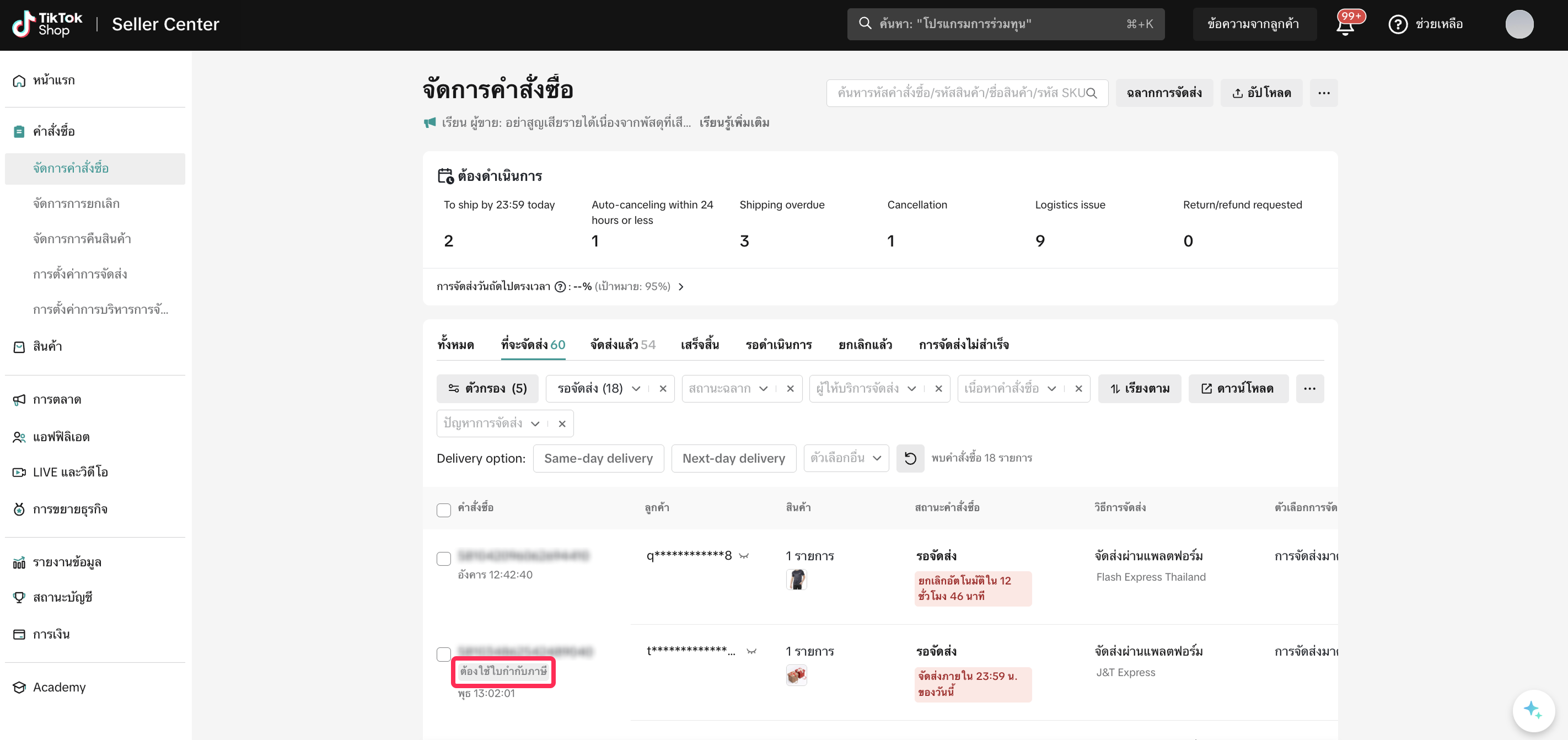 Additionally, the seller can filter orders that require a tax invoice by using the filter 'Tax Invoice/Receipt status: Tax Invoice/Receipt Required'.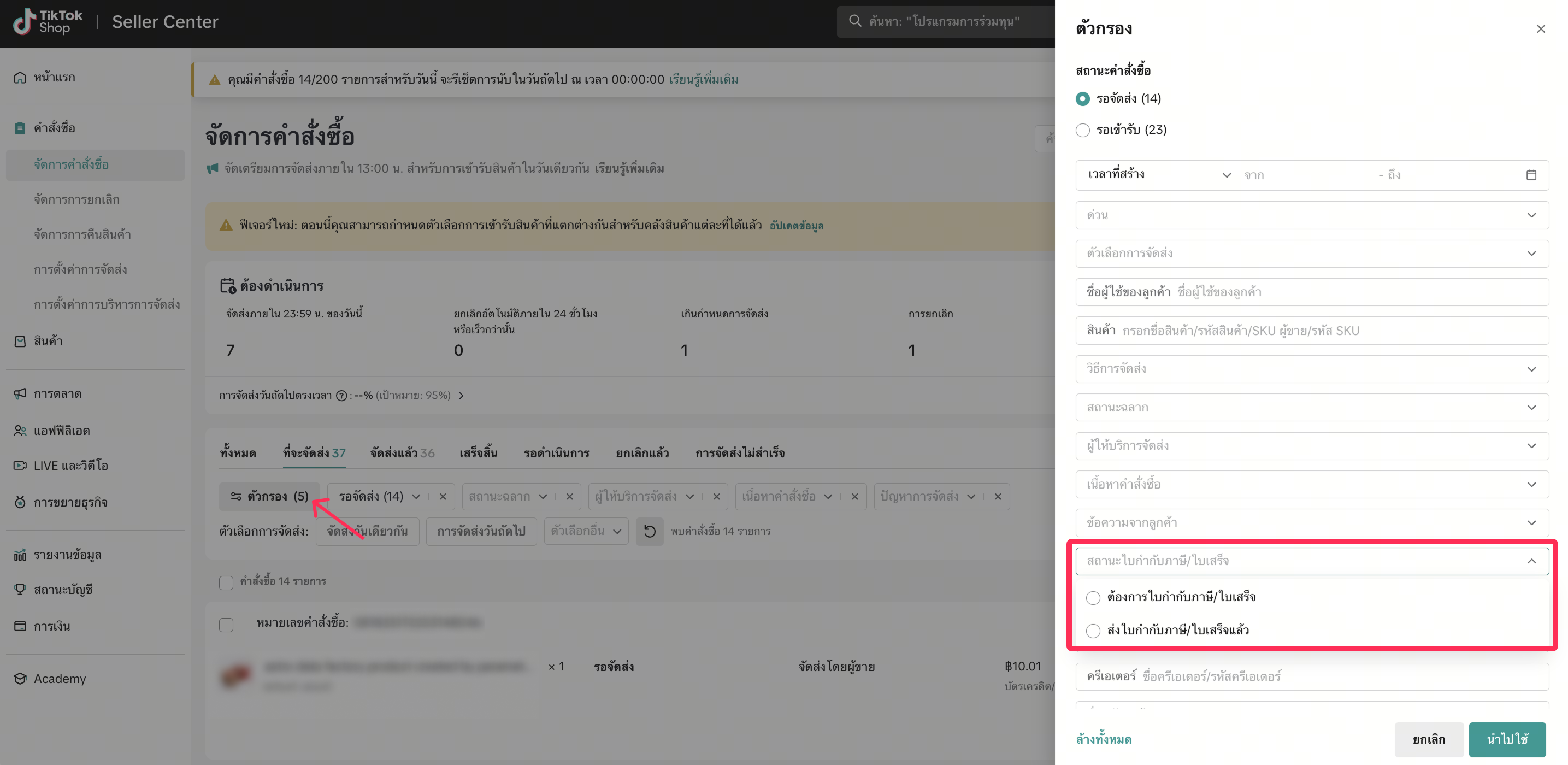
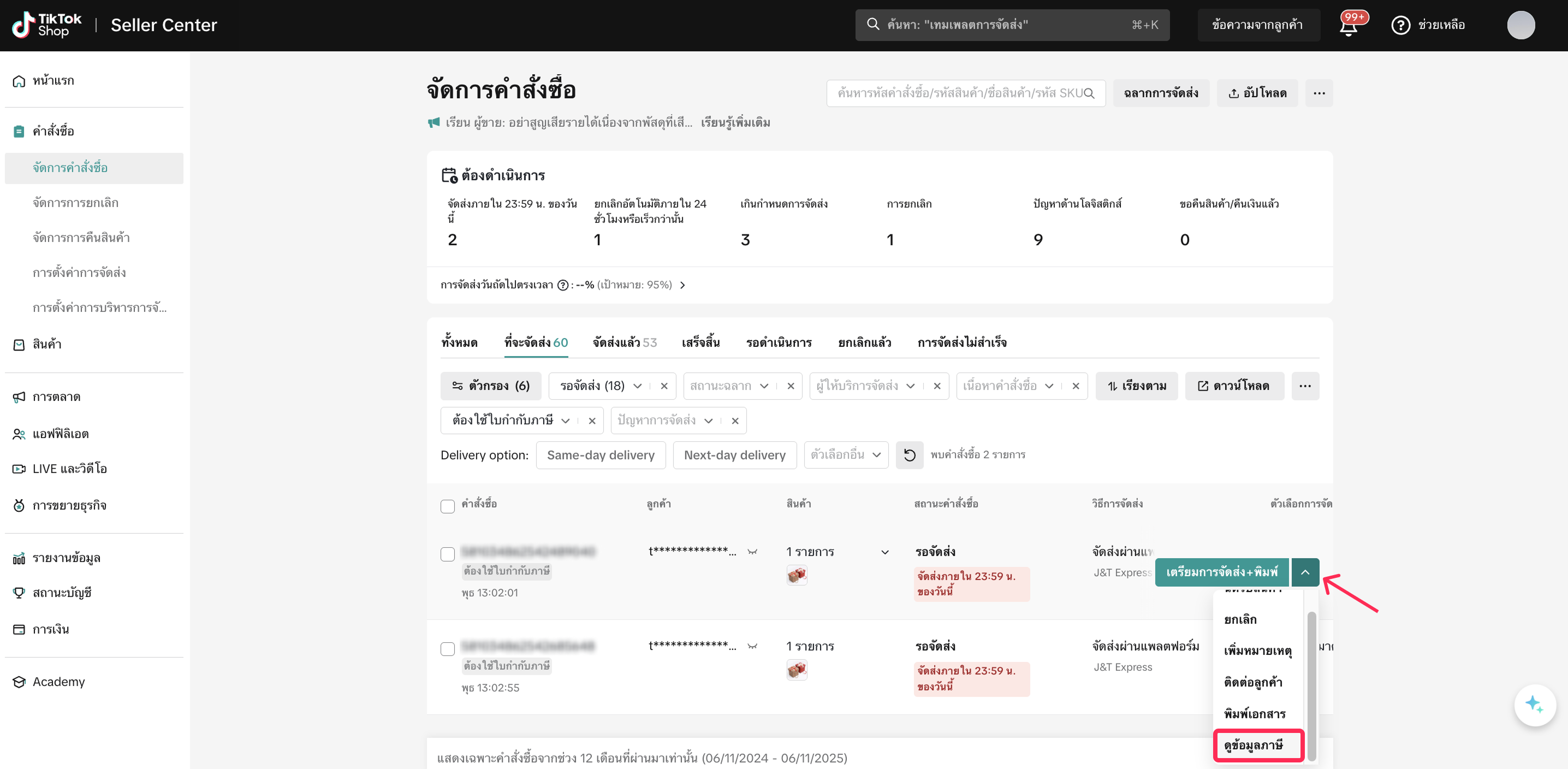
- The seller can view the buyer's information to issue a tax invoice by clicking 'More Actions > View Tax Info'.
- The seller will see the buyer's information for issuing a tax invoice/receipt. The seller can view this information within 60 days from the date the order was received. The seller can copy this information to issue the tax invoice/receipt.
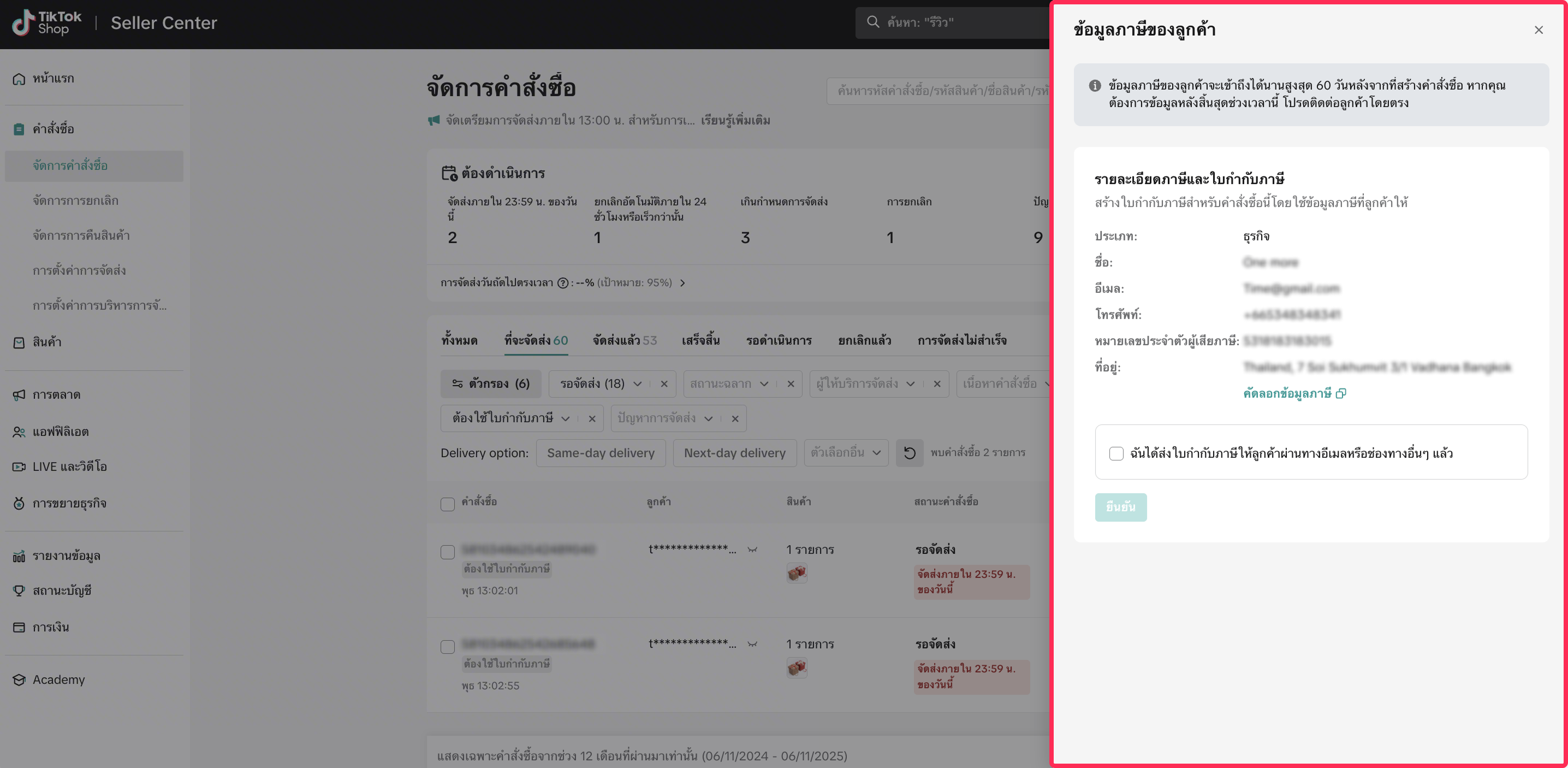 After 60 days, the buyer's information will be masked. If the seller has not yet issued the tax invoice/receipt and requires the buyer's information, the seller can contact the buyer to request the information via Chat.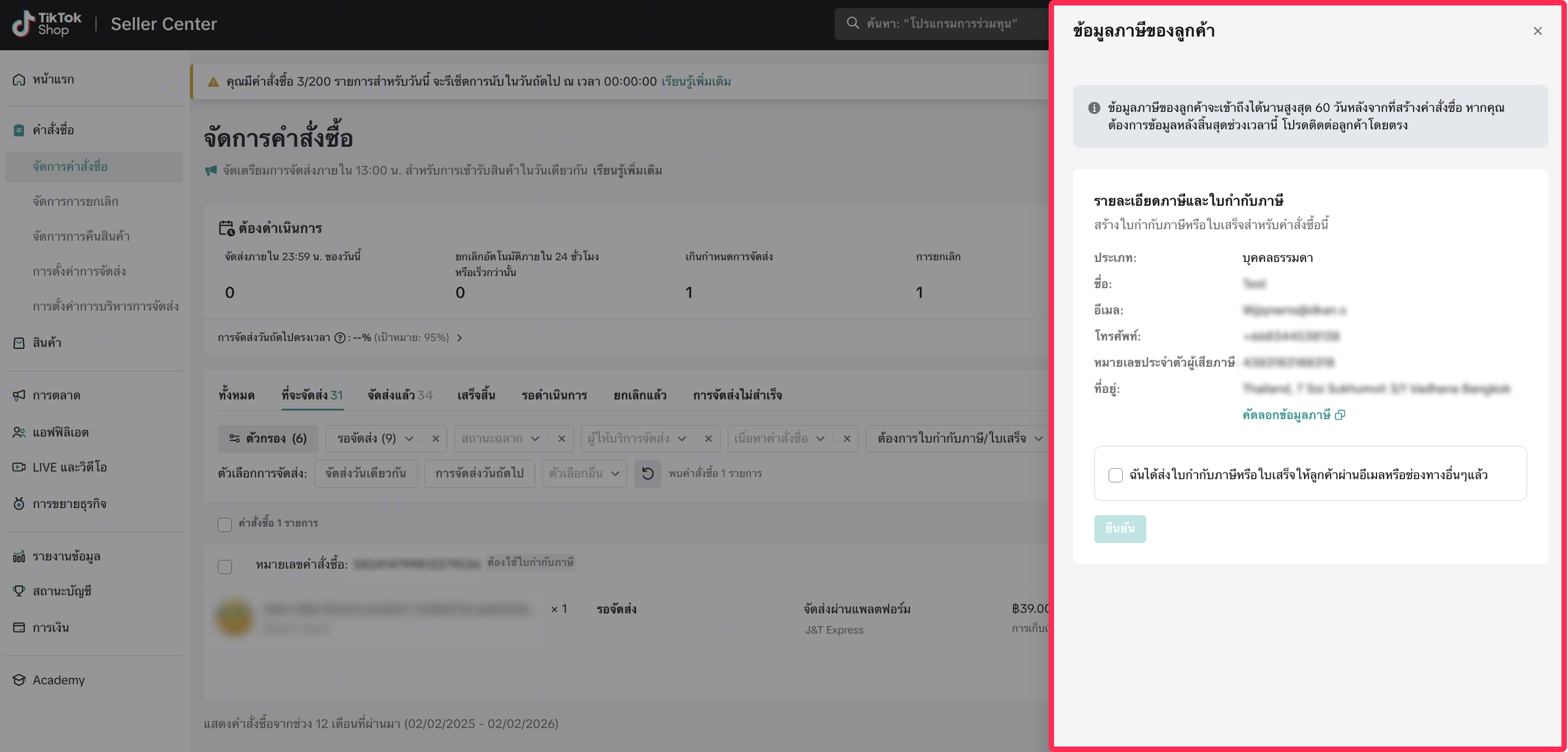
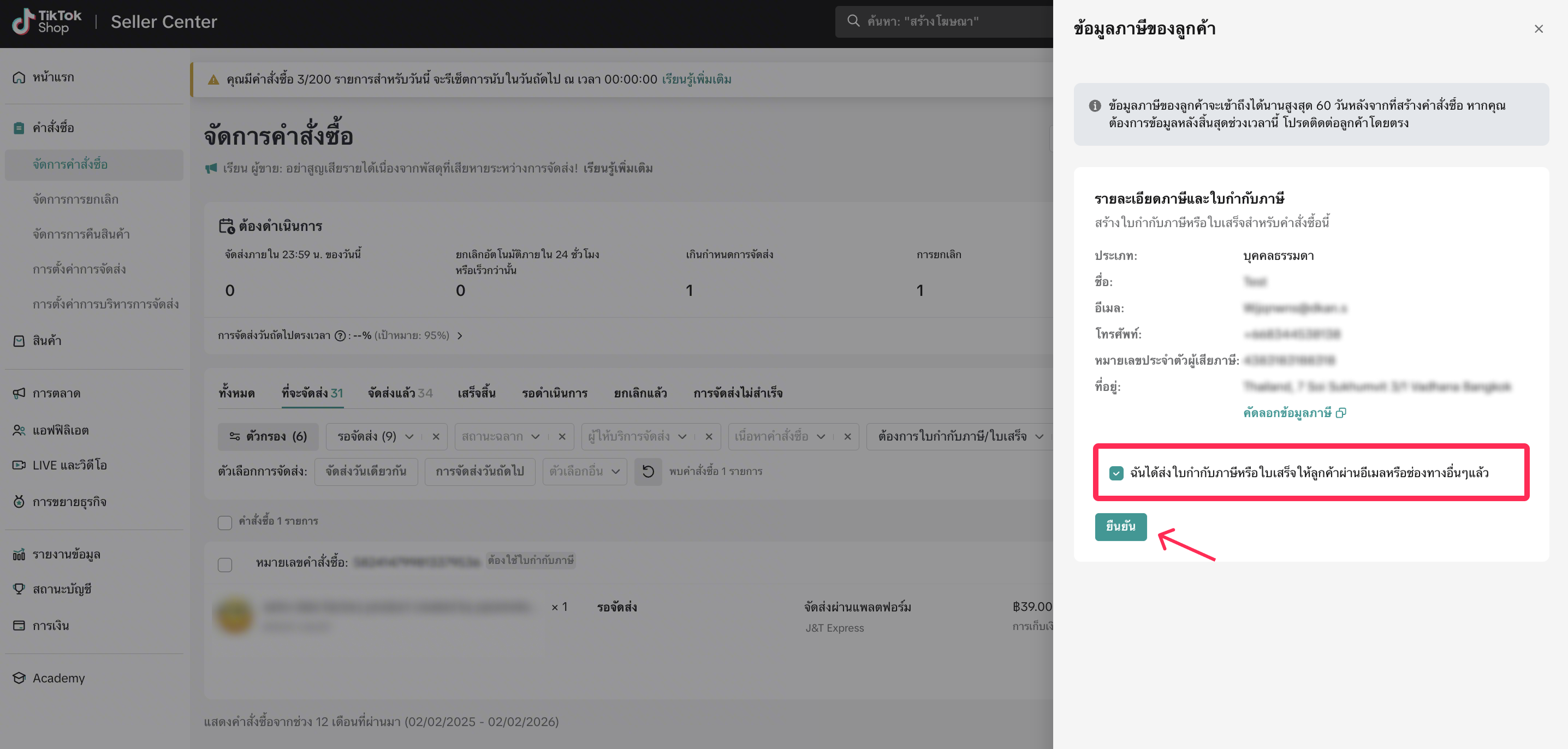
- Once the seller has successfully issued the tax invoice/receipt, the seller can send the tax invoice/receipt to the buyer through the agreed-upon channel, such as sending the tax invoice/receipt via email or printing the tax invoice/receipt and sending it along with the order. Once the tax invoice/receipt has been successfully sent, the seller can mark it as 'I've sent the tax invoice or receipt to the customer via email or other channels' and click confirm. This will help the seller differentiate between orders for which a tax invoice has already been issued and those that have not.

FAQ
- Where can I see an example of a correctly issued tax invoice?
- Why can't I view the buyer's information for issuing a tax invoice anymore?
- I issued and sent the tax invoice to the buyer, but the buyer returned the product and received a refund later. What should I do?
- What channel can the buyer use to request a tax invoice?
Anda mungkin juga tertarik
- 1 lesson
Shipping Orders done right!
Create a smooth delivery process for enhanced customer satisfaction and improve loyalty by ensuring…
- 1 lesson
Return and Refund Policy on TikTok Shop
Sellers will learn guidelines for managing order cancellations requested by buyers, as well as refun…
Platform Incentive Abuse
Platform incentive abuse occurs when a seller misuses incentives granted by us in order to gain a pe…
Appeal Documentation for Customer Service Violations
If you receive a notice or warning of infringement and believe we made an error, you may appeal or d…
Managing Failed Delivery Orders
In this article, we will guide you on how to manage and keep track of failed delivery orders. You wi…

What do I do if the buyer didn't receive the order but the s…
If an order is marked as delivered but the buyer never received the order, your course of action dep…

Splitting Order into Multiple Packages
This article provides a simple guideline on splitting orders into multiple packages, giving you more…
Combining Orders into a Single Package
This article provides a simple guideline on combining multiple orders into a single package, giving…
Order Volume Limit During TikTok Shop Campaign Periods
What is an Order Volume Limit (OVL)? An Order Volume Limit (OVL) is a limit on the total number of o…

Managing Orders On Seller Center
This article will guide you through our new Manage Orders page to help you become familiar with the…