

Close Your Account
11/01/2023
What happens if I close my account?
Before proceeding, please understand what happens if you close your account.When you submit a request to permanently close your TikTok Shop seller account, all products in your shop will be deactivated and customers won't see them. And you will not be able to list new products.
Once your account is closed, it and any sub-accounts will no longer be accessible by you, which means you will no longer have access to the products and services associated with your closed account and can no longer carry out any business activities on the platform, including any data, related affiliates, creator videos, functions such as "chat" or "promotions", etc. linked to your account. The official/marketing account will unbind automatically. Users on TikTok will no longer be able to search or discover your products on TikTok Shop. If you have any inventory stored in a warehouse provided by Fulfilled by TikTok, then you may need to retrieve or dispose of that inventory before closing your account. Once your account is closed, you can no longer reactivate or recover your closed shop account.

How do I close my account?
If you still wish to proceed, go to "My account>Account Settings>Close Shop Account" and follow the outlined steps.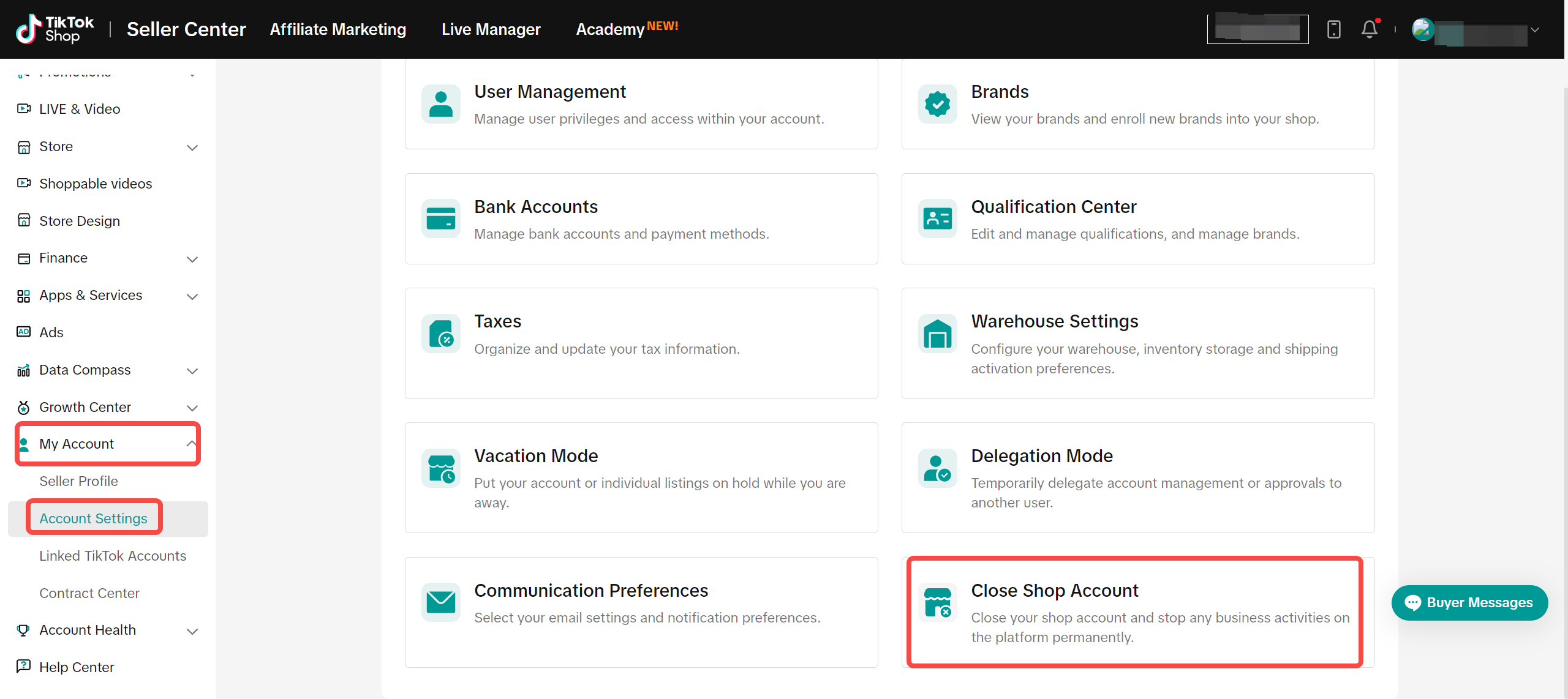
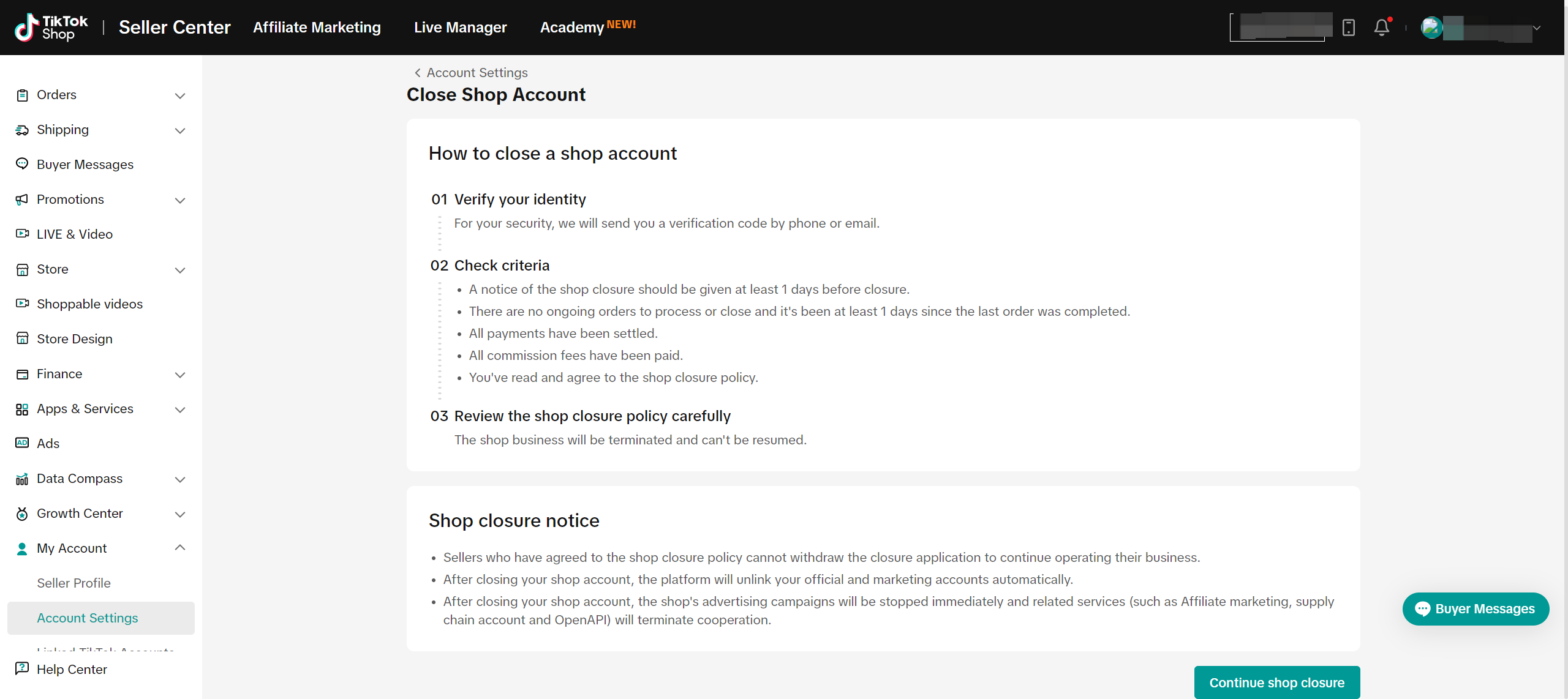
Step 1: Verify Identity
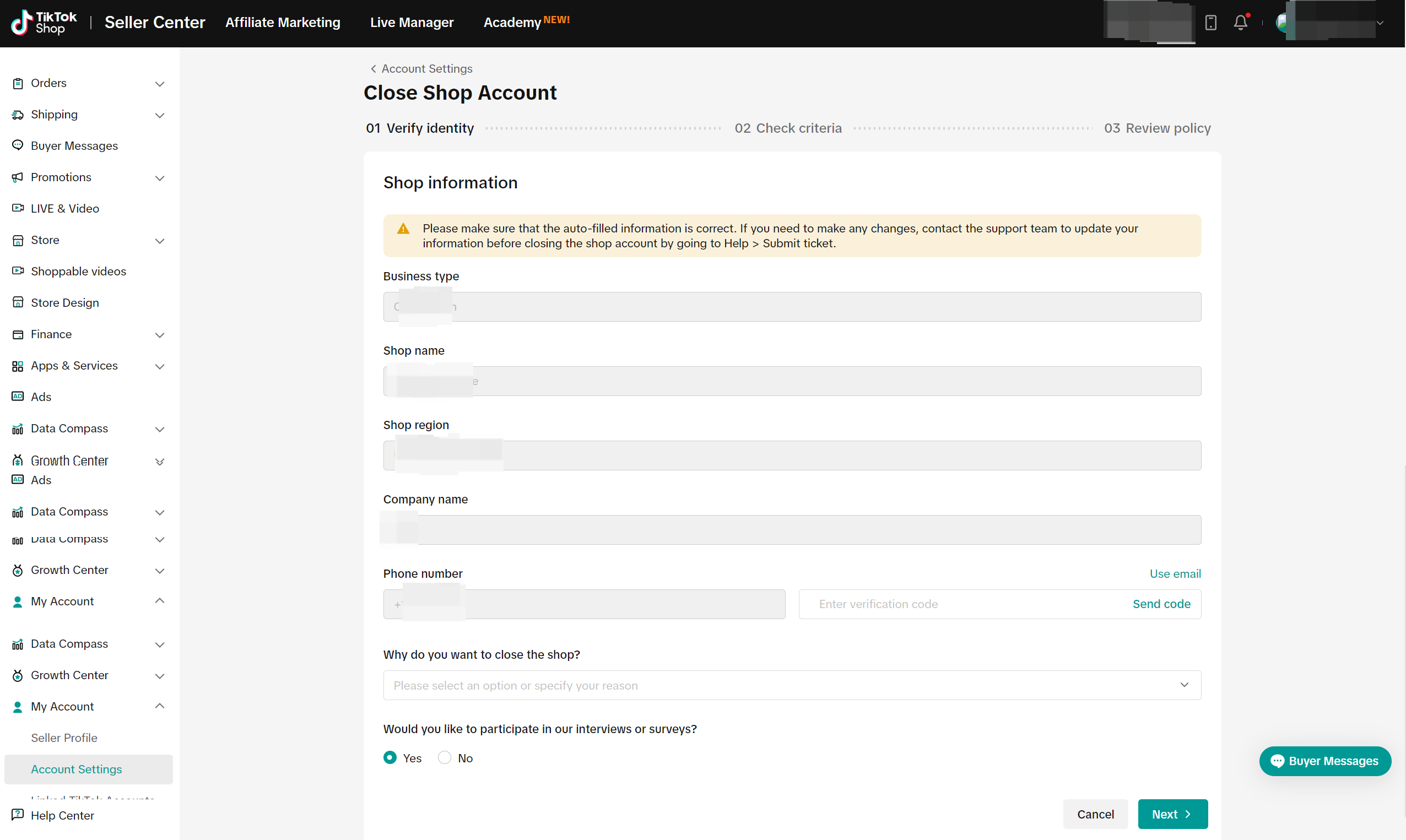
- Please confirm that the basic shop information on the page is correct. This includes business type, shop name, shop region, company name and phone number/email.
- Add your reasons for closing the shop and select whether you want to participate in interviews or surveys to express your suggestions and opinions.
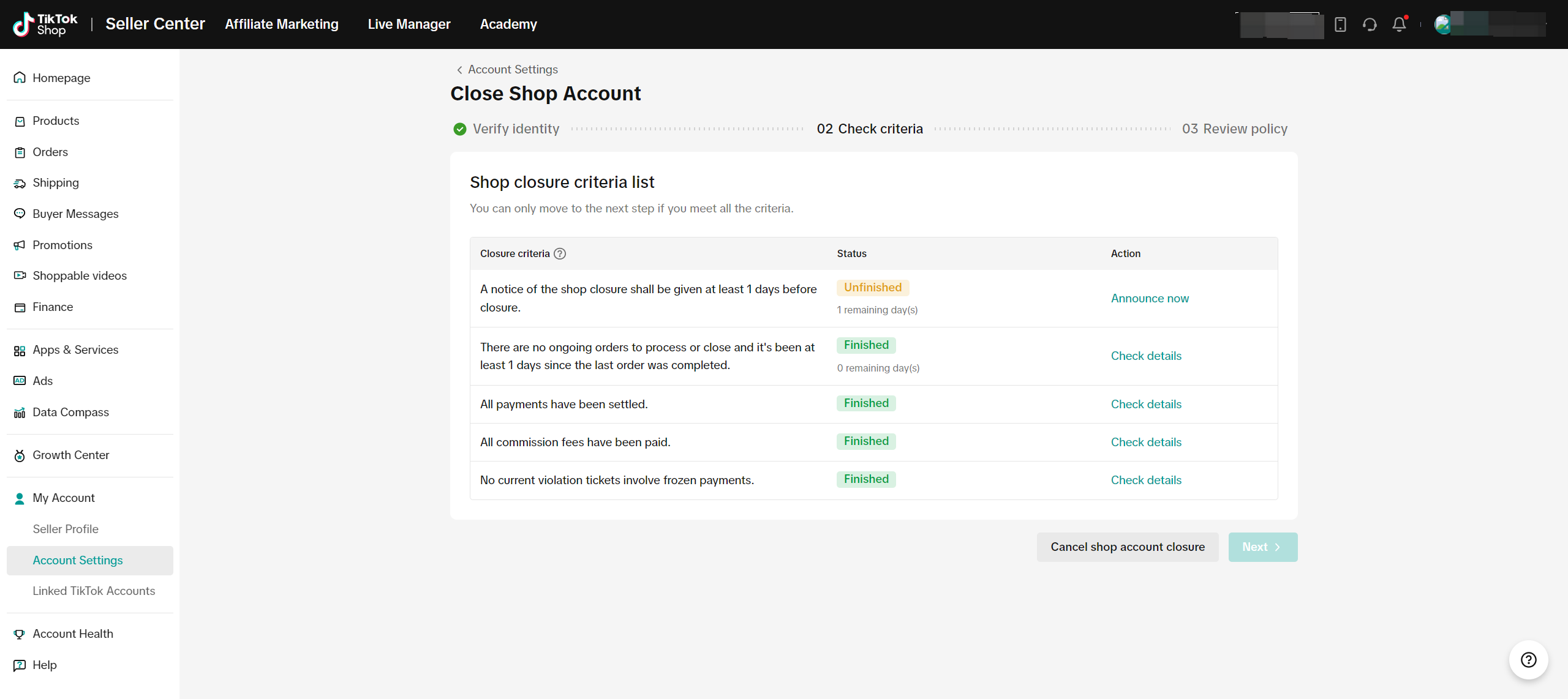
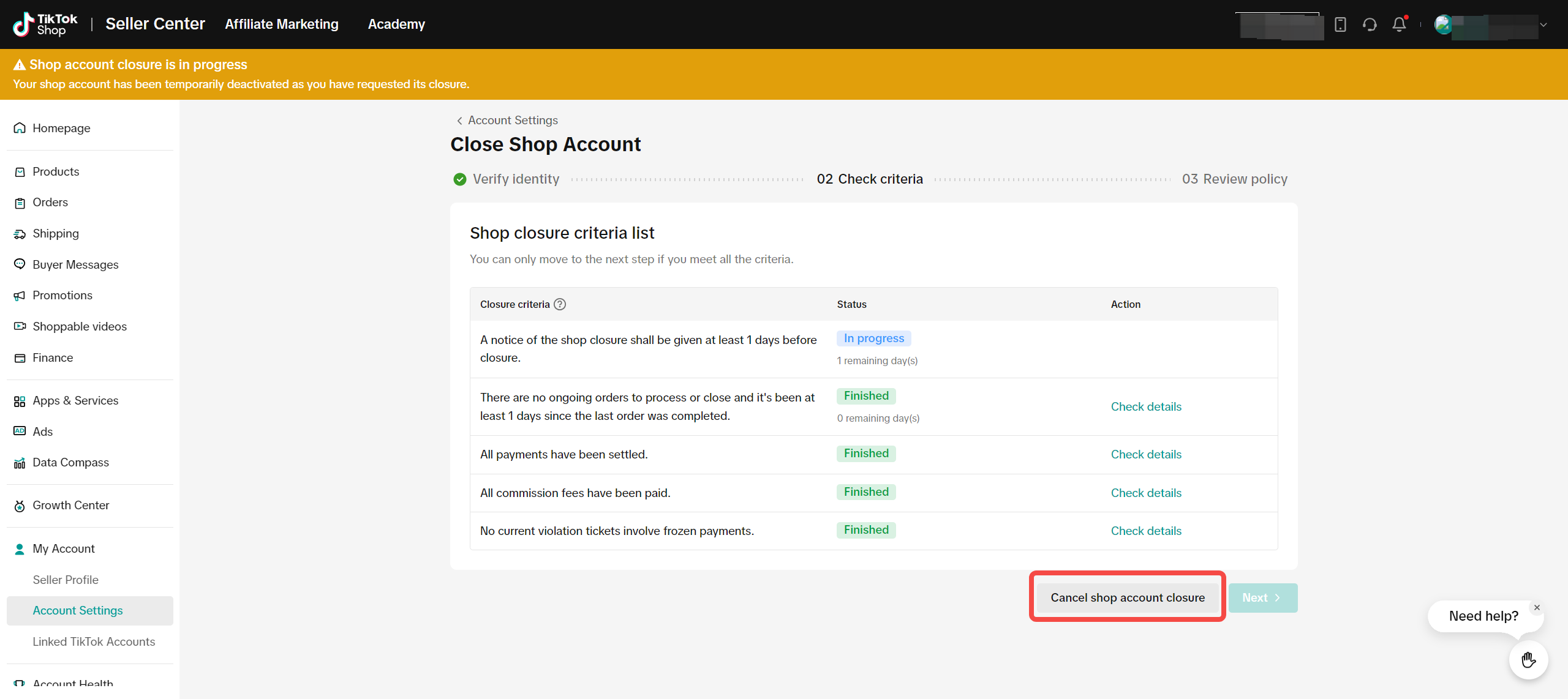
Step 2: Check Criteria
To close your TikTok Shop seller account, the following criteria must be met:- Announce your shop closure to the public. After turning the announcement on, your Shop page will show the public the duration of the 30-day period remaining.
- All shop products will be deactivated.
- All orders have been processed or closed, and no orders have been placed in the past 90 days.
- All payments have been settled.
- All commission fees have been paid.
- There are no current violation tickets involving frozen payments.
- You do not have more violations points than our violation point threshold.
Step 3: Review Policy and Confirm
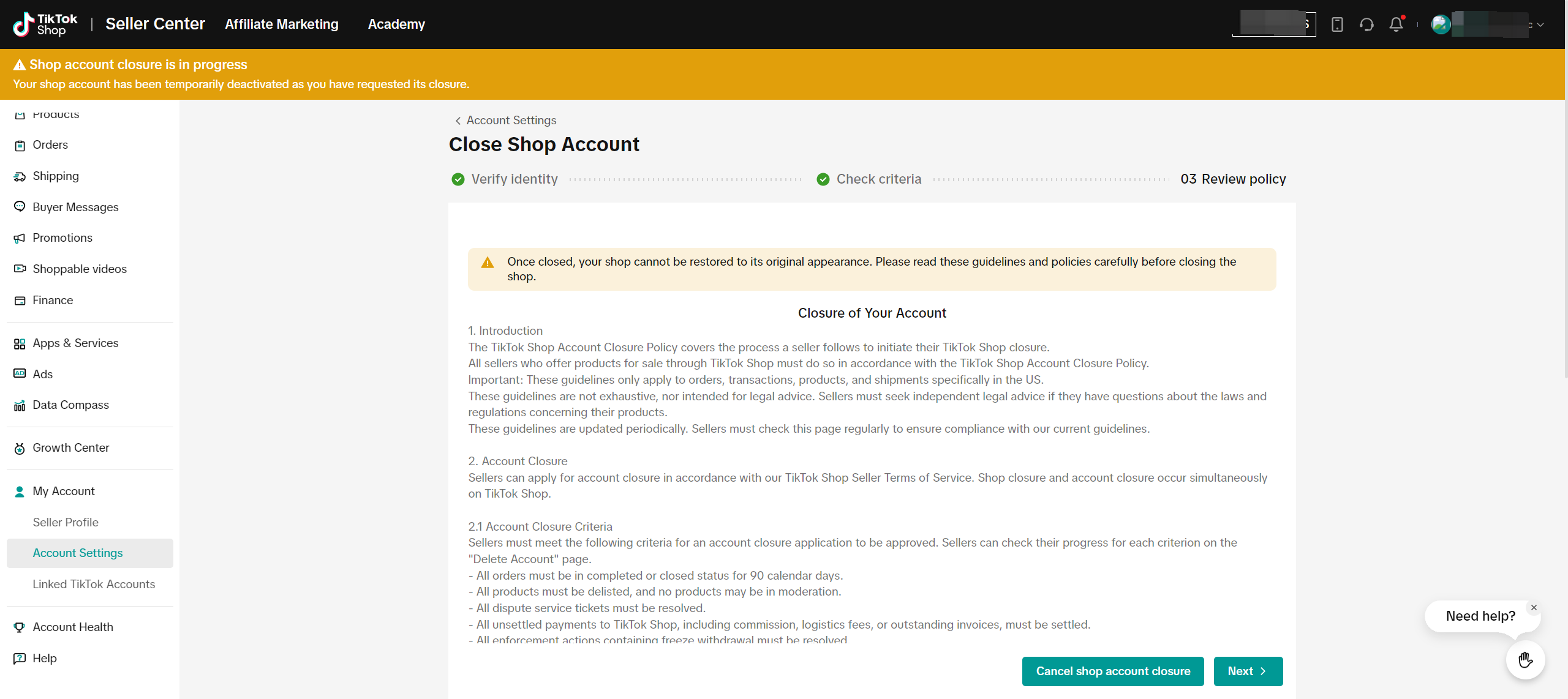
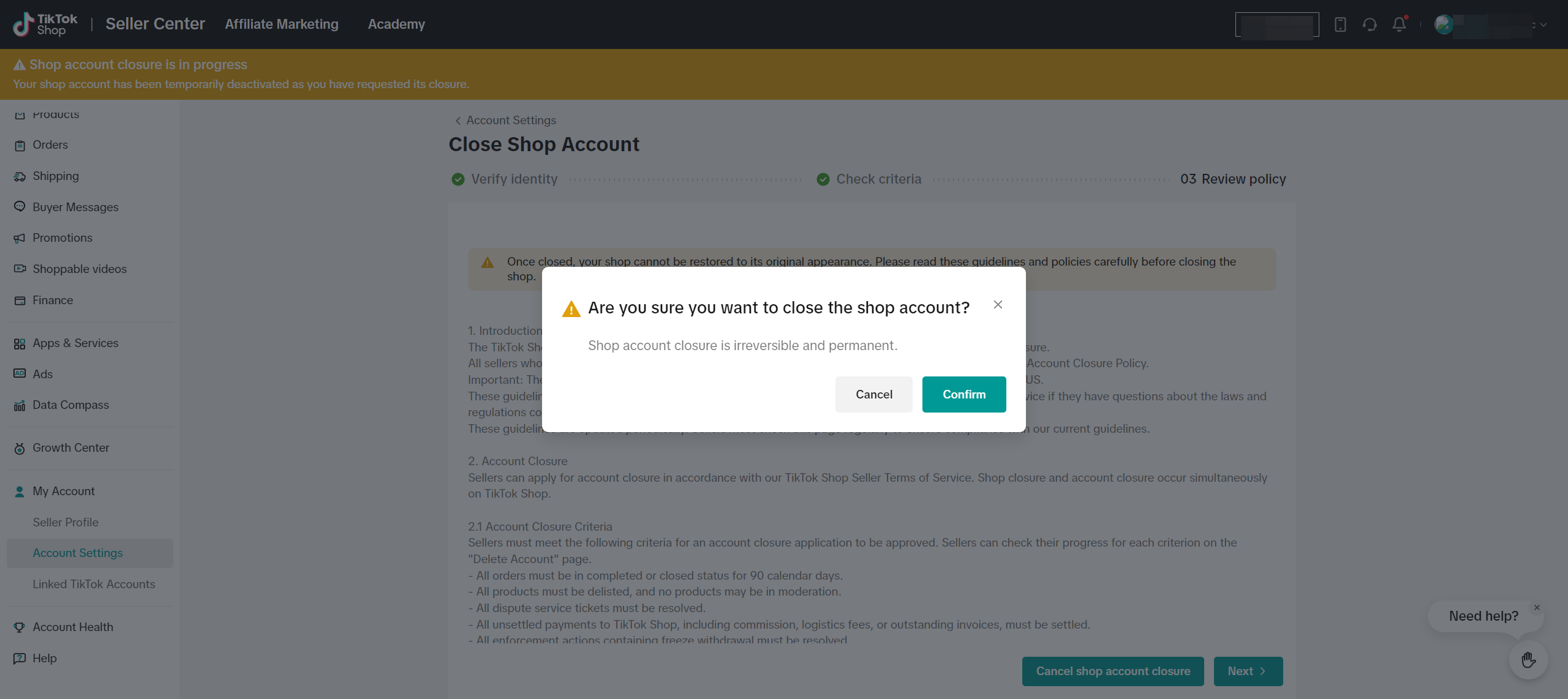

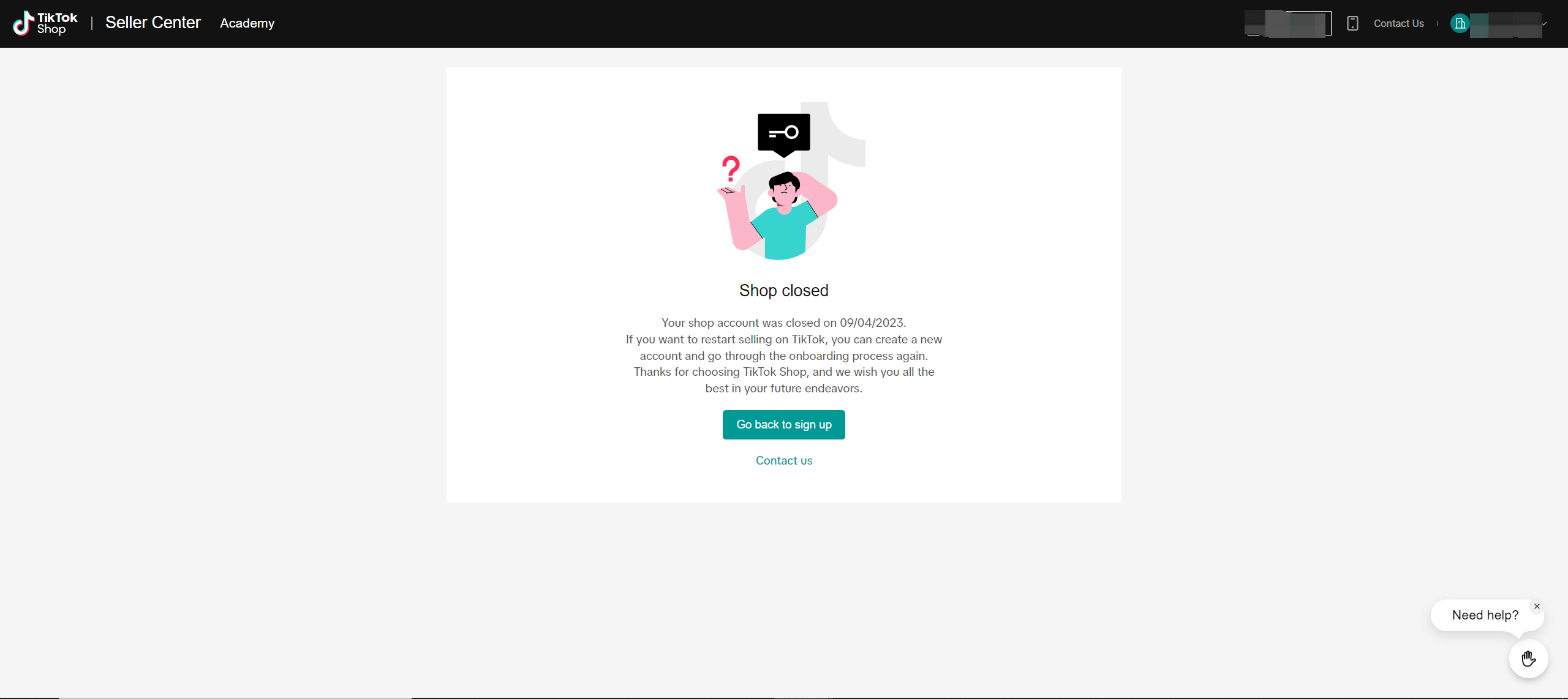
If you want to re-start selling on TikTok Shop, create a new account.

FAQs
- Who can close a shop account?
- What if I am halfway through closing my account but decide I don’t want to?
If you change your mind about closing your shop while filling out the application, you can choose to cancel your shop account closure request before final confirmation. If you choose to cancel the request, your shop will return to its normal status. If you apply for closure again, the 30-day publicity period will be restarted.
- Can I re-open my closed account?
You may also be interested in
- 4 lessons
Setting Up Your Shop for Selling on TikTok Shop
In this class, sellers will learn about the process of registering for a TikTok account and a TikTok…

Shop Ownership Change Process
Note: You will only be able to change ownership to corporate sellers (individual to corporate, or co…

How can I change my login email address or phone number asso…
To update your email address/phone number, please follow the steps below: 1. Login to your TikTok Sh…
How to change my account information?
If you want to change your phone number/email address/password: Seller Center > My Account > Seller…
Account Protection
How to Protect Your Account on TikTok Shop TikTok Shop strives to provide a safe and secure shoppin…

Shop Official account
About TikTok Shop Official Account The TikTok account that represents the official identity of TikTo…

Shop Marketing Account
This article will introduce a marketing account for your TikTok Shop. TikTok Shop Marketing account…
TikTok Shop Unauthorised Account Access Policy
Overview 1.1 Introduction The TikTok Shop Unauthorised Account Access Policy has been formulated w…
Scam Prevention: Cash on Delivery (COD) Scam Orders
Scam Prevention - Cash on Delivery (COD) Scam Orders TikTok Shop strives to provide a shopping exper…

Access Management on Seller Center
As a shop owner, you can add sub-accounts for your employees to help manage and operate your TikTok…