

Account Protection
06/24/2025
How to Protect Your Account on TikTok Shop
TikTok Shop strives to provide a safe and secure shopping environment on our platform. Any attempt to gain unauthorized access to an account is a violation of our platform policies and TikTok Shop Unauthorised Account Control Guidelines (Singapore, Philippines, Indonesia, Thailand, Malaysia, Vietnam, UK). Follow the steps below to help keep your TikTok Shop account safe.What is an Account Takeover and How to Prevent it
An Account Takeover happens when a TikTok Shop account has been compromised due to unauthorised account access. To prevent an account takeover from happening, users are encouraged to take the following steps to keep their account secure:Keep Your Login Information Confidential
Use Secure Passwords
- Do not use sequential numbers or letters in your password. For example, do not use abcd, 3456, qwerty, jhgf, etc.
- Do not include or use your birth year or birth month/day in your password. Remember that unauthorized individuals can easily find this information through public social media accounts.
- Use a combination of at least eight letters, numbers, and symbols. The longer your password and the more character variety it uses, the harder it is to guess. For example, aR@1nY6#y (a rainy day) uses a unique combination of upper and lowercase letters, numbers, and symbols, while still being easy to remember.
- Do not reuse your passwords. Every device, application, website, and software requires a unique and strong password or PIN. Reusing your passwords puts you at a higher risk of related accounts being compromised at the same time.
- Never share passwords. This includes colleagues, support teams, or anyone you cannot verify the identity of. Sellers can assign sub-accounts to their employees to control how much access each person has to the main shop account.
- Beware of phishing emails, texts or calls. If you are unsure of the identity of the person sending you the email, text, or call, do not respond ot provide any personal information. Phishing is a fraudulent practice of inducing individuals to reveal personal information, such as passwords and credit card numbers.
Activate 2-Step Verification (2SV)
- log in to your TikTok Shop Seller Center
- Go to My Account > Seller Profile > Account Information > Account Security
- Choose your preferred verification method under the 'Two-step verification' section.
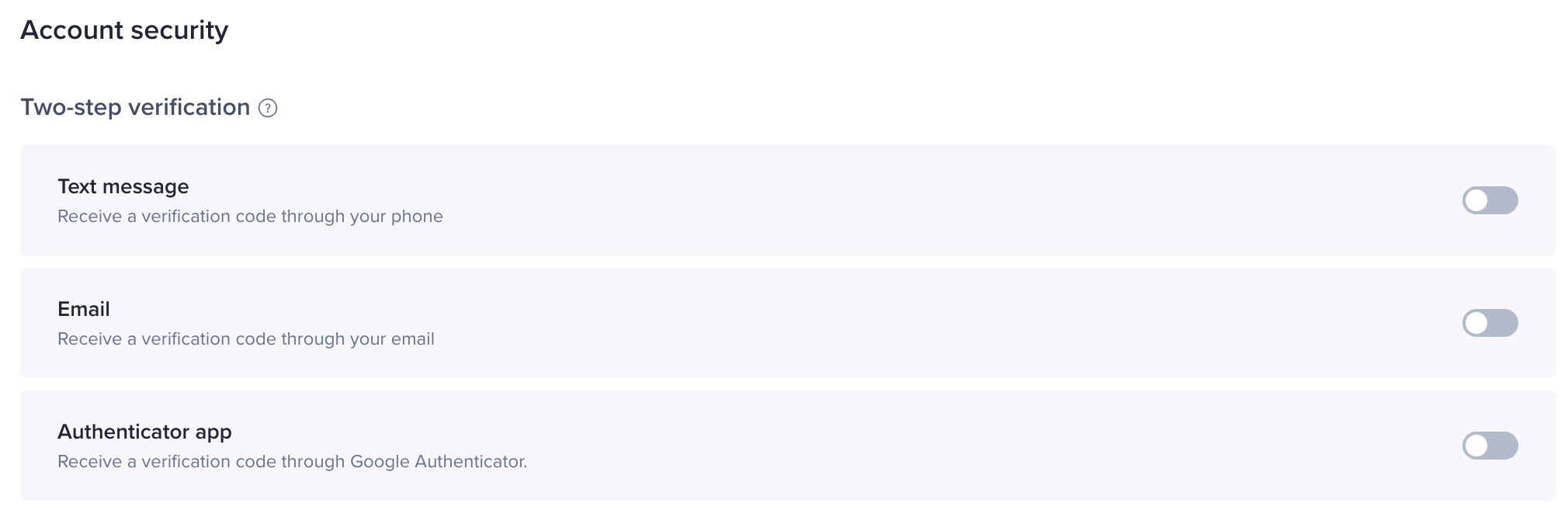 Note: the Authenticator App is a mobile security application that generates a two-factor login code. It allows you to generate a unique code that makes it more difficult for a hacker to gain physical access to your phone. Please ensure that your authentication app is installed on a secured device that only you can access.
 Ignore Suspicious Links and Files
- Never provide your TikTok Shop account information, such as username, password, OTP, or PIN, on online forms or websites.
- Do not download any files or attachments sent by unknown sources, external parties, or unverified senders.
Beware of Third Parties Offering Shop Services or Prizes
Manage your Shop's Administrative and User Permissions
| Role | Permissions |
| Main Administrator | Main administrators can edit and view any module, such as products, orders, finance and marketing, except manage sub-accounts and sensitive store information. |
| Affiliate Manager | Affiliate managers can view and create different affiliate plans, contact creators, and view affiliate performance data. |
| Finance Specialist | Finance specialists have access to the financial module, and can view bill details and export bills. |
| Advertising Manager | Advertising managers can access the advertising options in the Seller Center and the TikTok for Business advertising platform. They can also create advertising plans and view advertising data. |
| Marketing Specialist | Marketing specialists can view and edit all pages in the marketing module and can also create, change and end promotional campaigns. |
| Customer Service Agents | Customer service specialists can view and use the TikTok Shop messenger service, reply to consumers' inquiries, and provide after-sales services. |
| Order Fulfilment Specialist | Order specialists have access to the order management page, and can arrange deliveries, check logistics, and handle returns and refunds. |
| Product Management Specialist | Product specialists have access to the product management page, and can activate, manage and delist products. |
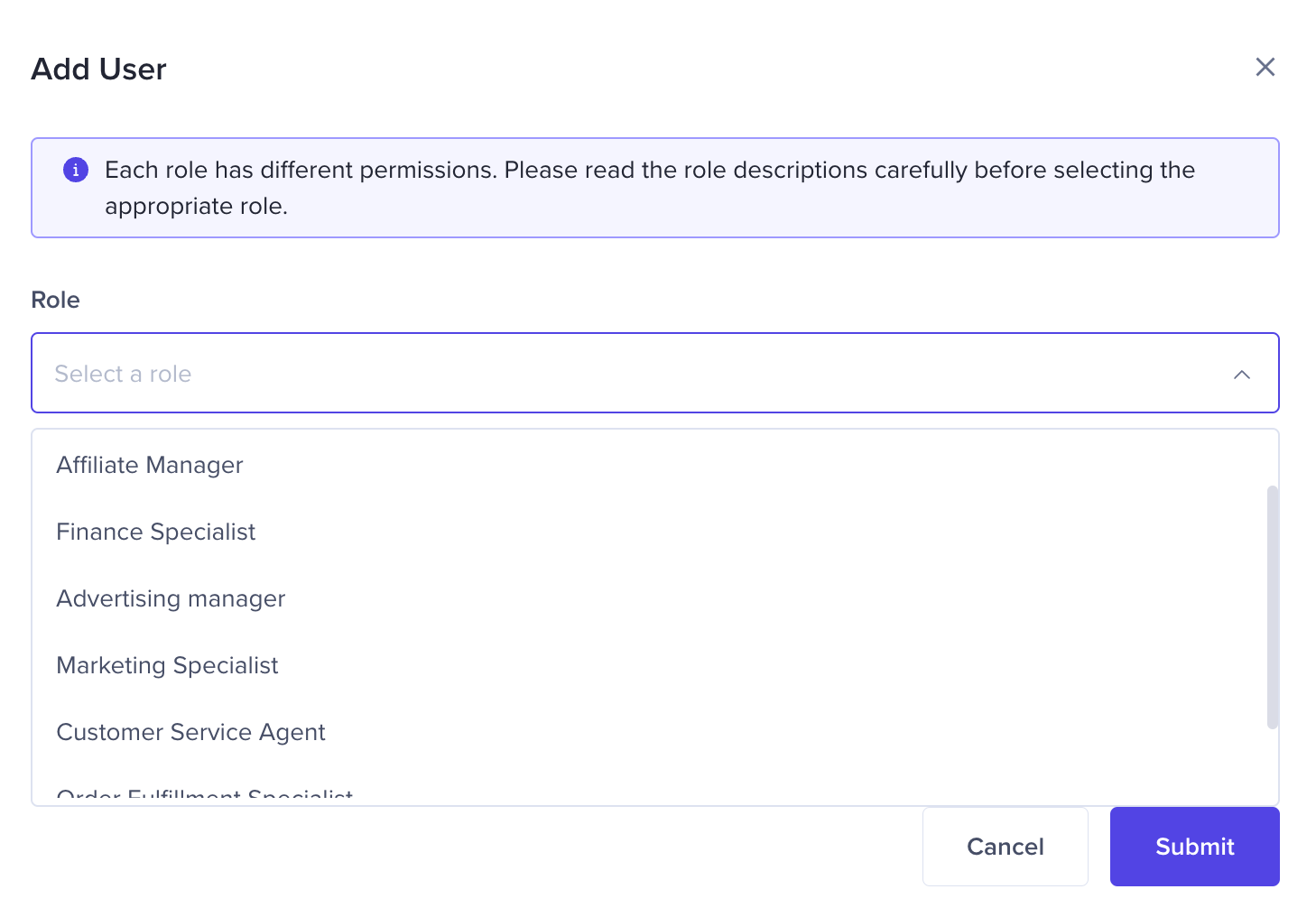 Note: it is important that you carefully choose who gets admin access to your TikTok Shop
- Only invite members of your own company.
- Require every member to have an individual user account, and do not share your password with others.
What To Do If Your Account is Compromised
If you are unable to sign in to your TikTok Shop account and no longer have access to the registered email or mobile phone number, please contact our Customer Service for assistance. As a precaution, your account will first be frozen to prevent further compromised access. You will then be asked to upload documents to verify account ownership. Upon verification of your documents and further investigation, you will be notified about the next steps to regain access to your account.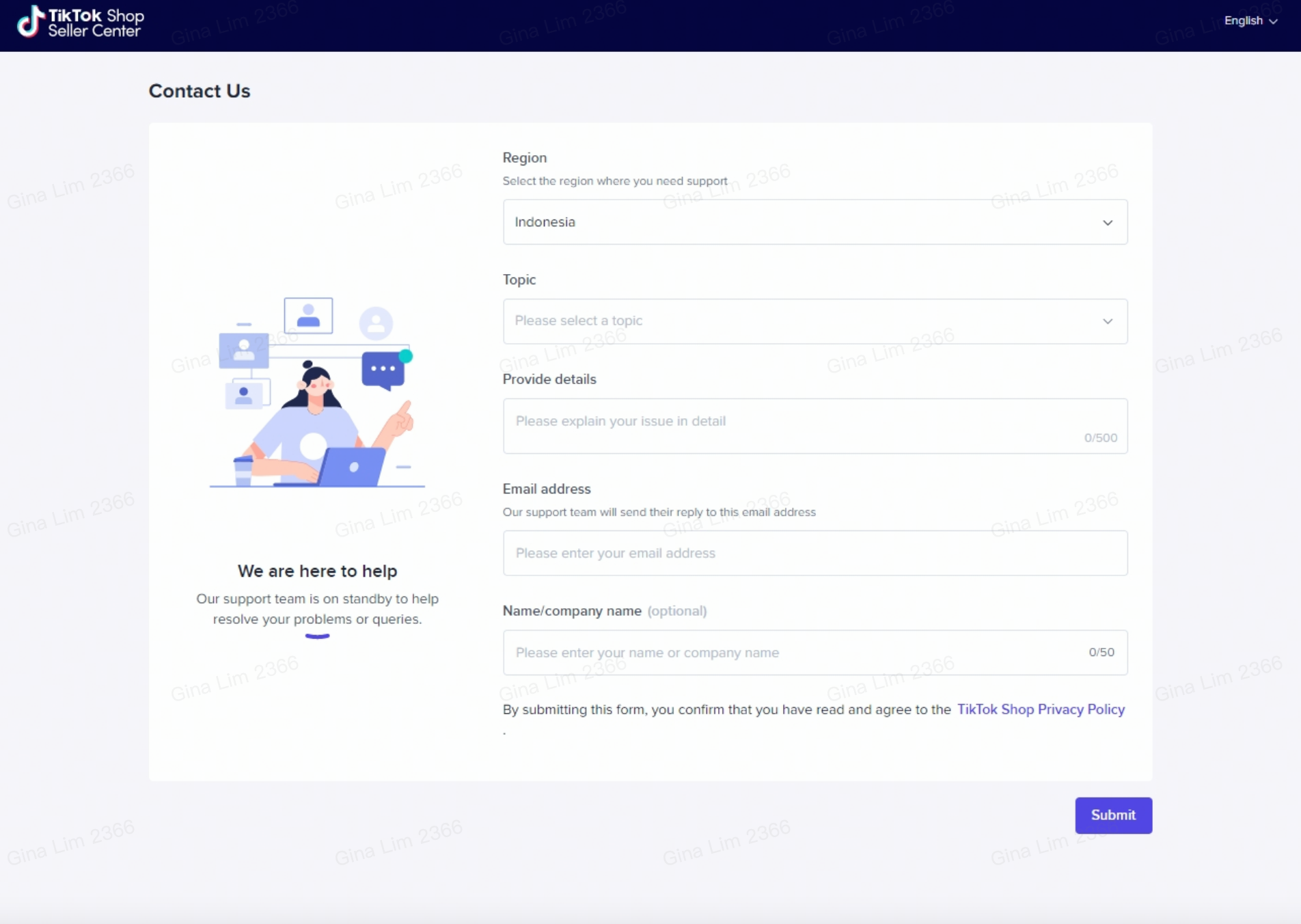 For more information, please refer to our TikTok Shop Unauthorised Account Control Guidelines (Singapore, Philippines, Indonesia, Thailand, Malaysia, Vietnam, UK).
 Anda mungkin juga tertarik
- 4 lessons
Setting Up Your Shop for Selling on TikTok Shop
In this class, sellers will learn about the process of registering for a TikTok account and a TikTok…

Shop Ownership Change Process
Note: You will only be able to change ownership to corporate sellers (individual to corporate, or co…
How can I change my login email address or phone number asso…
To update your email address/phone number, please follow the steps below: 1. Login to your TikTok Sh…
How to change my account information?
If you want to change your phone number/email address/password: Seller Center > My Account > Seller…

Shop Official account
About TikTok Shop Official Account The TikTok account that represents the official identity of TikTo…

Shop Marketing Account
This article will introduce a marketing account for your TikTok Shop. TikTok Shop Marketing account…
TikTok Shop Unauthorised Account Access Policy
Overview 1.1 Introduction The TikTok Shop Unauthorised Account Access Policy has been formulated w…
Scam Prevention: Cash on Delivery (COD) Scam Orders
Scam Prevention - Cash on Delivery (COD) Scam Orders TikTok Shop strives to provide a shopping exper…

Access Management on Seller Center
As a shop owner, you can add sub-accounts for your employees to help manage and operate your TikTok…
What is the TikTok Shop Seller Performance Evaluation Policy…
TikTok Shop Seller Performance Evaluation At TikTok Shop, we value safety, diversity, inclusiveness,…