

Securing your Account with Two-Step Verification
01/15/2026

Two-Step Verification
To help protect your account and strengthen overall platform security, we encourage all sellers to enable Two-Step Verification. This security measure adds an extra layer of protection to prevent unauthorized access and keeps your shop, data, and earnings safe.Note: For some sellers, Two-Step Verification is required by the platform. Click here to read more.
Benefits of Two-Step Verification
We strongly encourage sellers to complete setup promptly to avoid disruptions and take full advantage of the protections it provides:- Stronger defense against unauthorized access
- Helps secure your financial transactions and sensitive business data
- Reduces the risk of account takeovers or disruptions
- Ensures uninterrupted access to seller tools and features
- Adds confidence and peace of mind for you and your business
How to Enable Two-Step Verification
Two-step verification adds an extra layer of account protection by requiring both your password and a one-time verification code to log in. Follow the steps below to enable it on your account:- Log in to the Seller Center.
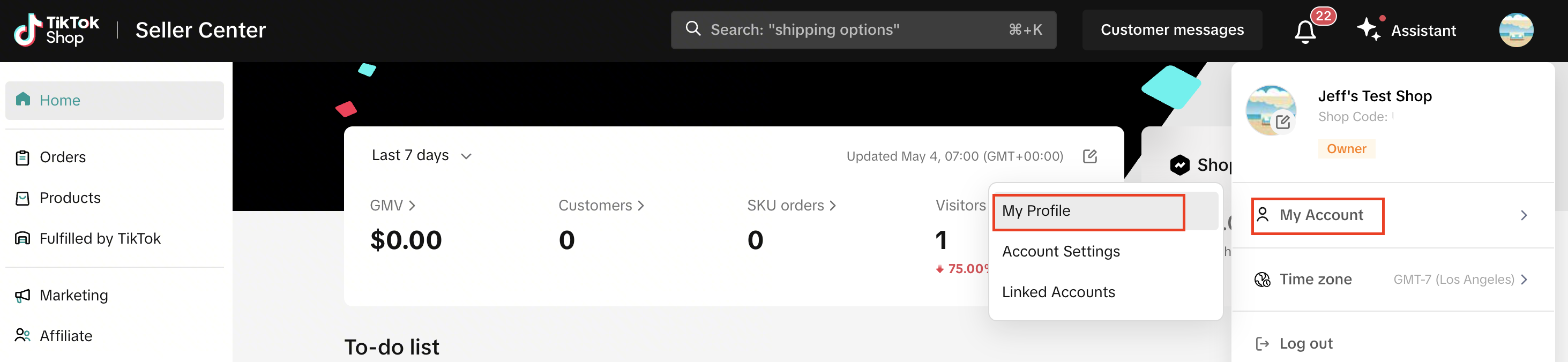
- Click your shop profile icon (top right corner), select My Account, then go to My Profile.
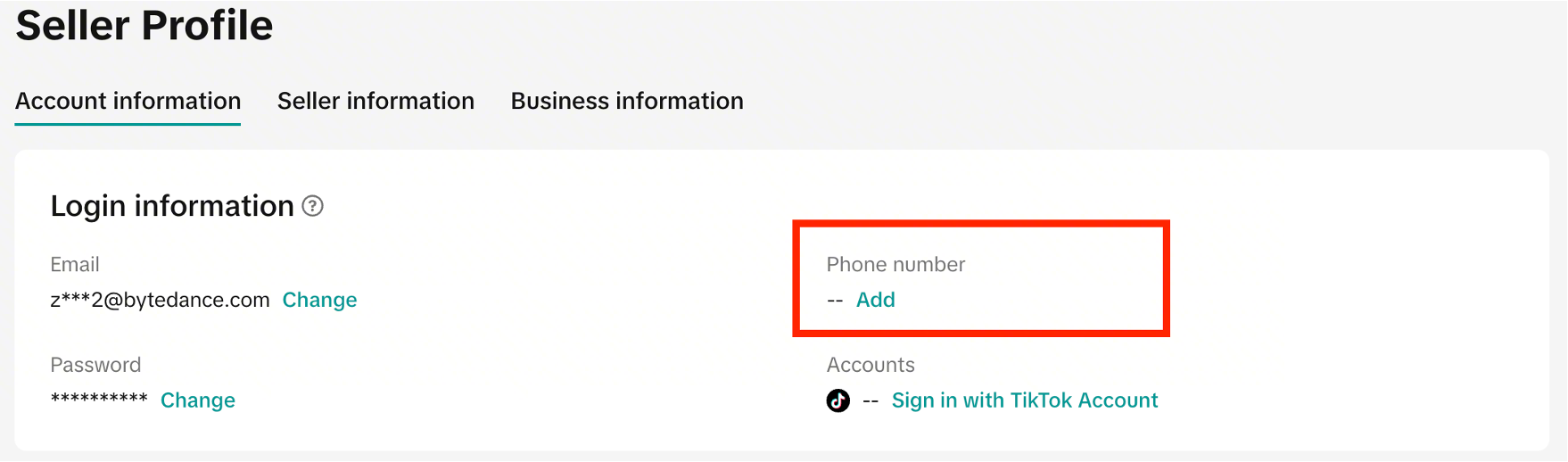
- Under the Account Information tab, add your phone number (if you haven’t already). You may need to verify your email first.
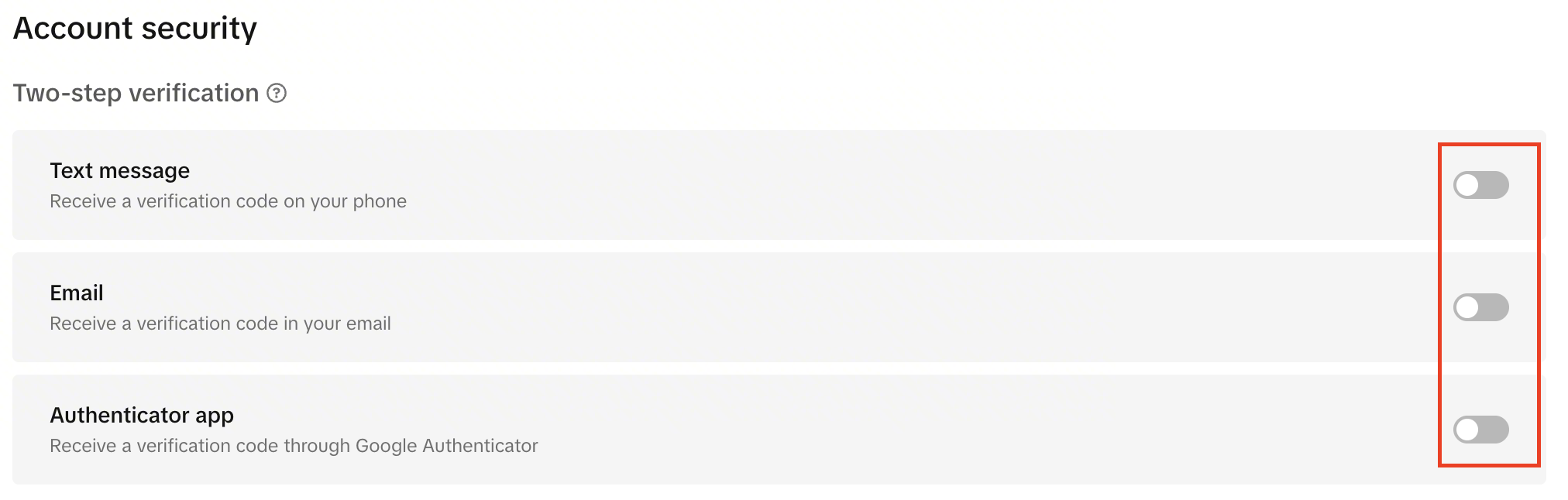
- Scroll to Account Security > Two-Step Verification. Turn on your preferred methods. We recommend enabling at least two.
Frequently Asked Questions
I have been asked to set up Two-Step Verification. What happens if I do not set this up?
- You would have been given a 30-day window to set up your Two-Step Verification.
- If you don’t complete setup within 30 days of receiving a notification, your account may face withdrawal restrictions.
- You must select at least 2 methods of verification.
- Your restrictions will be lifted as soon as you set up Two-Step Verification.
I have tried adding my Two-Step Verification, but it does not work for me - what can I do?
- You may submit an Appeal through the violation message you have received.
Anda mungkin juga tertarik

Shop Ownership Change Process
Note: You will only be able to change ownership to corporate sellers (individual to corporate, or co…

How can I change my login email address or phone number asso…
To update your email address/phone number, please follow the steps below: 1. Login to your TikTok Sh…
How to change my account information?
If you want to change your phone number/email address/password: Seller Center > My Account > Seller…
Account Protection
How to Protect Your Account on TikTok Shop TikTok Shop strives to provide a safe and secure shoppin…

Shop Official account
About TikTok Shop Official Account The TikTok account that represents the official identity of TikTo…

Shop Marketing Account
This article will introduce a marketing account for your TikTok Shop. TikTok Shop Marketing account…
TikTok Shop Unauthorised Account Access Policy
Overview 1.1 Introduction The TikTok Shop Unauthorised Account Access Policy has been formulated w…
Scam Prevention: Cash on Delivery (COD) Scam Orders
Scam Prevention - Cash on Delivery (COD) Scam Orders TikTok Shop strives to provide a shopping exper…
Access Management on Seller Center
As a shop owner, you can add sub-accounts for your employees to help manage and operate your TikTok…
What is the TikTok Shop Seller Performance Evaluation Policy…
TikTok Shop Seller Performance Evaluation At TikTok Shop, we value safety, diversity, inclusiveness,…