

เครื่องมือการเพิ่มประสิทธิภาพสินค้า
27/03/2568

ประโยชน์ของการใช้เครื่องมือเพิ่มประสิทธิภาพสินค้า
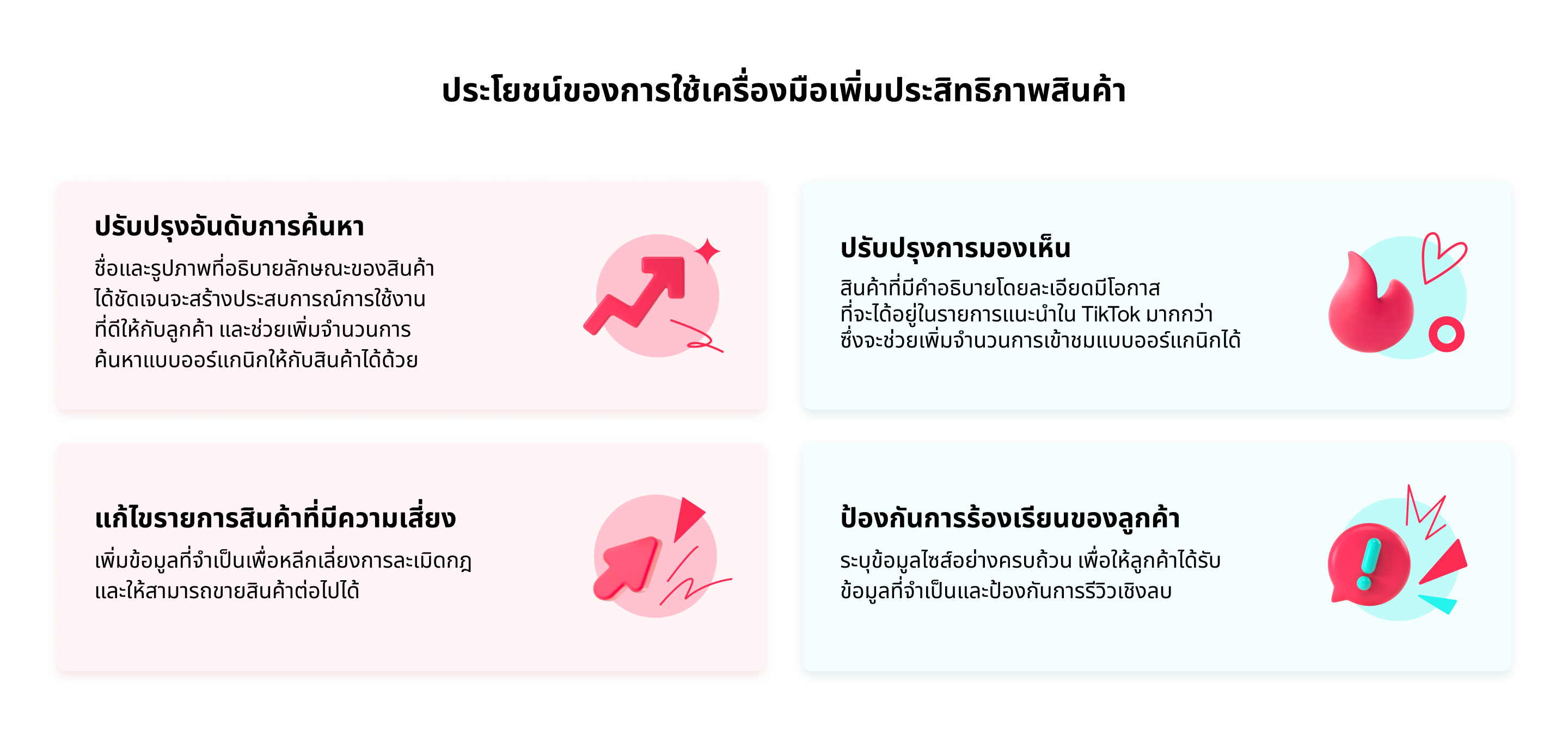

ภาพรวมของฟีเจอร์
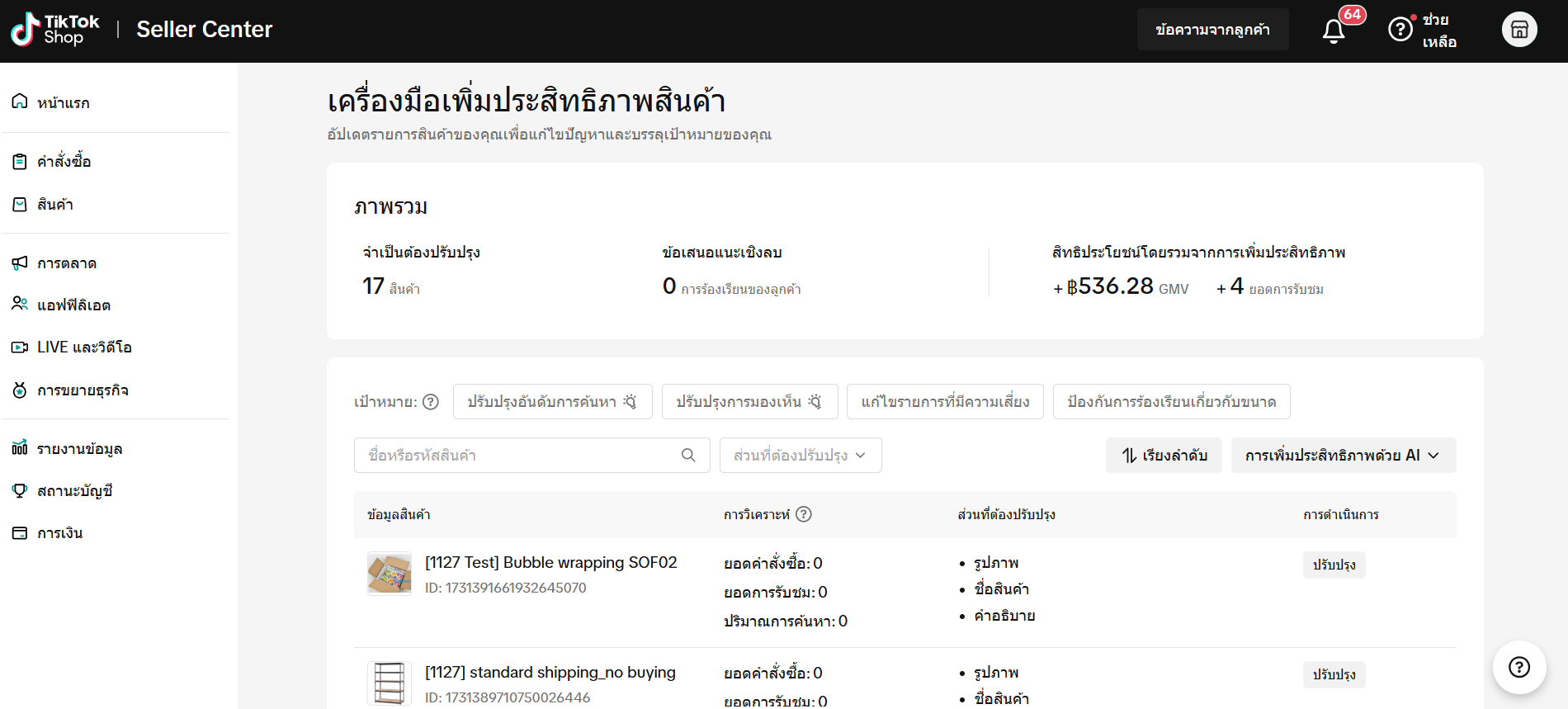
ฟีเจอร์หลัก
ภาพรวมของข้อมูล
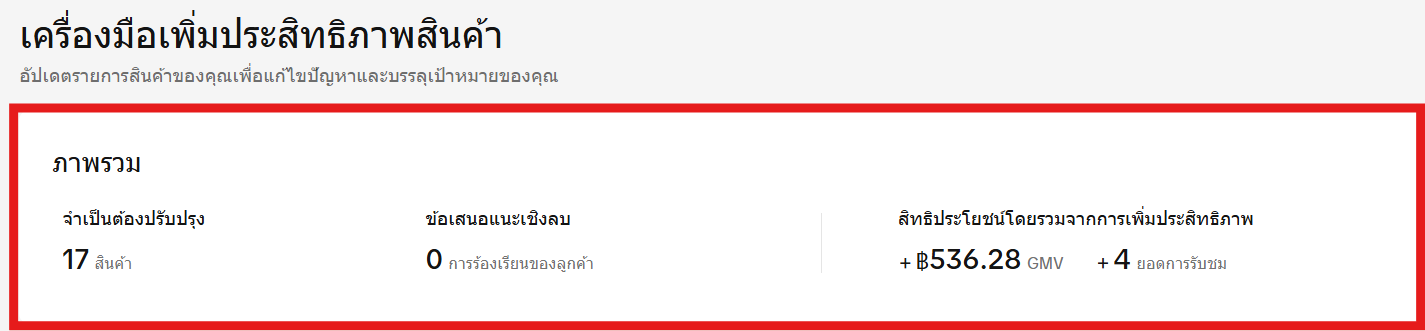
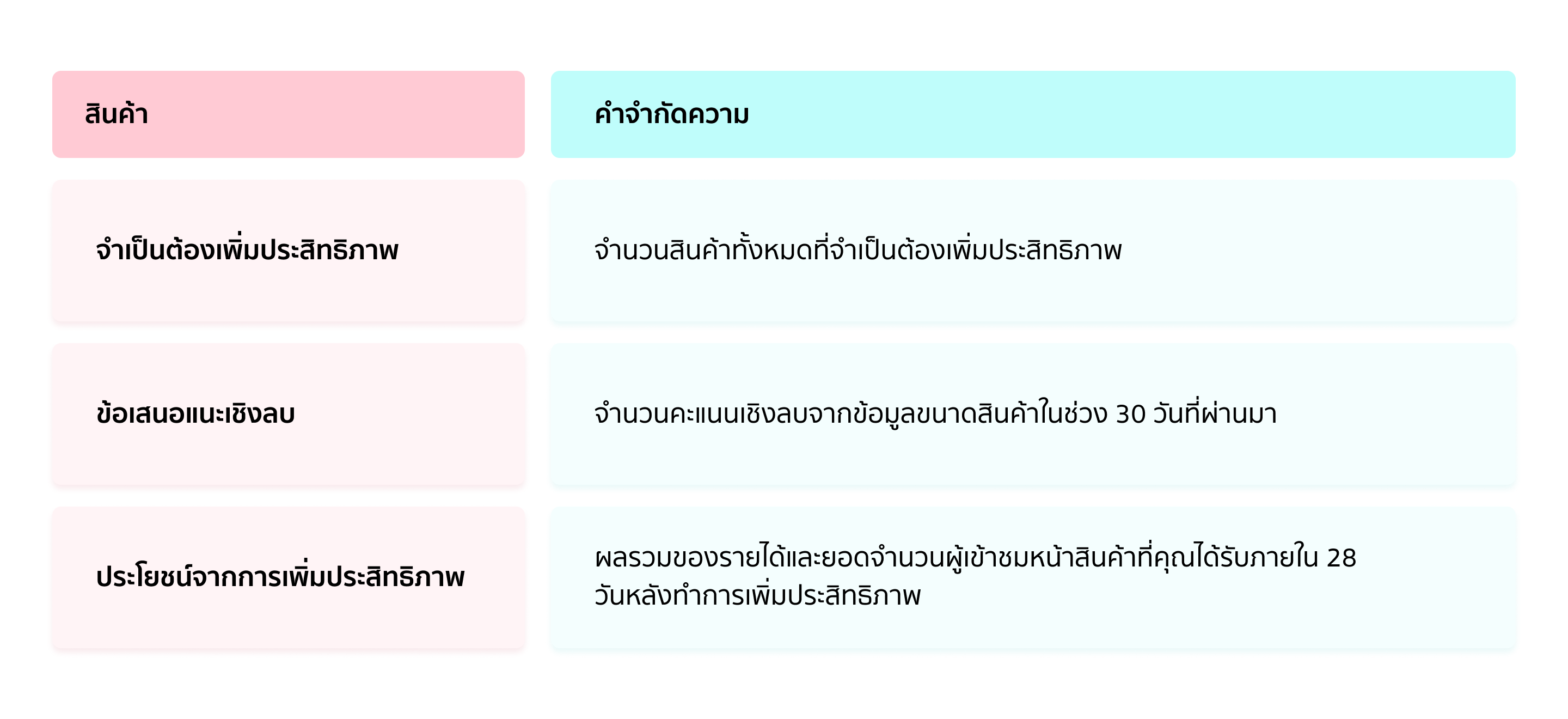
ฟังก์ชันตัวกรอง
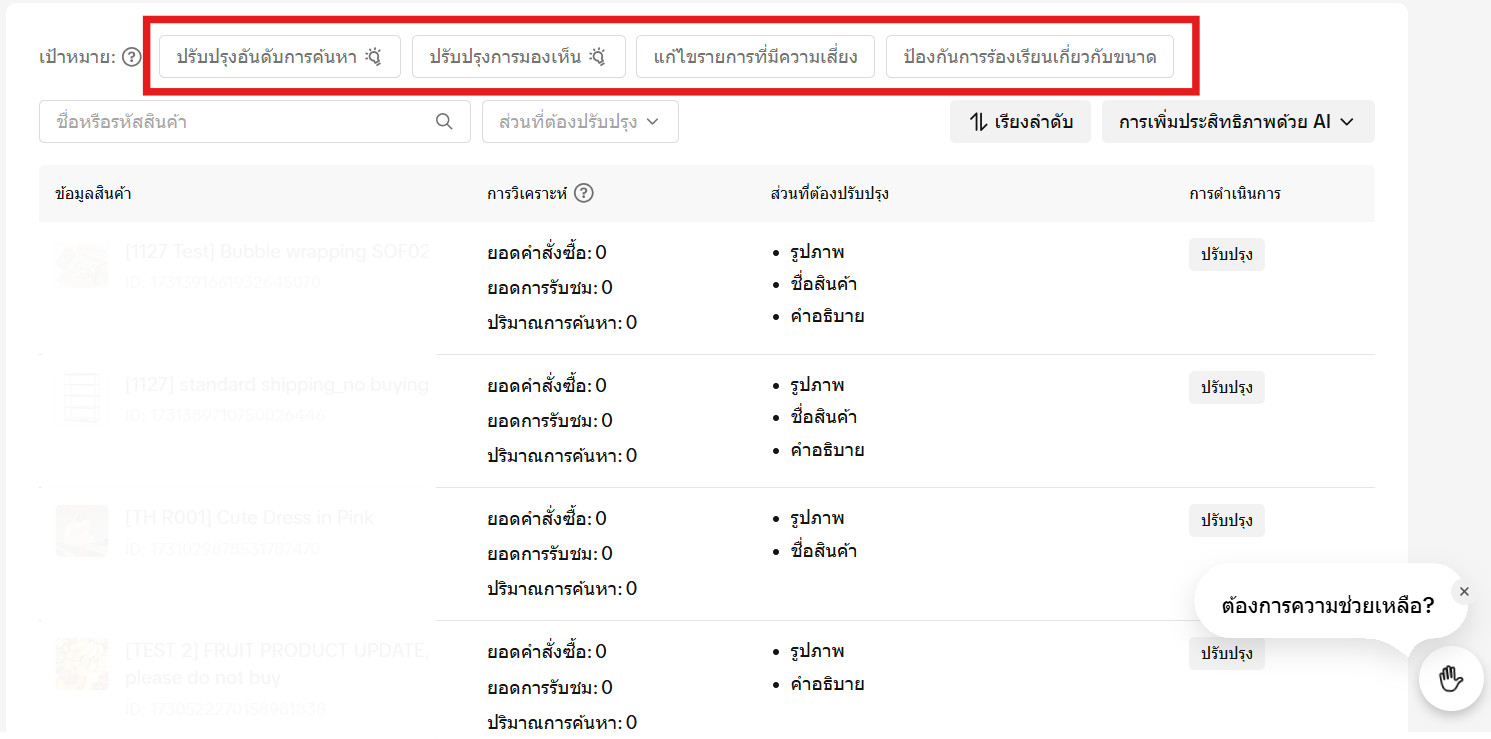
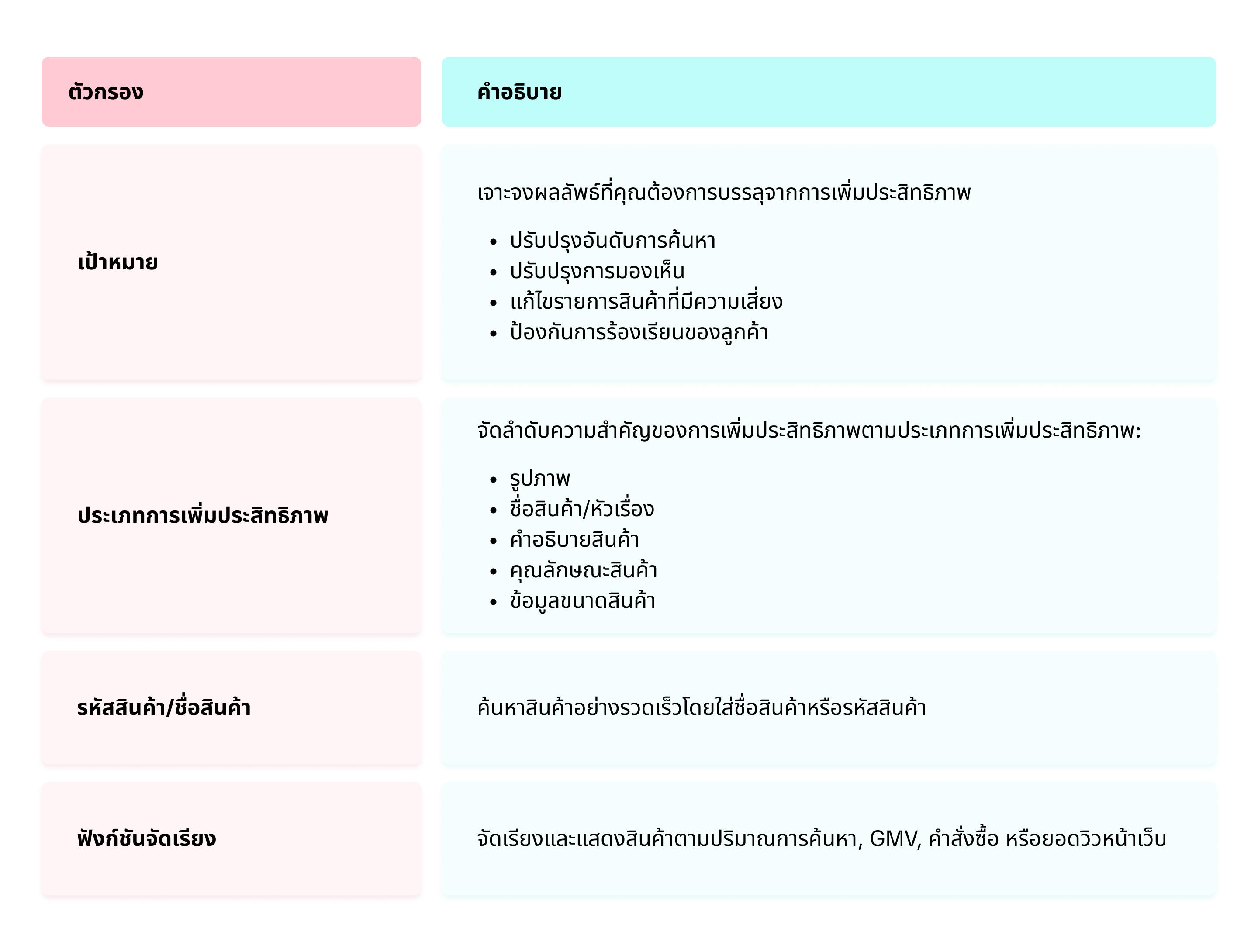
คำแนะนำในการเพิ่มประสิทธิภาพสินค้า
เพิ่มประสิทธิภาพสินค้าทีละรายการ
- หน้าเครื่องมือเพิ่มประสิทธิภาพสินค้าจะแสดงรายการสินค้าที่จำเป็นต้องเพิ่มประสิทธิภาพ รวมทั้งแสดงผลการดำเนินงานที่ผ่านมา (จำนวนคำสั่งซื้อและจำนวนการเข้าชม) และสิ่งที่ต้องปรับปรุงเอาไว้ด้วย
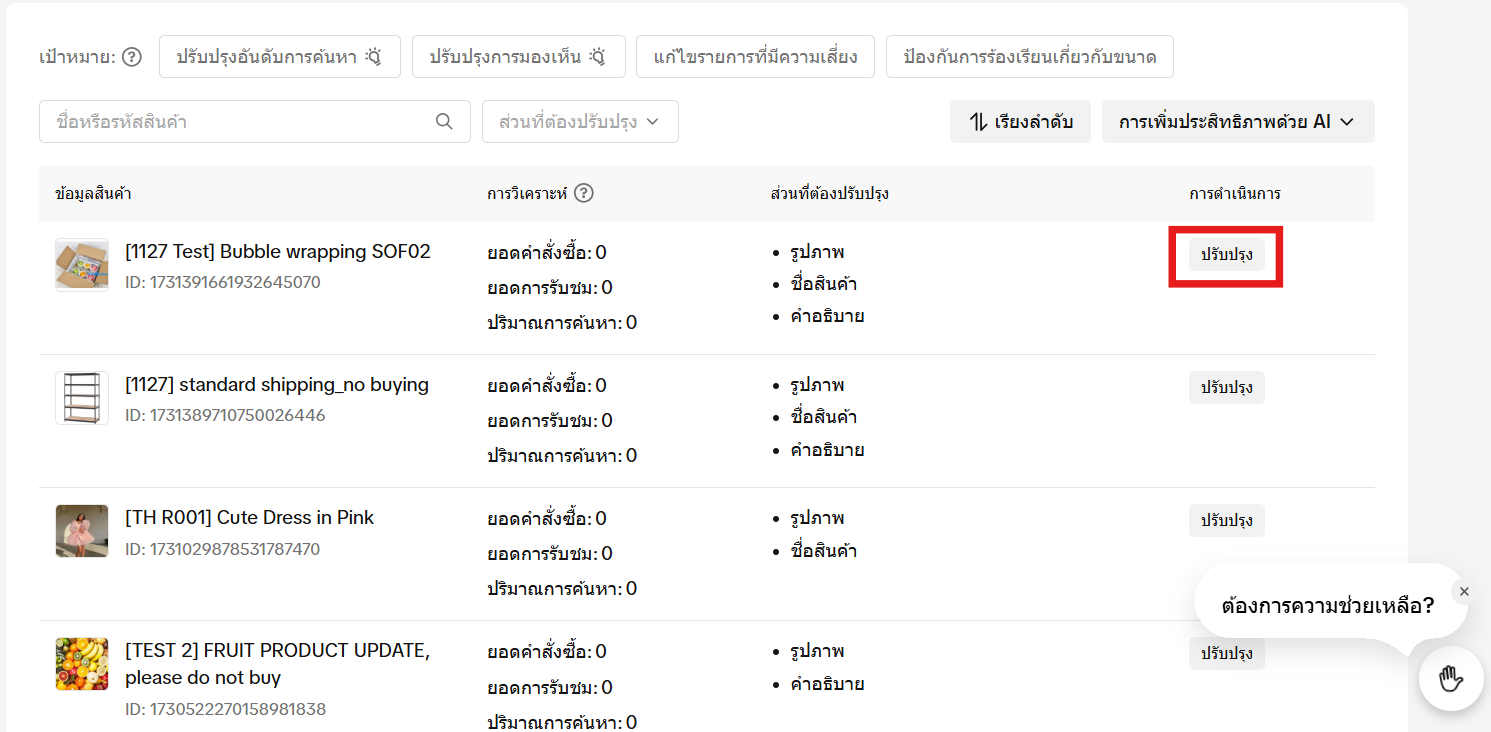
- เลือกสินค้าที่คุณต้องการเพิ่มประสิทธิภาพ คลิกที่ปุ่ม "เพิ่มประสิทธิภาพ"
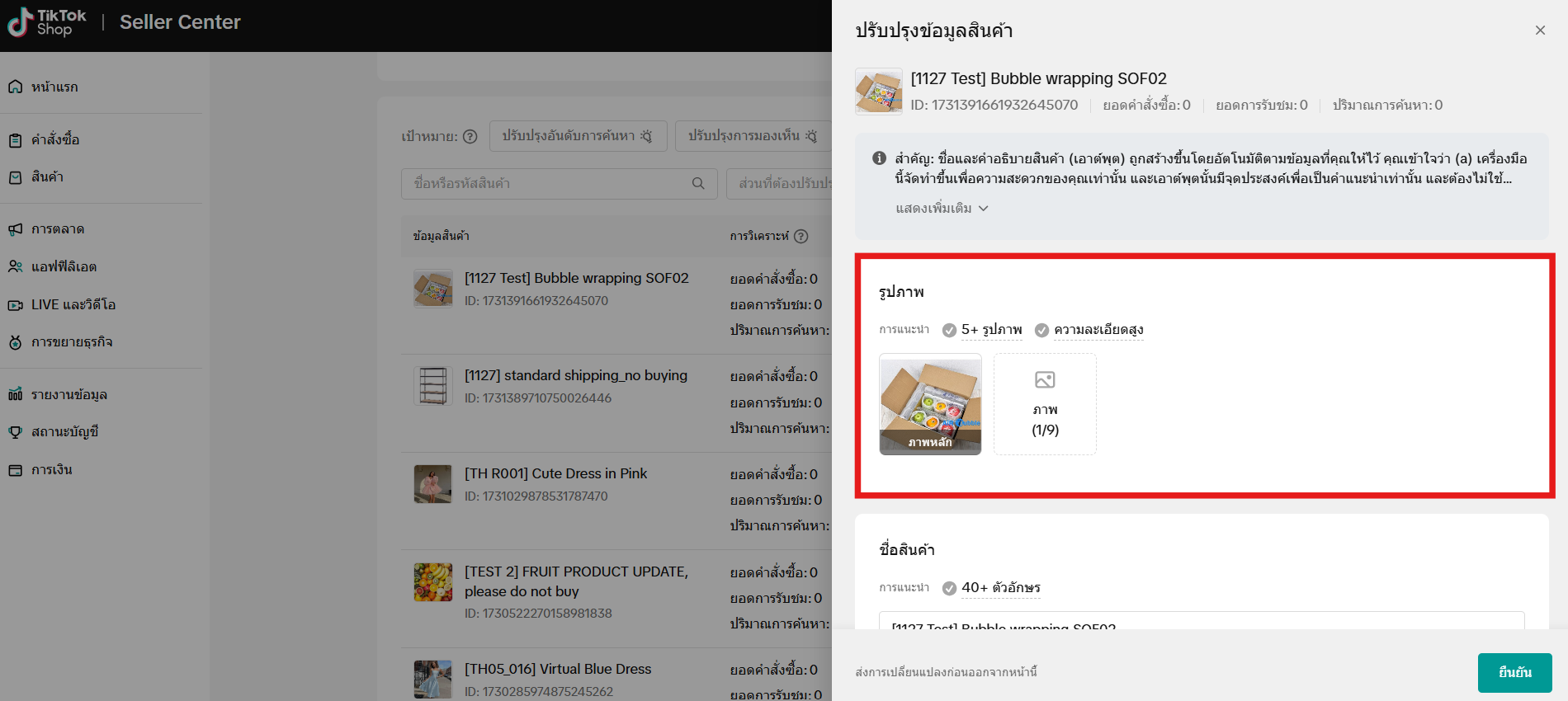
- หน้าต่างด้านข้างจะเปิดขึ้นหลังจากที่คุณคลิก "เพิ่มประสิทธิภาพ" ส่วนที่ต้องการปรับปรุง
- เพิ่มประสิทธิภาพสินค้าตามคำแนะนำแต่ละประเภท
- สามารถใช้ฟังก์ชันการเพิ่มประสิทธิภาพด้วย AI สำหรับชื่อสินค้าและคำอธิบายได้
- คลิก "ส่ง" เพื่อยืนยันการเพิ่มประสิทธิภาพสินค้า
เพิ่มประสิทธิภาพสินค้าเป็นชุด
- คลิก "ดำเนินการเป็นชุด" เพื่อเพิ่มประสิทธิภาพชื่อสินค้าทีละหลายรายการ
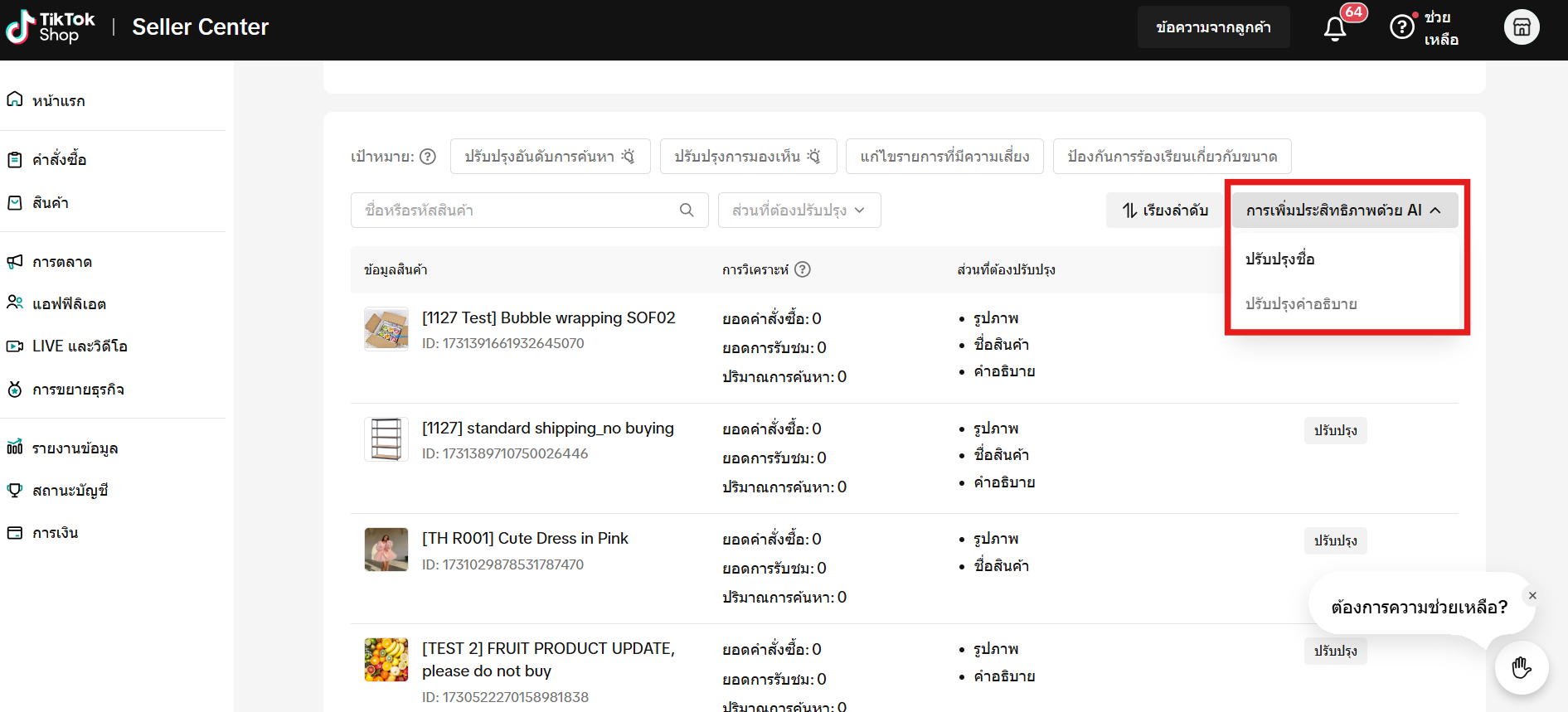
- ค่าตั้งต้นของเครื่องมือนี้จะเลือกสินค้าทุกรายการที่ดำเนินการเพิ่มประสิทธิภาพได้
- หากมีสินค้ารายการไหนที่ไม่ต้องการเพิ่มประสิทธิภาพ อย่าลืมนำเครื่องหมายในช่องออก
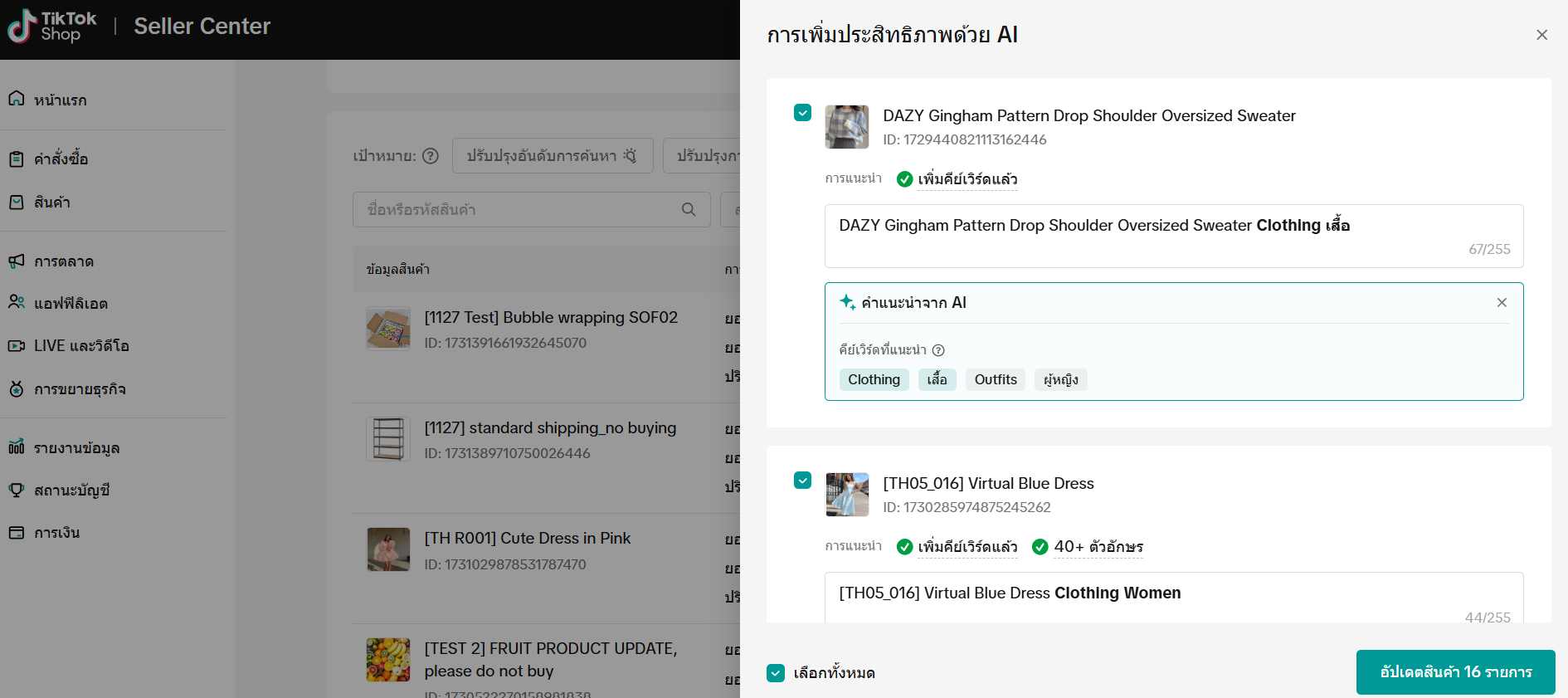
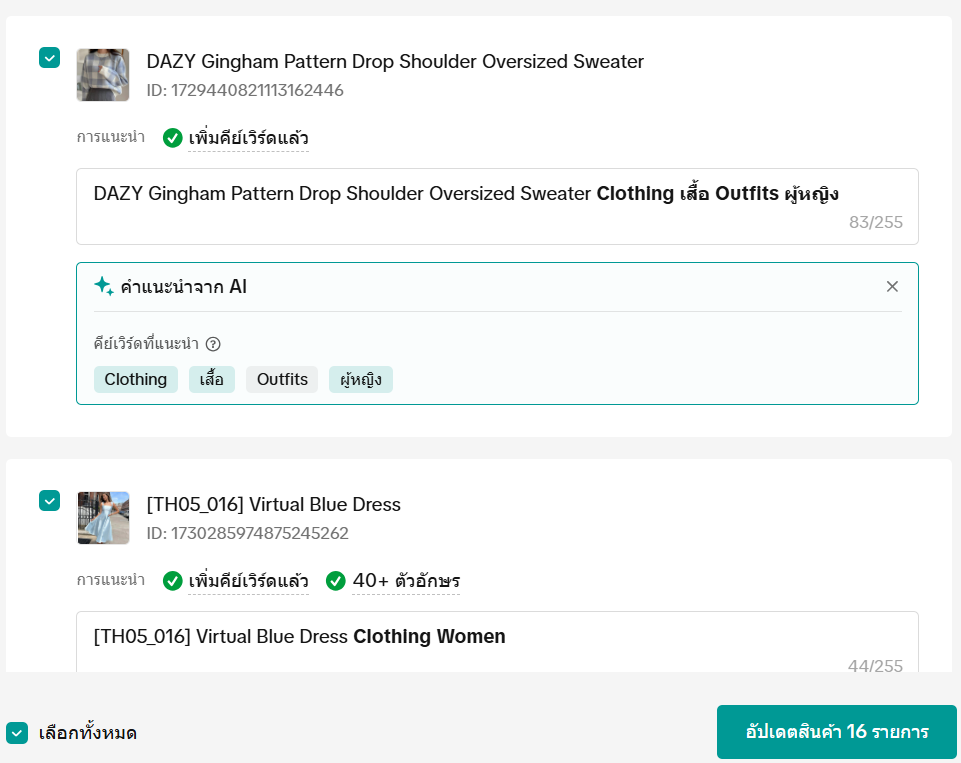
- ตรวจสอบชื่อสินค้าที่แนะนำหรือคีย์เวิร์ดที่เพิ่มเข้ามาเพื่อให้แน่ใจว่าอธิบายสินค้าของคุณได้ดี
- ทำซ้ำขั้นตอนนี้กับสินค้าทุกรายการ
- คลิก "ส่งการเปลี่ยนแปลง" เพื่อยืนยันการเพิ่มประสิทธิภาพสินค้า

แนวทางการเพิ่มประสิทธิภาพสินค้าและตัวอย่าง
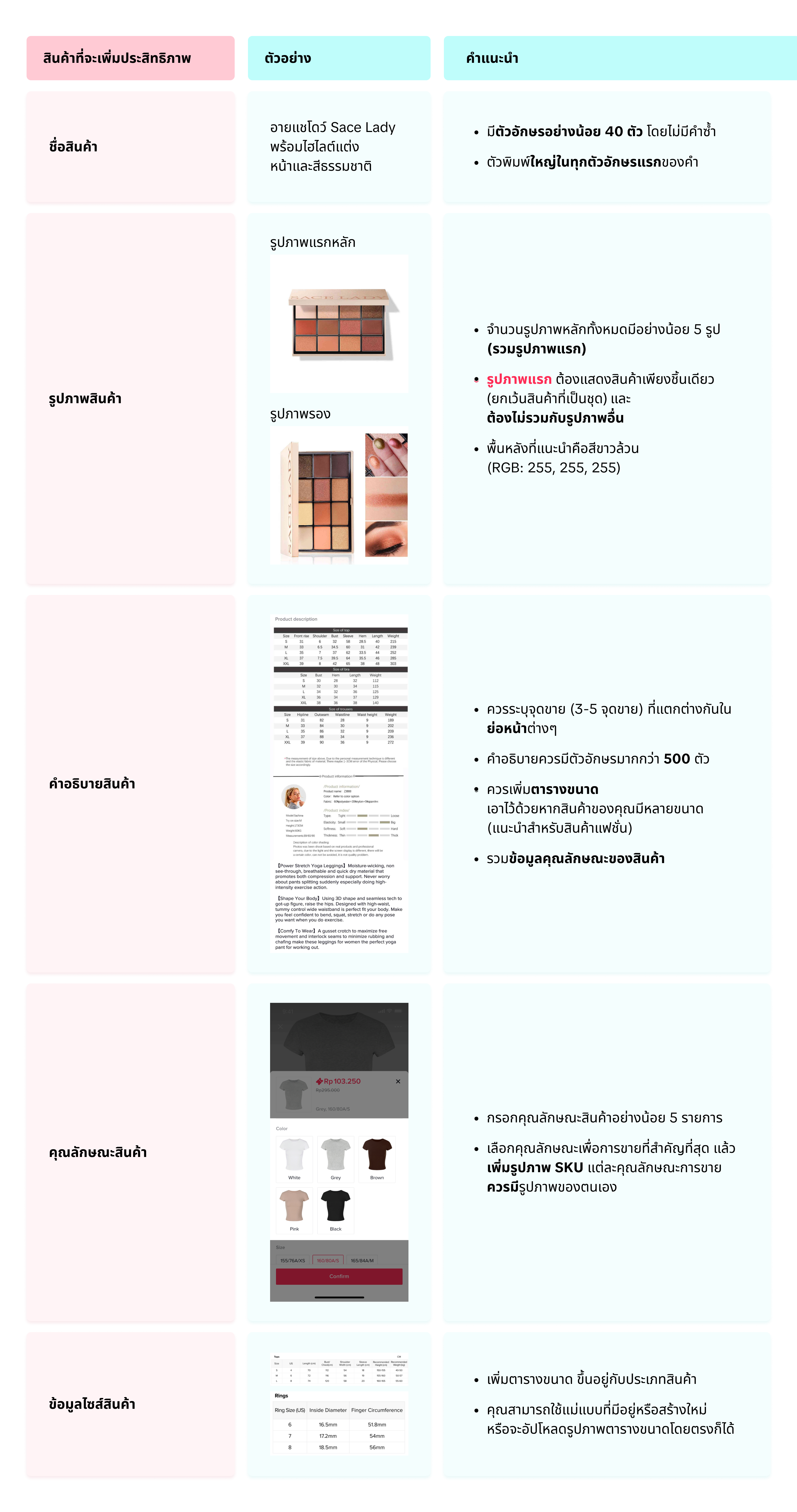

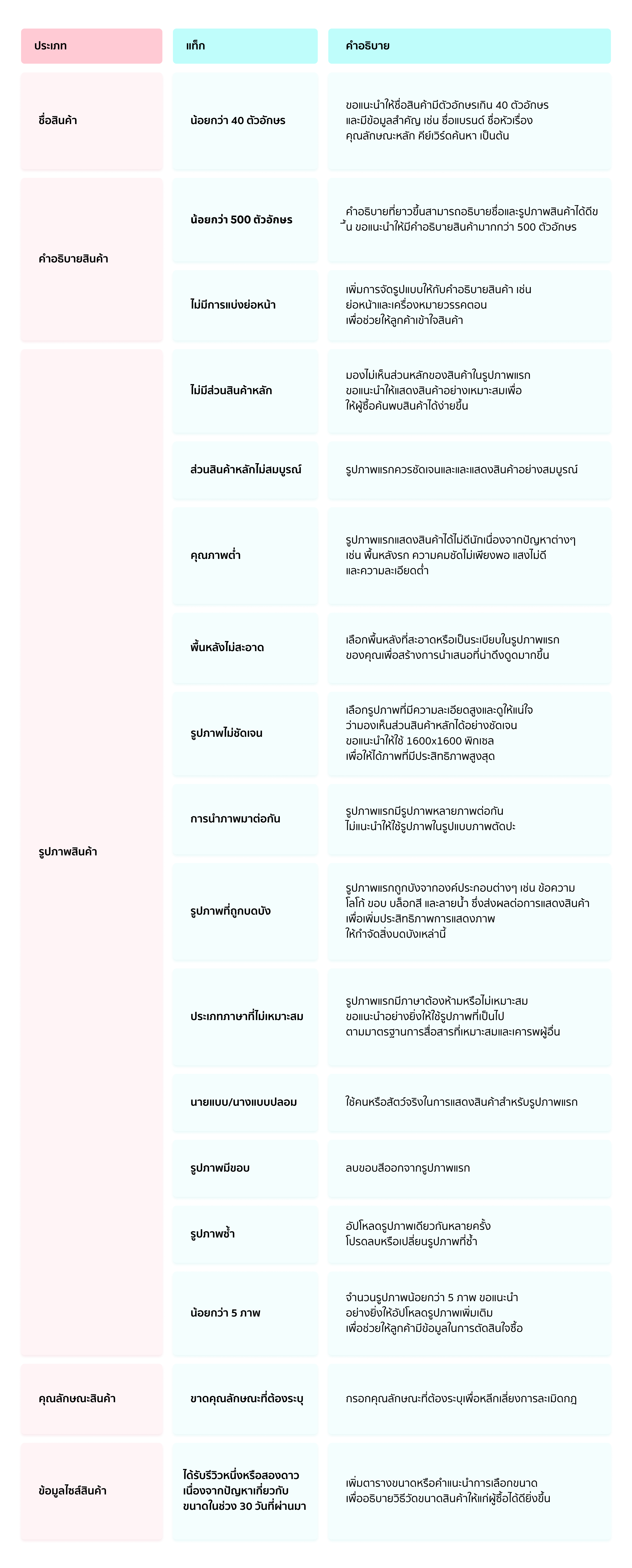
รายละเอียดปัญหาสินค้า

คำถามที่พบบ่อย
- ทำไมการเพิ่มประสิทธิภาพรูปภาพจึงปรากฏบนทั้งสองแท็บ จะเกิดอะไรขึ้นถ้าฉันเพิ่มประสิทธิภาพจากหนึ่งในแท็บเหล่านั้น
- เครื่องมือเพิ่มประสิทธิภาพสินค้าได้รับการออกแบบมาเพื่อเพิ่มประสิทธิภาพสินค้าของคุณในสถานการณ์ต่างๆ ได้แก่ โอกาสในการแนะนำหรือโอกาสในการค้นหา ทั้งสองสถานการณ์ต้องการรูปภาพคุณภาพสูง ดังนั้นการเพิ่มประสิทธิภาพรูปภาพจึงปรากฏในทั้งสองแท็บ
- หากคุณเพิ่มประสิทธิภาพจากแท็บใดแท็บหนึ่ง การเพิ่มประสิทธิภาพนั้นจะมีผลกับทั้งสองสถานการณ์
- ทำไมระบบจึงสร้างคำอธิบายให้กับสินค้าได้เพียงบางรายการ
- ทำไมรูปภาพของสินค้าจึงได้รับการปรับปรุงเพียงบางรายการ
- มีเครื่องมือปรับปรุงรูปภาพอื่นอีกหรือไม่
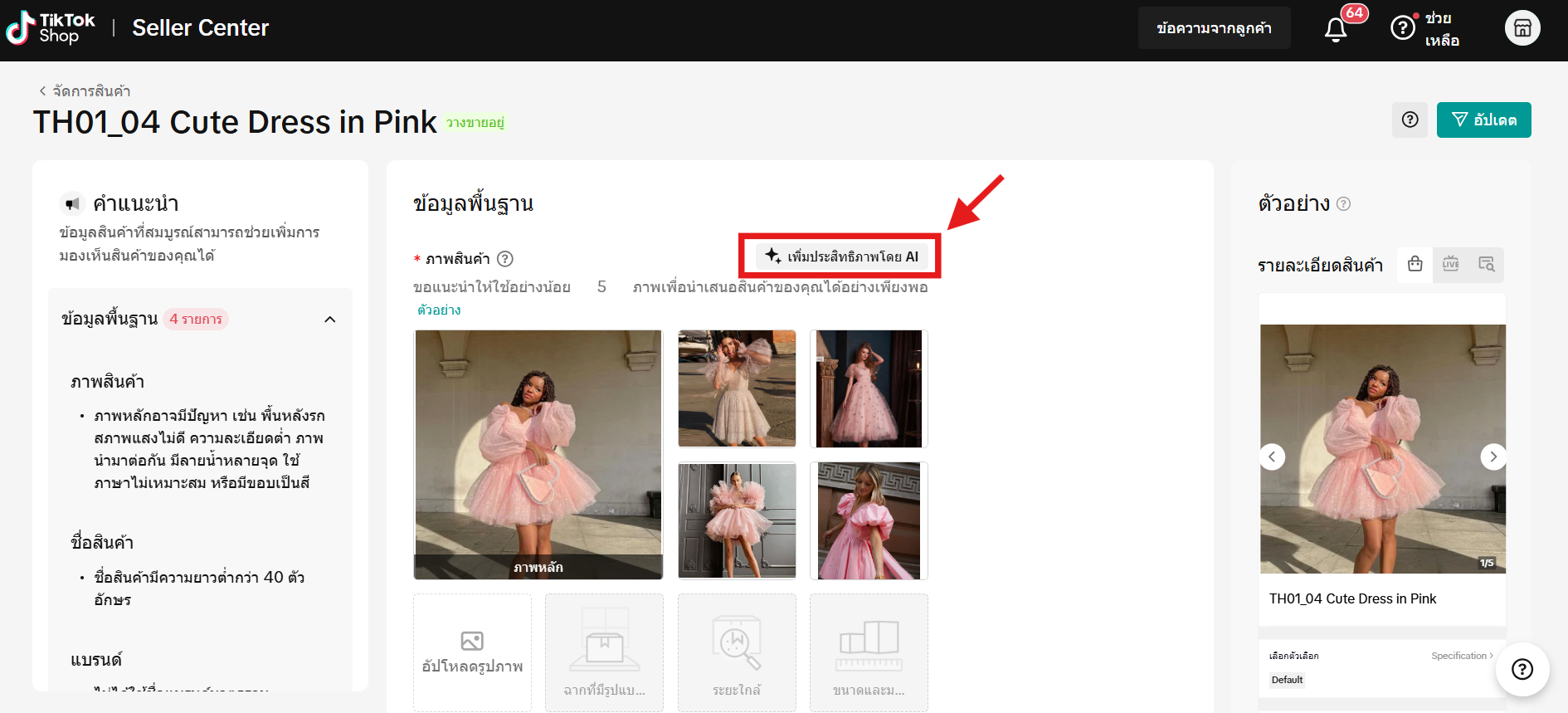
- หลังจากที่คุณอัปโหลดรูปภาพสินค้า จะมีปุ่ม "เพิ่มประสิทธิภาพด้วย AI" อยู่ที่มุมขวา
- คุณสามารถคลิกที่ปุ่มนี้เพื่อครอบตัดรูปภาพและเปลี่ยนพื้นหลังของสินค้าได้
- ฉันต้องเพิ่มประสิทธิภาพสินค้าของฉันบ่อยเพียงใด
คุณอาจสนใจ
- 1 lesson
การเปลี่ยนเส้นทางทราฟฟิก(redirect traffic)คืออะไร?
การเปลี่ยนเส้นทางทราฟฟิก(redirect traffic)คืออะไร?

การเพิ่มสินค้าที่มีอยู่แล้วใน TikTok Shop
การทำให้สินค้าของคุณพร้อมขายเป็นขั้นตอนสำคัญสู่ความสำเร็จบนแพลตฟอร์มของเรา แม้ว่าเราจะมีหลายวิธีให้ค…

การวิเคราะห์ราคา
ฟีเจอร์นี้จะช่วยให้ผู้ขายรู้จักกลยุทธ์ในการตั้งราคาสินค้าใน TikTok Shop และได้ประโยชน์จากยอดการเข้าช…

การละเมิดเครื่องหมายการค้า
การละเมิดเครื่องหมายการค้า TikTok Shop เคารพสิทธิ์ในทรัพย์สินทางปัญญา (Intellectual Property: IP) ขอ…

การเสนอราคา
ฟีเจอร์นี้จะช่วยให้ผู้ขายสามารถดูสินค้าที่กำลังได้รับความนิยมในตลาด และมีโอกาสที่จะได้รับสิทธิประโยช…

เครื่องมือแก้ไขรายการสินค้าและรูปภาพ
เครื่องมือแก้ไขรูปภาพ เครื่องมือแก้ไขรูปภาพสินค้าใหม่นี้ช่วยให้ผู้ขายสามารถถ่ายภาพสินค้าได้อย่างต่อเ…

การจัดการสินค้าคงคลัง
บทความนี้จะอธิบายวิธีการจัดการสินค้าคงคลัง ตรวจสอบสถานะสินค้า และตั้งเตือนให้คุณอัปเดตสต็อกสินค้าของ…

เพิ่มและจัดการสินค้า
ในบทความนี้ คุณจะได้เรียนรู้วิธีจัดการสินค้าของคุณใน TikTok Shop อย่างราบรื่น การจัดการสินค้าของคุณถ…

แนวทางปฏิบัติสำหรับสินค้าไม่ตรงตามคำสั่งซื้อหรือที่ระบุในราย…
1. ภาพรวม 1.1 บทนํา แนวทางปฏิบัติสำหรับสินค้าไม่ตรงตามคำสั่งซื้อหรือที่ระบุในรายละเอียด (Significan…

การเลือกหมวดหมู่สินค้า
การเลือกหมวดหมู่สินค้า การเลือกหมวดหมู่สินค้าและหมวดหมู่ย่อยที่ถูกต้อง จะช่วยเพิ่มการเข้าถึงและความส…