

การเพิ่มสินค้าที่มีอยู่แล้วใน TikTok Shop
12/12/2568
โปรดจำไว้ว่าสินค้าทุกรายการต้องเป็นไปตามแนวทางการลงรายการสินค้าของแพลตฟอร์มเรา

"การลงรายการสินค้าที่มีอยู่" คืออะไร
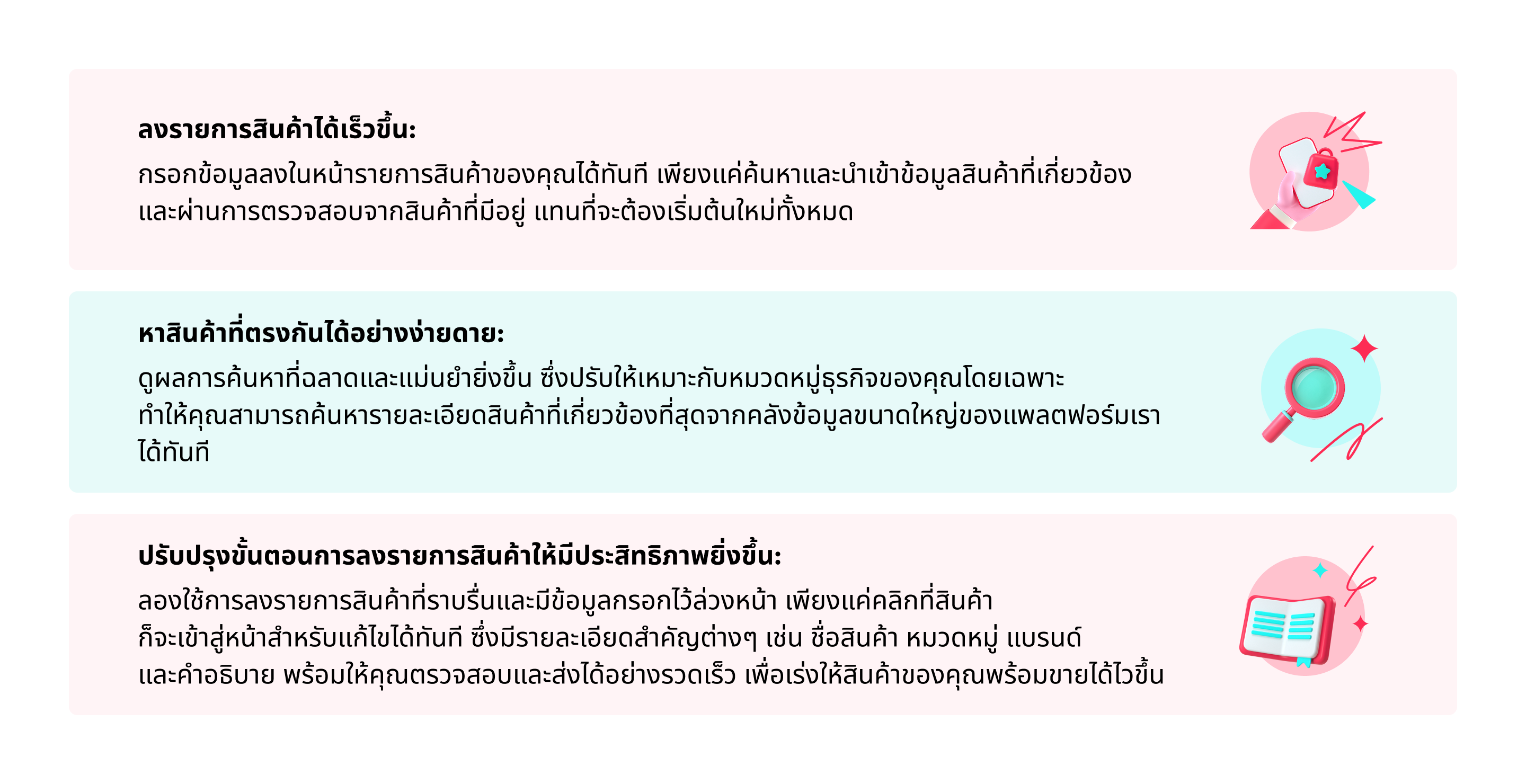
การลงรายการสินค้าที่มีอยู่ช่วยให้คุณสามารถปรับปรุงขั้นตอนการลงรายการสินค้าทั้งหมดให้คล่องตัวยิ่งขึ้น โดยคัดลอกข้อมูลจากสินค้าที่มีอยู่ในแพลตฟอร์มของเรา ฟีเจอร์นี้มีประโยชน์อย่างยิ่งสำหรับผู้ขายที่ต้องการ- ลงรายการสินค้าที่คล้ายกันได้อย่างสม่ำเสมอ
- ไม่ต้องกรอกรายละเอียดสินค้าใหม่เองทุกครั้ง
- ปล่อยสินค้าได้ไวขึ้นและมีประสิทธิภาพมากกว่าเดิม

สิทธิประโยชน์หลัก

วิธีเข้าถึงฟีเจอร์นี้
- ไปที่ Seller Center
- ไปที่ "สินค้า" ในเมนูทางด้านซ้าย แล้วคลิก "เพิ่มสินค้า"
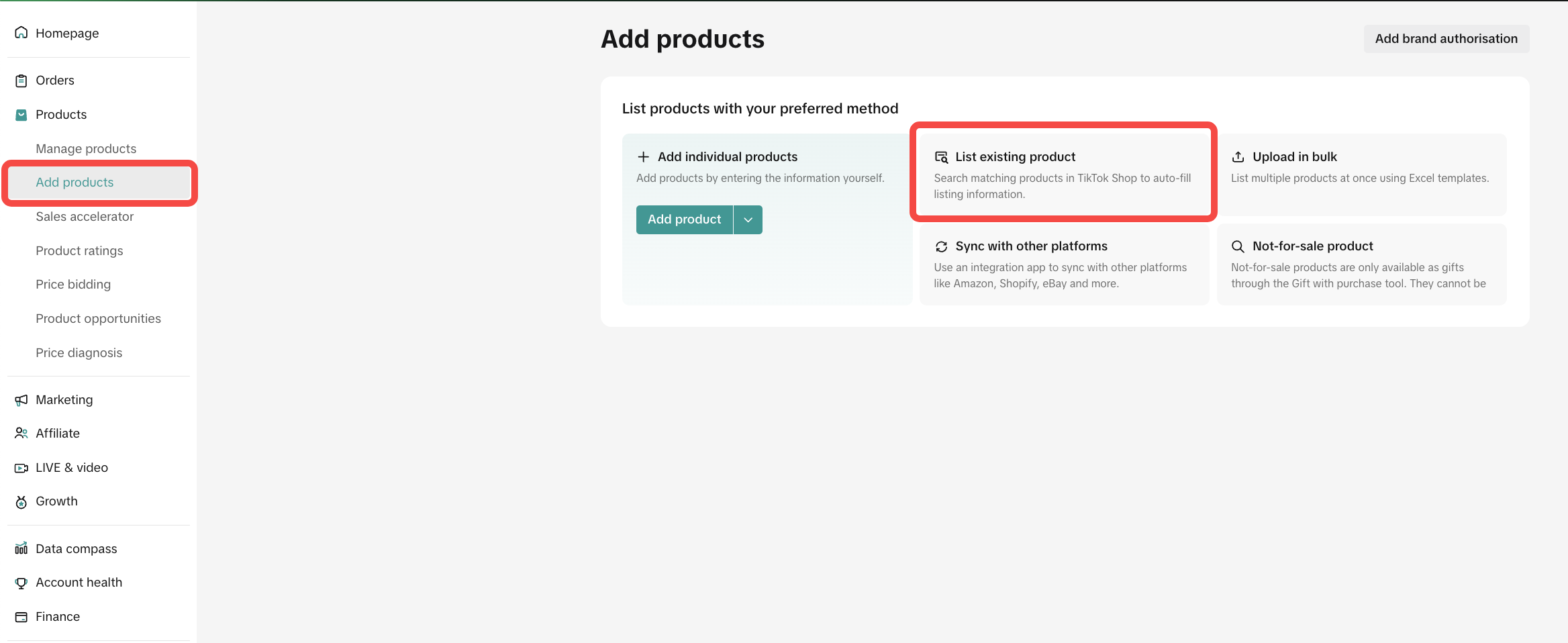
- คลิกที่หมวดลงรายการสินค้าที่มีอยู่ในหน้า เพื่อเริ่มต้นใช้งาน

วิธีลงรายการสินค้าที่มีอยู่บนเดสก์ท็อป
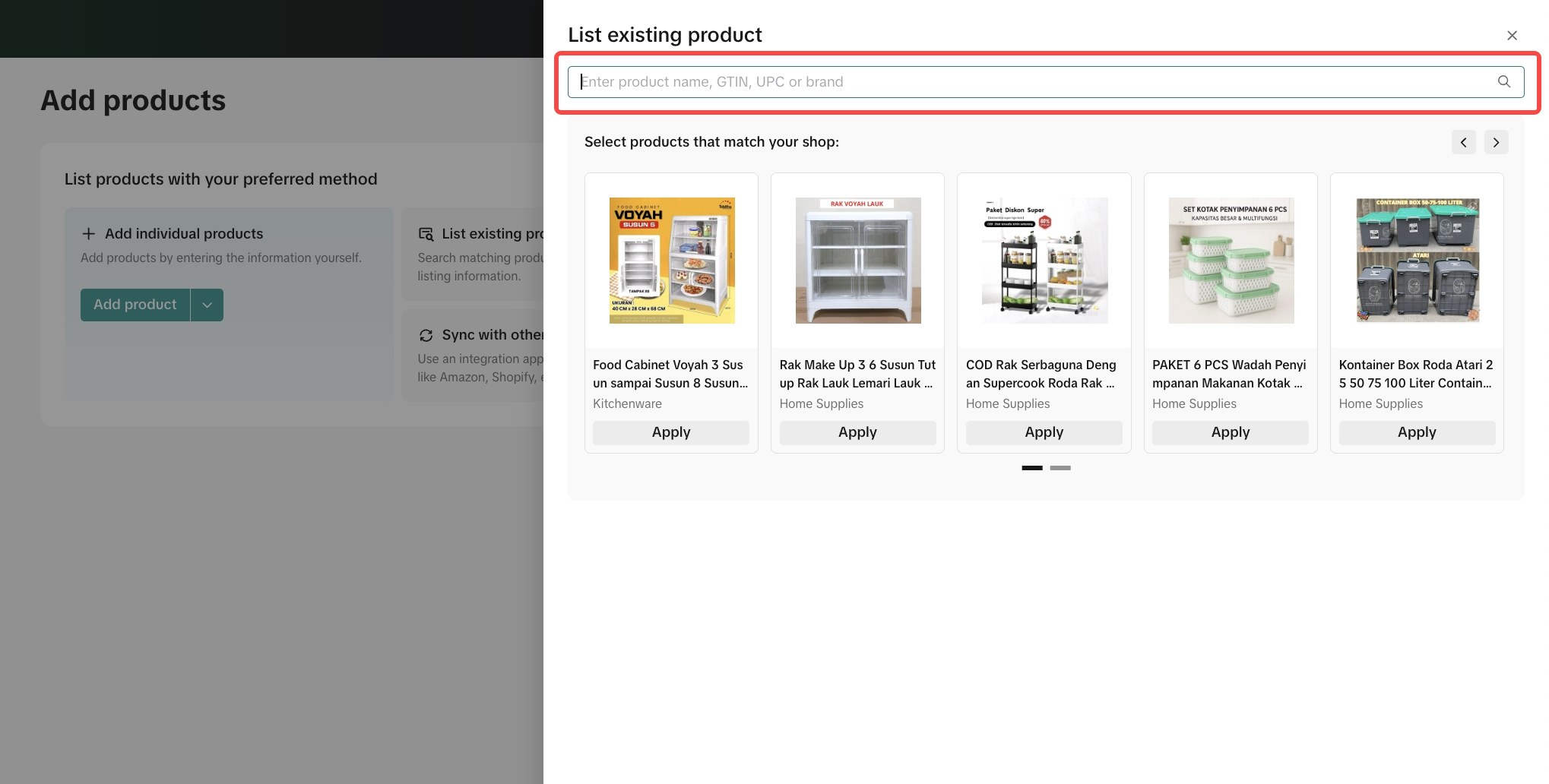
- เลือก "ลงรายการสินค้าที่มีอยู่" ในหน้า "เพิ่มสินค้า"
- ในแถบเครื่องมือ ให้ค้นหาสินค้าที่ต้องการคัดลอก โดยพิมพ์คีย์เวิร์ด (ชื่อสินค้าหรือชื่อแบรนด์) คลิก Enter เพื่อค้นหา
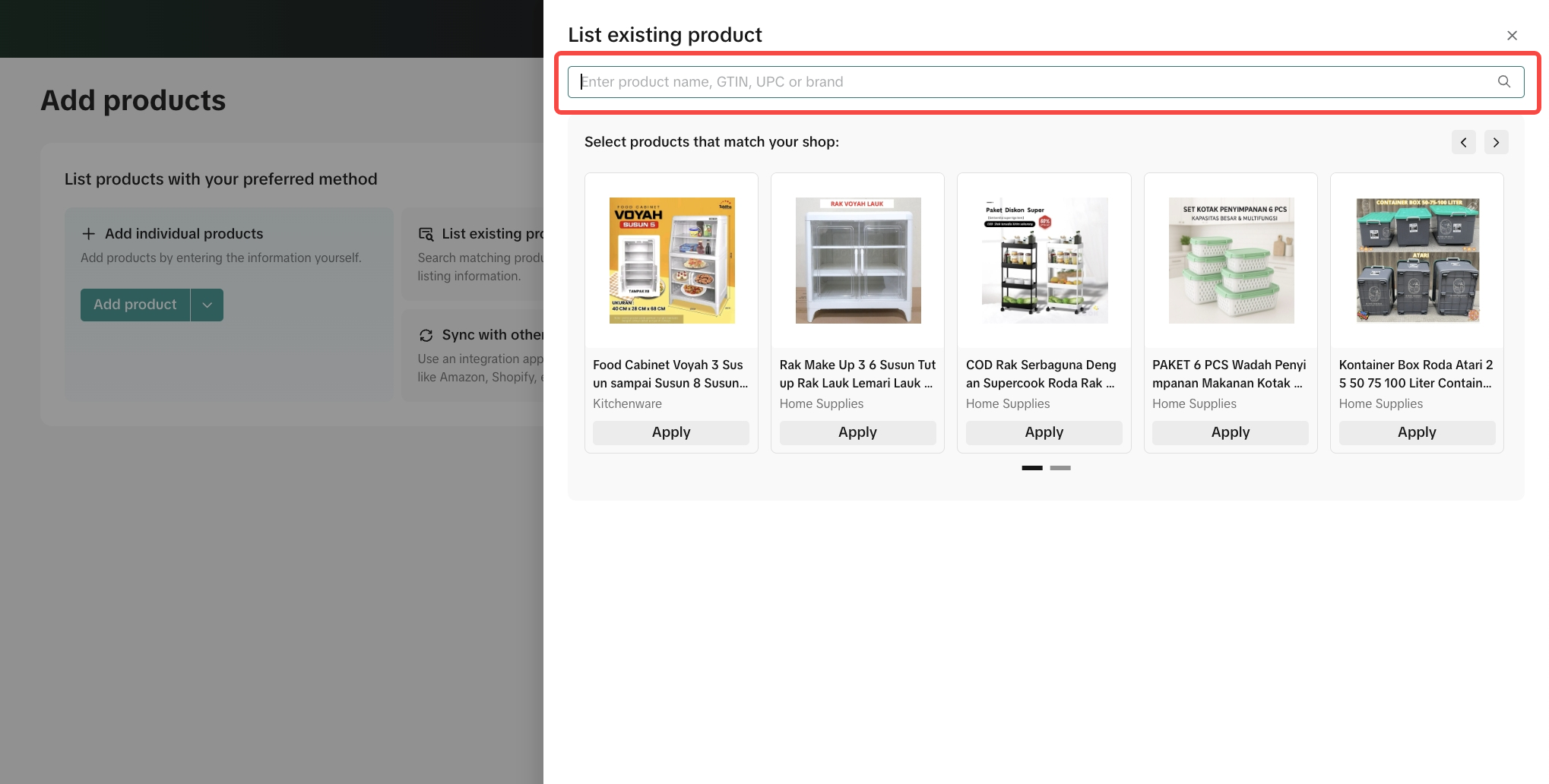
- จากผลการค้นหา ให้เลือกสินค้าที่ต้องการ คลิกใช้ เพื่อคัดลอกข้อมูลสินค้าดังกล่าวลงในแบบฟอร์มรายการสินค้าใหม่ของคุณโดยตรง จากนั้นคลิกยอมรับ ลงรายการสินค้าให้สมบูรณ์ต่อจากจุดนี้
- ตรวจสอบและแก้ไขข้อมูลที่คัดลอกมาลงในรายการสินค้าของคุณ
- กรอกรายละเอียดจำเป็นที่เหลือที่ระบบไม่ได้ใส่มาให้ล่วงหน้าดังนี้
- ข้อมูลขนาด
- ข้อมูลราคาและจำนวน
- ข้อมูลการปฏิบัติตามกฎระเบียบ เช่น ใบรับรองที่จำเป็น (หากมีการแจ้งเตือน) หรือคุณลักษณะของสินค้า
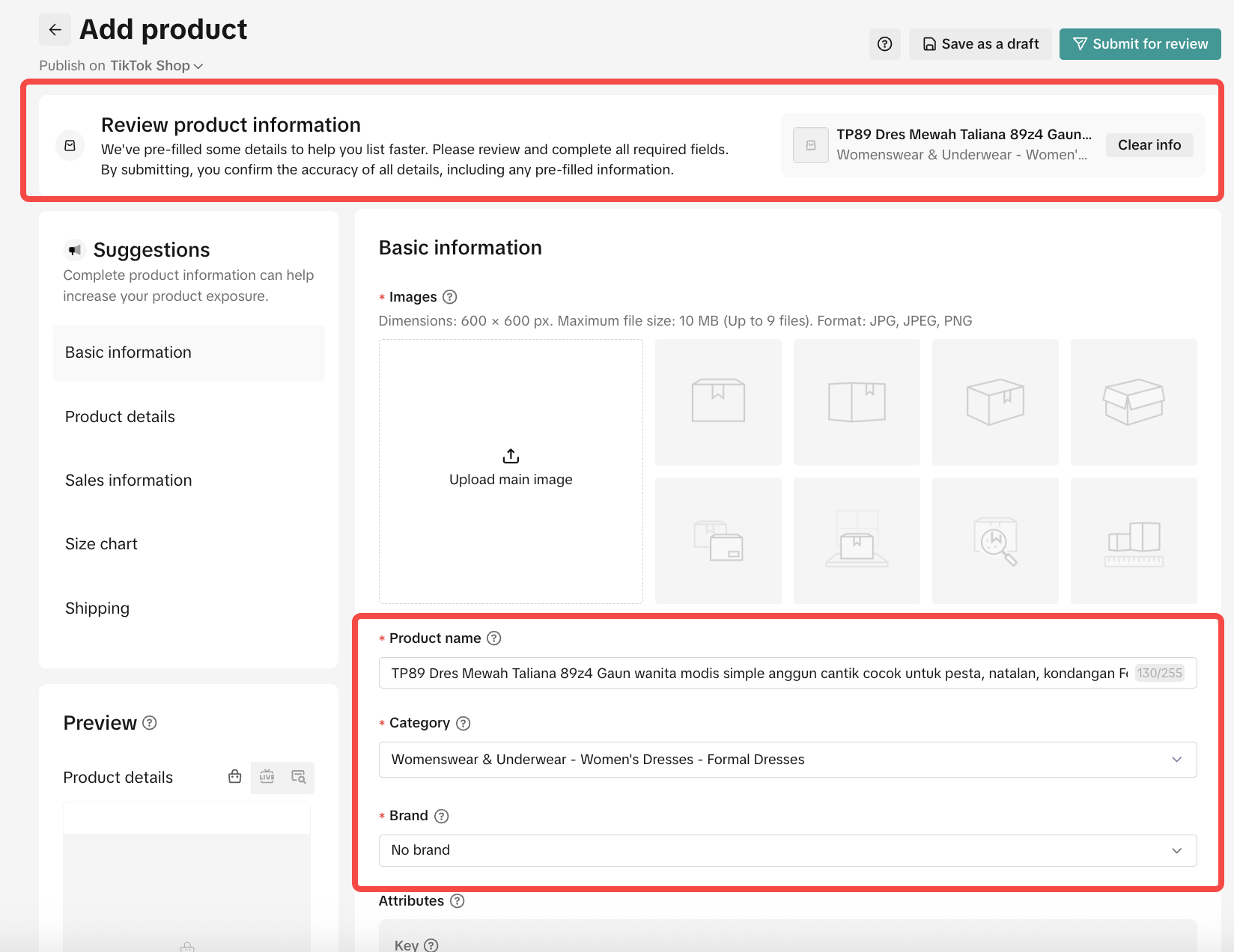
- เมื่อเสร็จแล้ว ให้คลิกส่งให้ตรวจสอบ เพื่อดำเนินการขั้นสุดท้ายและเผยแพร่รายการสินค้าของคุณ

คำถามที่พบบ่อย
- จะทำอย่างไรหากฉันต้องการคัดลอกสินค้าที่มีแบรนด์ แต่ไม่ได้รับอนุญาตให้ใช้แบรนด์
- หากไม่ได้รับอนุญาตให้ใช้แบรนด์สำหรับสินค้าที่ต้องการ คุณจะไม่สามารถคัดลอกข้อมูลสินค้านั้นได้ หากต้องการดำเนินการต่อ ให้ยื่นขออนุญาตใช้แบรนด์
- ทำไมฉันจึงหาสินค้าที่ต้องการคัดลอกไม่เจอ
- หากสินค้าดังกล่าวจัดอยู่ในหมวดหมู่ที่ "ต้องได้รับคำเชิญเท่านั้น" ระบบจะกรองสินค้าจากหมวดหมู่ที่คุณยังไม่มีสิทธิ์เข้าถึงออกไป หากต้องการแก้ไขปัญหาดังกล่าว คุณต้องยื่นขอสิทธิ์เข้าถึงหมวดหมู่
- ฉันสามารถแก้ไขข้อมูลสินค้าที่คัดลอกมาได้หรือไม่
- ได้ คุณสามารถแก้ไขข้อมูลที่คัดลอกมา เพื่อปรับให้เข้ากับความต้องการในการลงรายการสินค้าของคุณได้ดียิ่งขึ้น
Anda mungkin juga tertarik
- 1 lesson
การเปลี่ยนเส้นทางทราฟฟิก(redirect traffic)คืออะไร?
การเปลี่ยนเส้นทางทราฟฟิก(redirect traffic)คืออะไร?

การวิเคราะห์ราคา
ฟีเจอร์นี้จะช่วยให้ผู้ขายรู้จักกลยุทธ์ในการตั้งราคาสินค้าใน TikTok Shop และได้ประโยชน์จากยอดการเข้าช…

การละเมิดเครื่องหมายการค้า
การละเมิดเครื่องหมายการค้า TikTok Shop เคารพสิทธิ์ในทรัพย์สินทางปัญญา (Intellectual Property: IP) ขอ…

การเสนอราคา
ฟีเจอร์นี้จะช่วยให้ผู้ขายสามารถดูสินค้าที่กำลังได้รับความนิยมในตลาด และมีโอกาสที่จะได้รับสิทธิประโยช…

เครื่องมือแก้ไขรายการสินค้าและรูปภาพ
เครื่องมือแก้ไขรูปภาพ เครื่องมือแก้ไขรูปภาพสินค้าใหม่นี้ช่วยให้ผู้ขายสามารถถ่ายภาพสินค้าได้อย่างต่อเ…

การจัดการสินค้าคงคลัง
บทความนี้จะอธิบายวิธีการจัดการสินค้าคงคลัง ตรวจสอบสถานะสินค้า และตั้งเตือนให้คุณอัปเดตสต็อกสินค้าของ…

เพิ่มและจัดการสินค้า
ในบทความนี้ คุณจะได้เรียนรู้วิธีจัดการสินค้าของคุณใน TikTok Shop อย่างราบรื่น การจัดการสินค้าของคุณถ…

แนวทางปฏิบัติสำหรับสินค้าไม่ตรงตามคำสั่งซื้อหรือที่ระบุในราย…
1. ภาพรวม 1.1 บทนํา แนวทางปฏิบัติสำหรับสินค้าไม่ตรงตามคำสั่งซื้อหรือที่ระบุในรายละเอียด (Significan…

การเลือกหมวดหมู่สินค้า
การเลือกหมวดหมู่สินค้า การเลือกหมวดหมู่สินค้าและหมวดหมู่ย่อยที่ถูกต้อง จะช่วยเพิ่มการเข้าถึงและความส…

เครื่องมือตารางขนาด
ในบทความนี้ คุณจะได้เรียนรู้เกี่ยวกับข้อกำหนดตารางขนาดของ TikTok Shop และฟีเจอร์ใน Seller Center ที่…