

เครื่องมือแก้ไขรายการสินค้าและรูปภาพ
14/05/2568
เครื่องมือแก้ไขรูปภาพ
ภาพรวม | การแสดงผล | การใช้งาน |
การถ่ายภาพสินค้า | 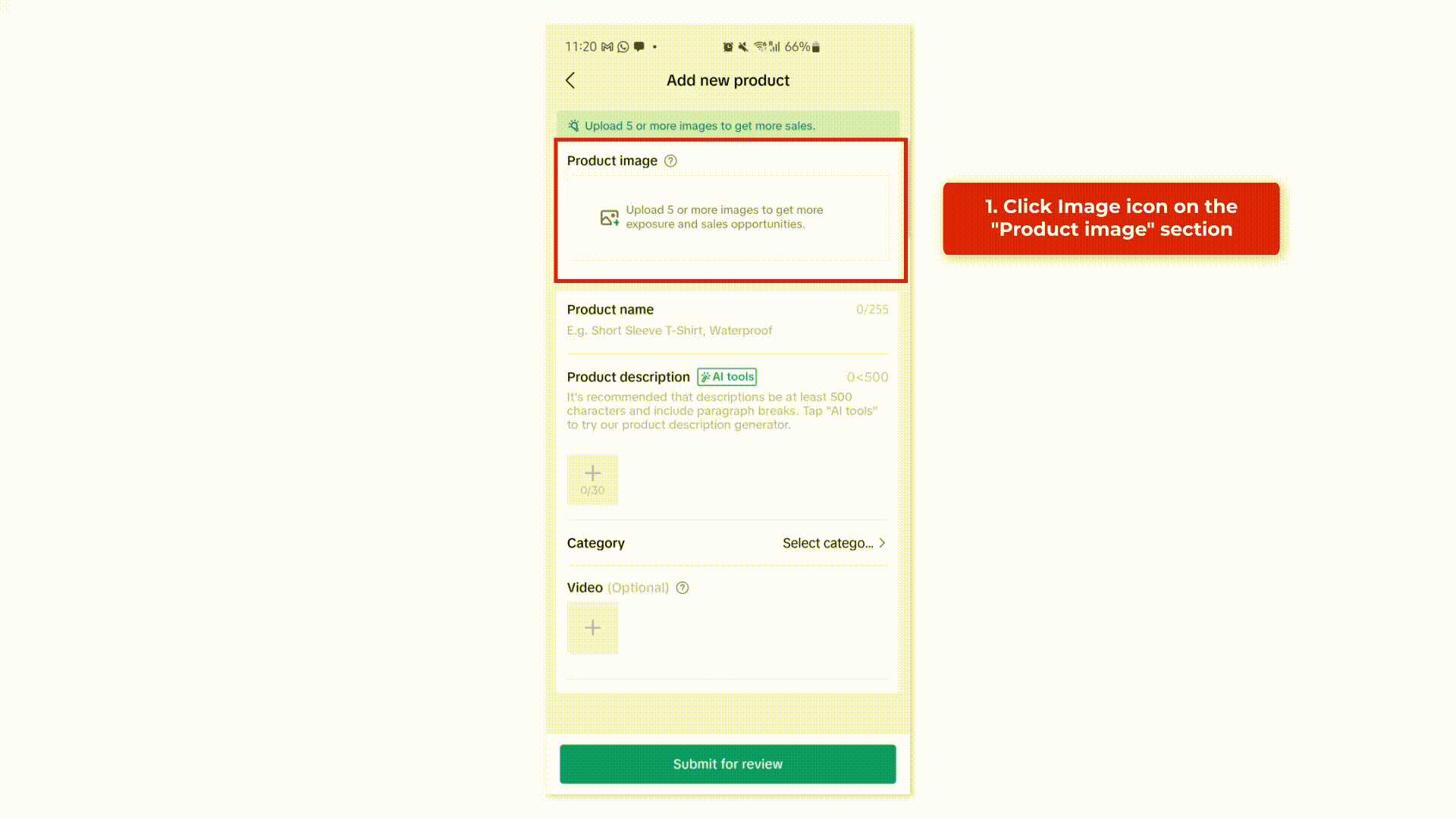 |
|
แก้ไขรูปภาพสินค้า | 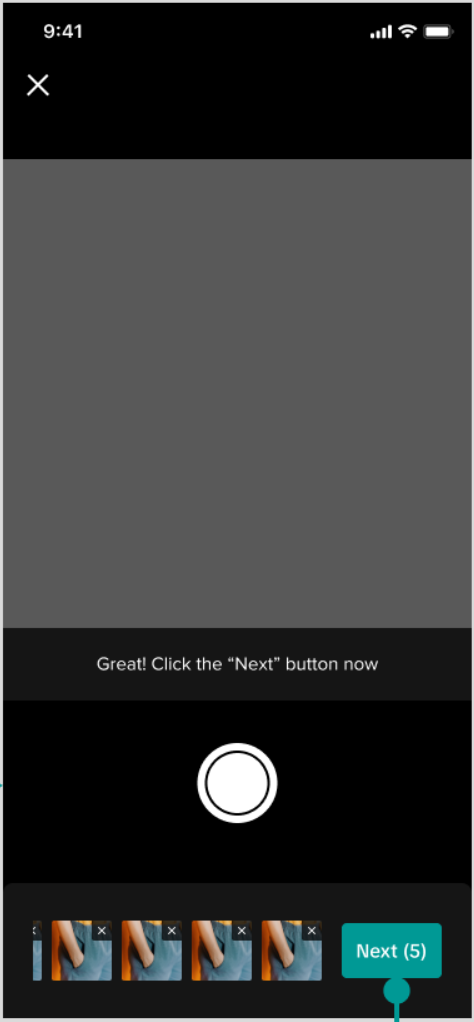 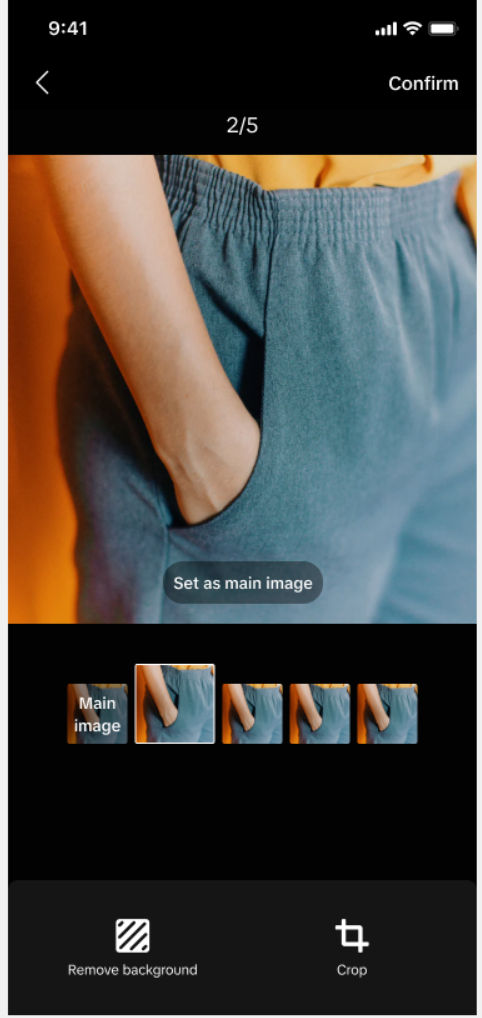 |
|

เครื่องมือแก้ไขรายการสินค้า
ฟังก์ชันแก้ไขข้อมูลสินค้าอย่างรวดเร็ว
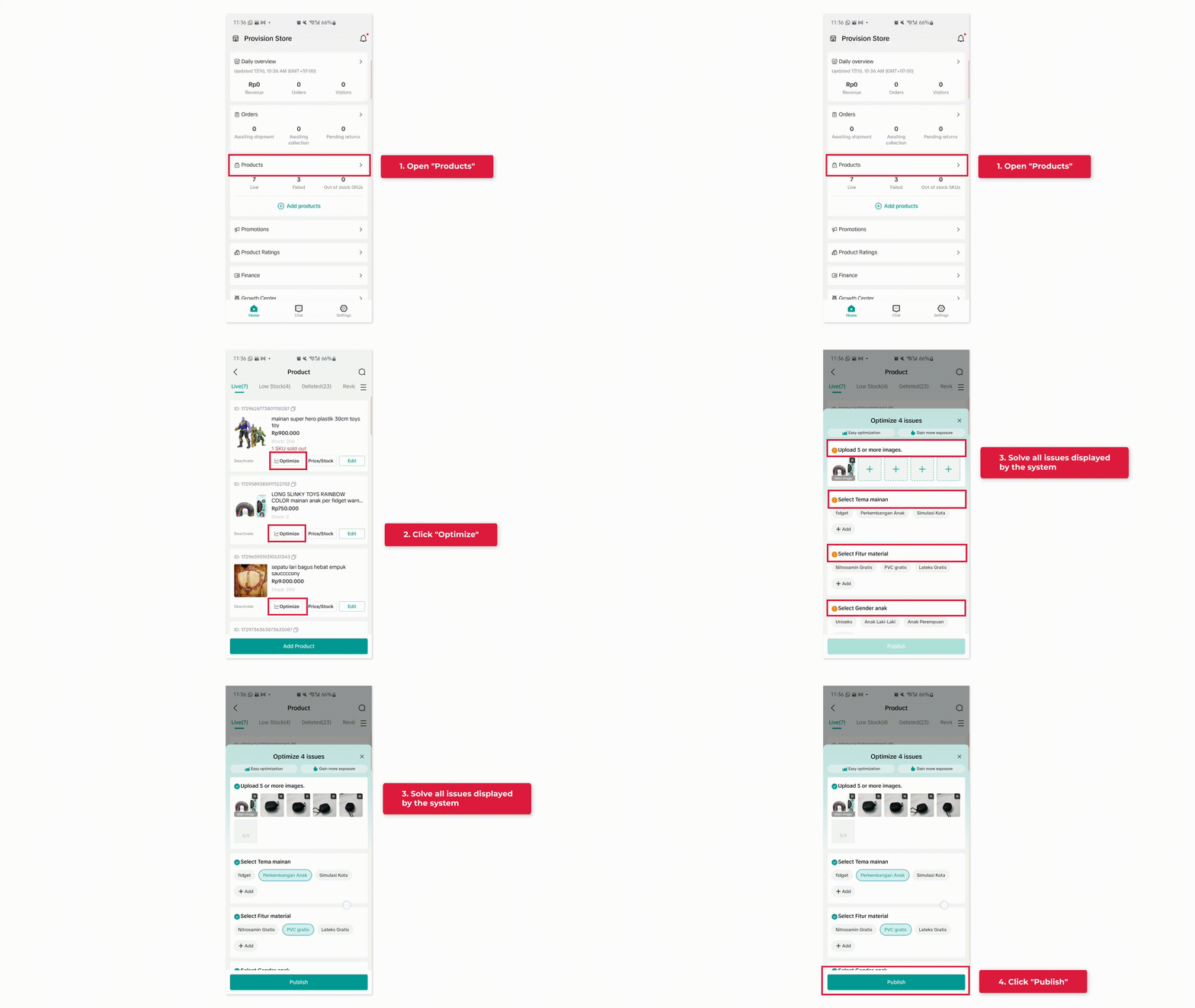
การอัปเดตหลัก
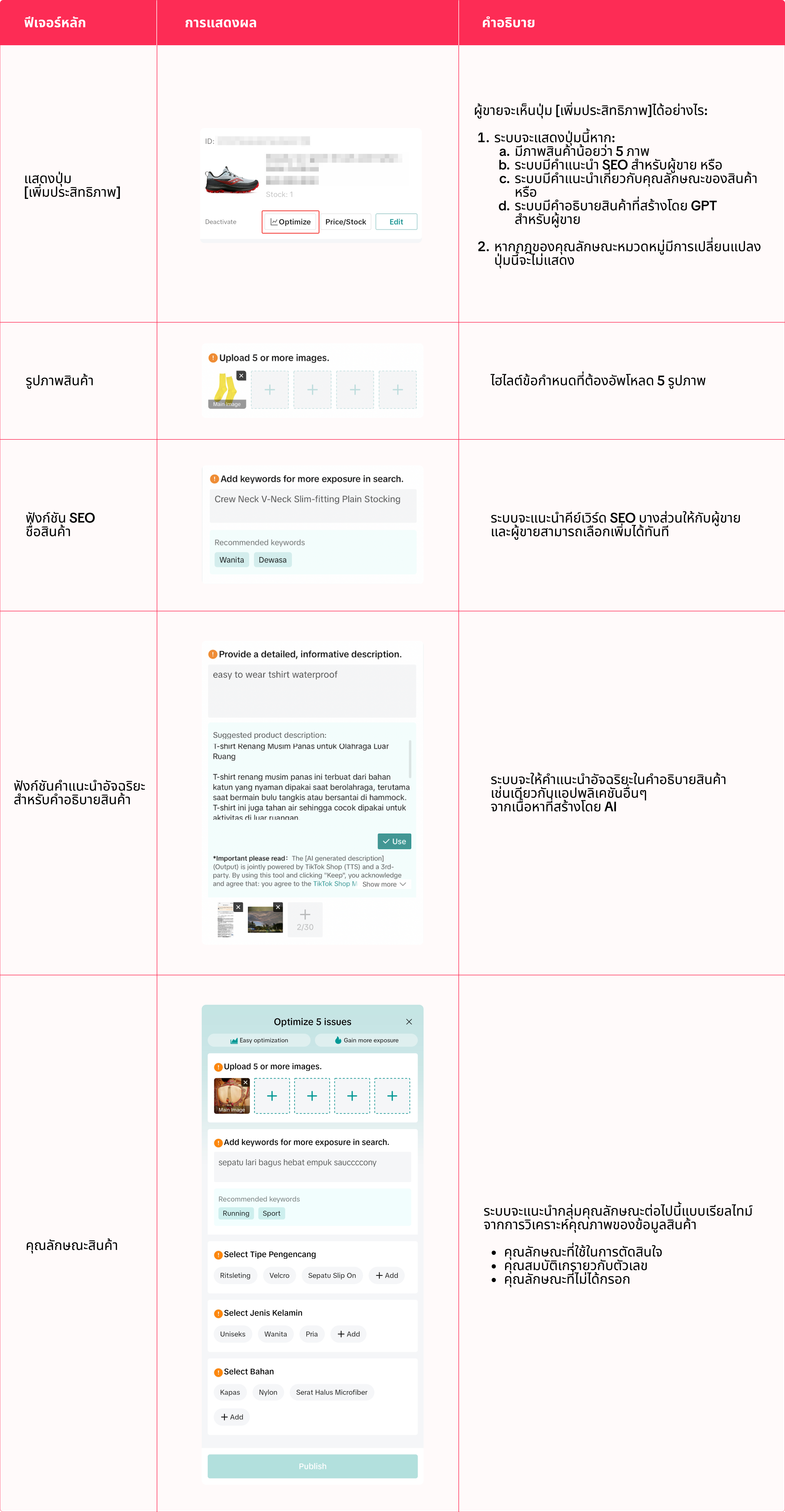

คำถามที่พบบ่อย
- การอัปโหลดรูปภาพเพิ่มเติมมีประโยชน์อย่างไร
- การปรับปรุงคุณภาพข้อมูลสินค้ามีประโยชน์อย่างไร
- จากการวิเคราะห์ข้อมูลภายในของ TikTok Shop สินค้าที่มีคุณภาพข้อมูลสินค้าดีกว่าจะมีอัตราคอนเวอร์ชันที่ดีกว่า
- ฉันจำเป็นต้องเพิ่มประสิทธิภาพข้อมูลทั้งหมดที่แสดงในหน้าแก้ไขด่วนหรือไม่
- เหตุใดฉันจึงไม่เห็นปุ่ม [เพิ่มประสิทธิภาพ] อีกครั้ง
- อาจมีทริกเกอร์บางอย่างที่เกิดขึ้นจากระบบ ดังนั้นจึงไม่จำเป็นต้องเพิ่มประสิทธิภาพสินค้าบางรายการ
- เมื่อผู้ขายทำการเพิ่มประสิทธิภาพบางส่วนเสร็จแล้ว ปุ่มจะหายไป
Có thể bạn cũng quan tâm về
- 1 lesson
สร้างรายการสินค้าอย่างไร ให้ถูกต้อง!
สร้างรายการสินค้าอย่างไร ให้ถูกต้อง!
- 1 lesson
การเปลี่ยนเส้นทางทราฟฟิก(redirect traffic)คืออะไร?
การเปลี่ยนเส้นทางทราฟฟิก(redirect traffic)คืออะไร?

การใช้การสนับสนุนจากแพลตฟอร์มอย่างผิดวิธี
การใช้การสนับสนุนจากแพลตฟอร์มอย่างผิดวิธีเกิดขึ้นเมื่อผู้ขายใช้สิทธิประโยชน์ที่ได้รับจากแพลตฟอร์มในท…

การเพิ่มสินค้าที่มีอยู่แล้วใน TikTok Shop
การทำให้สินค้าของคุณพร้อมขายเป็นขั้นตอนสำคัญสู่ความสำเร็จบนแพลตฟอร์มของเรา แม้ว่าเราจะมีหลายวิธีให้ค…

การวิเคราะห์ราคา
ฟีเจอร์นี้จะช่วยให้ผู้ขายรู้จักกลยุทธ์ในการตั้งราคาสินค้าใน TikTok Shop และได้ประโยชน์จากยอดการเข้าช…

การละเมิดเครื่องหมายการค้า
การละเมิดเครื่องหมายการค้า TikTok Shop เคารพสิทธิ์ในทรัพย์สินทางปัญญา (Intellectual Property: IP) ขอ…

การเสนอราคา
ฟีเจอร์นี้จะช่วยให้ผู้ขายสามารถดูสินค้าที่กำลังได้รับความนิยมในตลาด และมีโอกาสที่จะได้รับสิทธิประโยช…

การจัดการสินค้าคงคลัง
บทความนี้จะอธิบายวิธีการจัดการสินค้าคงคลัง ตรวจสอบสถานะสินค้า และตั้งเตือนให้คุณอัปเดตสต็อกสินค้าของ…

เพิ่มและจัดการสินค้า
ในบทความนี้ คุณจะได้เรียนรู้วิธีจัดการสินค้าของคุณใน TikTok Shop อย่างราบรื่น การจัดการสินค้าของคุณถ…

นโยบายต่อต้านการปลอมแปลงและสินค้าลอกเลียนแบบของ TikTok Shop
1. ภาพรวม TikTok Shop ไม่ยอมรับสินค้าปลอมหรือสินค้าลอกเลียนแบบ สินค้าที่เสนอขายบน TikTok Shop ต้องเป…