

Marketing Benefits Package - Payments
01/09/2026
This article introduces the different payment methods available for our Marketing Benefits Packages. To learn more about how to register for our Marketing Benefit Packages, please click here. 
The difference between Mixed Payment and Order Commission is:
Please refer to the "External Payment Method" section for more information on Cash Payment. 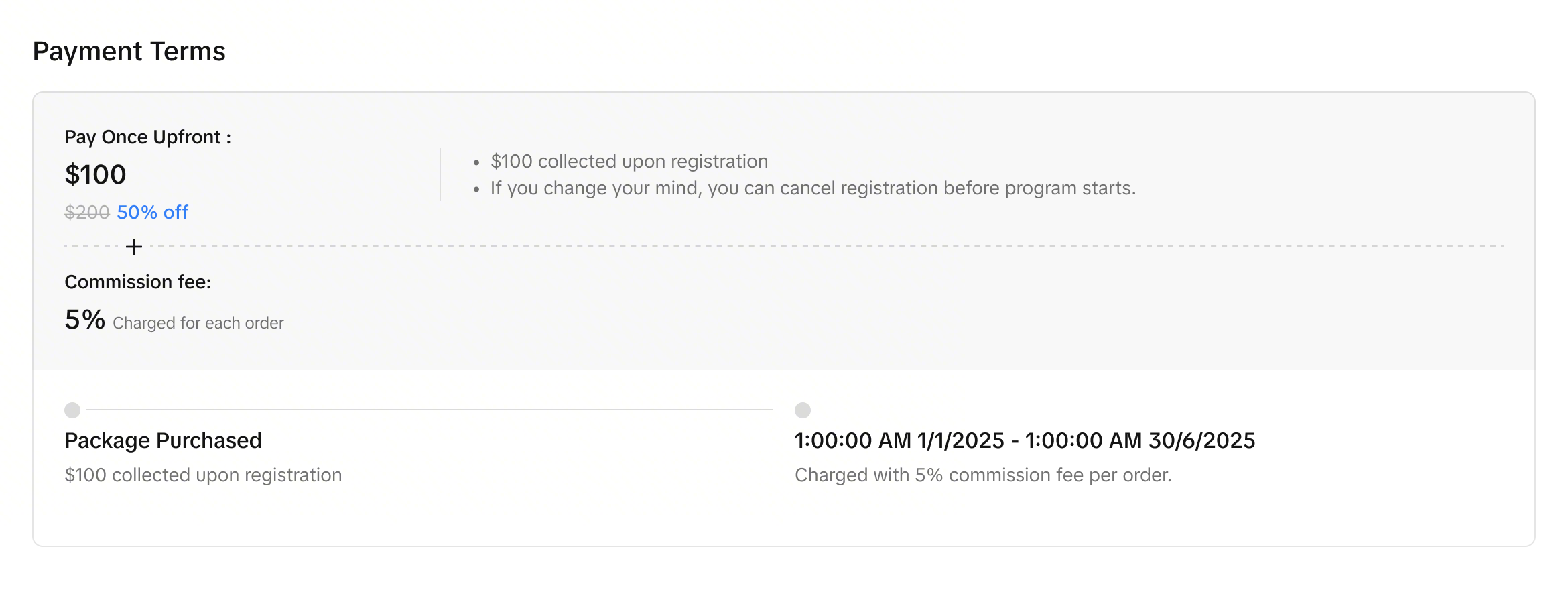
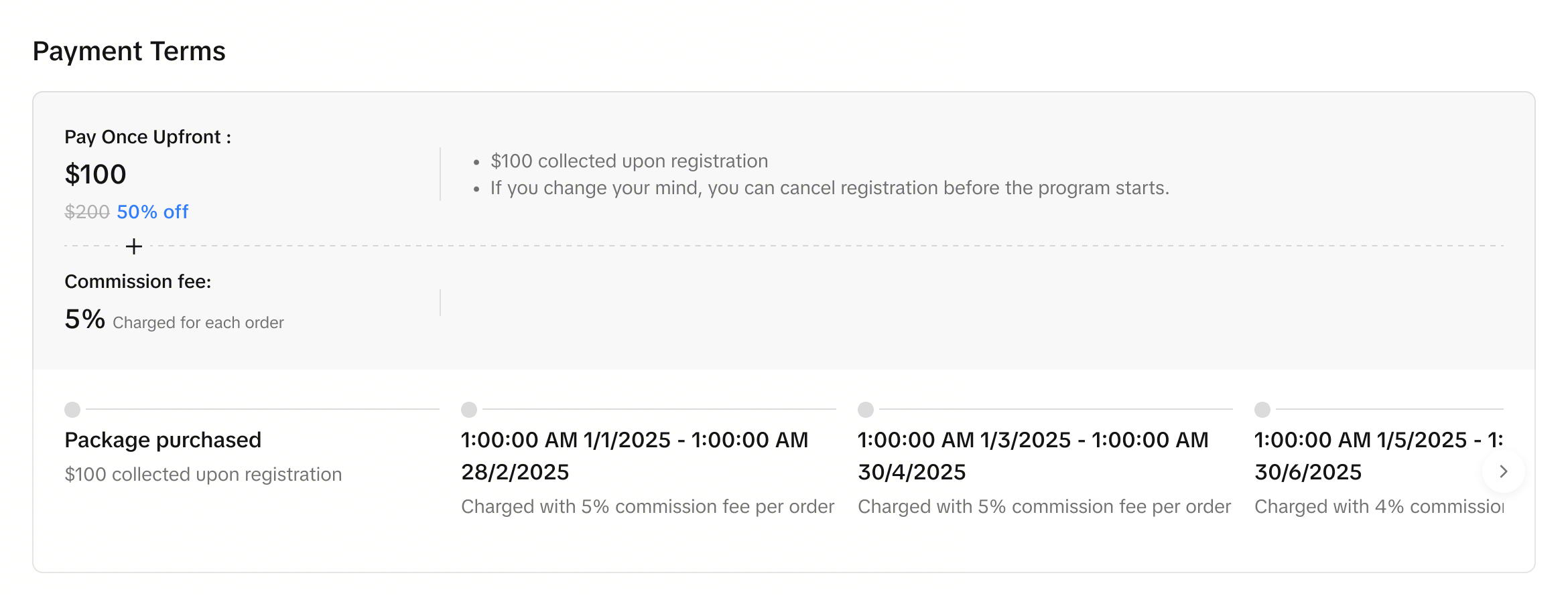
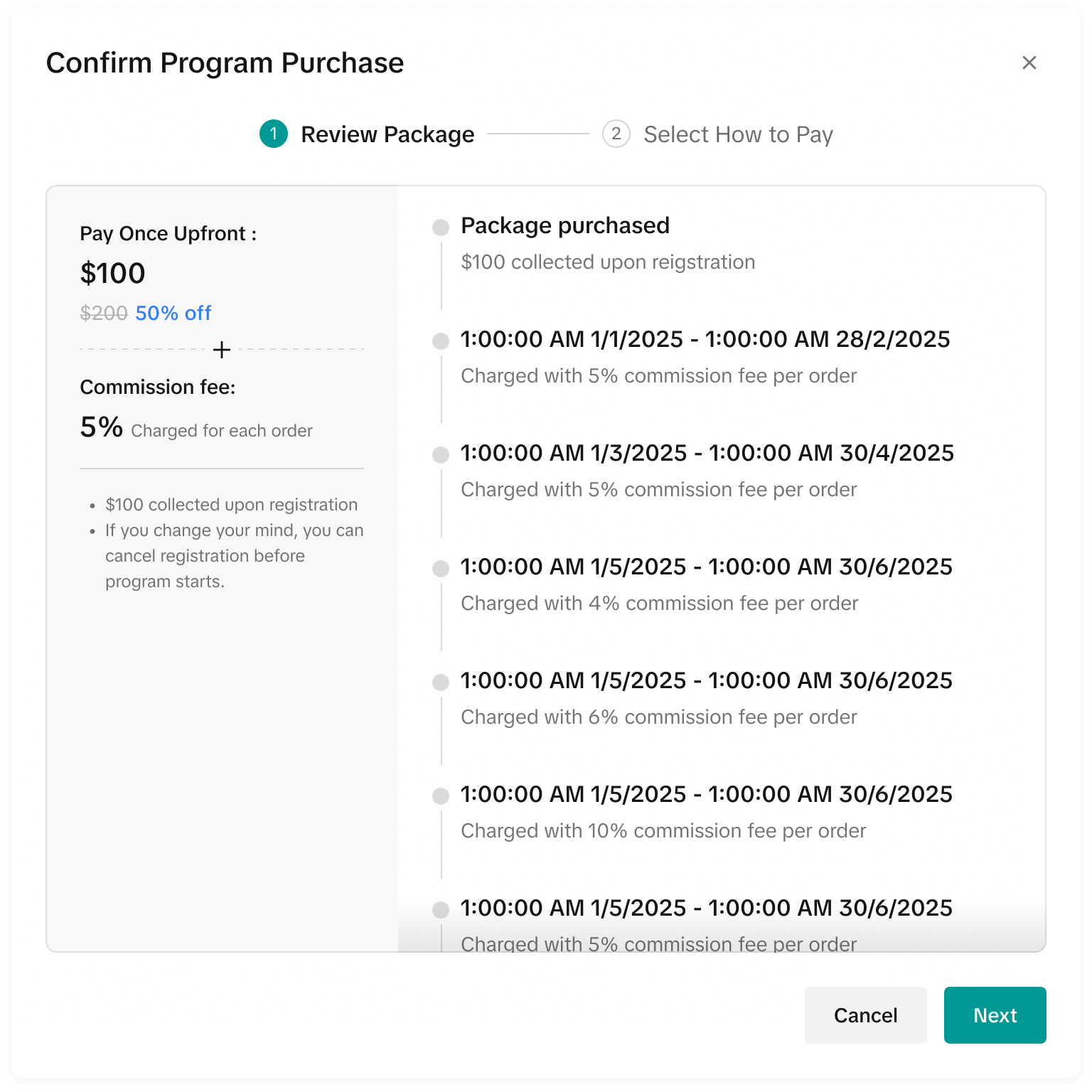
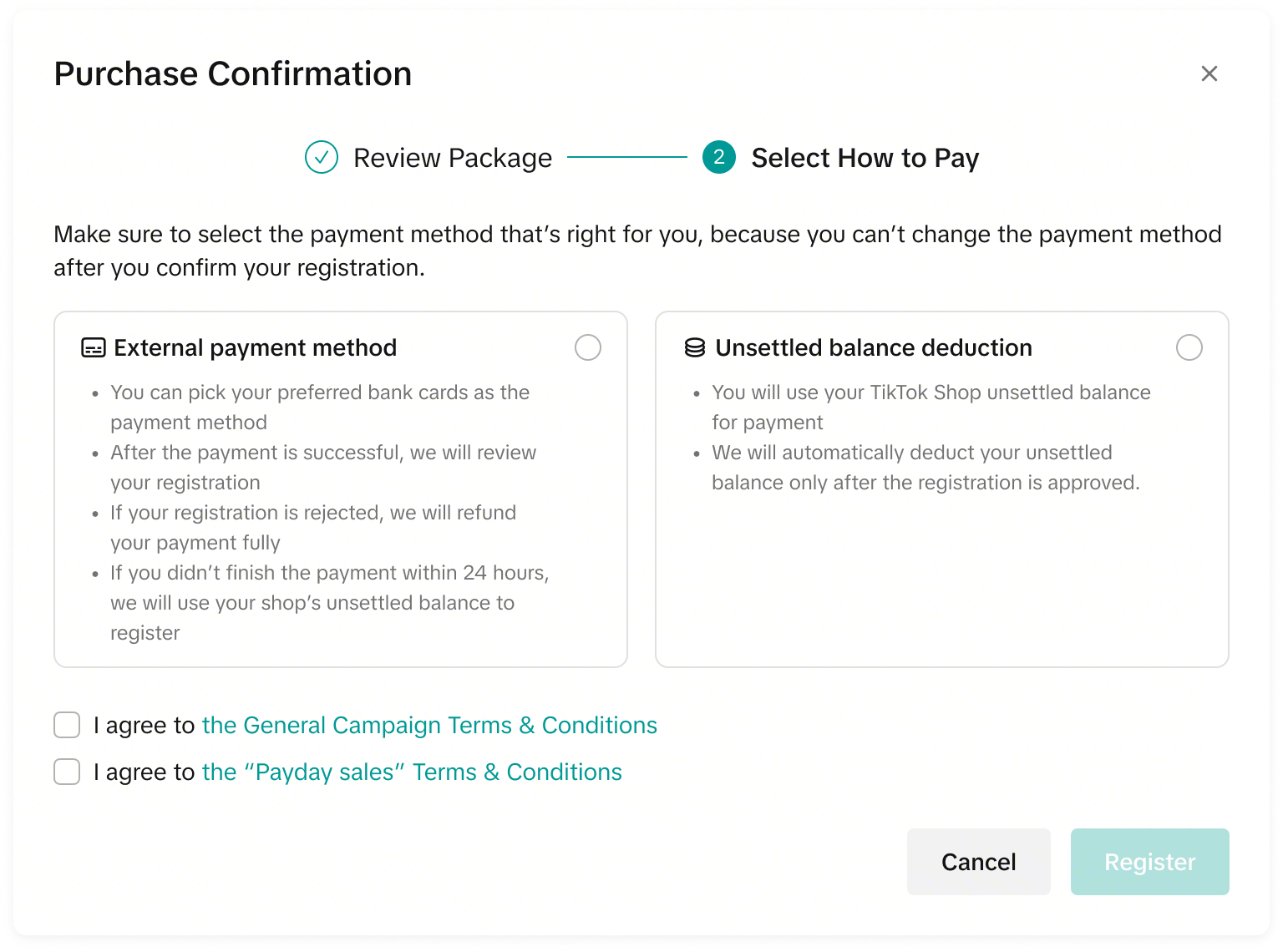
The seller can choose to pay via external payment method (Cash payment) or seller balance.
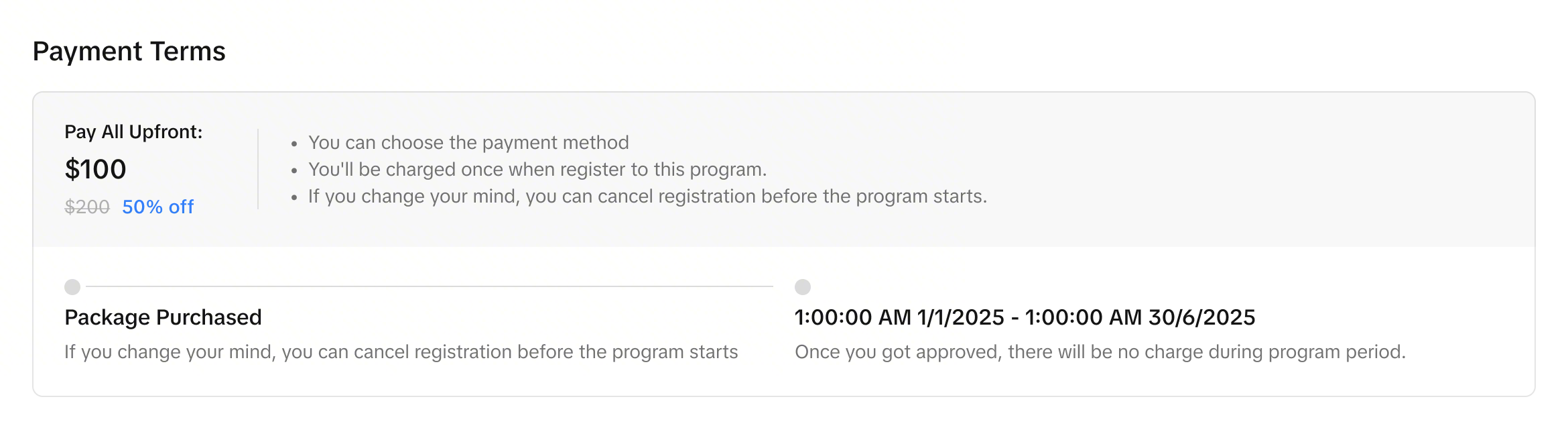
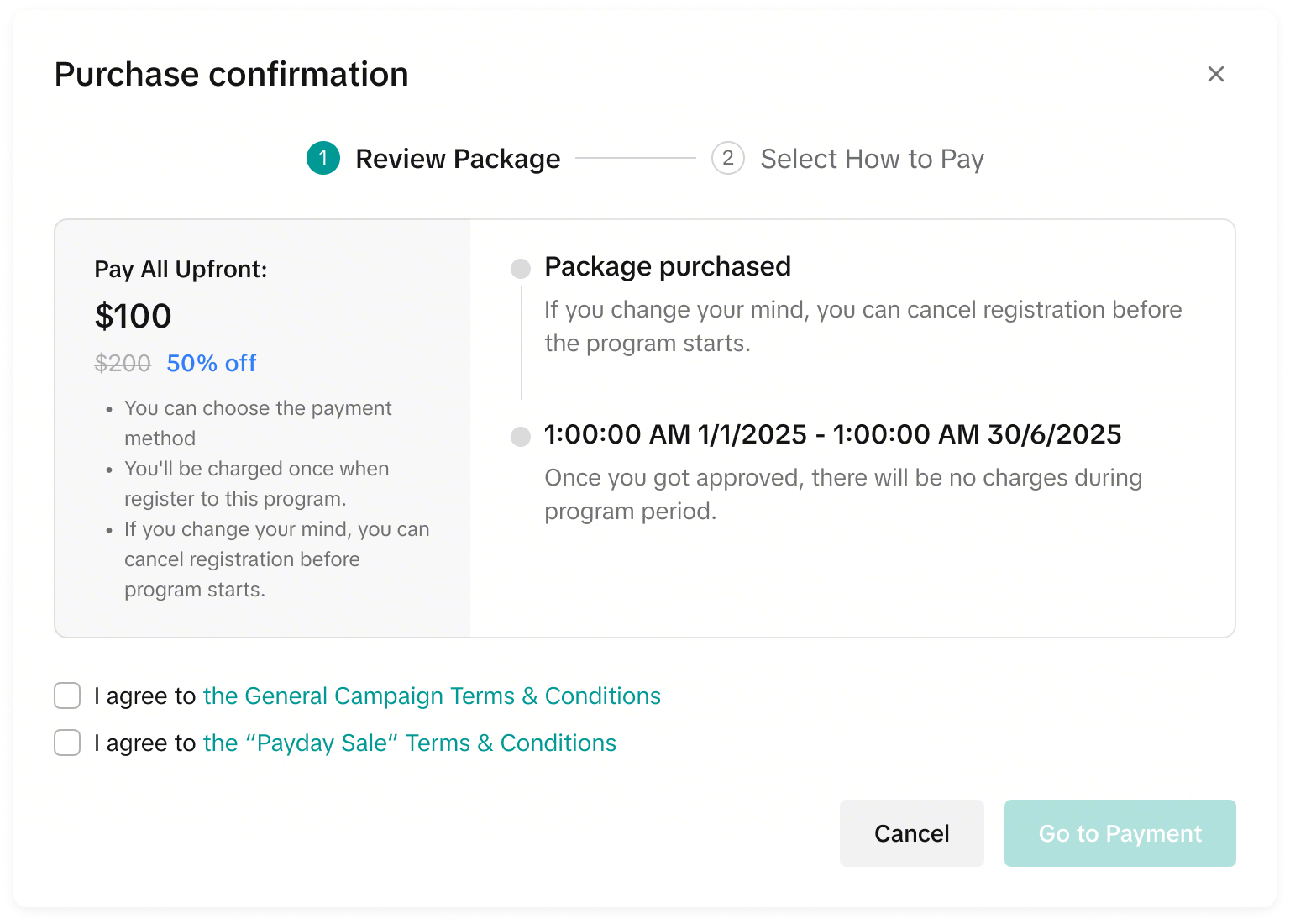
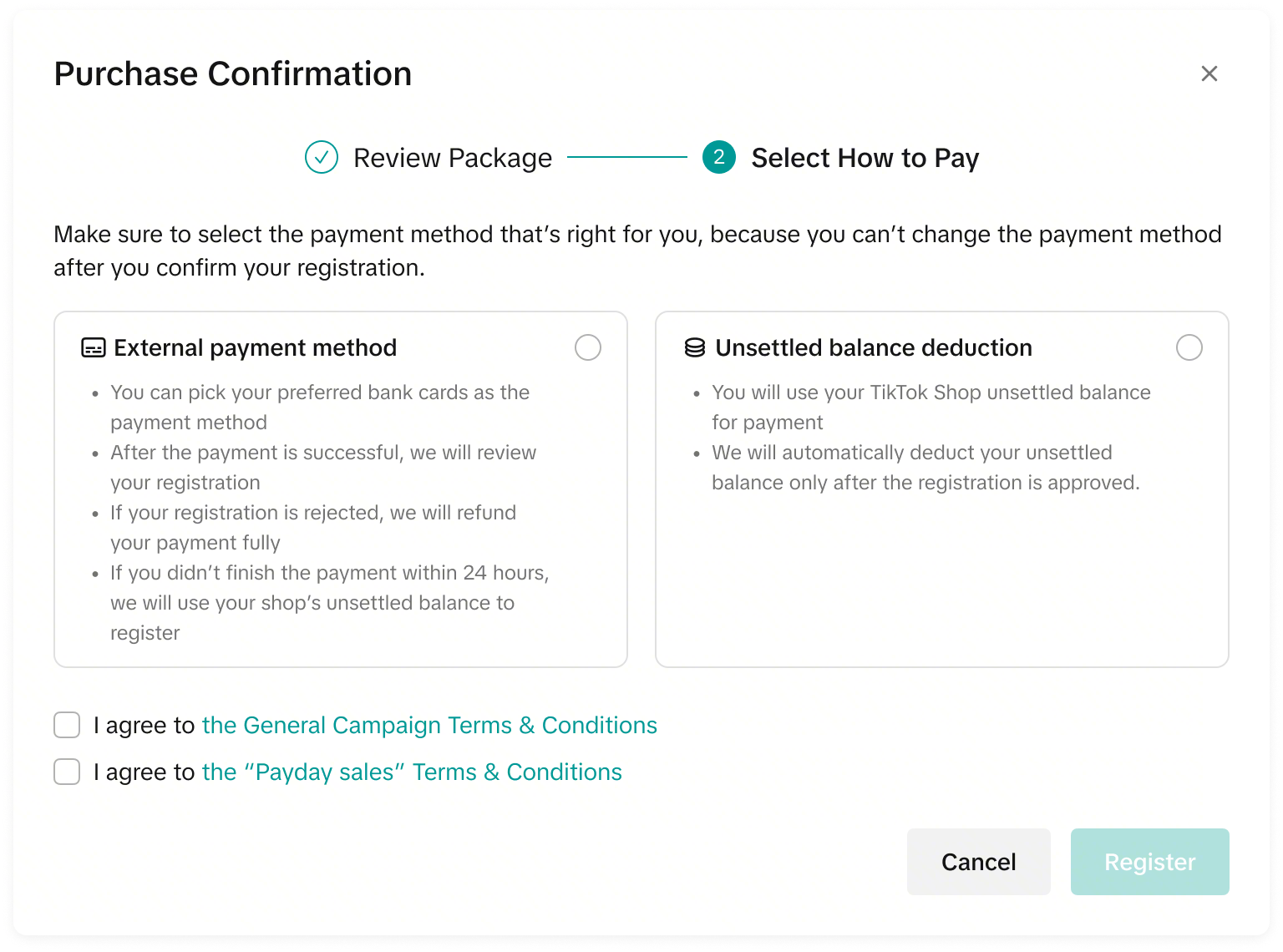
The seller cannot choose the deduction method. Only seller balance deduction is supported for the multiple-time charge payment method.

 Changing Payment Methods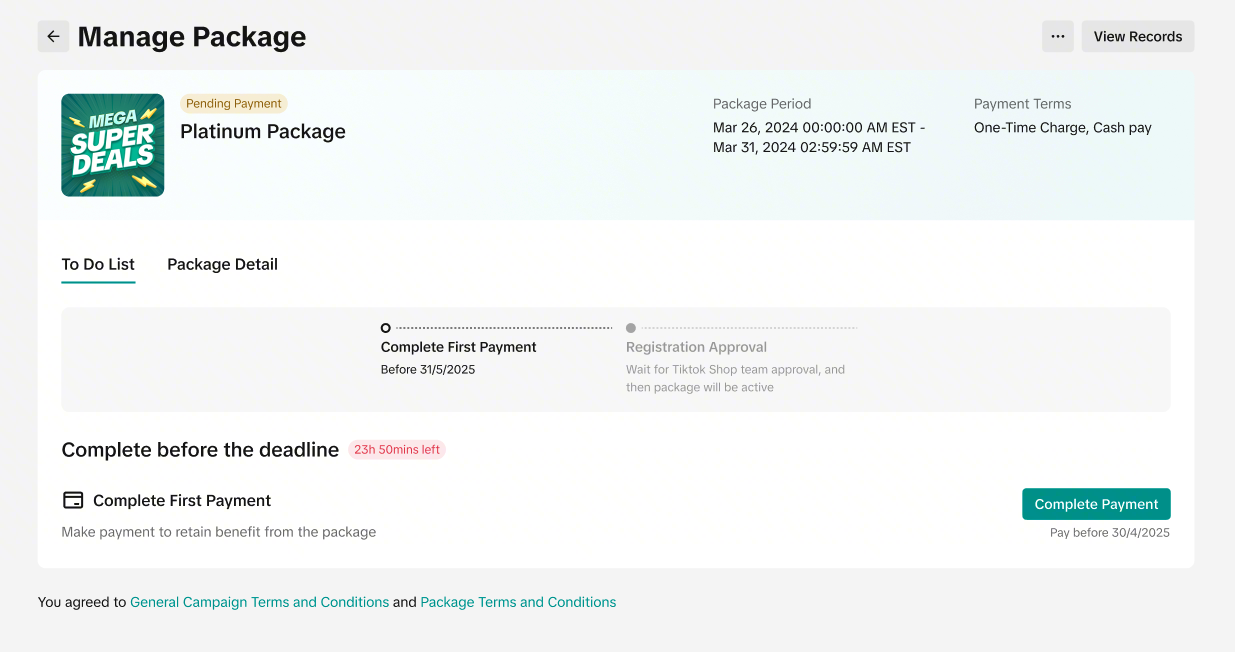

 The payment invoice varies by payment type. Please check below:
Take note for seller balance deductions: If you have purchased multiple packages within one invoice cycle, the "Package Service Fee" will be inclusive of all Package fees charged in the invoice cycle. To view each package transaction breakdown, please check your Settlement/Transaction Page. 
Refunds are not guaranteed and are at the platform's discretion. Take note: The only refund scenario that is supported is if the seller withdraws before package start date. (Applicable to Cash Pay payment terms only)
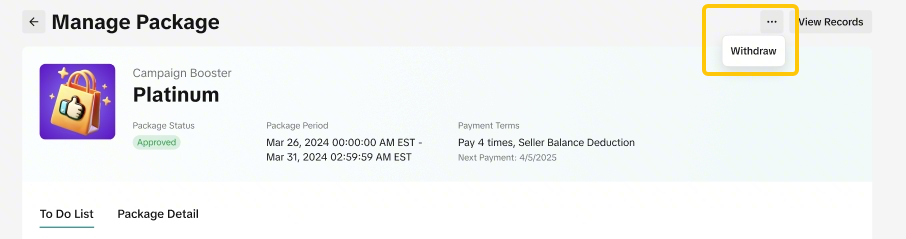
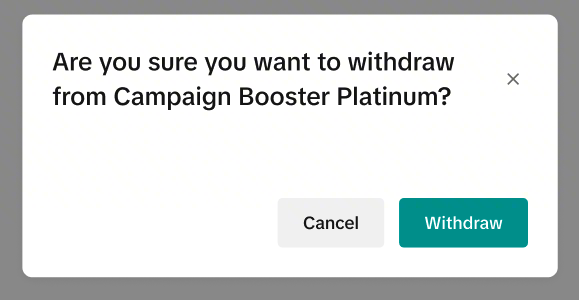 Based on package withdrawal rules, sellers may need to wait for platform to review their withdrawal request. Package status will be "Withdraw Under Review" Status. Once the withdrawal is approved, the package status will be "Expired".
Payment Methods for Marketing Benefits Package
Before you confirm your purchase, please review the Payment Methods and Terms & Conditions carefully.- The Marketing Benefits Package supports up to 6 types of payment terms, though availability may differ by market.
- Each package only supports one payment method and this is set by the platform. Sellers cannot change this payment method.
- On the package detail page, you can find the payment method, payment dates, and payment amount. Please check this information carefully before completing your purchase.
Order Commission, Single Period
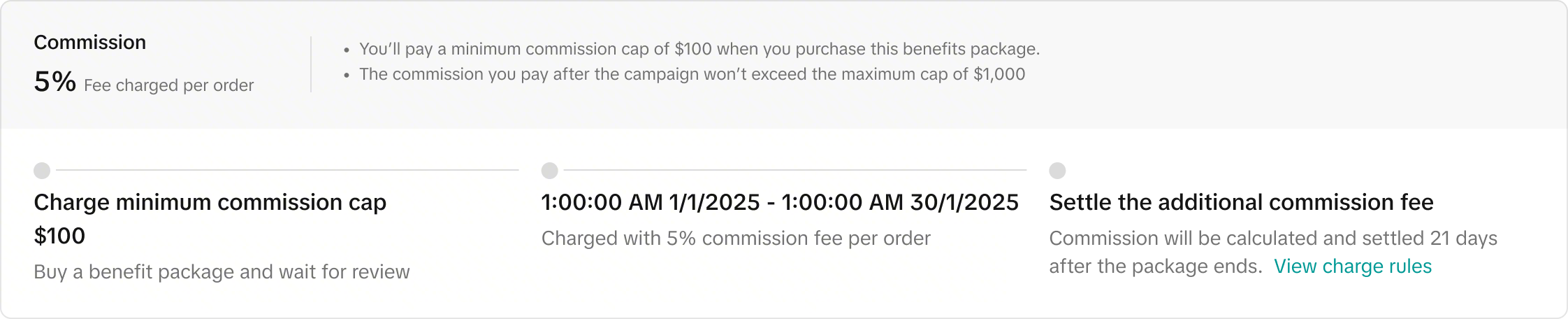
With the Order Commission, Single Period payment type, your package fee is charged as a percentage of all sales made during the package period. The final fee will depend on your order volume, with minimum and maximum limits applied| How the Fee is Calculated | The package fee is charged as a percentage of all completed sales made during the package periodUsing the above example:
|
| How the Fee is Deducted |
|
| When Seller Pays |
|
| Settlement Period |
|
Order Commission, Multiple Period
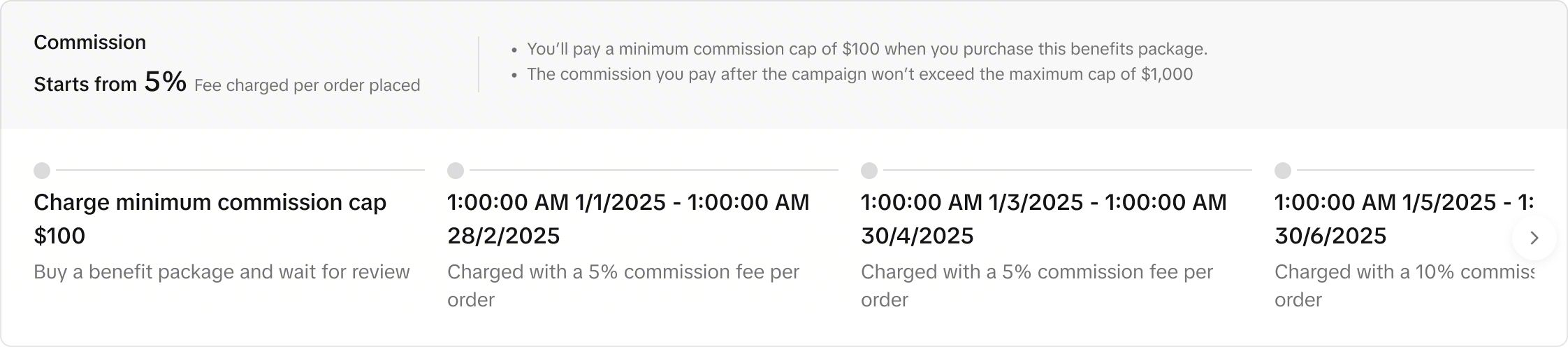
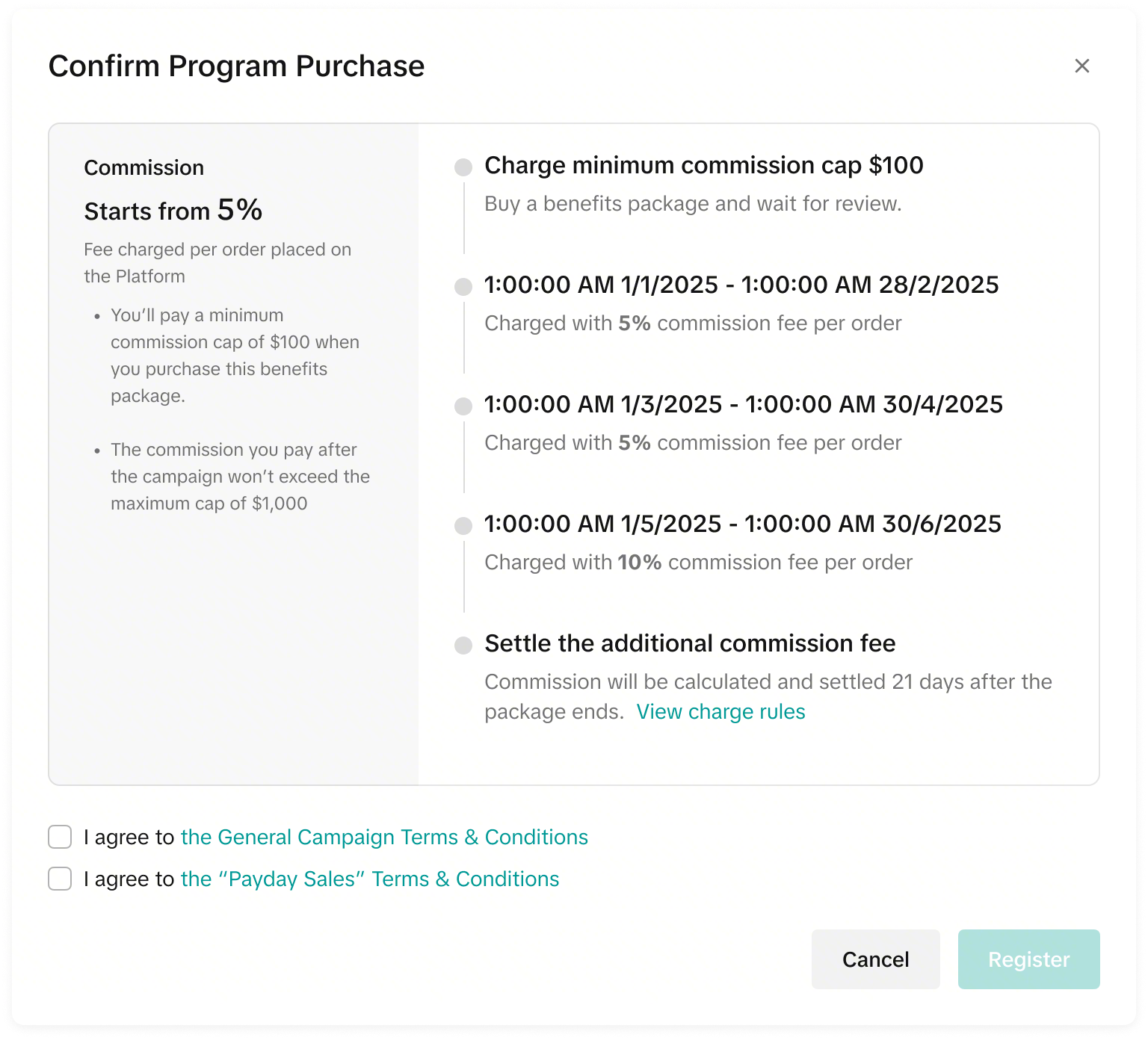
With the Order Commission, Multiple Period payment type, your package fee is charged as a percentage of all sales made during different package periods. The final fee will depend on your order volume, with minimum and maximum limits applied| How the Fee is Calculated | The package fee is charged as a percentage of all completed sales made during the different package periodUsing the above example:
|
| How the Fee is Deducted |
|
| When Seller Pays |
|
| Settlement Period |
|
Mix Pay, Single Period
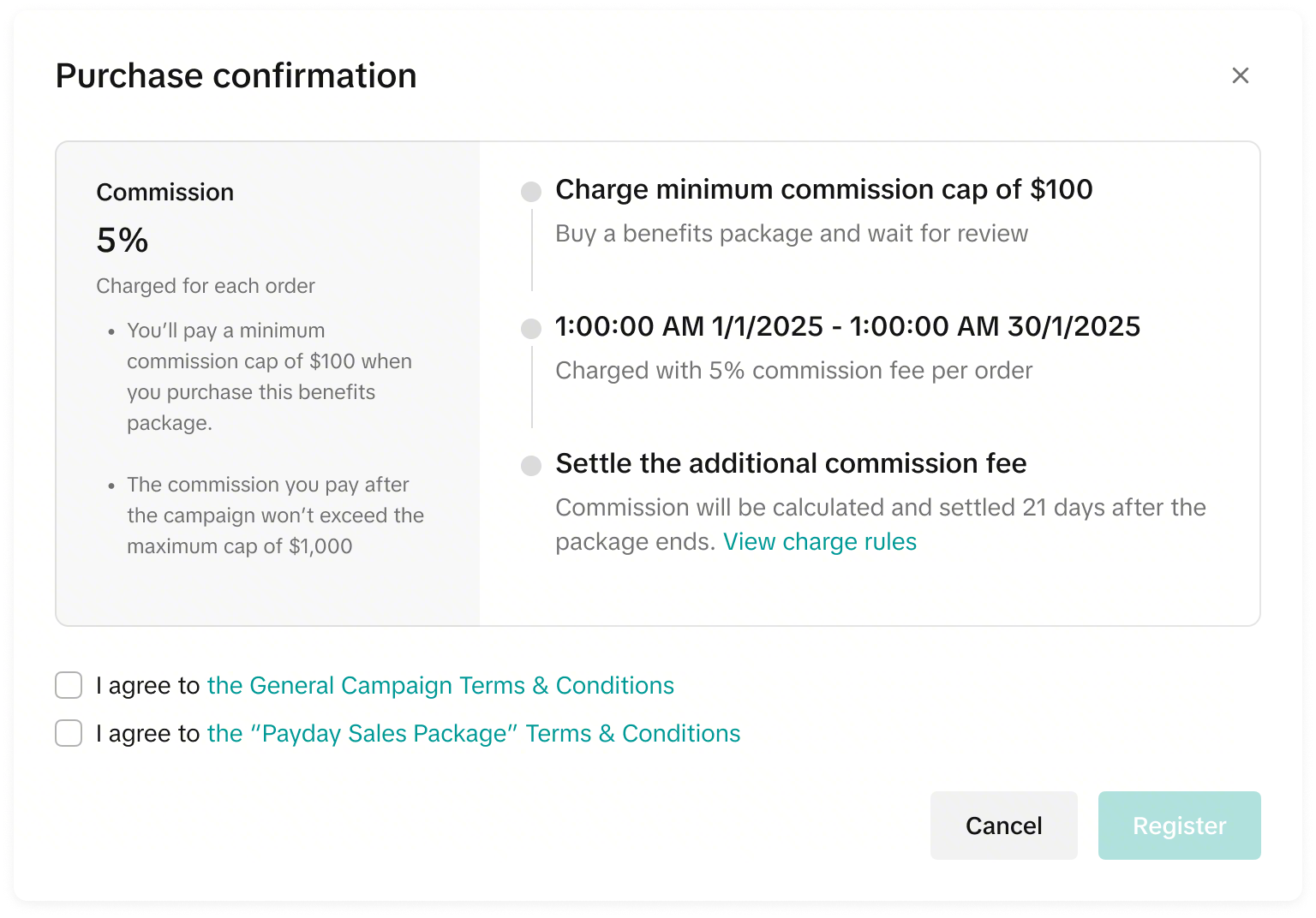
With the Mixed Payment, Single Period payment type, your package fee is charged as a percentage of all sales made during the single package periods. The final fee will depend on your order volume.The difference between Mixed Payment and Order Commission is:
| Payment Type | Minimum Cap Fee Deducted From: | Commission Calculation Logic: | Commission/ Package Fee Deducted from: | Maximum Cap Logic: |
| Order Commission | The seller can not choose. Only Seller Balance deduction is supported | Commission rate is calculated 21 days after package end date. | Additional package fee from commission will be deducted from the Seller Balance 21 days after package end date. | The seller will not pay above the maximum cap |
| Mixed Payment | The seller can choose. Both Seller Balance deduction and Cash Payment are supported | Commission rate is settled with each completed order that is created during package effective time period. (Similar to platform commission fee) | Additional package fees from commission will be deducted directly and settled with each order. (Similar to platform commission fee) | There is no maximum cap. Commission will be continously calculated from all settled orders that are created during package effective period. |
| How the Fee is Calculated | The total package fee is calculated as a percentage of all completed sales made during the package periodUsing the above example:
|
| How the Fee is Deducted |
|
| When Seller Pays |
|
Mix Pay, Multiple Period
With the Mixed Payment, Multiple Period payment type, your package fee is charged as a percentage of all sales made during the different package periods. The final fee will depend on your order volume.| How the Fee is Calculated | The total package fee is calculated as a percentage of all completed sales made during the different package periodUsing the above example:
|
| How the Fee is Deducted |
|
| When Seller Pays |
|
One-Time Charge
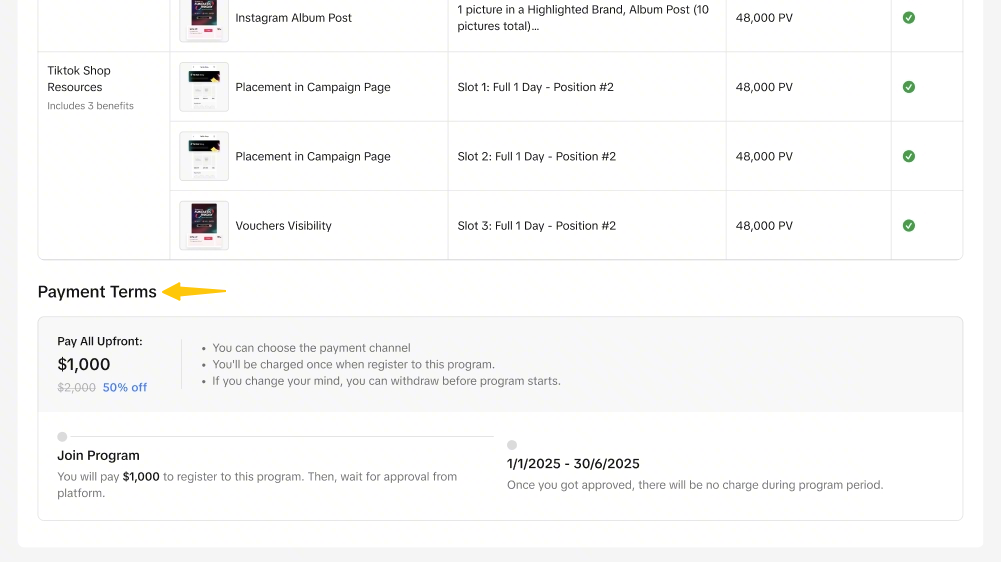
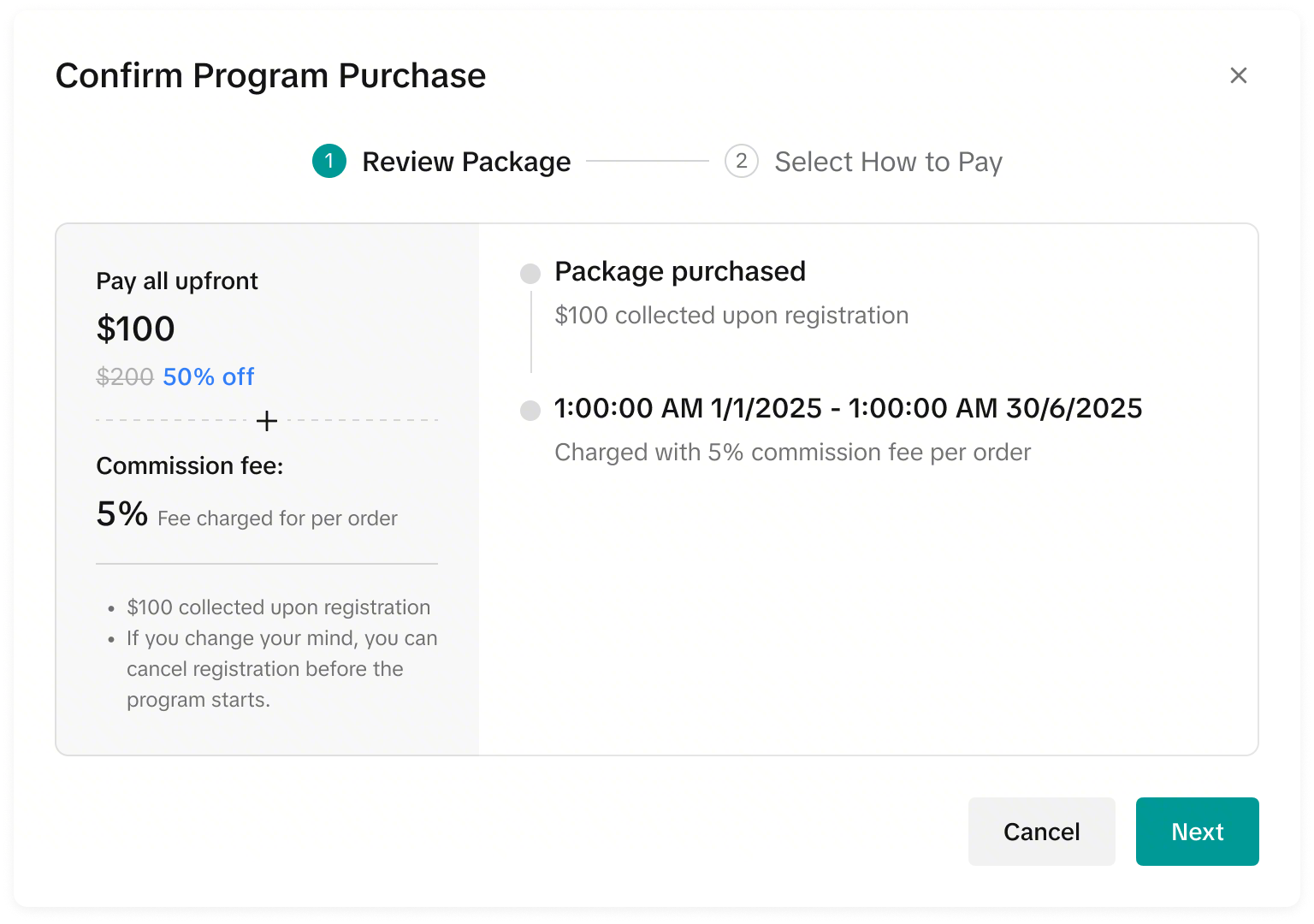
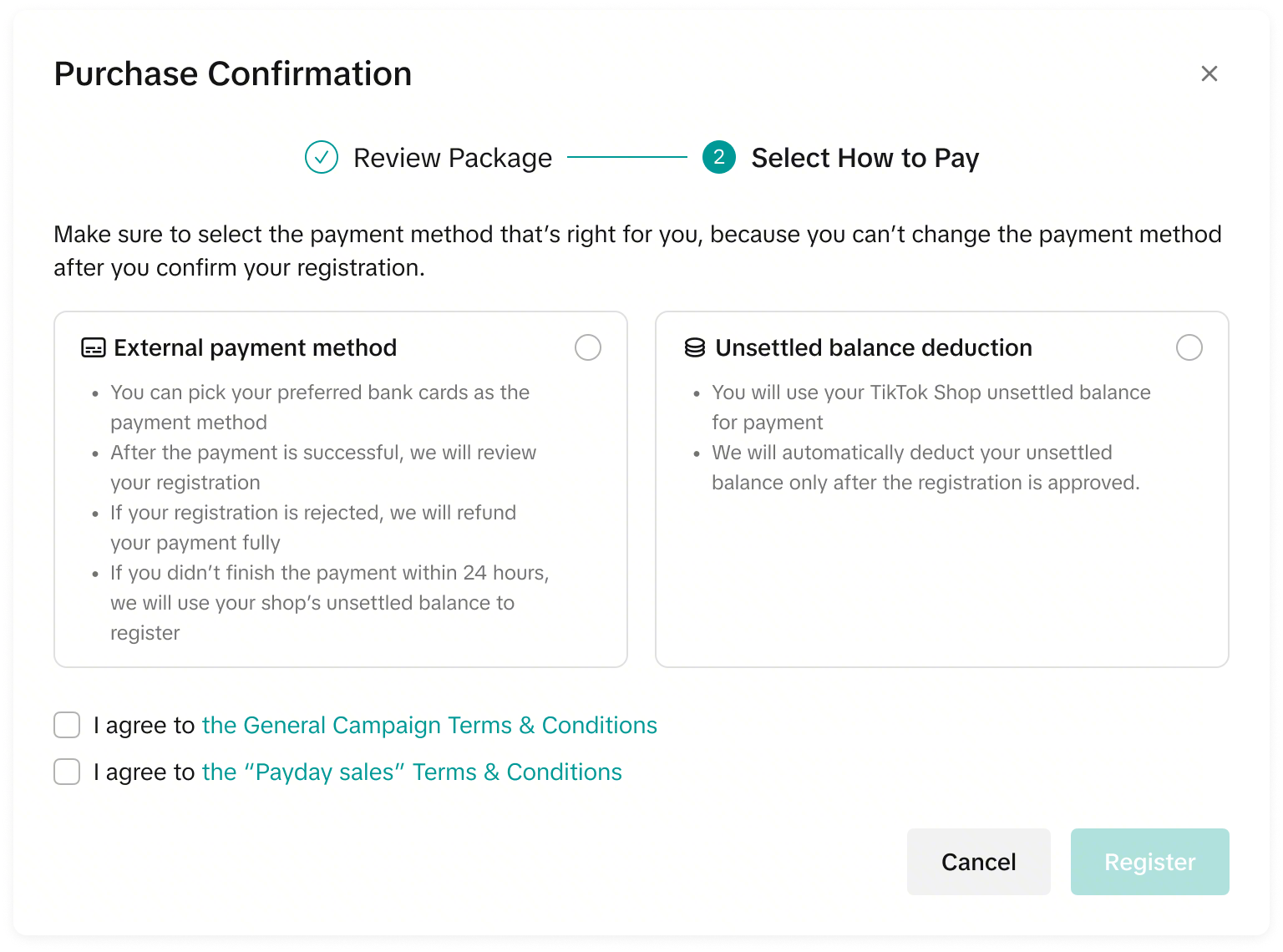
With the One-Time Charge payment type (Pay all upfront), your package fee is charged as a one-time payment fee for the entire package duration. There are no additional fees or commission calculations.The seller can choose to pay via external payment method (Cash payment) or seller balance.
| How the Fee is Calculated | The total package fee is displayed. There are no additional changes during the package period |
| How the Fee is Deducted | The package upfront payment will be deducted either via external payment method or seller balance.
|
| When Seller Pays |
|
Multiple-time Charge
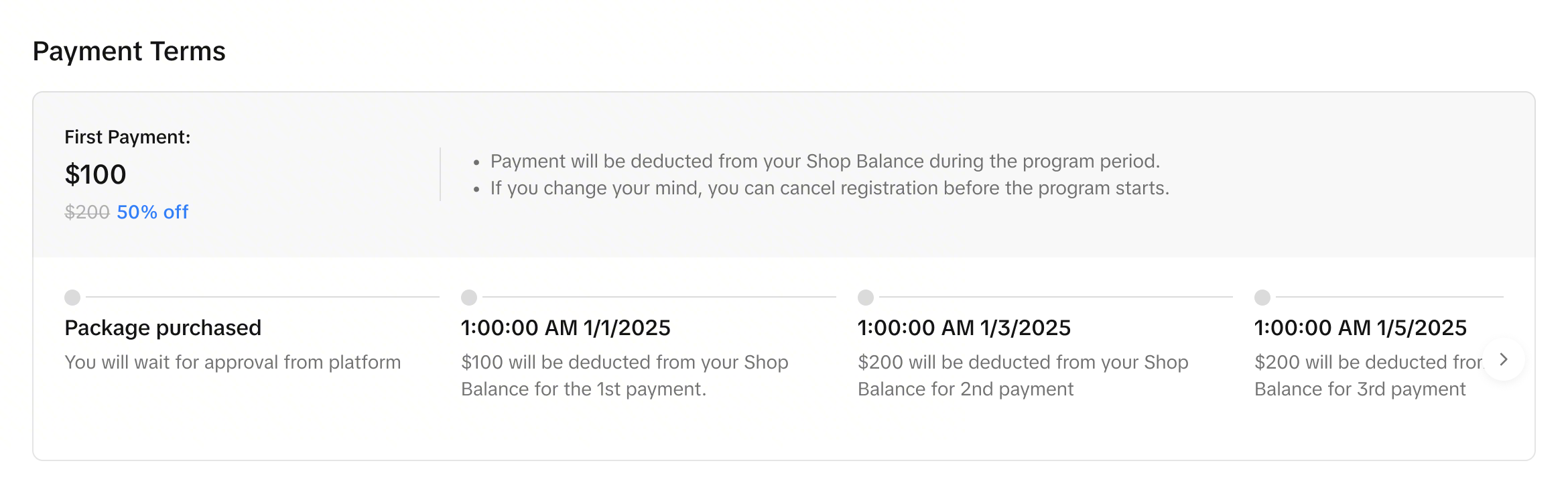
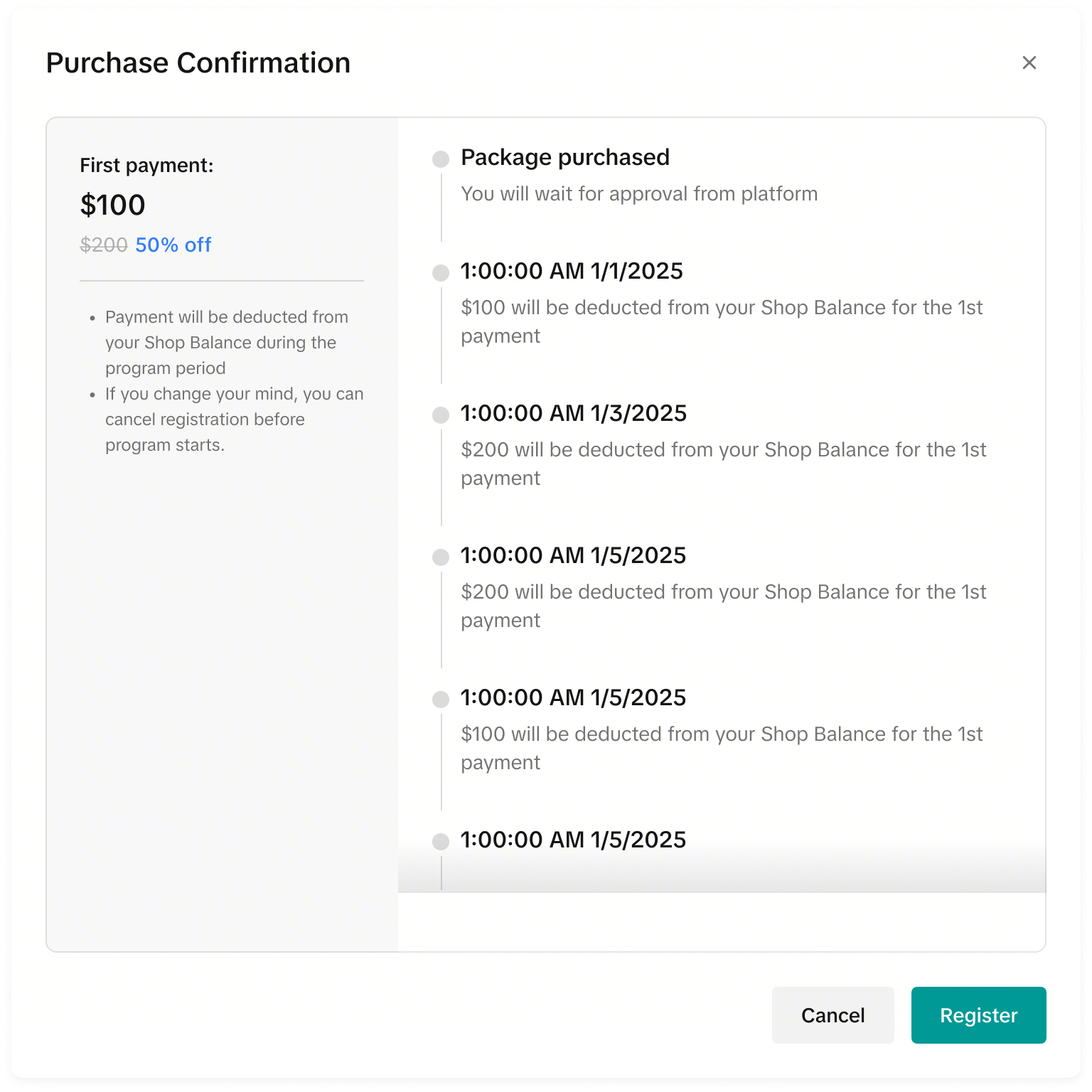
With the Multiple-time charge payment type (Pay package fee in multiple payments/ Payment Installments), your total package fee is fixed, with the total payments being split into different payment dates.The seller cannot choose the deduction method. Only seller balance deduction is supported for the multiple-time charge payment method.
| How the Fee is Calculated | All payment installments are displayed in the package payment terms. There are no additional commission charges during the package period. |
| How the Fee is Deducted | All payment installments are deducted from the Seller Balance. |
| When Seller Pays | All payment installment deduction date and time will be stated in the payment terms. |
External Payment Method
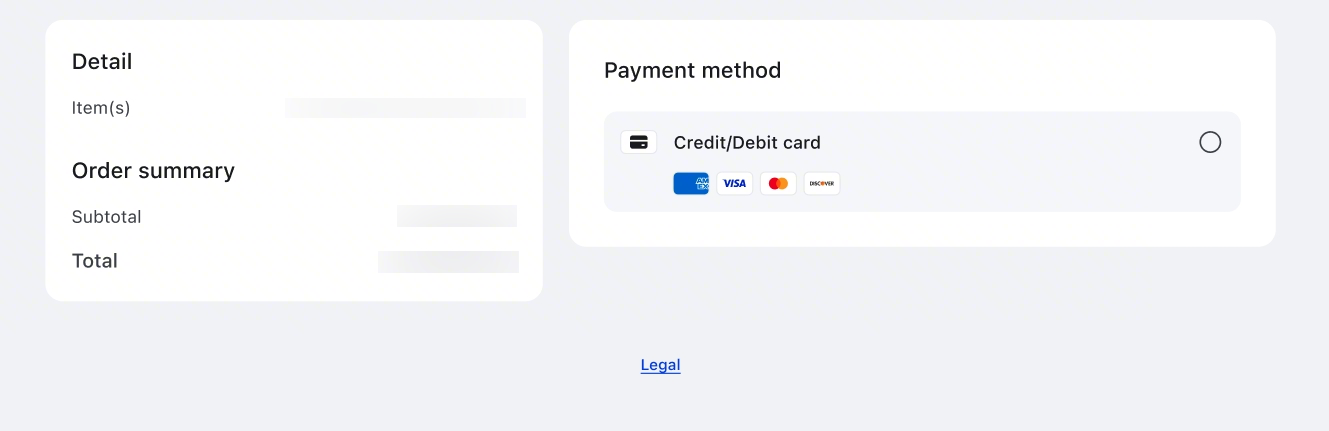
- Currently, only Credit Card and Debit Card payments are supported.
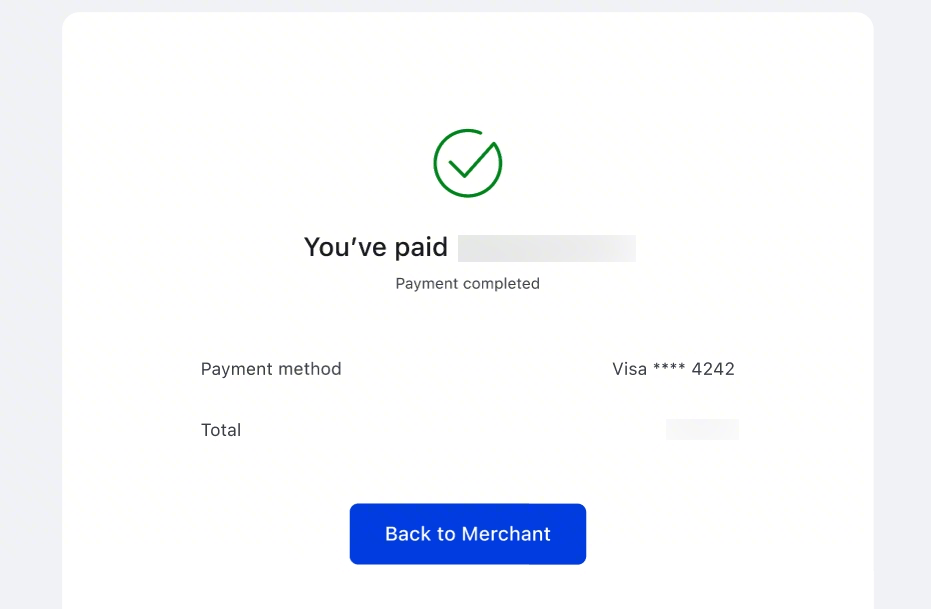
- If you have chosen the external payment method, please ensure that you have successfully made payment.
Changing Payment Methods- If the external payment method fails, the system will automatically change your deduction method to seller balance after the deadline. You do not need to cancel or re-register.
- Please choose your payment method carefully.
- If the external payment method fails, you can also go back to the manage package page, and continue with your payment with another card.
Settlements & Invoice
Seller Balance Deduction
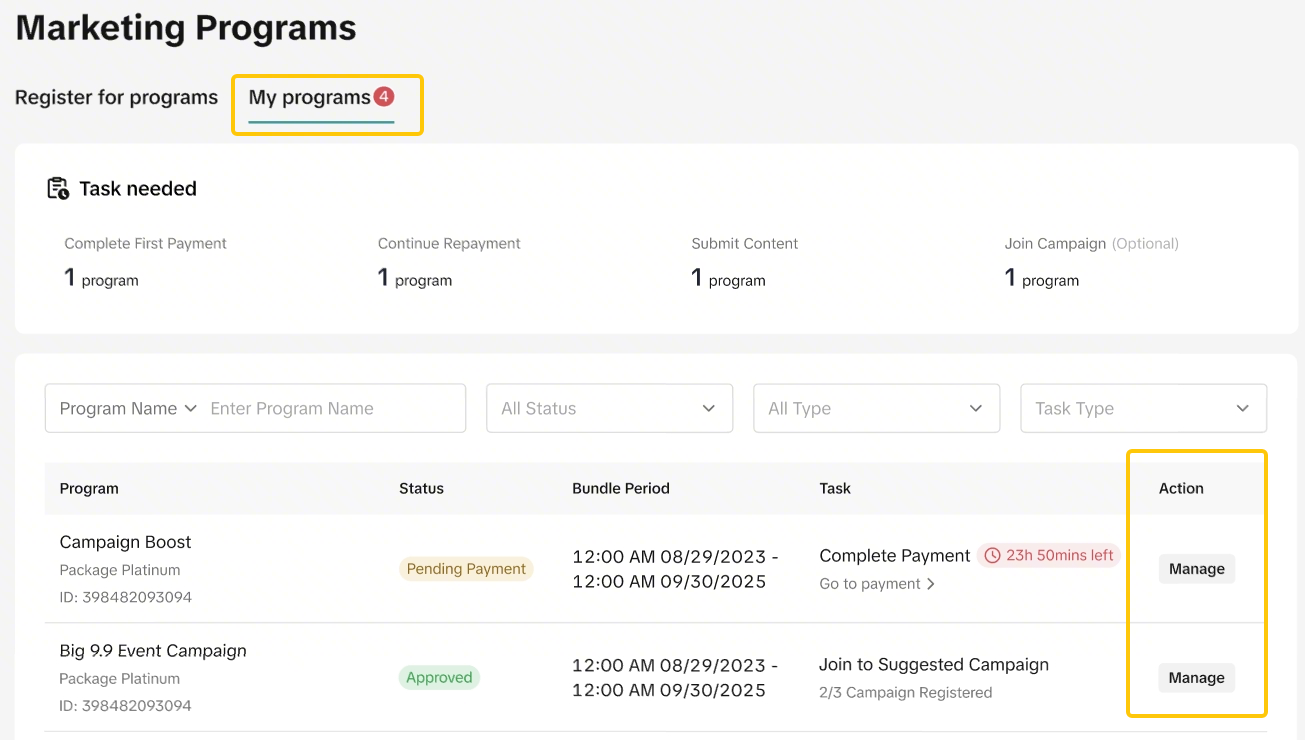
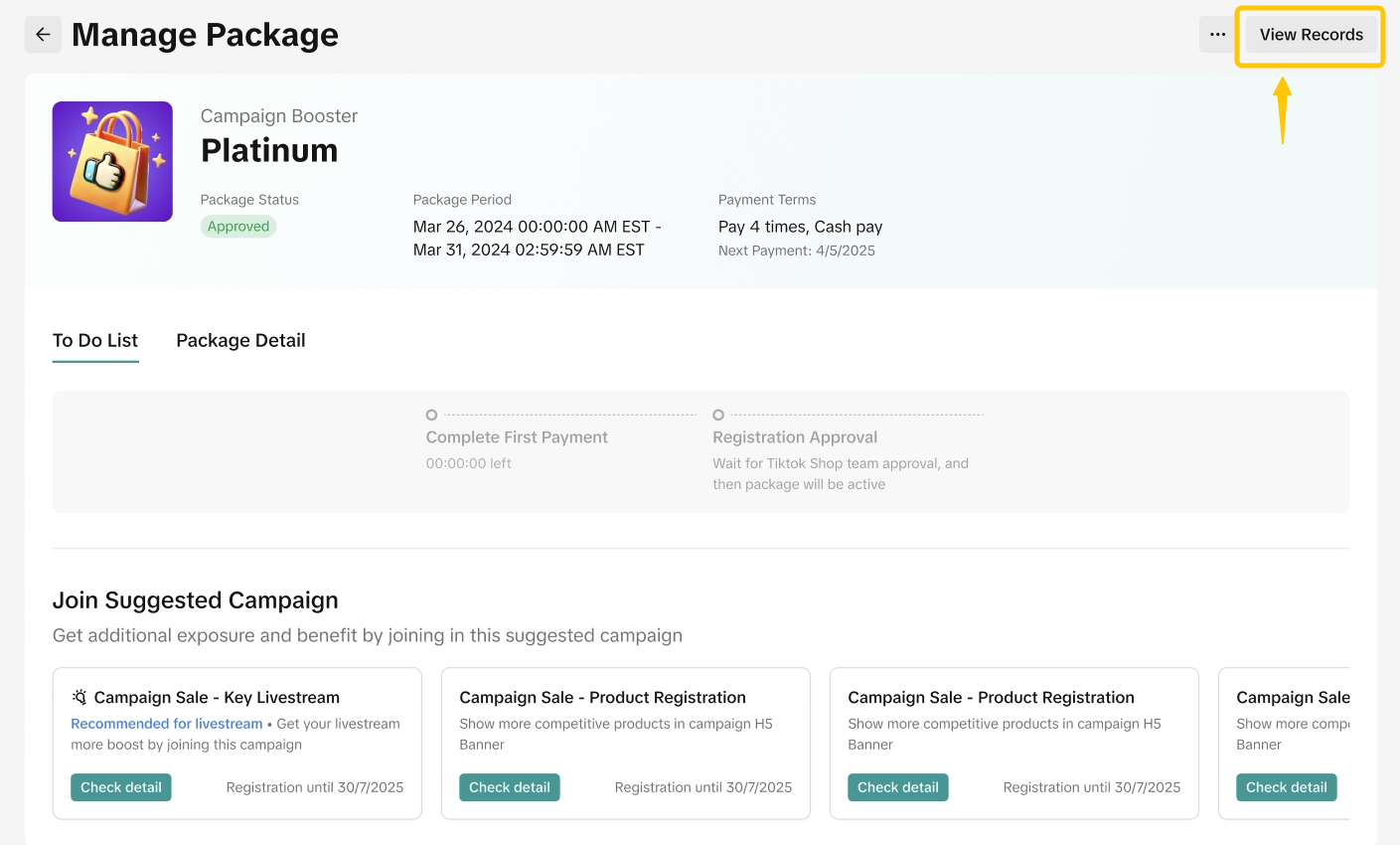
View from My Program Page- To check your transaction settlement for your packages, visit your package from My Program page - Find your package.
- Click My Program and find the package you want to check.
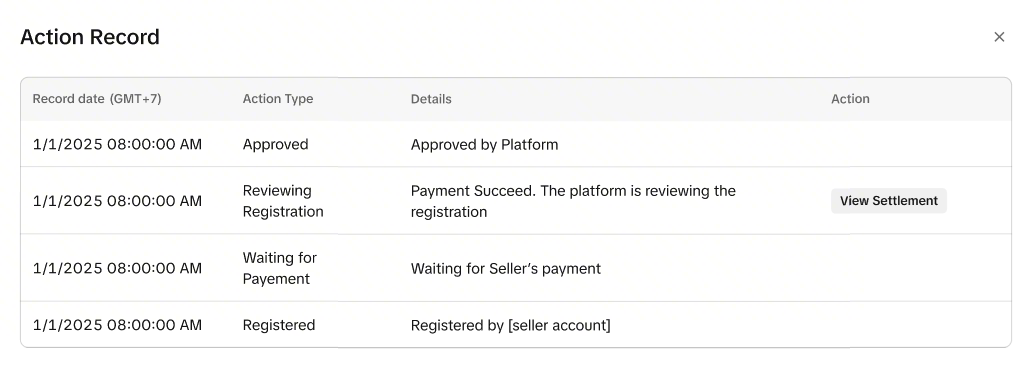
- Click on View Records to check deduction history
- The deduction history will only be available when the seller balance has been deducted. Please refer to the payment methods above to check when the payment deductions are made.
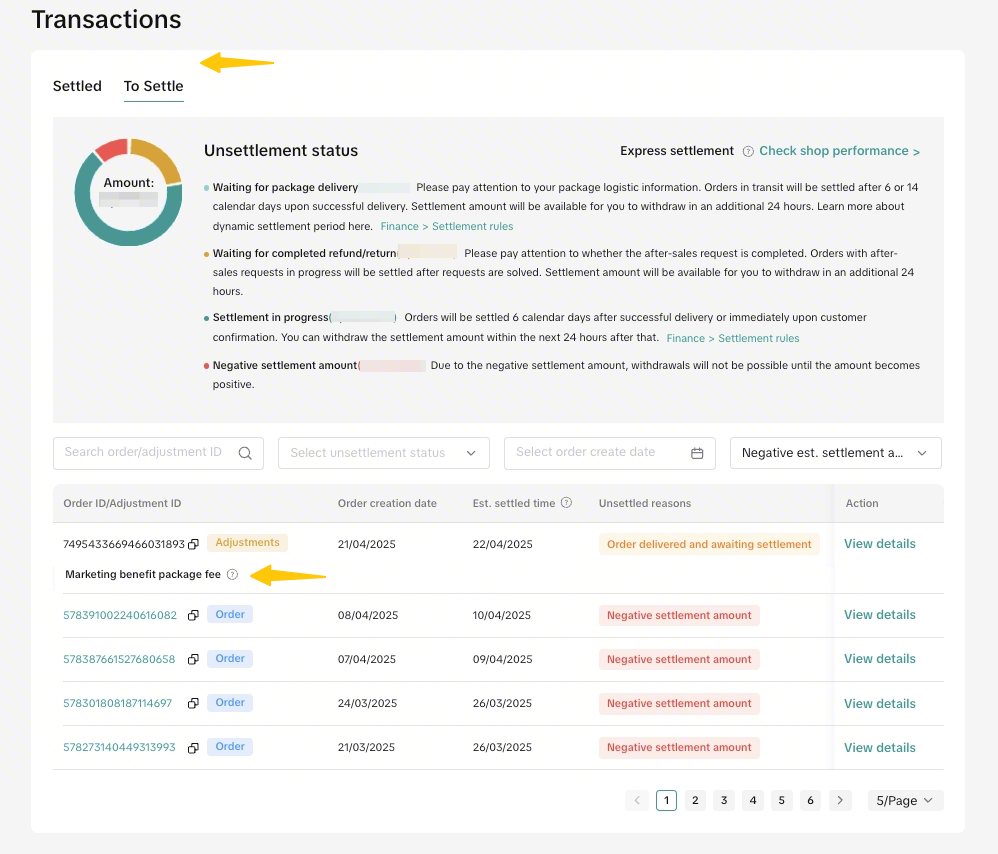
- Click on View Settlement to check the transaction or Order ID.
- You will be redirected to your Finance tab
- All package transactions will be shown here.
- Clicking on View Details will redirect you back to the Package Detail Page
External Payment Deduction
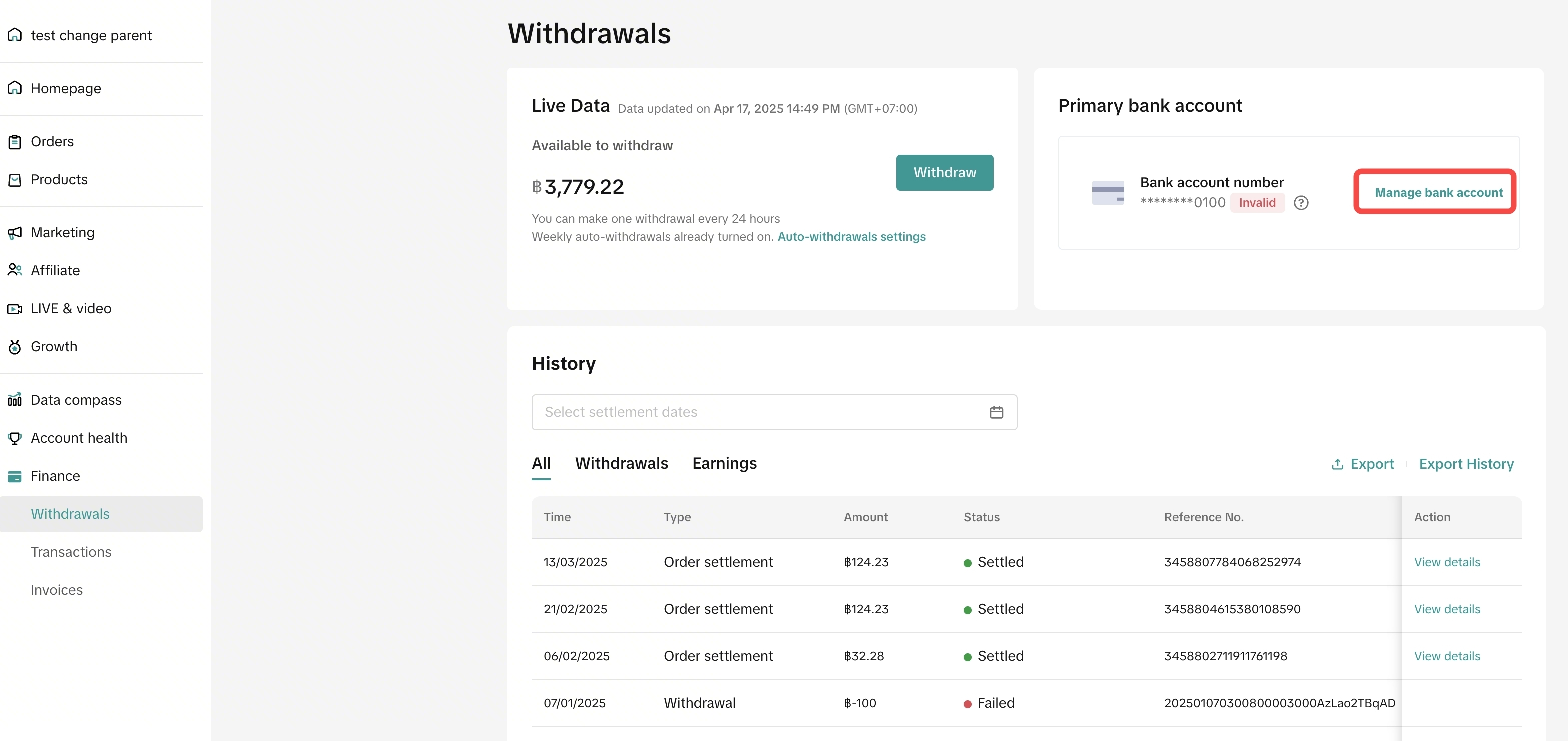
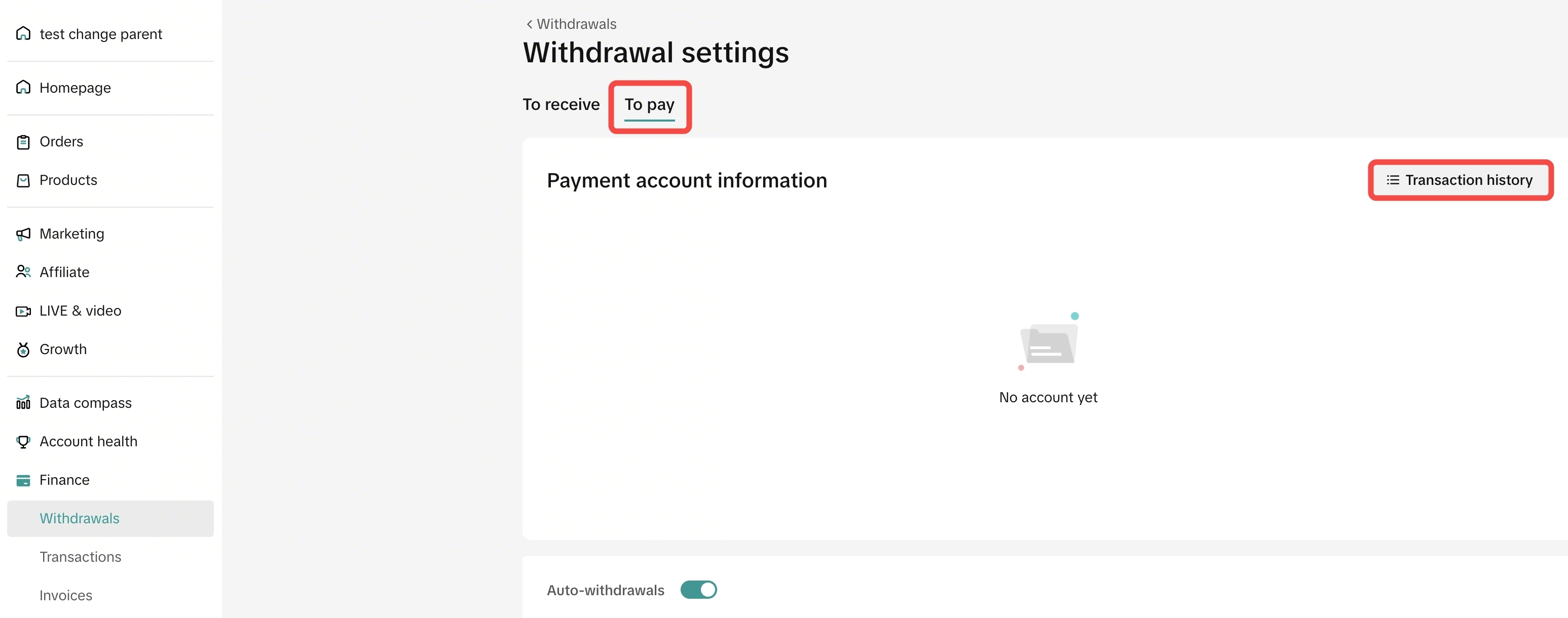
- To check your transaction settlement for your packages, visit your Finance tab - Withdrawals.
- Click on Manage Bank Account
- Click on the To Pay tab and click on Transaction History
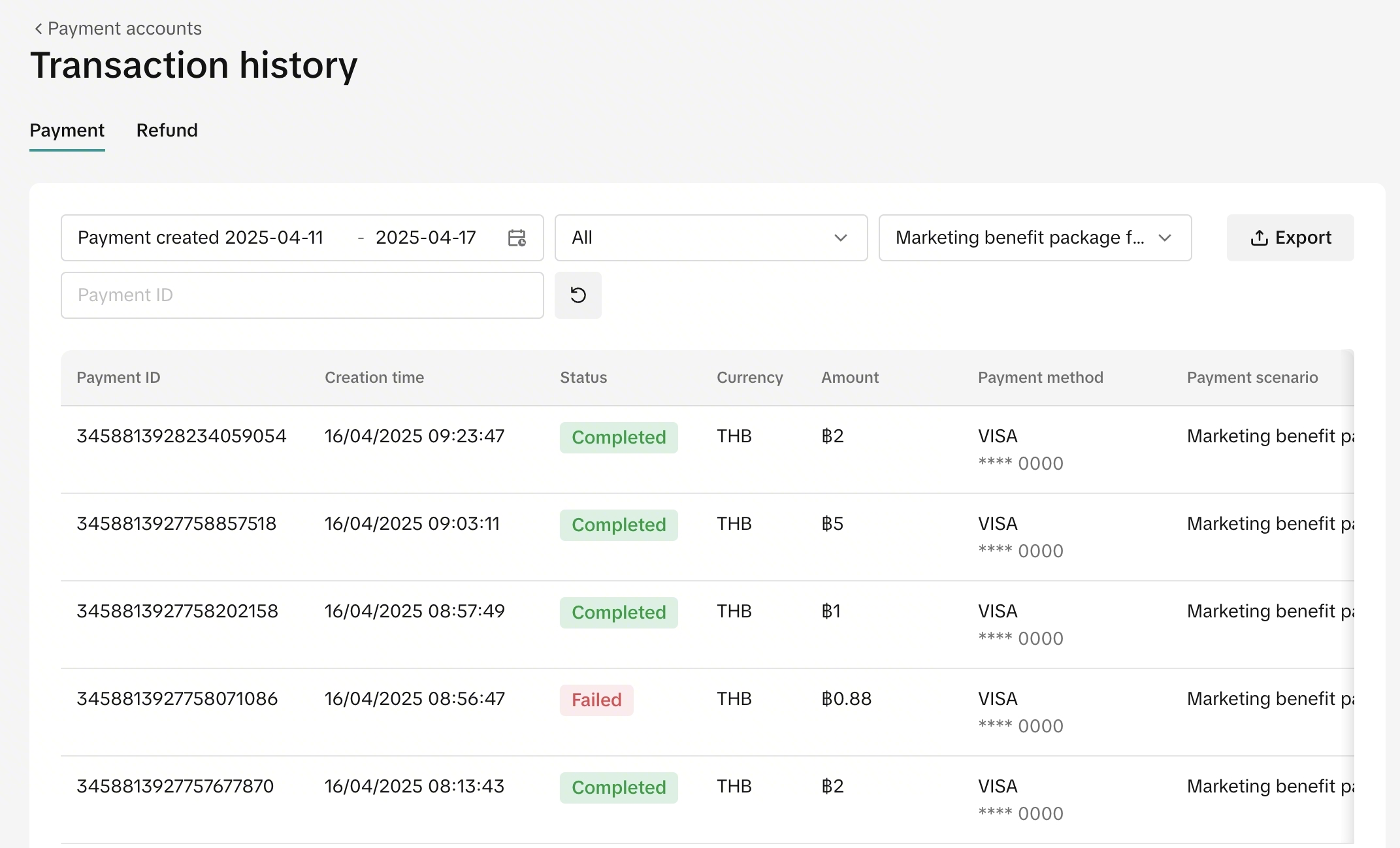
- All Cash Pay transaction history will be displayed
- Both payments and refunds can be tracked
Payment Invoice
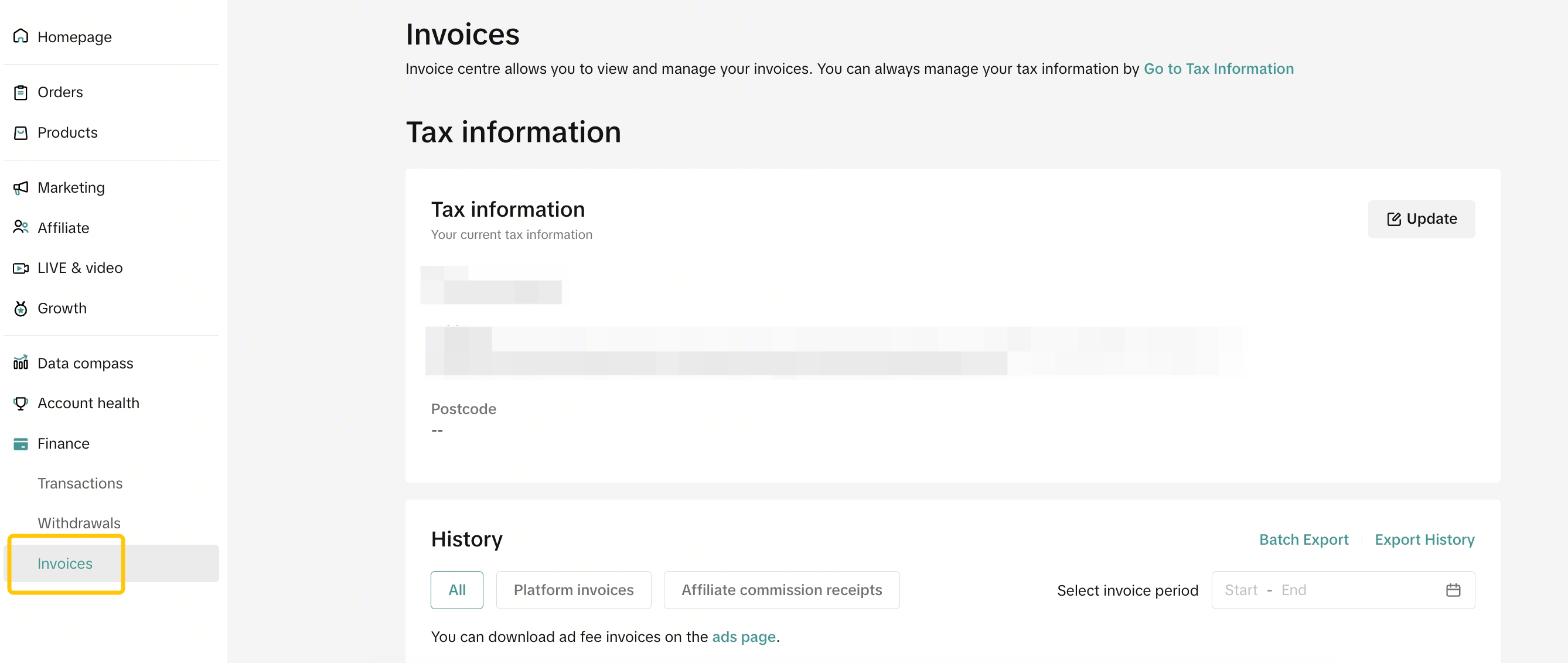
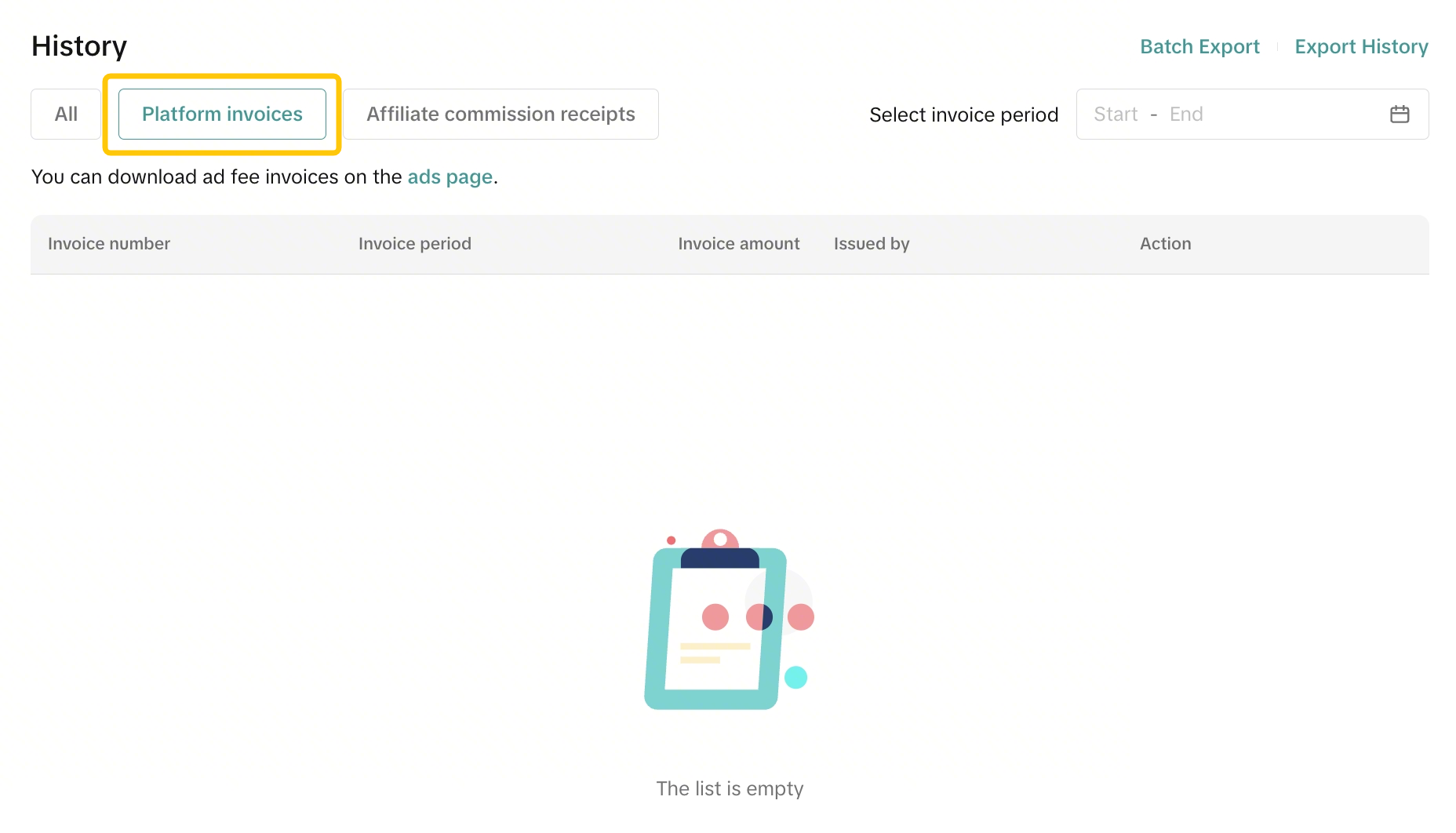
Your package fee invoice can be found in the Invoice tab.The payment invoice varies by payment type. Please check below:| Payment Type | Invoice |
| Seller Balance Deductions |
|
| External Cash Payment |
|
Package Withdrawal
Sellers may be able to cancel registration or withdraw from packages at any time. However, withdrawal may have to be reviewed by the platform.Refunds are not guaranteed and are at the platform's discretion. Take note: The only refund scenario that is supported is if the seller withdraws before package start date. (Applicable to Cash Pay payment terms only)
- To withdraw from your packages, visit your package from My Program page - Find your package.
- Click on the 3 dots in the top right corner
- Click Cancel Registration/ Withdraw
- If you don’t see the Withdraw option, it may mean that your package is not eligible for withdrawal
Based on package withdrawal rules, sellers may need to wait for platform to review their withdrawal request. Package status will be "Withdraw Under Review" Status. Once the withdrawal is approved, the package status will be "Expired". You may also be interested in
- 1 lesson
How to join campaign on TikTok Shop
Sellers will learn about "the types of TikTok Shop campaigns" and delve into the correct "steps to j…

Livestream Campaign
Livestream Campaign This article teaches you how to use Livestream Campaigns to increase traffic an…

Health & Beauty Sellers: Campaign Season Policy Tips & Trick…
Show off your best glow this campaign season. Follow these tips to avoid violations, boost your sal…

Featuring LIVE Specials
This article teaches you how to feature your LIVE Specials Vouchers through your Official and Market…

LIVE Specials
LIVE Specials This article teaches you what LIVE Specials are, how it works, as well as how the LIV…
Campaign Registration with GMV Max
GMV Max is now integrated directly into campaign registration and is a requirement for participation…