

Warehouse Operating Hours Feature for Sameday
03/27/2026
This guide will explain how to about warehouse operating hours feature for fast same day services.
For more information about SLA and how to set shipping options, you can refer to following articles.


For more information about SLA and how to set shipping options, you can refer to following articles.

Understand how Warehouse Operating Hours impact your shop
This feature allows you to set your working hours. Please ensure the hours you set reflect your actual business operations. Once the setup is completed, same day service will automatically hidden from buyers at certain periods.
⚠️ Important:- Changes will only take effect starting the next day. For example, if you set Saturday as a day off on Saturday, it will only apply from the following Saturday onwards.
- The system will automatically hide these services from buyers during the exact hours, NOT for the entire outside working hours. This ensures you can consistently meet dispatch SLAs without losing orders during open hours.Your Working Hours vs Service Availability
Working hours | Service Availability Status | Period when service same day service will be hidden |
Closed (Only allow for Sat, Sun, and public holiday) | 🛑 Fully Unavailable | 3:00 PM the day before (D-1) to 3:00 PM today (D+0) |
| 8:00 AM - 11:00 AM | 🟠 Partially Unavailable | 🟠 10:00 AM today (D+0) to 3:00 PM today (D+0) |
| 8:00 AM - 12:00 PM | 🟠 11:00 AM today (D+0) to 3:00 PM today (D+0) | |
| 8:00 AM - 13:00 PM | 🟠 12:00 PM today (D+0) to 3:00 PM today (D+0) | |
| 8:00 AM - 14:00 PM | 🟠 1:00 PM today (D+0) to 3:00 PM today (D+0) | |
| 8:00 AM - 15:00 PM | 🟠 2:00 PM today (D+0) to 3:00 PM today (D+0) | |
| 8:00 AM - 16:00 PM | ✅ Fully Available | ✅ No "Offline" period |
| 8:00 AM - 17:00 PM | ✅ No "Offline" period | |
| 8:00 AM - 18:00 PM | ✅ No "Offline" period | |
| 8:00 AM - 19:00 PM | ✅ No "Offline" period | |
| 8:00 AM - 20:00 PM | ✅ No "Offline" period | |
| 8:00 AM - 21:00 PM | ✅ No "Offline" period |
How to setup warehouse operating hours?
- You can set operating hours via the following menu
Menu | Steps |
| Fulfillment Settings Page | 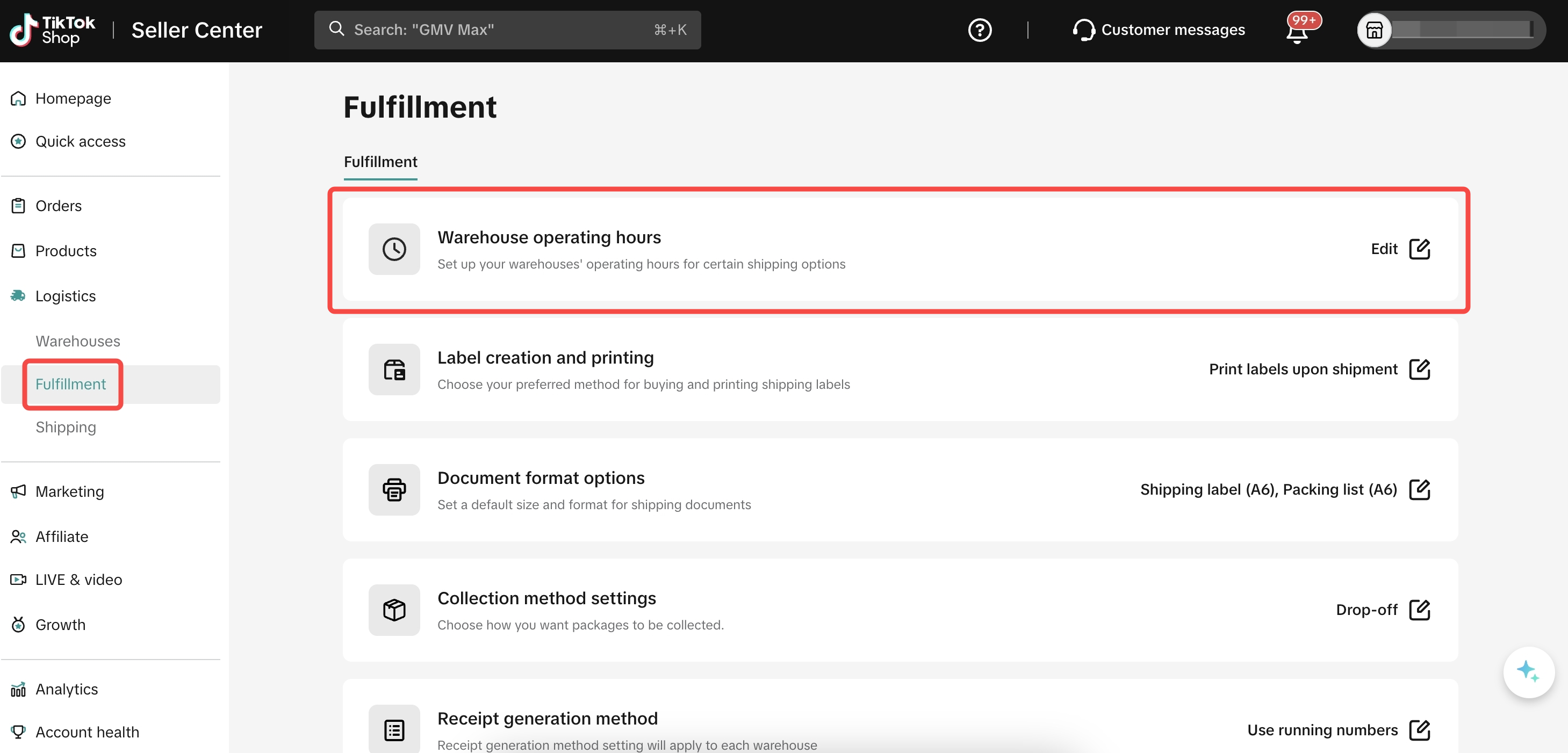 |
- On the "Warehouse operating hours" page, you will see 2 sections; "Workdays" and "Holiday".
- For "Workdays", follow below steps
Step | Screenshot |
| 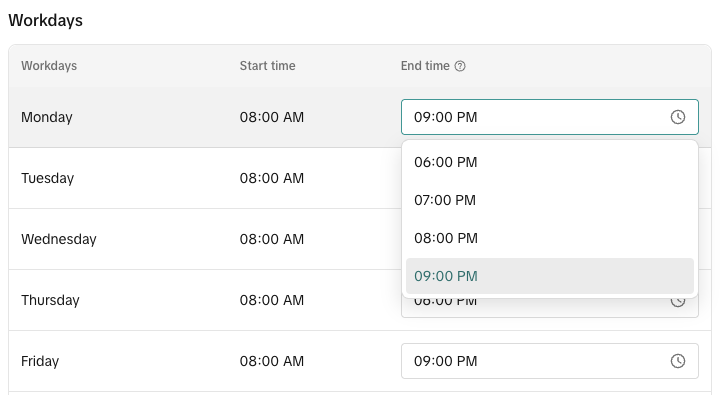 |
| 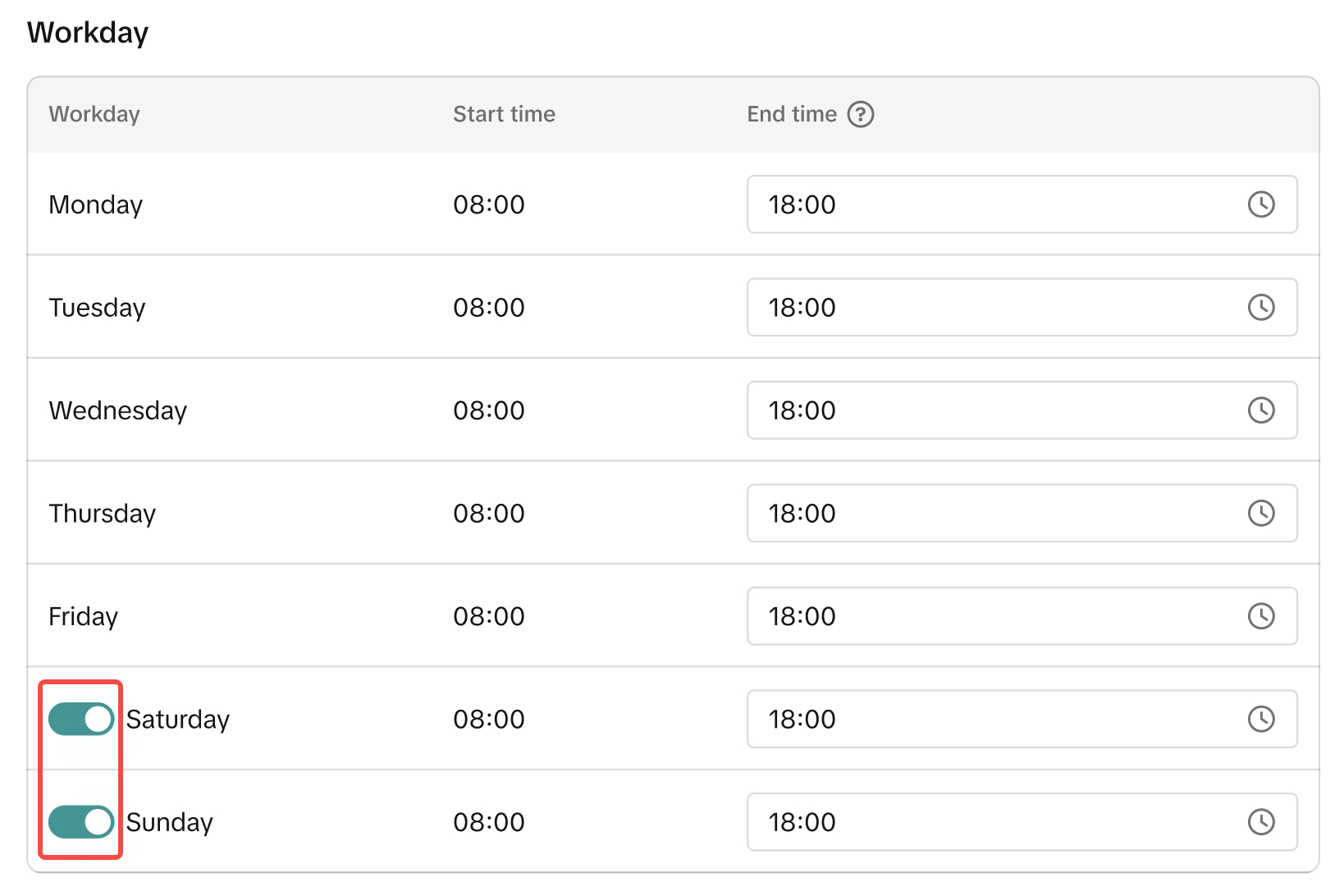 |
| 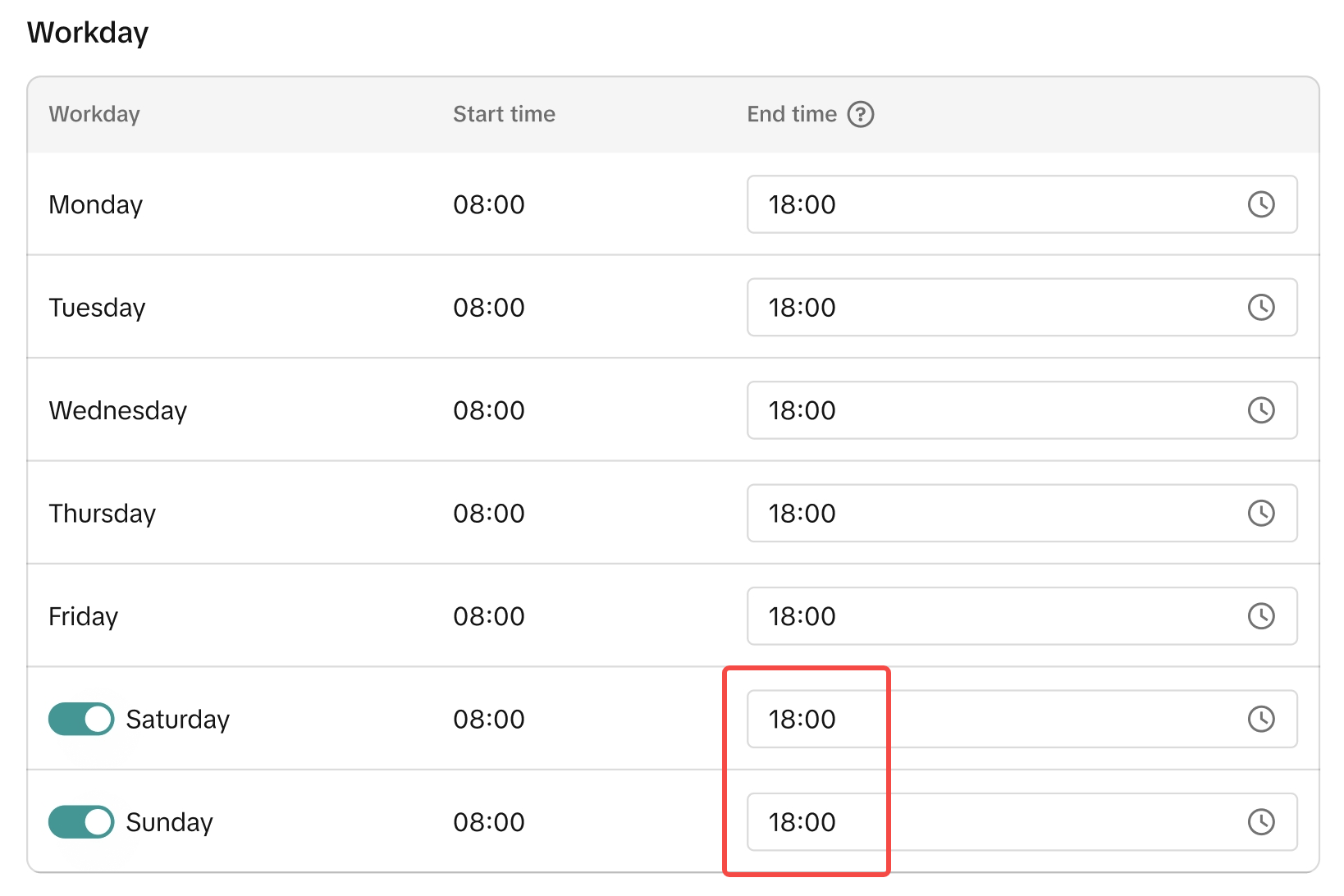 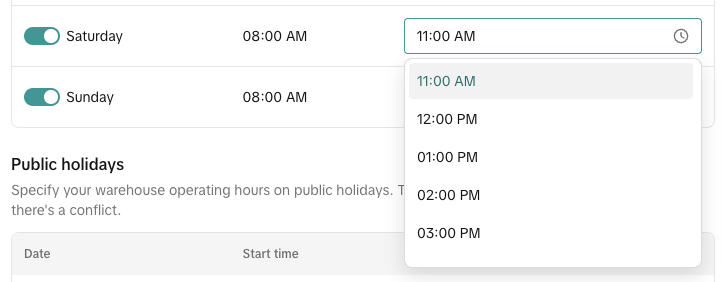 |
| 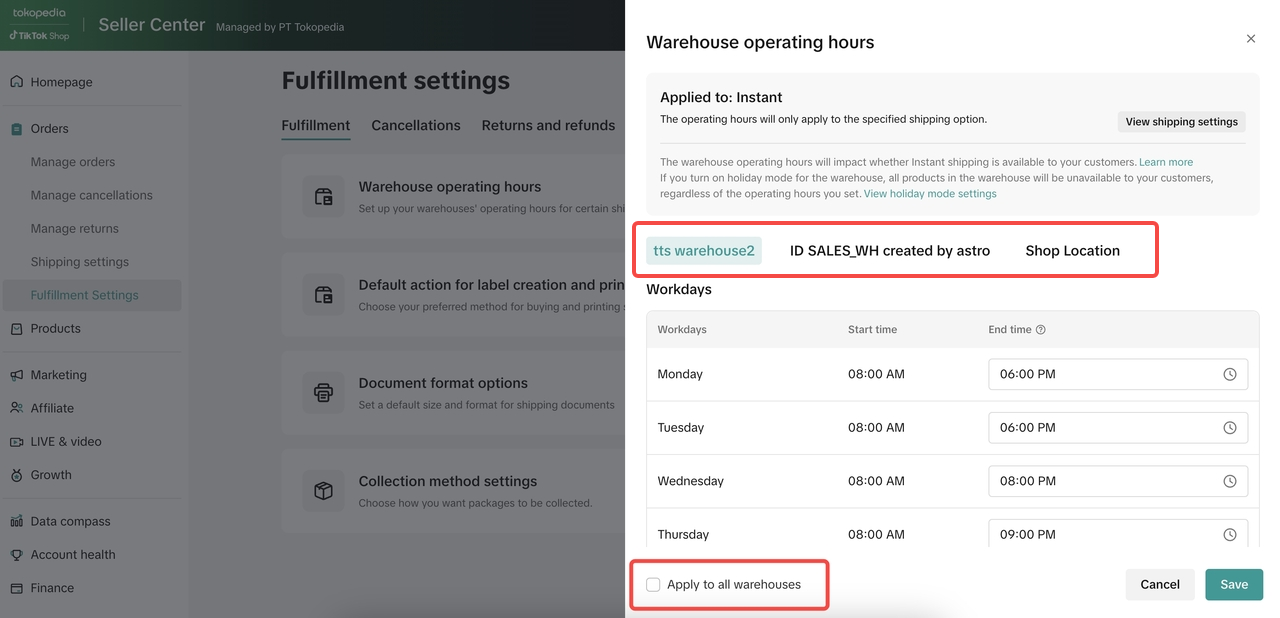 |
- For "Holiday", follow below steps
Step | Screenshot |
| 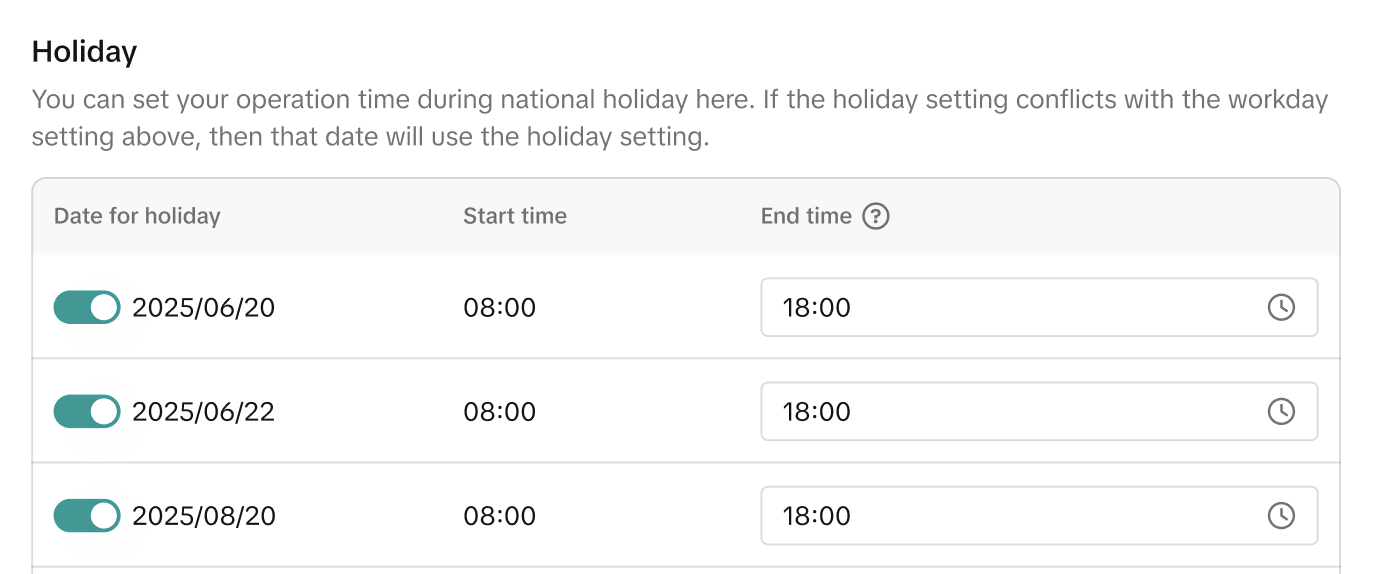 |
|
FAQ
- Question: what will happen if I set the warehouse operating hours to 'Closed'?
- Question: What if I only have same day service as my delivery option?
Your products will not be available for checkout during the unavailable period (when services are hidden). We recommend enabling additional delivery options (e.g., Standard) to ensure buyers can still place orders outside your same day working hours.
- Question: Why do I see "Permission required" when updating warehouse hours?