

Manage shipping options for your shop
09/04/2025
Available shipping service and providers
In this section, we’ll explain the logistics services available to help you manage shipments smoothly. There are 2 types of shipping options available.Shipped via platform
The shipping provider for your customers will be assigned by platform to ensure consistent service quality.Shipping Provider:
| Shipping Service | Shipping Provider | Collection Method | Weight | Dimension | COD | Pickup Coverage | Delivery Coverage | Operating hours for pickup | Dropoff location |
Standard | J&T Express | Pickup Drop-off | 1 kg - 20 kgs | 100 cm x 100 cm x 100 cm | Yes | Nationwide | Nationwide | 08:00 - 18:00 | |
Flash Express | 08:00 - 18:00 | ||||||||
KEX Express | 08:00 - 18:00 | ||||||||
Thailand Post | 08:00 - 18:00 | ||||||||
Bulky | J&T Express | 1 kg - 100 kgs | 220 cm x 220 cm x 220 cm | 08:00 - 18:00 | |||||
Flash Express | 08:00 - 18:00 | ||||||||
Best Express | 08:00 - 18:00 |
Shipped by sellers
This option allows sellers to use their own transportation to deliver products directly to buyers. It’s designed for sellers with specific needs and only available for some sellers only. For more details, please refer to Shipped by sellers article.Manage shipping options for your shop
You can manage your store-level shipping options using the following steps.- Go to Shipping > Shipping Options
- If you have multiple warehouses, select warehouse you would like to set shipping options
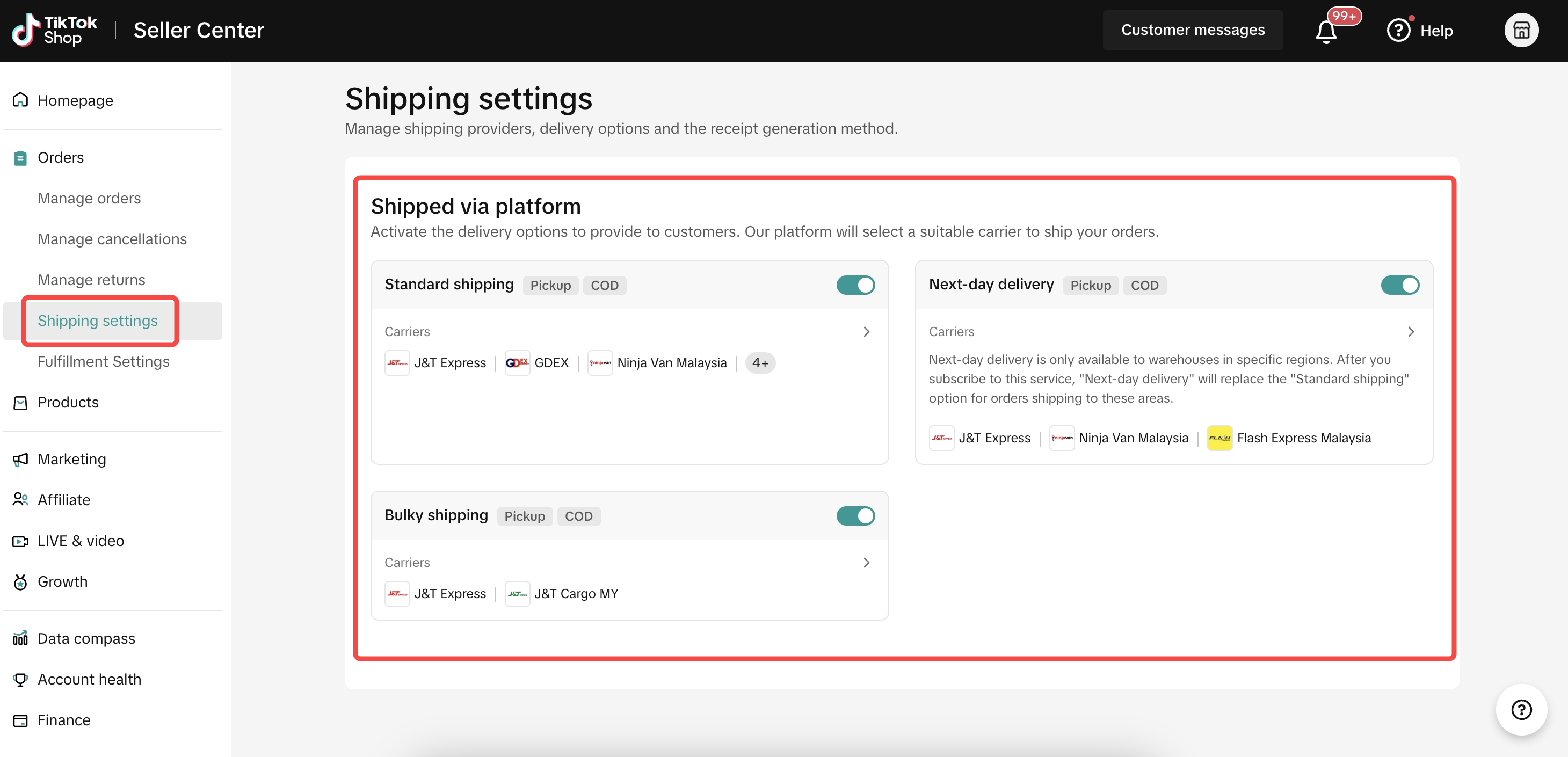 | For multiple warehouses, select warehouse first and setup the shipping options 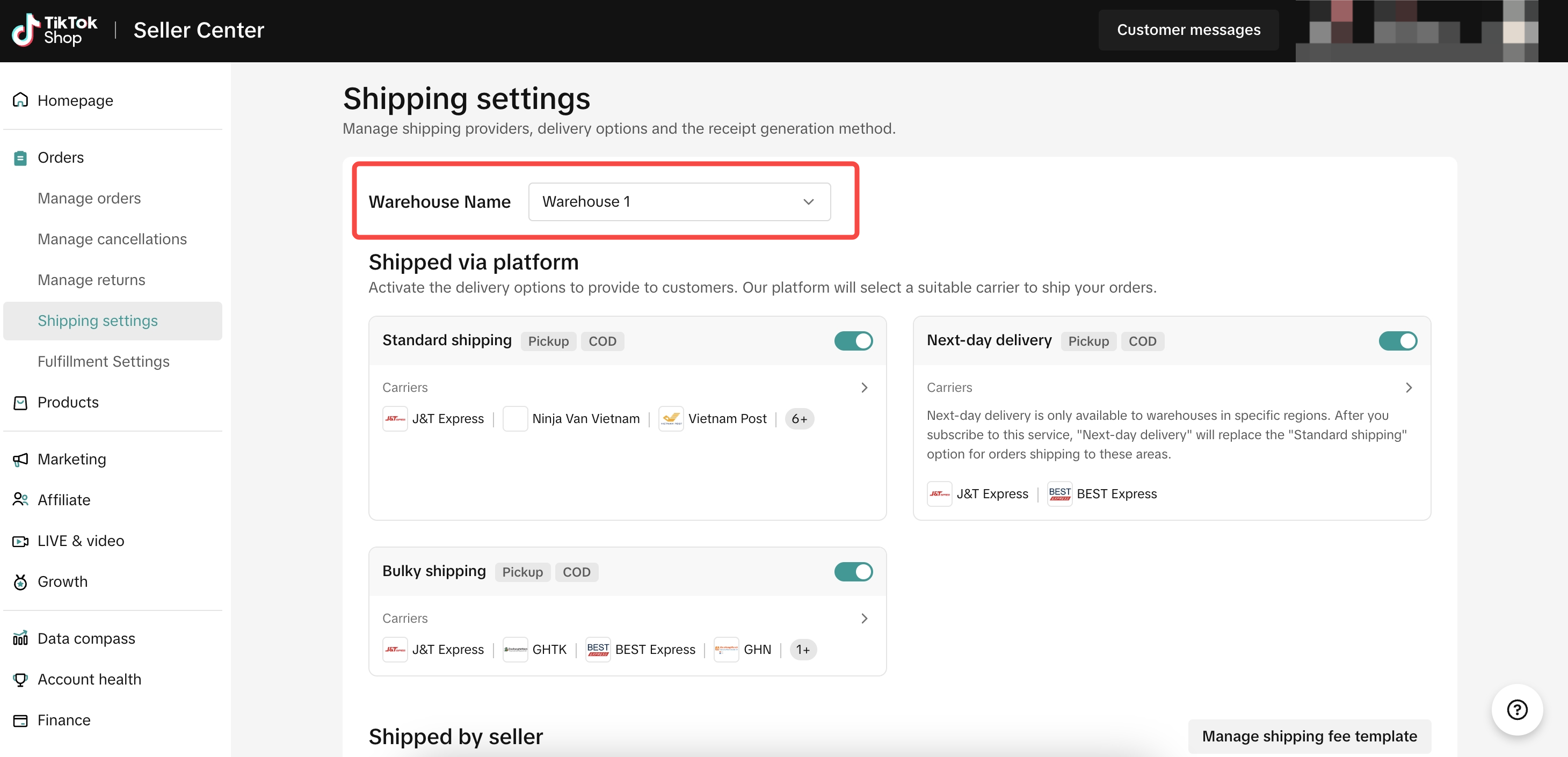 |
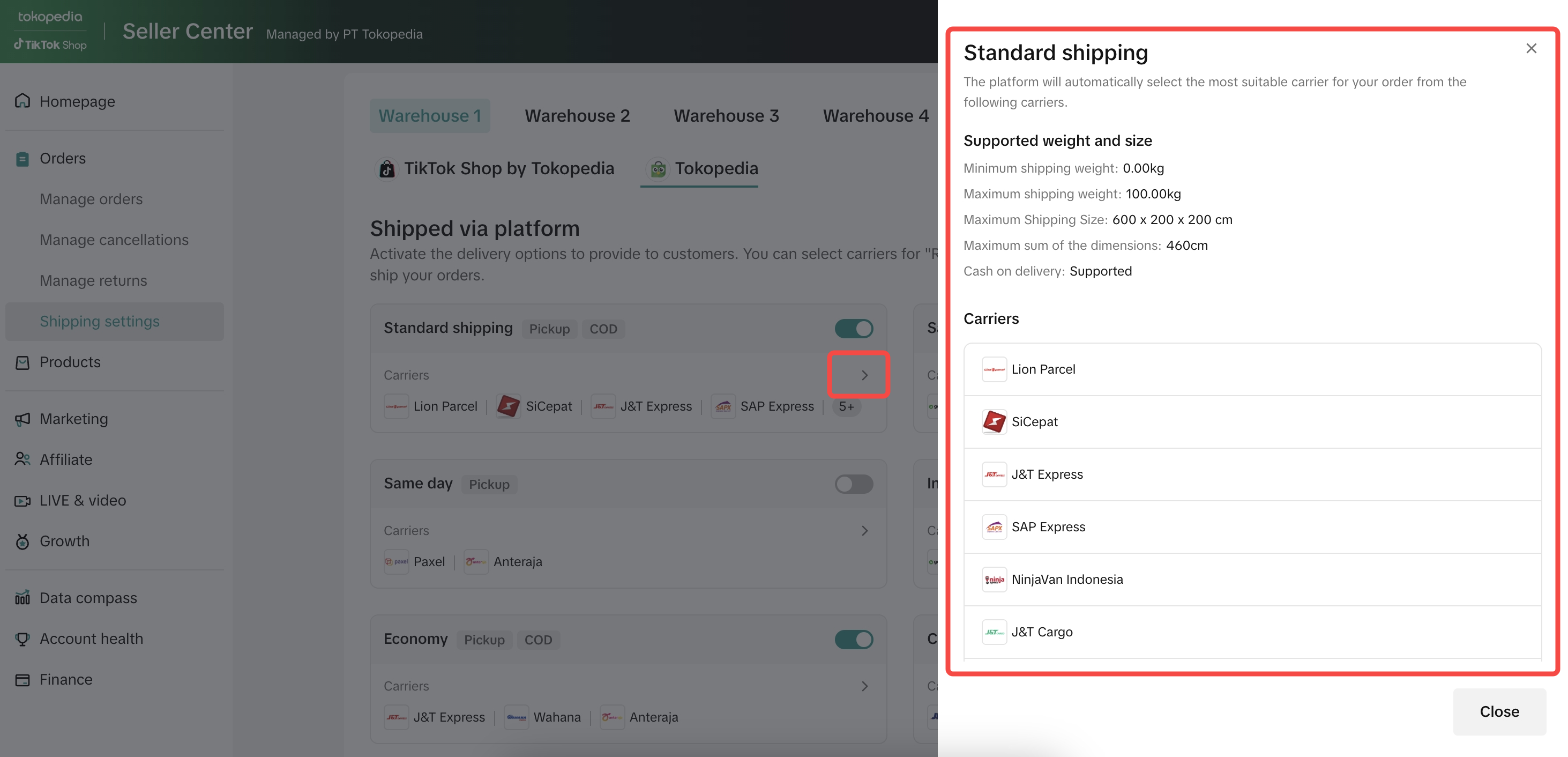
- Review shipping options for your shop. You can click arrow to see more information includes
- Supported weight and size
- Pickup tag: Pickup is available for this service. If your "Collection method" is pickup, please ensure you select logistics service with Pickup tag. Learn how to set the collection method
- COD tag: COD is available for this service. Once open COD will be auto applied to ALL products. COD can be turned off at the product setup page.
 |
- Once you understand each shipping option, you can activate them for your customers to select by toggle on the option.
- At least 1 shipping option must be enabled.
- Once enabled, the shipping options will apply to all products that meet the dimension and weight criteria.
 |
Manage shipping options for your products
You can manage shipping options for each specific product using the following steps.- Go to Manage Product and edit your desired product.
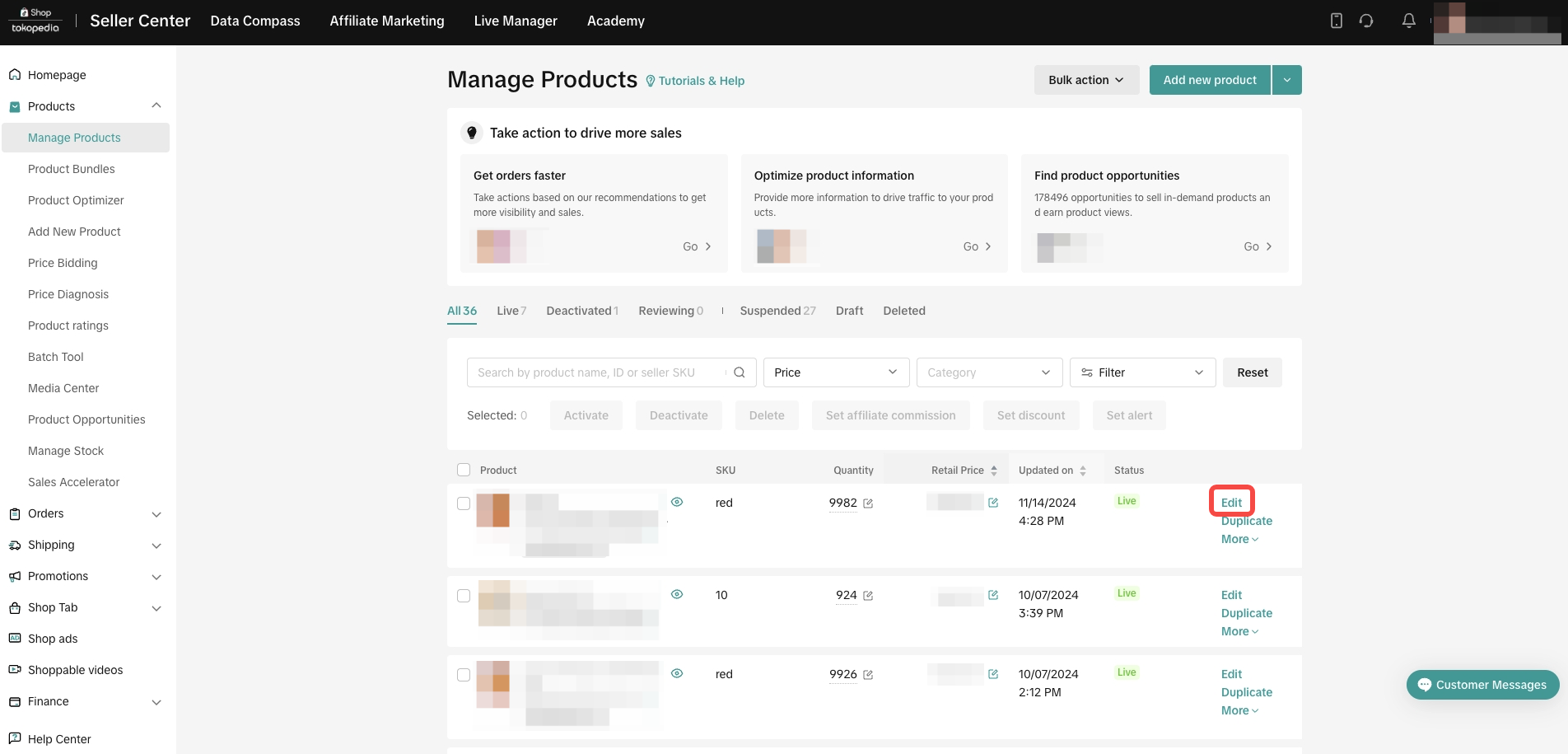 |
- Scroll to the bottom to the Shipping section. You can adjust the available settings.
- Default [Recommended]: shipping options will follow with the delivery options activated at the store level, and the system will automatically enable applicable shipping options at the buyer's checkout.
- Custom: select shipping options for specific products.
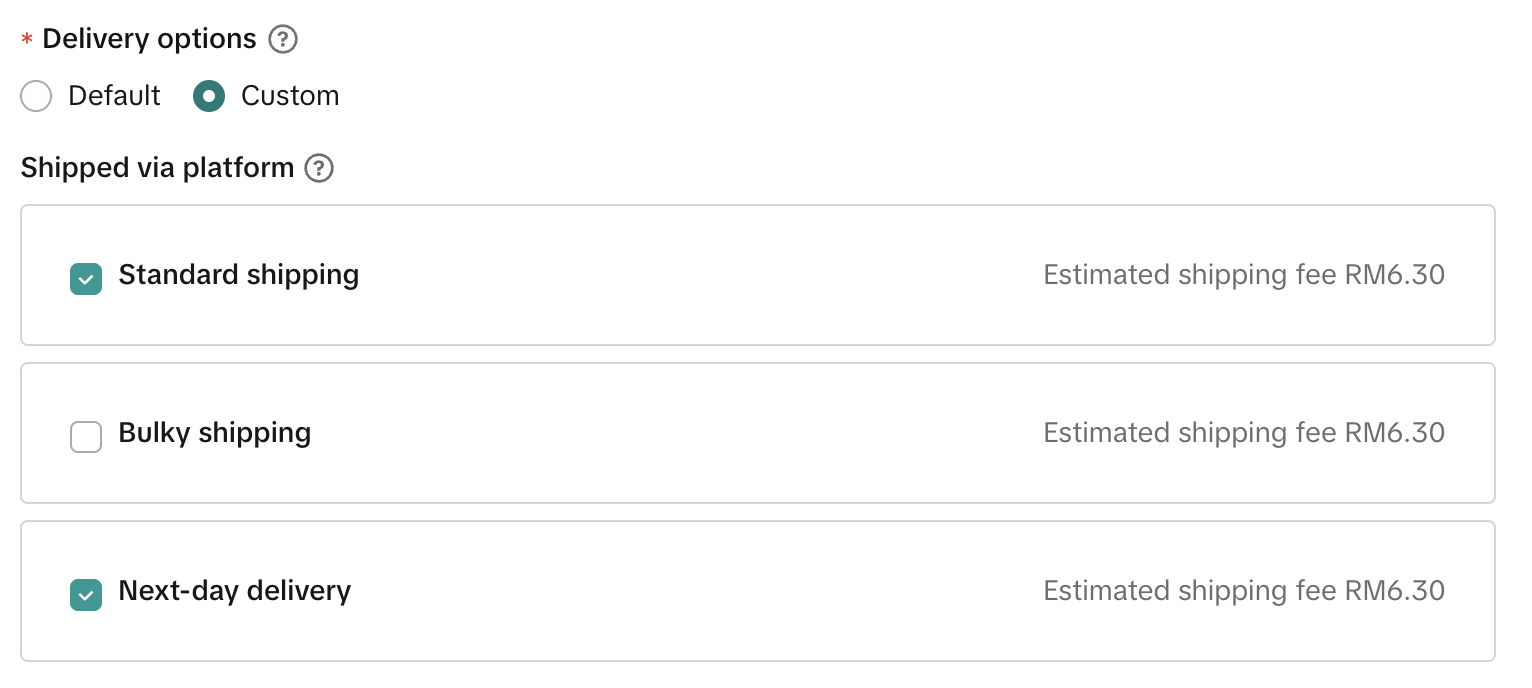 |
- Ensure that the shipping options you select meets the criteria shown on the Delivery Option page. Error messages will appear if the chosen options do not match the required criteria.
- If you are using 'Multi-warehouse' function, option for custom will not available. You can group products requiring specific options into one warehouse and set the shipping preferences for that warehouse if specific options needed to be setup.
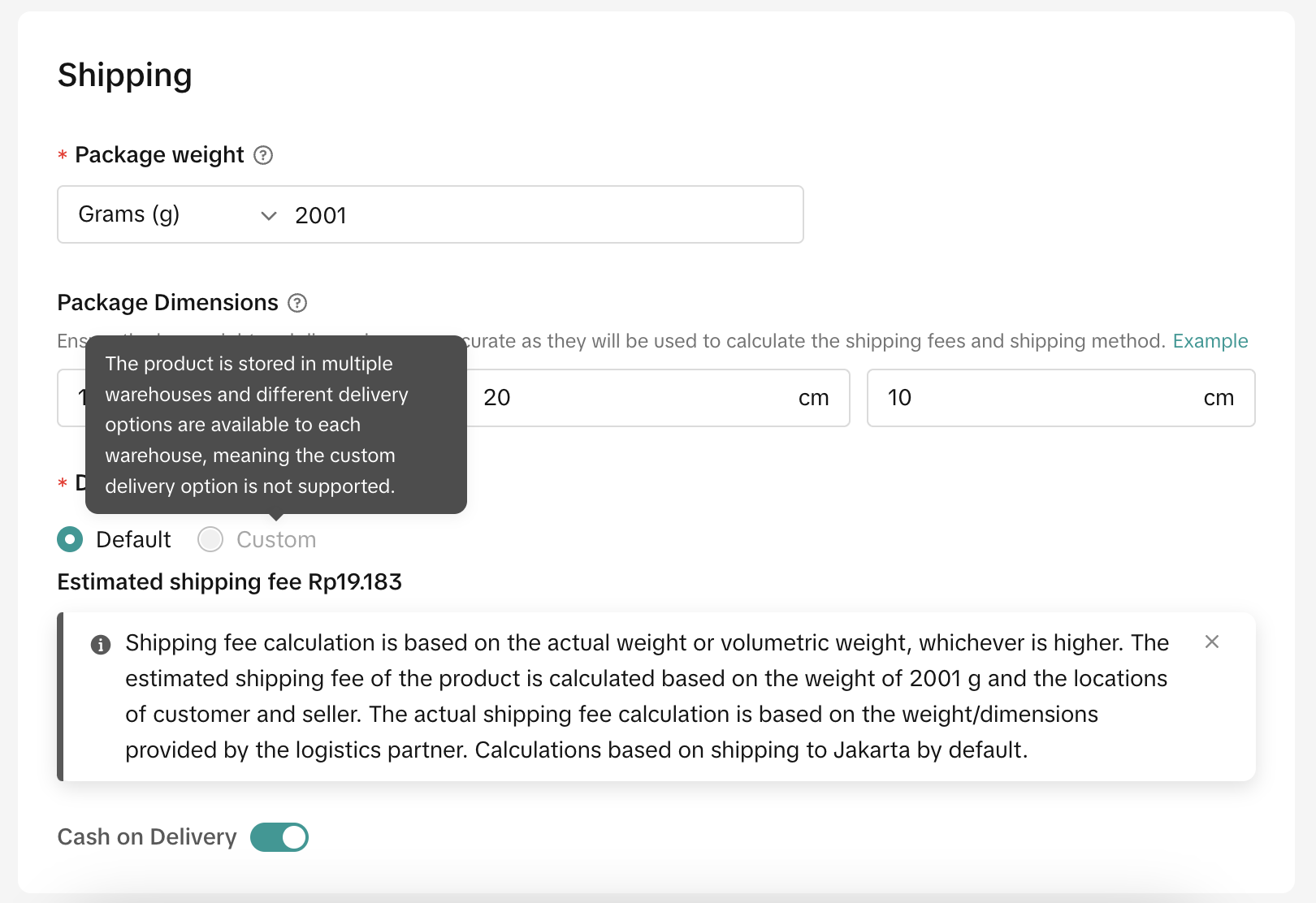 |

FAQ
- Is it possible for me to choose the shipping providers for standard, economy, or instant services?
If you encounter any issues with shipping providers, kindly submit a ticket or visit our online support through Help Center.
- Why can't I enable COD for some services?
Anda mungkin juga tertarik
- 1 lesson
Setting Shipping Channel
Learn more about How to Setting Shipping Channel
- 1 lesson
Shipping & Order Management
The sellers will learn about the overall management of orders on TikTok Shop, starting from order ve…
Thailand Platform Shipping Fee Instruction
Thailand Platform Shipping Fee Instruction From 1 April 2025, the shipping fee will also be charged…

Order Fulfilment Timelines
Order Fulfilment Timelines (Effective 1 October 2025) Note: New fulfillment timelines have been appl…

How to Set Delivery Option for Fruits: Fresh Delivery
Only sellers identified as eligible by the platform will see Fresh Delivery available on Seller Cent…

A Complete Guide to 'Shipped via Platform'
In this article, we will guide you through the updated 'Shipped via Platform' shipping process, enab…

TikTok Shop Thailand Same Day Delivery Rate Card
TikTok Shop is launching a Same Day delivery service for selected cities. To support this service, a…

Ship By TikTok: Same Day Delivery
What is Same Day Delivery Same Day Delivery is a shipping service provided by TikTok Shop in partner…

A Complete Guide to 'Shipped by Seller (SOF)'
In this guide, we will walk you through the enhanced 'Shipped by Seller' shipping process. We've imp…
Shipping Timeline Extensions
This article lists out the shipping timeline extensions put in place during campaigns, special holid…