

Easy Steps to Set Up TikTok Shop Account
07/09/2023
Overview
Find and customize all your account information, settings, and personalization in this section.- Overview
- Setup your seller profile
- User Role Management
Setup your seller profile
To set up your seller profile or information, seller can directly go to My account - Seller profile. In this section, you can find several menus related to your personal menu setup.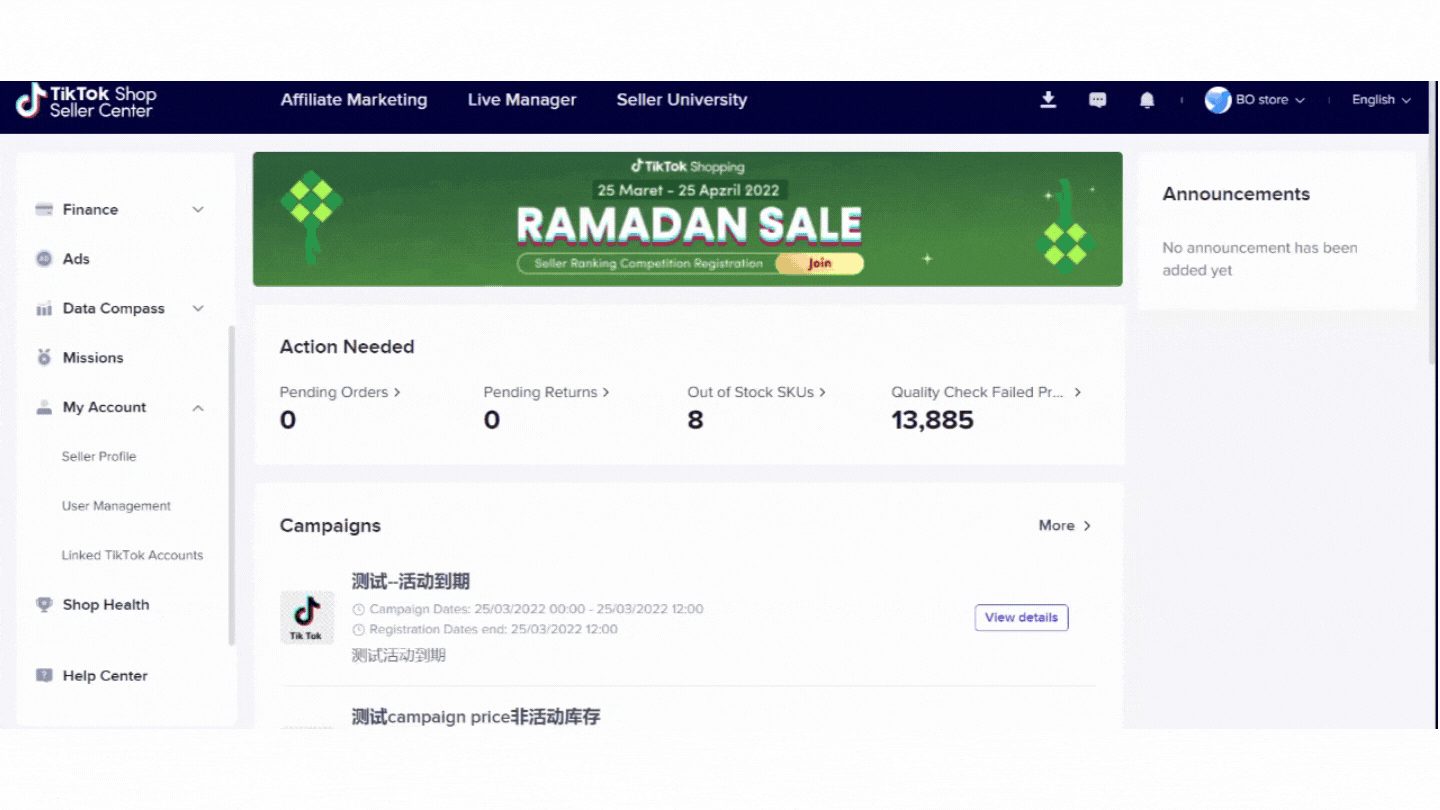 *Note: The picture is an example from a dummy test account.
Account information
Go to My Account - Seller Profile - Account Information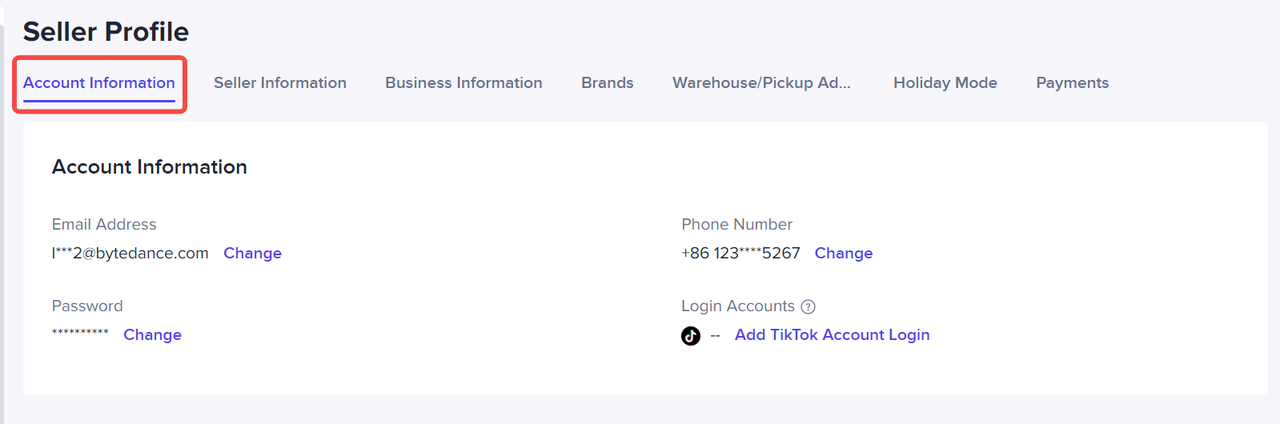
- Find and customize your following basic account information using valid email address, valid phone number, Password and Login accounts
- Make sure you set your secured password
Seller information
If sellers need information on their profile account, sellers can go through Seller information section.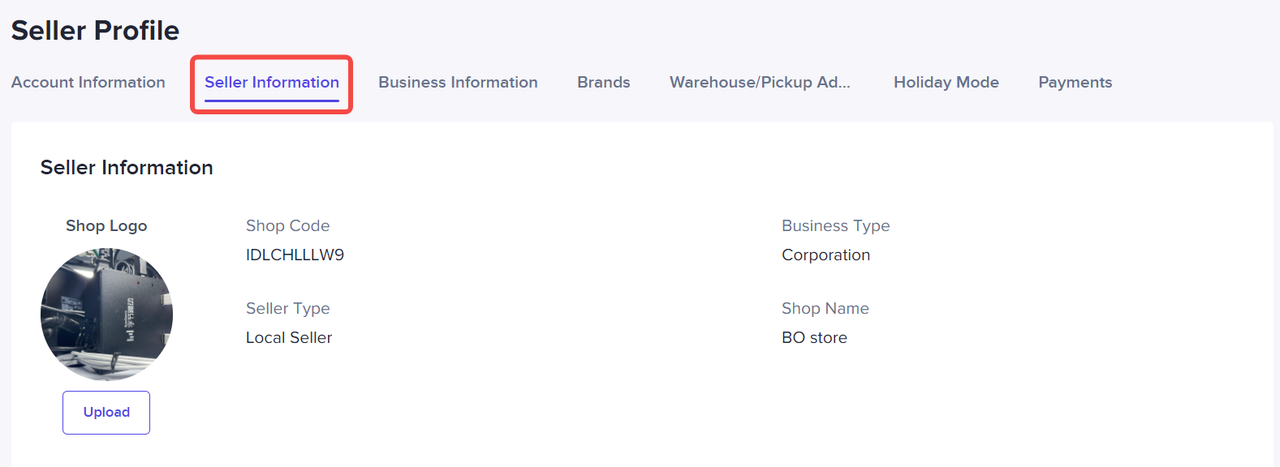 *Note: The picture is an example from a dummy test account.
- Go to My Account - Seller Profile - Seller Information
- Sellers can find and customize the following information on this page: Shop logo, Shop code, Business Type, Seller Type, Shop Name, Holiday Mode Settings
Business information
If sellers need to check their business information, sellers can directly go to Business information section.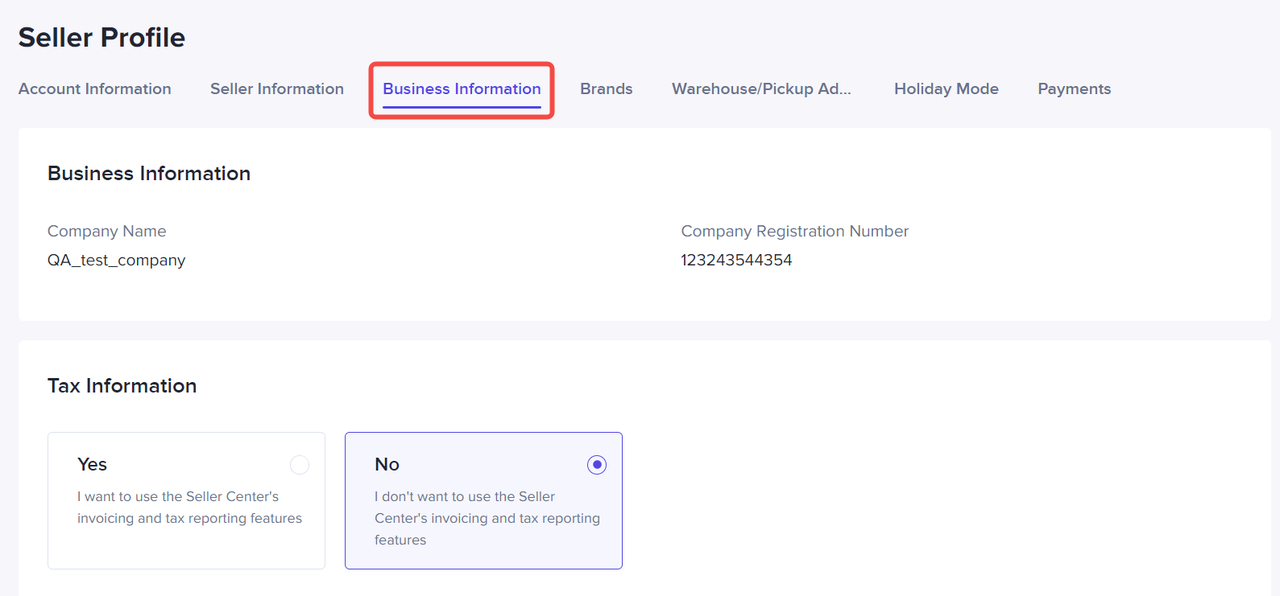 *Note: The picture is an example from a dummy test account.
- Go to My Account - Seller Profile - Business Information
- Find and customize the following information on this page: Company Name, Company Registration Number (NIB), Tax Information Settings
Brands
This section helps sellers to register brands or to check on the list of registered brands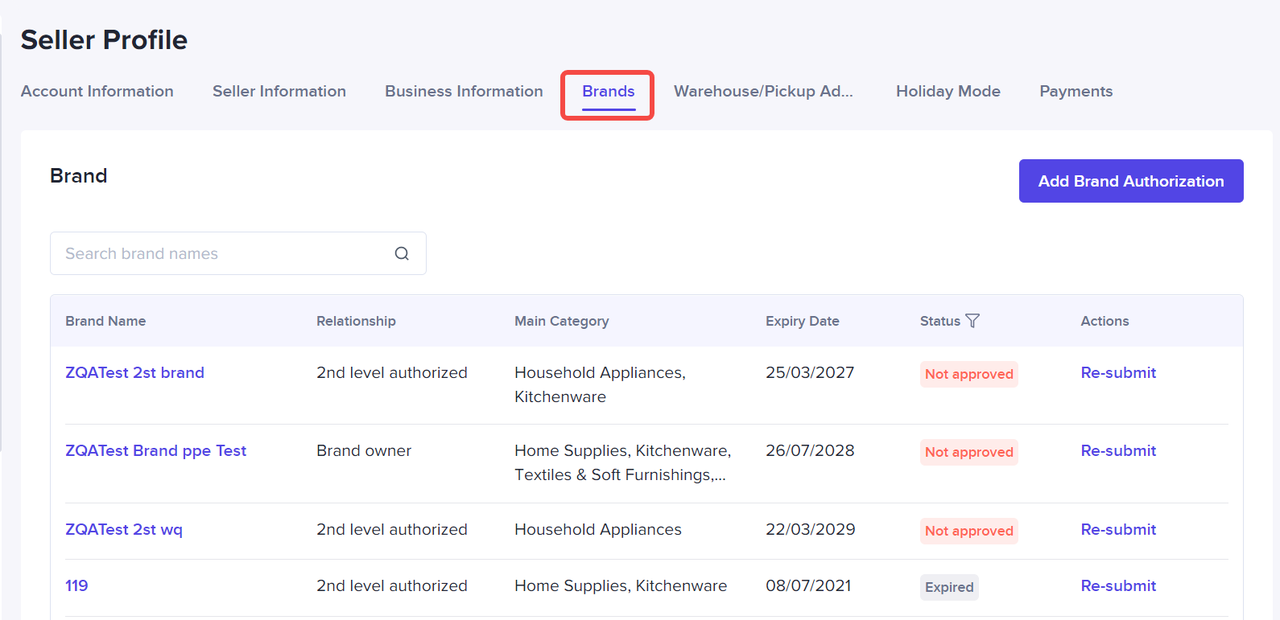 *Note: The picture is an example from a dummy test account.
- Go to My Account - Seller Profile - Brands
- Find, add, and manage your brands here
- You may see brand statuses, delete, or re-submit
Warehouse/Pickup Address
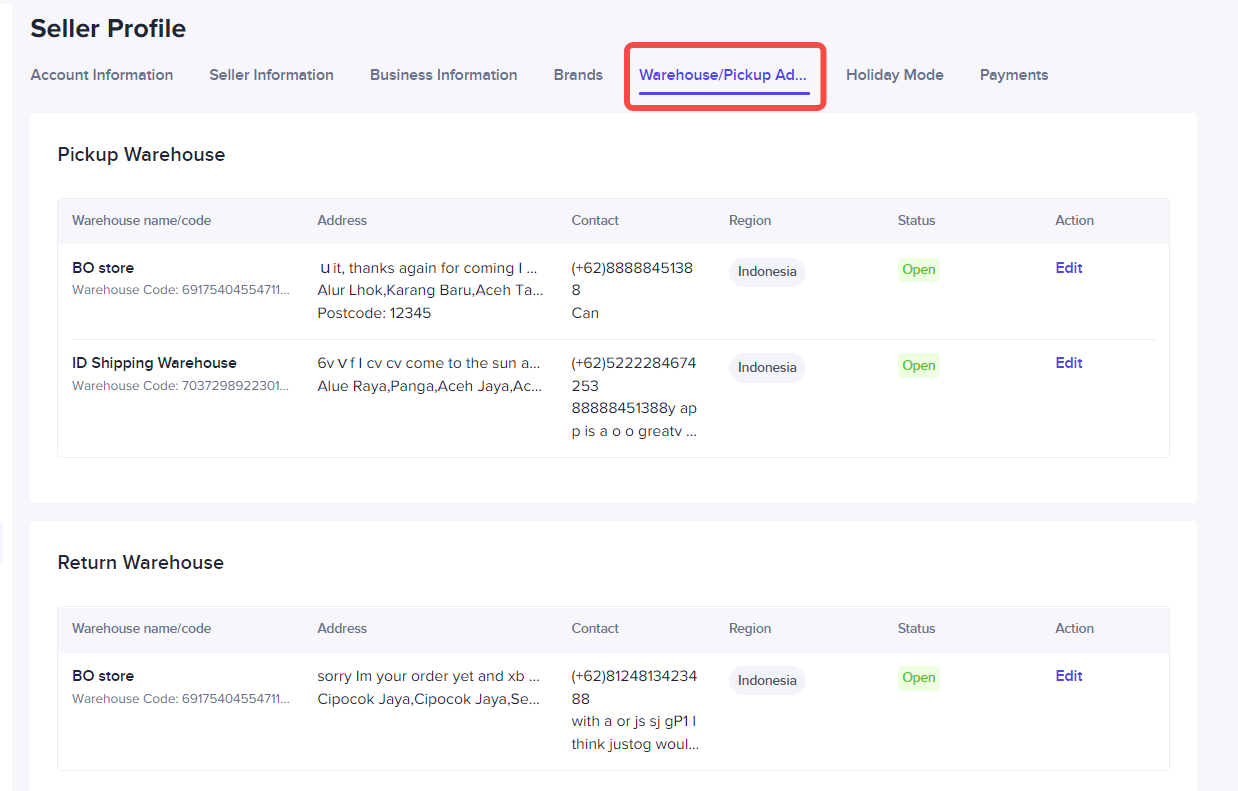 *Note: The picture is an example from a dummy test account.
- Go to My Account - Seller Profile - Warehouse/Pickup address
- Find and customize the following information on this page: Warehouse/Pickup Address and Return Address
Payments
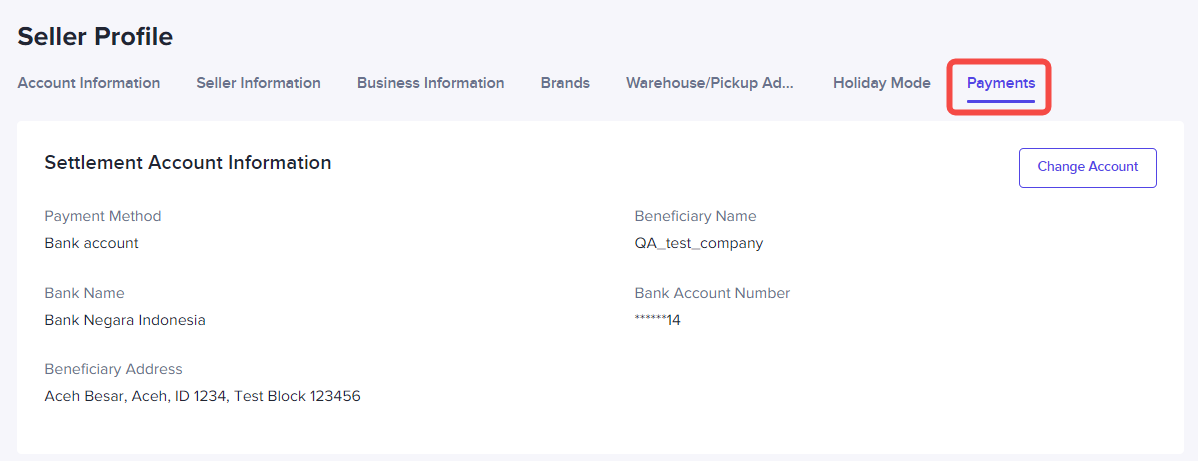 *Note: The picture is an example from a dummy test account.
- Go to My Account - Seller Profile - Payments
- Find and customize the following information on this page: Current Settlement Account Information and Change or add other settlement account
User Role Management
On this section , sellers can manage TikTok Shop user management and assign roles to respective related accounts. The main account will have permission on all seller settings, while subaccount will have different permissions.Applicable Roles
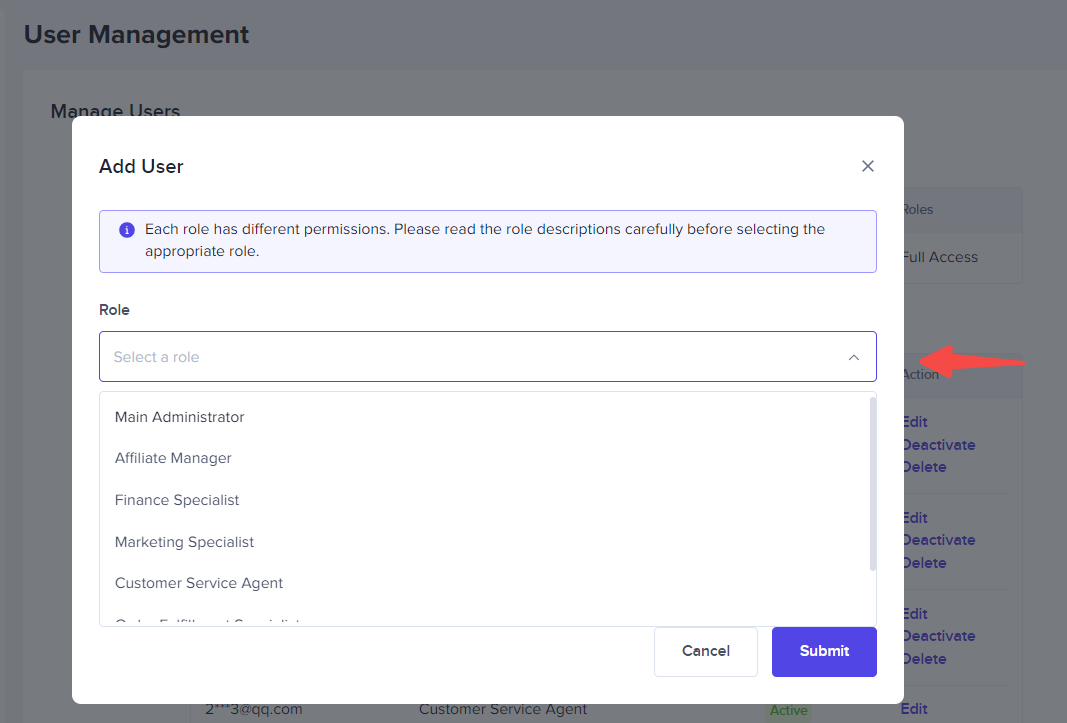
If sellers want to add new users, sellers may go to My Account - User management. Sellers can also assign specific roles to the new user added. Here you can see the list of roles that can be added:- Main administrator
- Affiliate manager
- Finance Specialist
- Marketing Specialist
- Customer Service Agents
- Order Fulfilment Specialist
- Product Management Specialist
How to assign roles
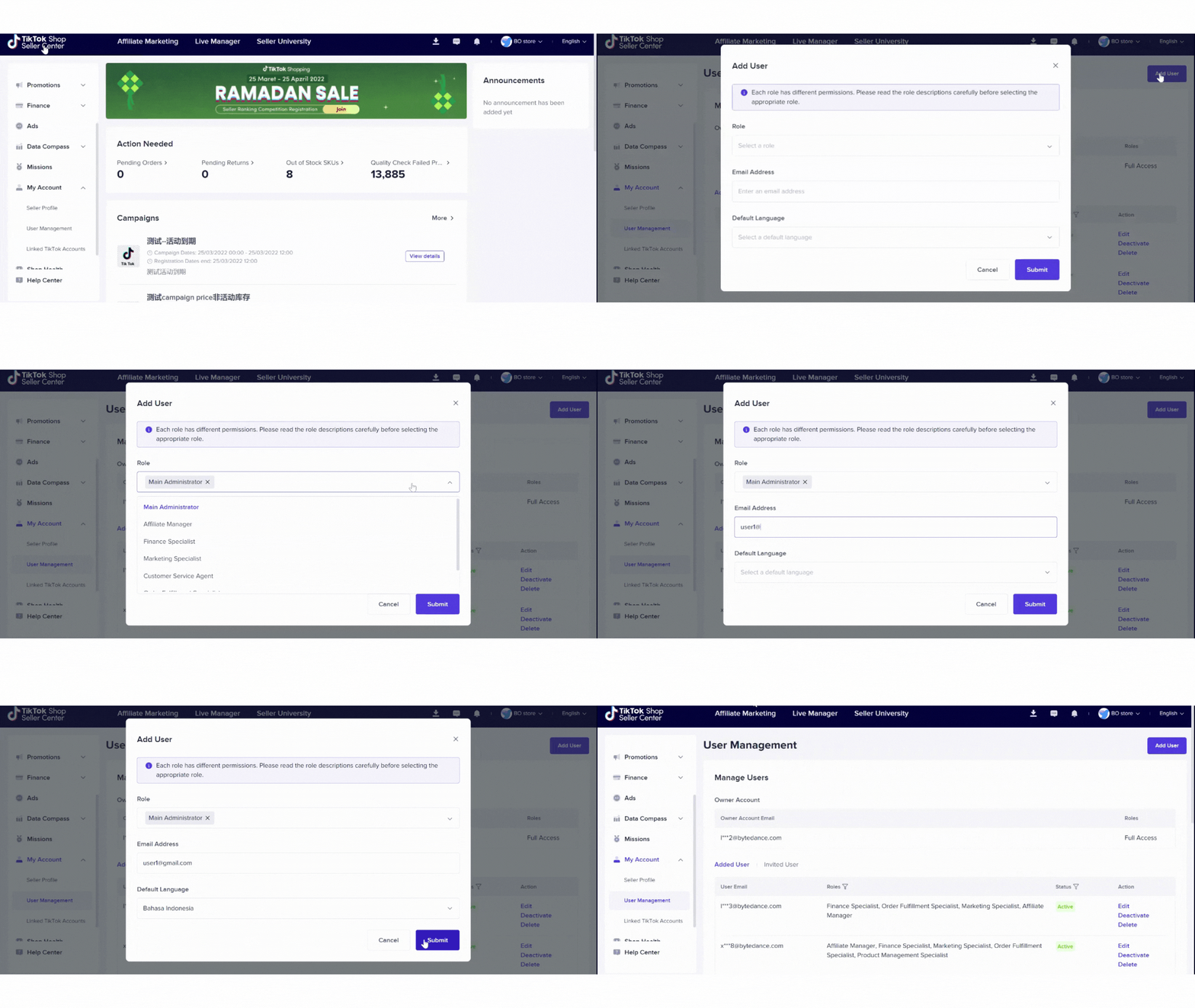
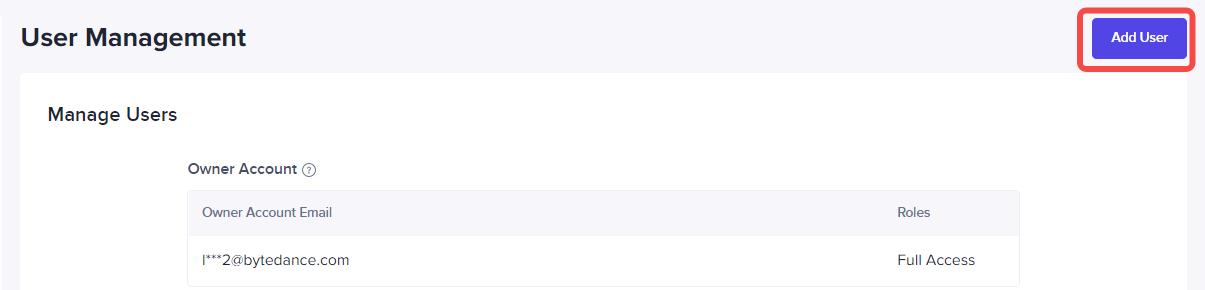
- To add specific role to a new user, sellers can go through My Account - User Management - Add User
- After that, in the role field, sellers can choose the roles that available.
- Complete the valid email address, the email address will be used by the new user to access the Seller Center.
- Choose language preference, then click Submit.
- The new added role will be active imediately
- Sellers can also manage existing users and see their status, Seller can Edit/Deactivate/Delete existing us
Linked TikTok Account
In TikTok Seller Center, sellers can link their Tiktok Account using the official TikTok Account or Marketing account.Sellers can link their TikTok Account and up to 4 marketing accounts to help promote and grow your business.
Important:
- Sellers can bind up to 4 marketing accounts.
- Linked accounts can only be unlinked on the next day.
- Maximum of 10x unlink action in 180 day
How to link marketing & official accounts
To link specific Marketing account or TikTok account, sellers can go to My Account - Linked TikTok Accounts.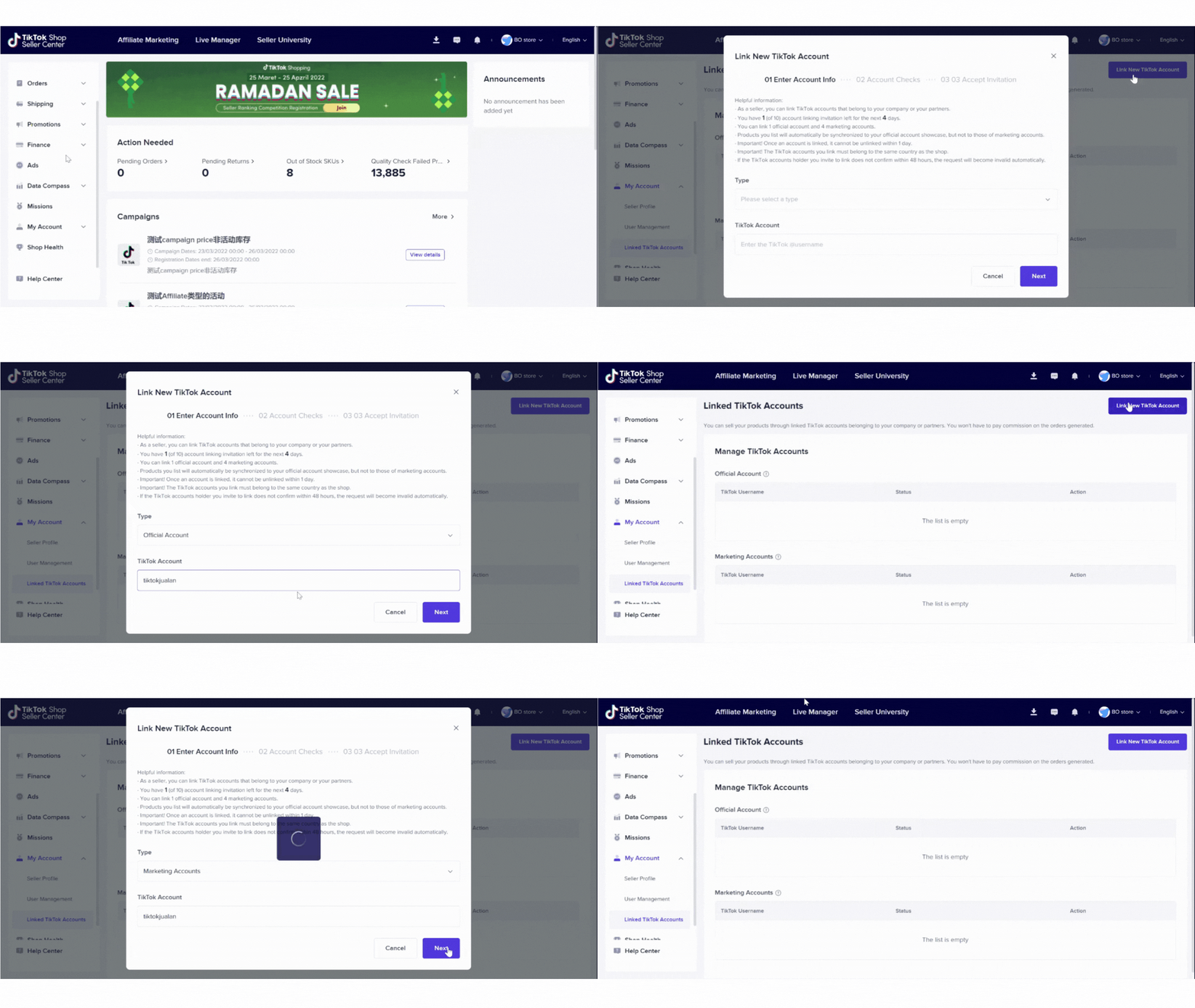
- Choose to link official account or marketing account
- Input valid TikTok username account
- Be sure that the account holder is over 18, account status normal and the account added belongs to the same country as the shop
Happy selling, Seller!
TikTok Shop