

Easy Ways to Manage Shops Through the Seller App
07/13/2023
Overview
TikTok's seller community runs all aspects of their TikTok Shop from their mobile device through Seller App, from initially registering as a seller to managing inventory and orders to analyzing their online business, among other things. Read more in the following explanation:- Overview
- Login or Sign Up
- Homepage
- Notification
- Chat
- Chat Settings
- Settings
After that, follow the steps below to find out more about the full features:
Login or Sign Up
 You can log in or sign up by using your TikTok Account/ Email/ Phone Number. Navigate easily on TikTok Seller App, you can see order and product summary, messages, earnings, and data analyst.
Homepage
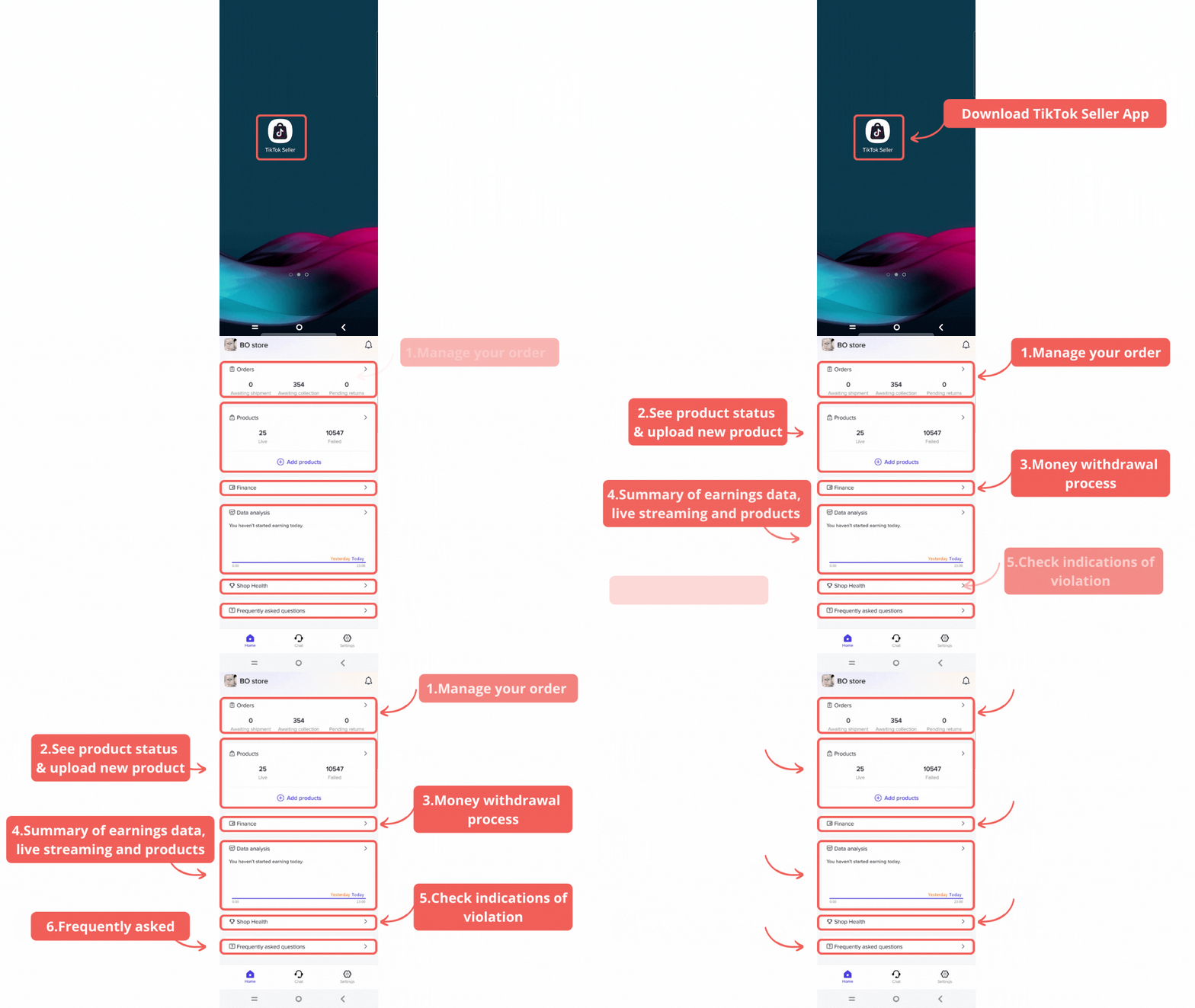
Orders
This section shows a summary of related orders that you should pay attention to. You can also click on the card to view details and manage your order.- Awaiting shipment: Shows number of unhanded paid orders placed by the customer
- Awaiting collection: Shows number of handled orders to be picked up by or dropped off
- Pending returns: Number of unhanded return or refund requests placed by customer
- Arrow button: To access Manage Order Page
Products
Products: Show summary of your products. Manage status, manage price & stock, edit product, and add new product.- Live: Number of products that are visible and purchasable by customer
- Failed: Number of products whose information does not comply with product guideline
- Add products: Shortcut to add and upload new products
- Arrow button: To access Manage Product page
Data Analyst
Data Analyst: Information about your store's most important metrics and trends for various frames for sales overview and live stream data.- Overview: Realtime data and other frame data of the sales key metrics, such as:
- Revenue
- Customers
- Product Clicks
- Product Impressions
- Different Product Sold
- Products Sales
- Orders
- Livestreams: Realtime & previous data of livestream sessions. Several key metrics provided, such as:
- Revenue
- Viewers details
- Viewers
- Buyer details
- Product
Finance
Finance: On the finance page, sellers can do several things- Check available to withdraw amount and withdraw function
- Check unsettled earnings (To Settle)
- Check settled withdrawals to Bank and earnings from settled order history from selected time frame. Seller can also filter the history by All, Withdrawals, and Earnings.
- Check withdrawals and earnings details by clicking each data
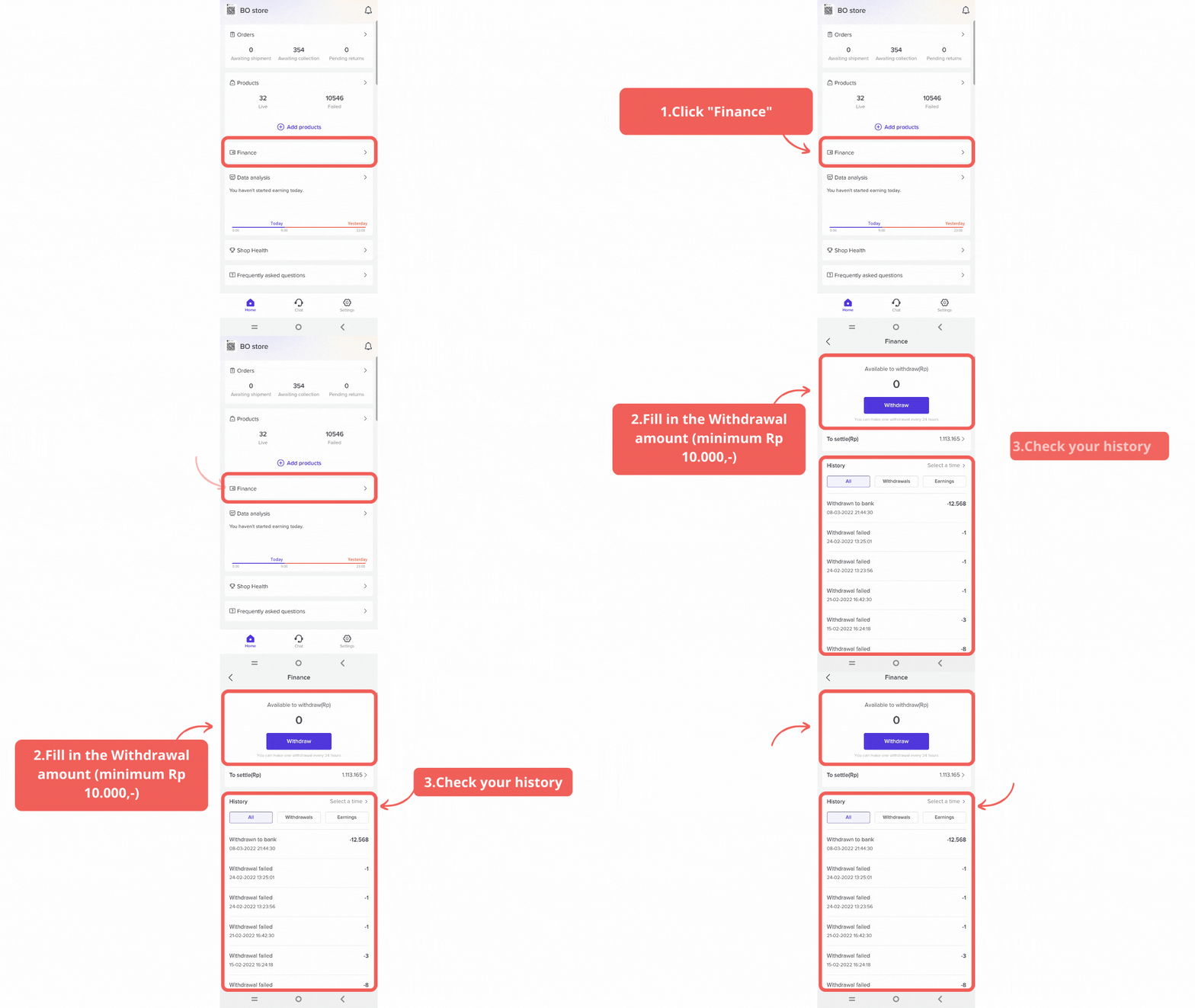 IMPORTANT: Withdrawal Step
 - Click Withdraw button
- Choose your withdrawal destination
- Input the withdrawal amount
- Click Withdraw Now
- Make sure that the withdrawal amount and destination are correct. Click Confirm to Withdraw
Notification
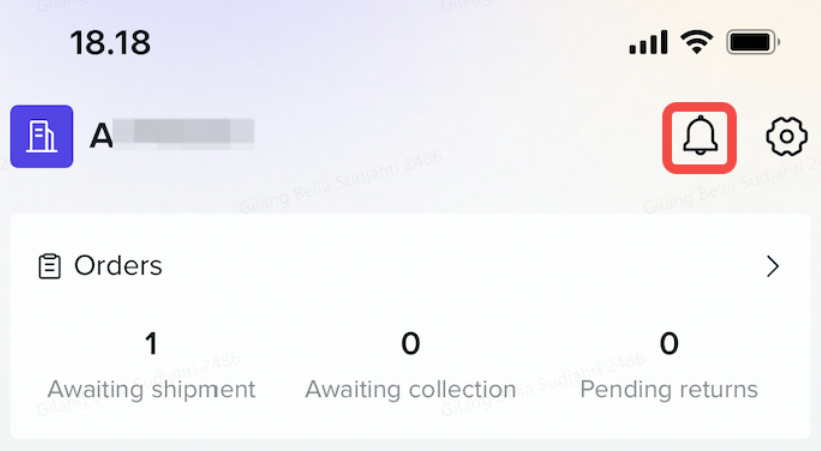 Check your messages in the notification center periodically, for example, new orders, announcements from the platform, rules, or other messages.
Chat
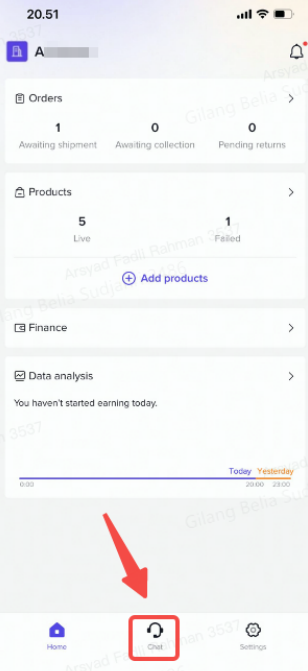
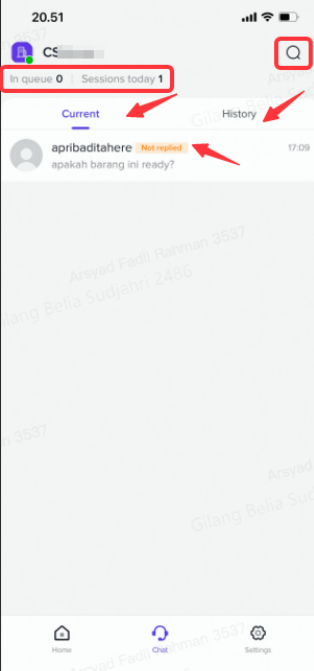 Note: The picture is an example from a dummy test account.
Seller and buyer allow communicating through the chat feature on TikTok Shop.
TikTok Shop Chat Feature consists of:
- The top part consists of:
- In queue: real time number of all customers of the store who are waiting in queue for customer service
- Satisfaction: The level of user satisfaction with your customer service today
- Session today: replied sessions or chats initiated by customers for the current day, excluding the sessions that are transferred to other customer service agents or are initiated by you (as a service customer agent)
- There are two chat lists:
- Current: List displays customers you are chatting with
- The "Not Replied" tag indicates new and unread chats, and the number on the top right of the avatar indicates the number of current chats.
- History: List displays chats that have ended, with the latest shown at the top.
Customer Survey
In order to improve the quality of the store, especially in terms of store reliability in maintaining buyer satisfaction, a short survey was conducted which was shown to buyers when they initiated their first chat with buyers.This assessment will appear at the very bottom of the chat screen (with a 5 star rating system), where the buyer can immediately provide an assessment of the quality of the Customer Service / Chat service from the Seller concerned.
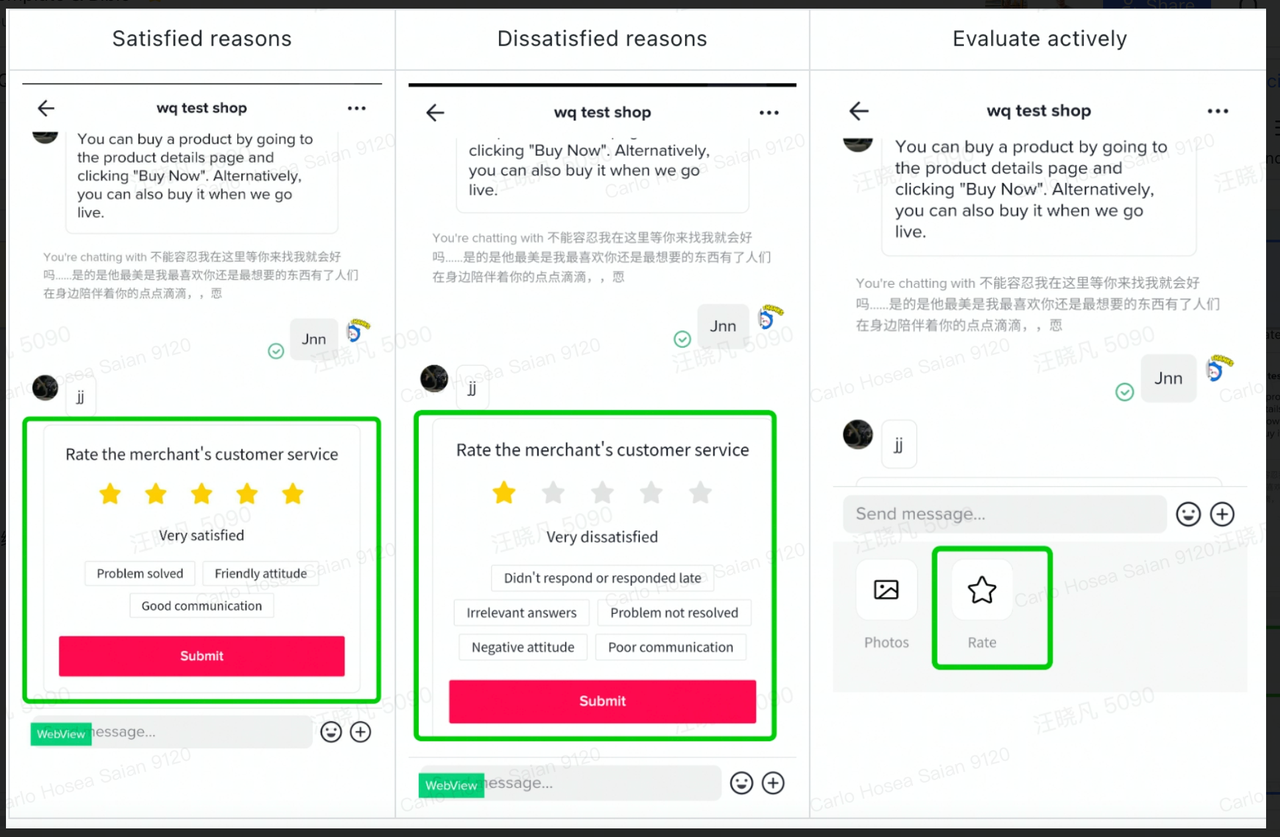 Note: The picture is an example from a dummy test account.
Chat Settings
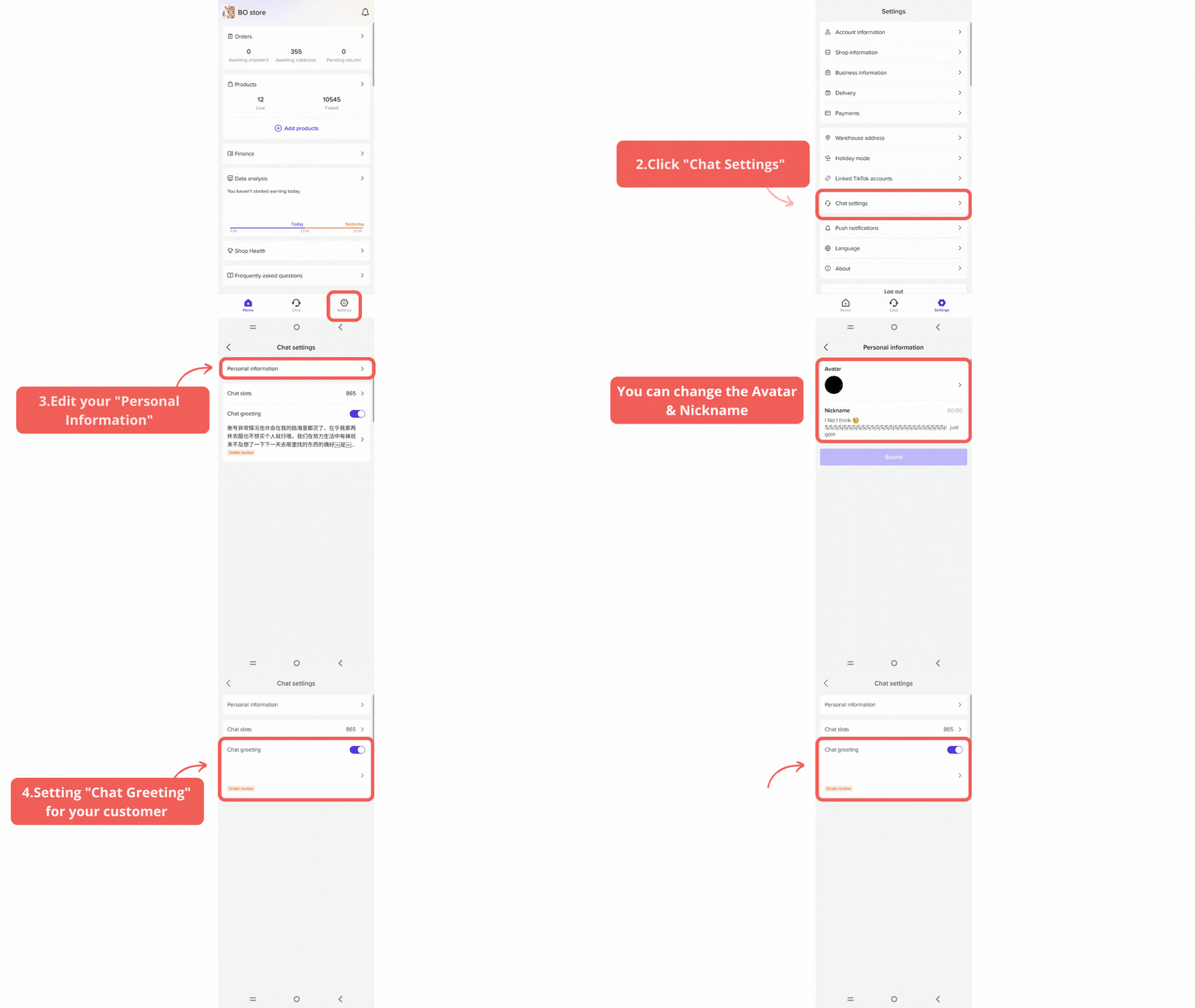
Personal Settings
- Click on Chat Settings
- Go to Manage
- Change your Nickname & Avatar
Chat Greetings
Customize your greeting message to customers when they contact your customer service, which can help to increase your response efficiency and consumer satisfaction.Settings
Account Settings Page
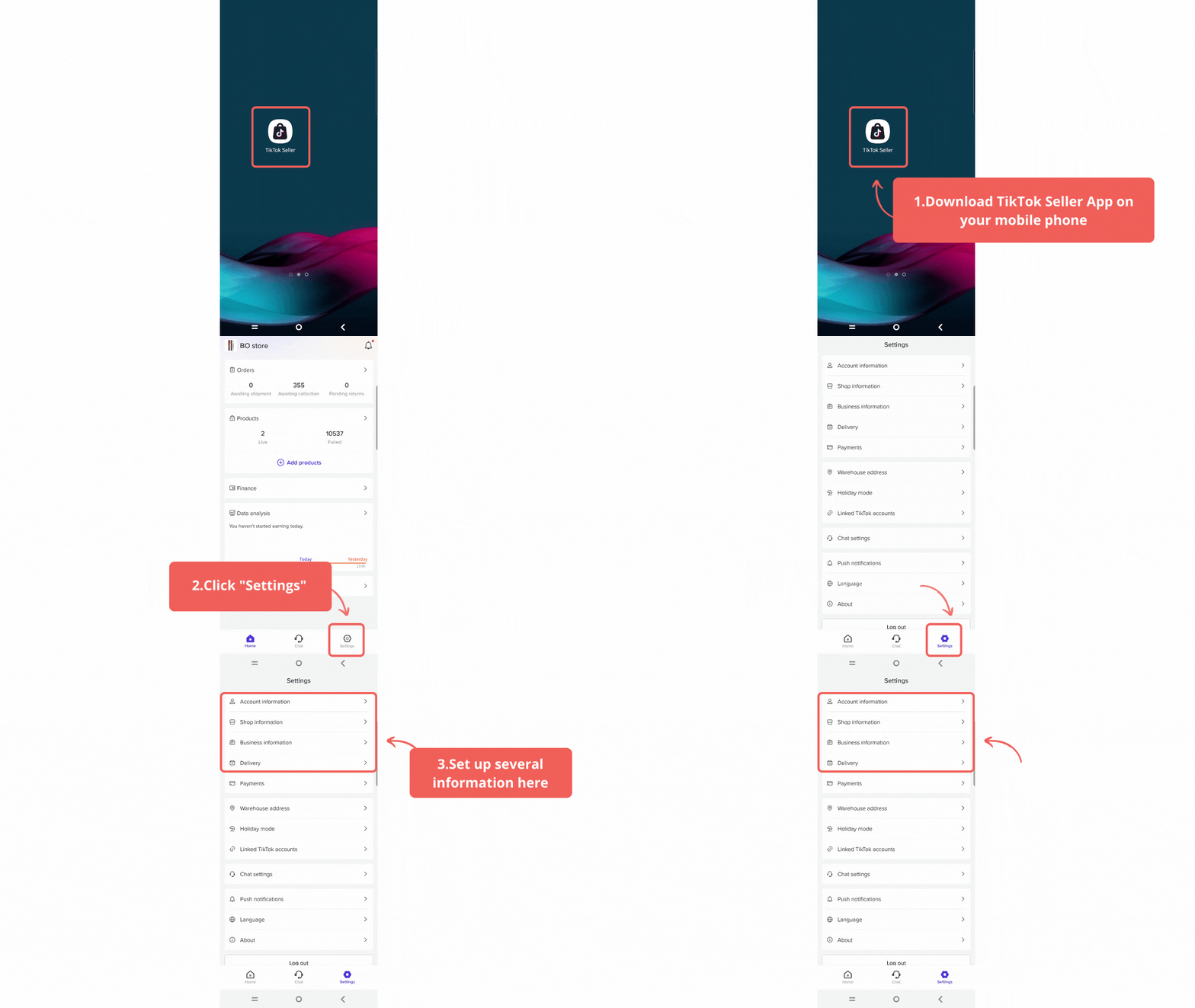
- Account Information: Find the following basic account information, such as Email, Phone Number, Password, and Login Account
- Shop Information: Find the following information on this page, such as Shop Logo, Shop Code, Business Type. Seller Type, Shop Name
- Business Information: Showing your business category, whether it's an individually owned business or corporation
- Delivery: Including Shipping Provider, Delivery Options, Invoice Generation Method
Payments
Find and customize withdrawal method by following these steps:Add your new withdrawal method to add another payment withdrawal method
Click Bank Transfer to choose and fill out the following bank information, including:
- Bank name
- Bank account number
- State/Province
- City
- Building number
- Street address
- Postal code
Linked TikTok Account
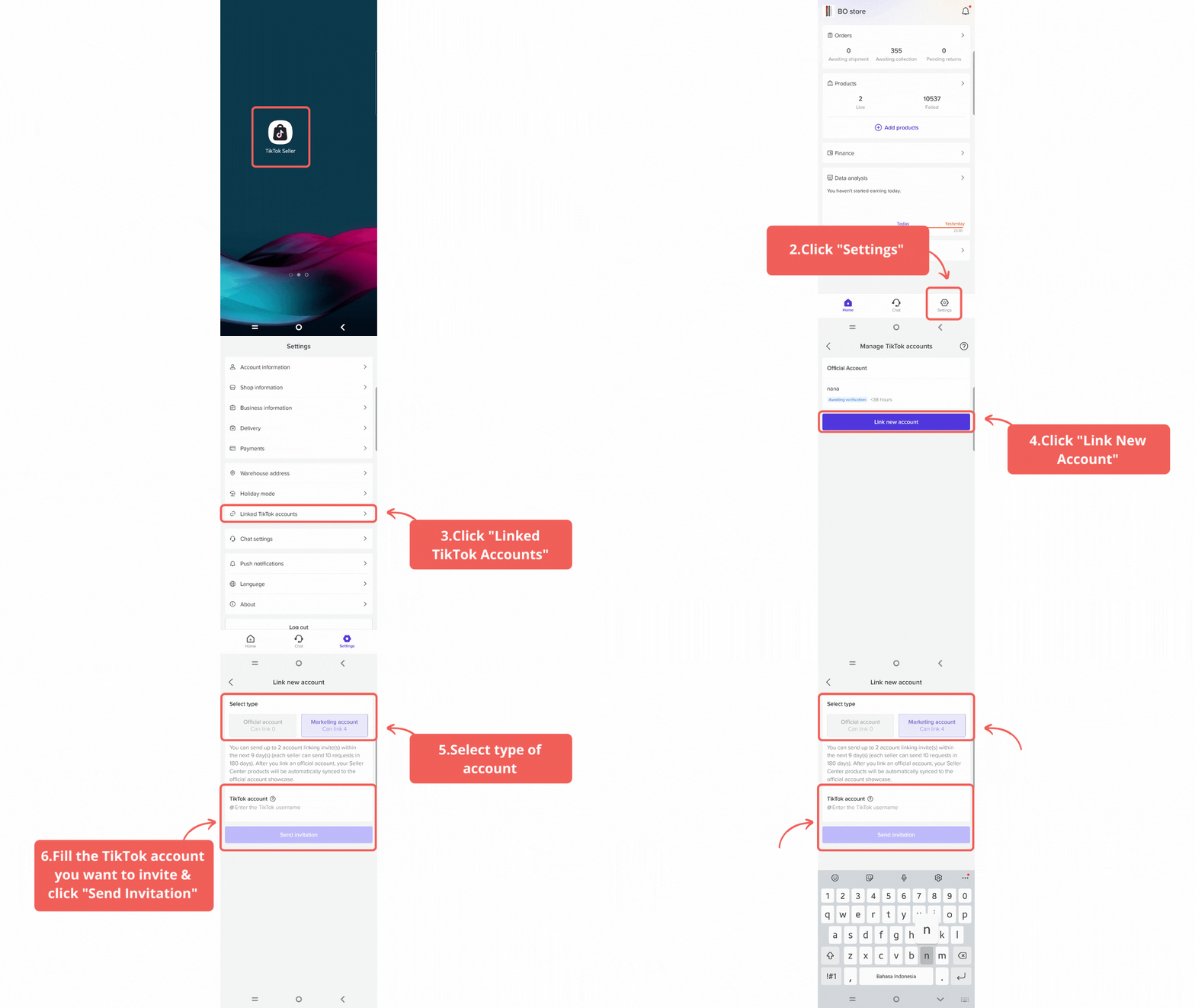 Link your TikTok Account and up to 4 marketing accounts to help you promote and grow your business
- Fill in the TikTok account you want to invite
- Click send invitation button
Holiday Mode
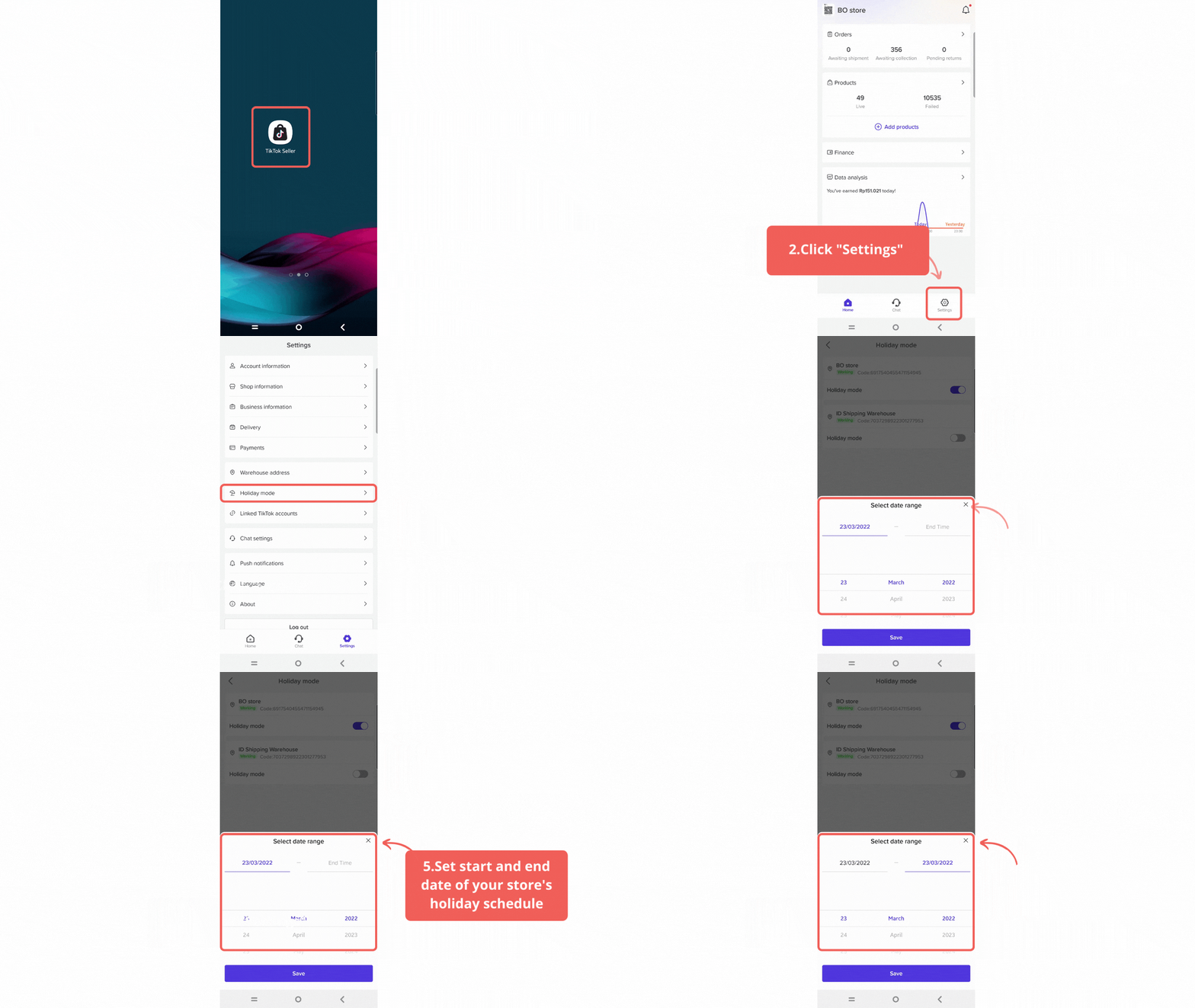 Use this feature to manage your schedule.
 - Turn on/off holiday mode to your TikTok Shop Store
- Set start and end date of your store's holiday schedule
Language
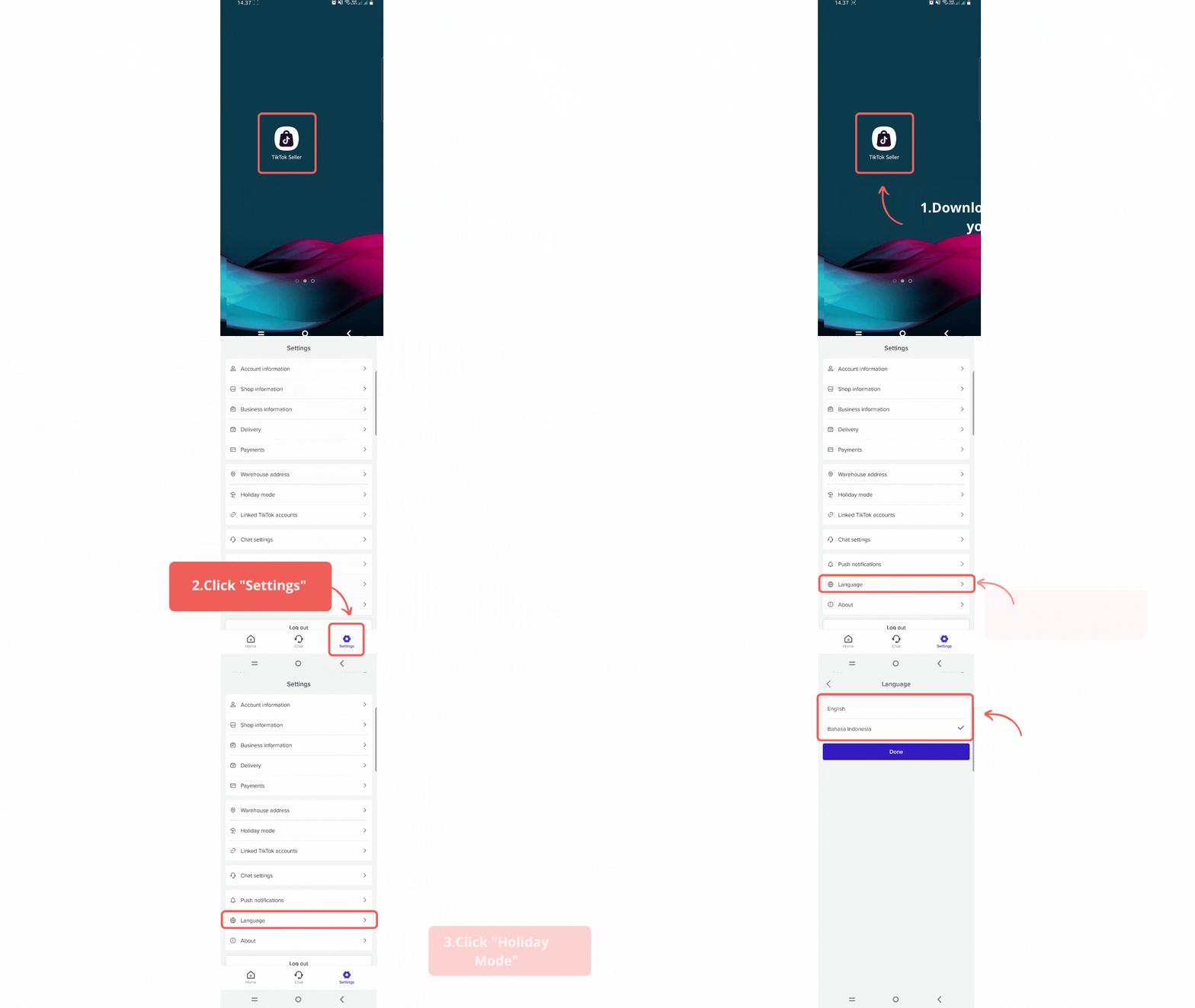 So are you more used to managing sales activities through the seller application from your cellphone or through the seller center? If you also want to know the appearance of the Seller Center, please see All about the Main Features of the Seller Center and its Benefits.And also please visit Seller University to see other related articles from TikTok Shop! And if you have any questions, feel free to ask them through the Help Center.
Happy selling, Seller!
TikTok Shop