

Managing Exchange Requests
12/16/2025
For guidance on managing other types of aftersale requests, check out these articles:

Understand Exchange Requests
To provide a seamless experience, buyers can request an exchange request if the product doesn't fit their needs (for example, if the size is incorrect) or if they prefer a different variation. The seller can then send an exchange item once the original is returned.
How to Manage Exchange Requests
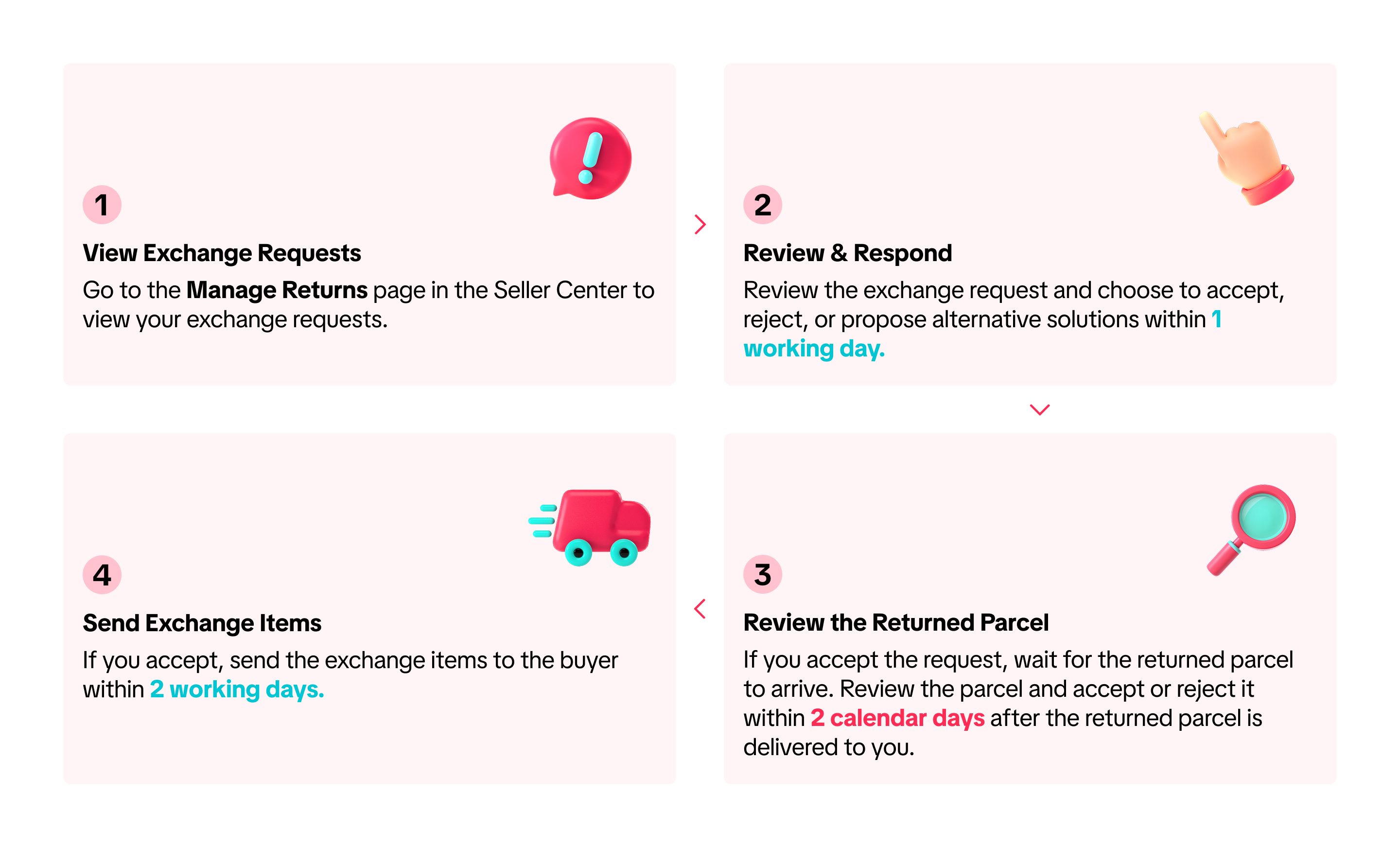
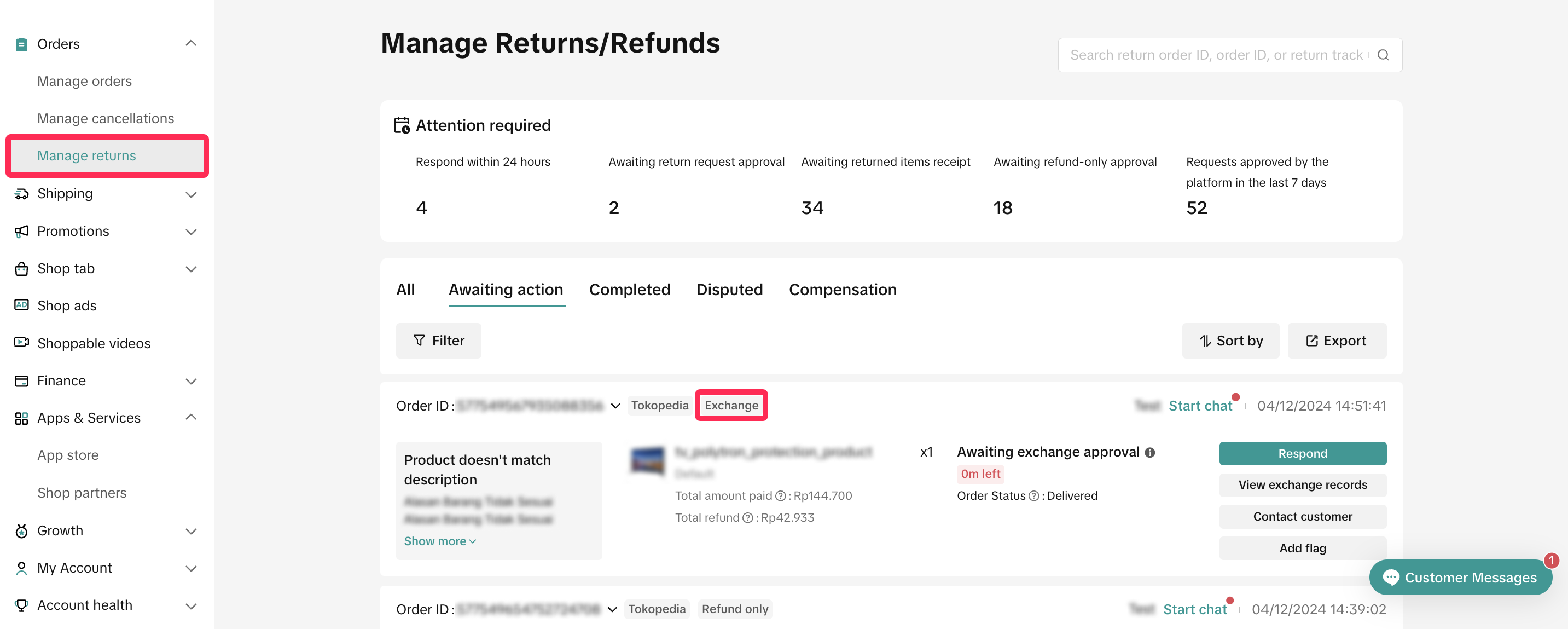
- Go to the Manage Returns page in the Seller Center and navigate to the 'Awaiting Action' tab to find requests tagged as 'Exchange.'
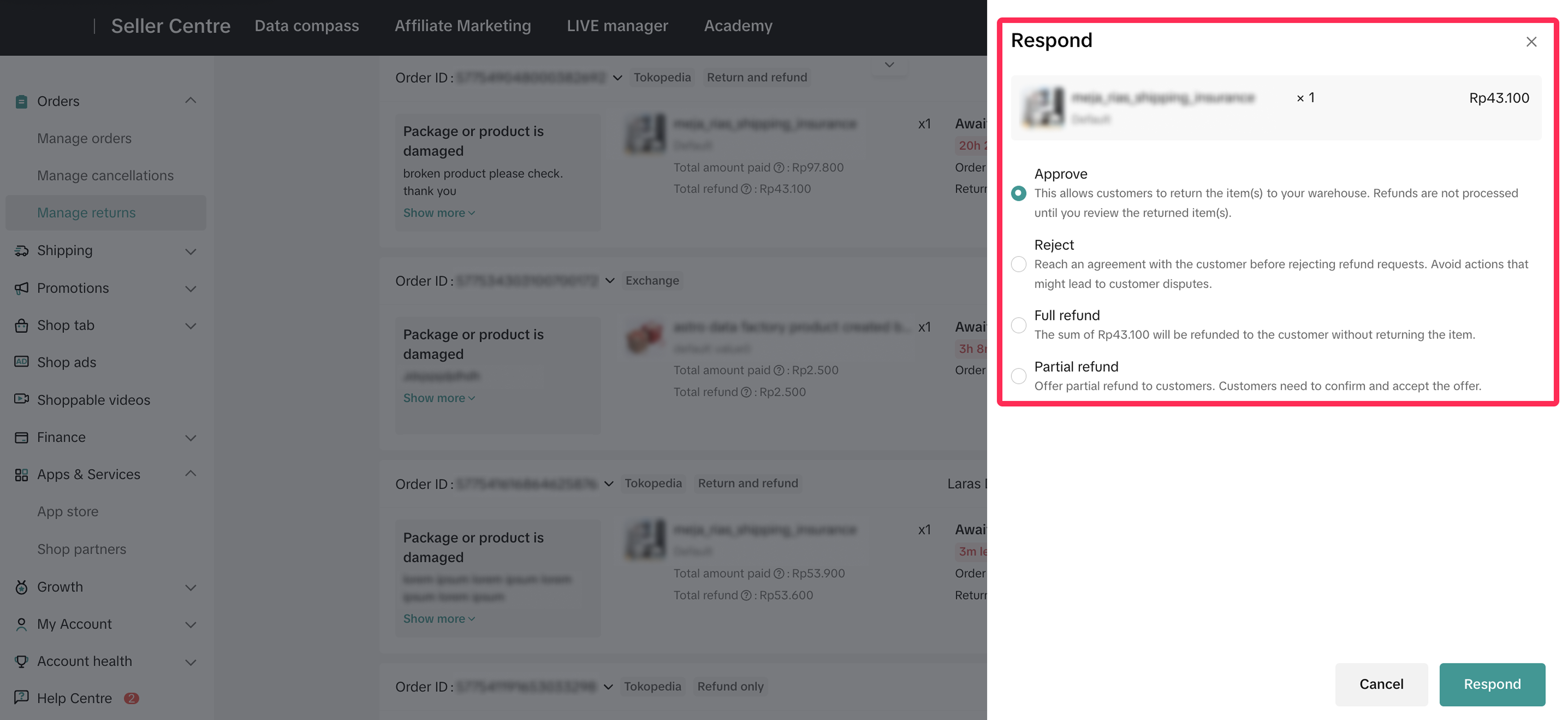
- Review the reason for the exchange request, and respond within 1 working day. If you miss this timeframe, the platform will automatically approve these requests.
- Approve: If the reason provided is valid, you can approve the request, wait for the buyer to return the item, and then send the exchange item.
- Reject: If a request doesn't meet your criteria, you can reject it and provide a clear reason for transparency.
- Propose other solutions: You can suggest alternatives, such as partial refund, refund-only, return & refund, send remaining, depending on the buyer's selected reason. If the proposed solution is more favorable to the buyer, it will be auto approved by the platform.
- If you propose a partial refund, the offer will be sent to the buyer as a negotiation card in Customer Service Chat. The buyer has 1 calendar day to accept or reject it. If the buyer rejects the offer, the request will return to the original exchange process, where you can either approve or reject and continue with the standard procedure. Read more about partial refunds here.
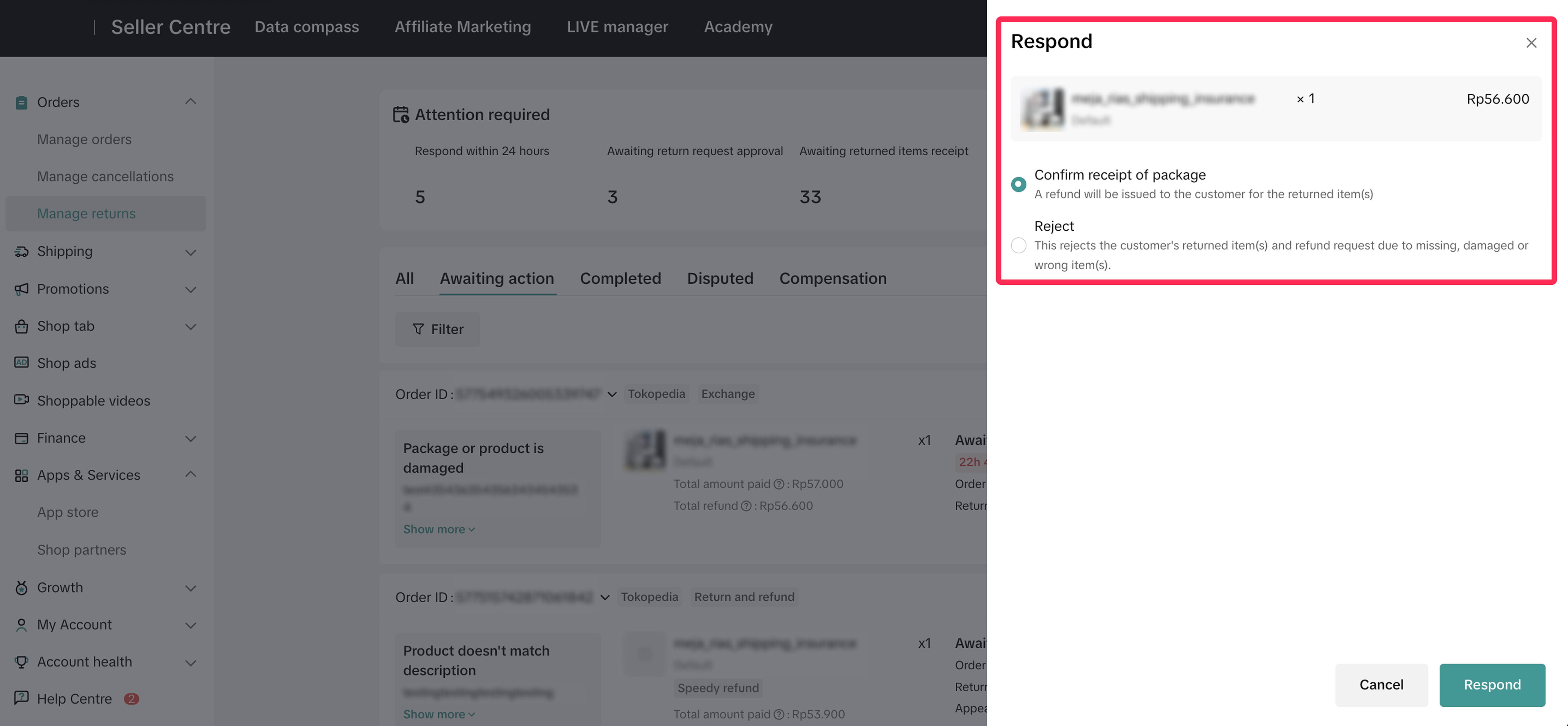
- Once you approve an exchange request, wait for the buyer to send back the parcel. Upon receiving the item(s), inspect them and decide whether to accept or reject the returned parcel within 2 calendar days.
- If you approve the request, the system will take you to the Manage Returns page. Here, select the 'Arrange Shipment' option to print the shipping documents and send the exchange item within 2 working days.
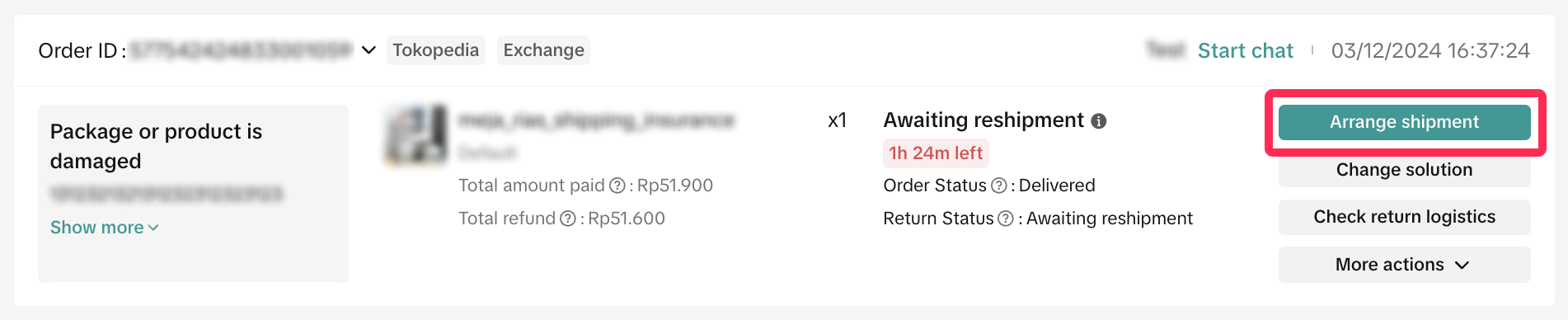 ❗️Note: The seller will be responsible for the shipping cost of the exchange, and the shipping option will match the original order. For example, if the original shipping option was 'Shipped via Platform,' the exchange will also be 'Shipped via Platform.'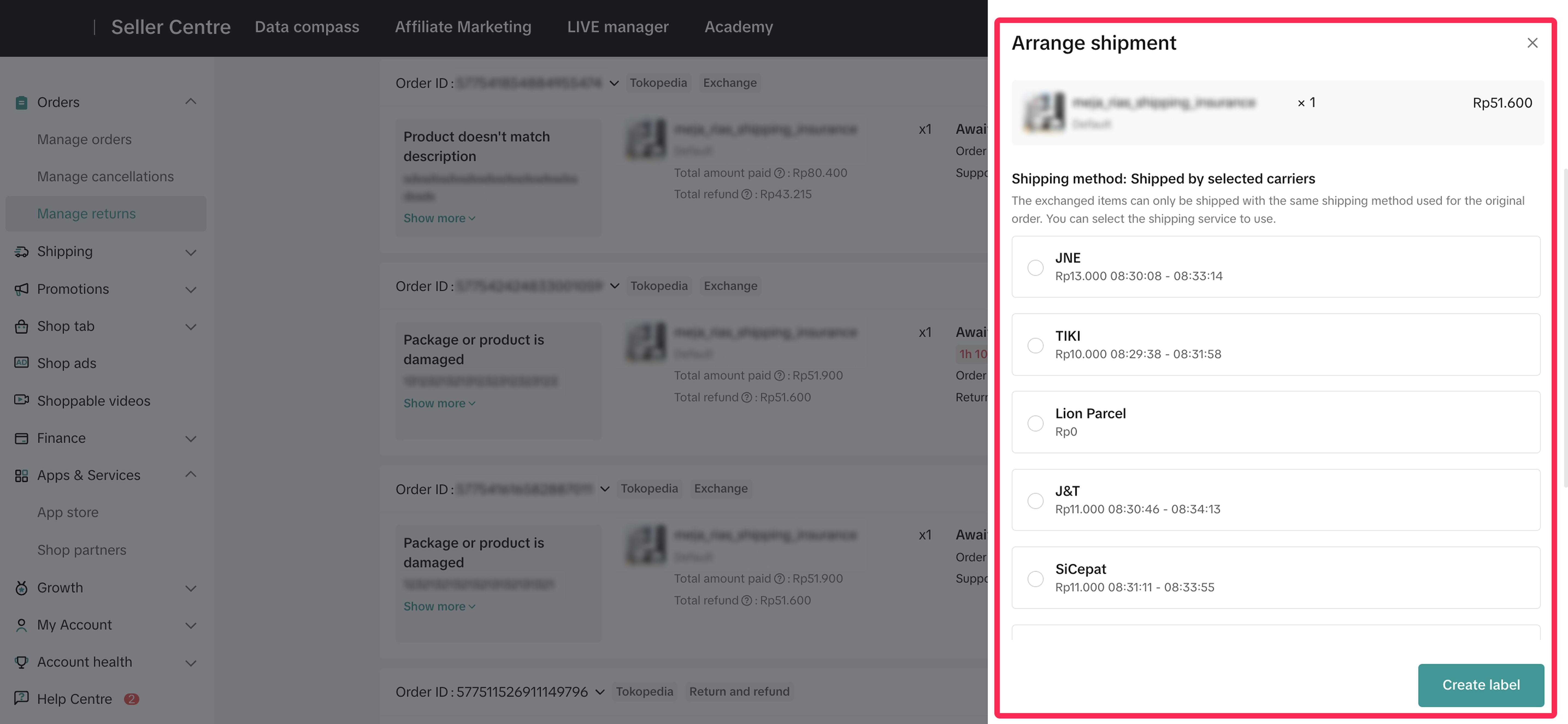

How to Track Exchange Shipping Status
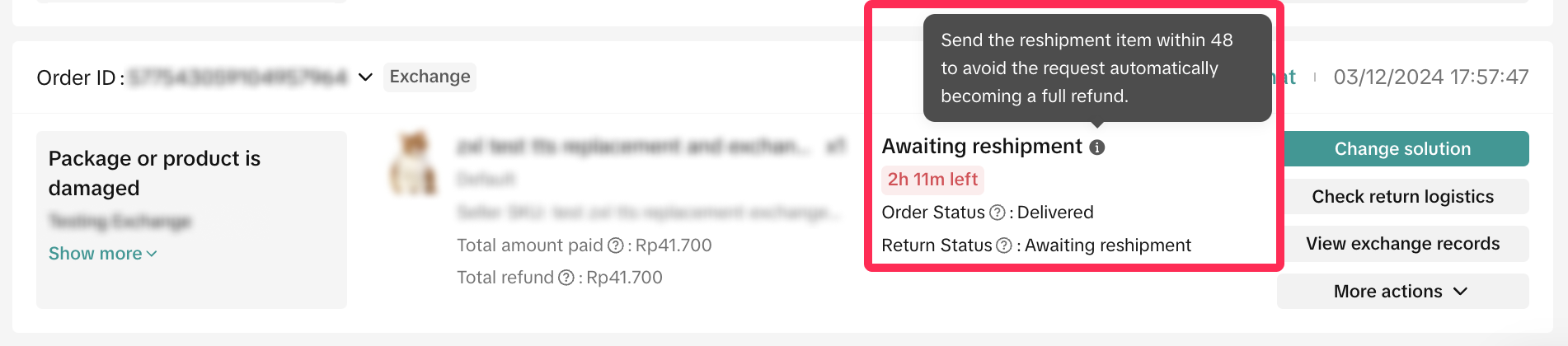
- You can easily check the status of your exchange request on the Manage Returns page, directly on the request card, as shown below.
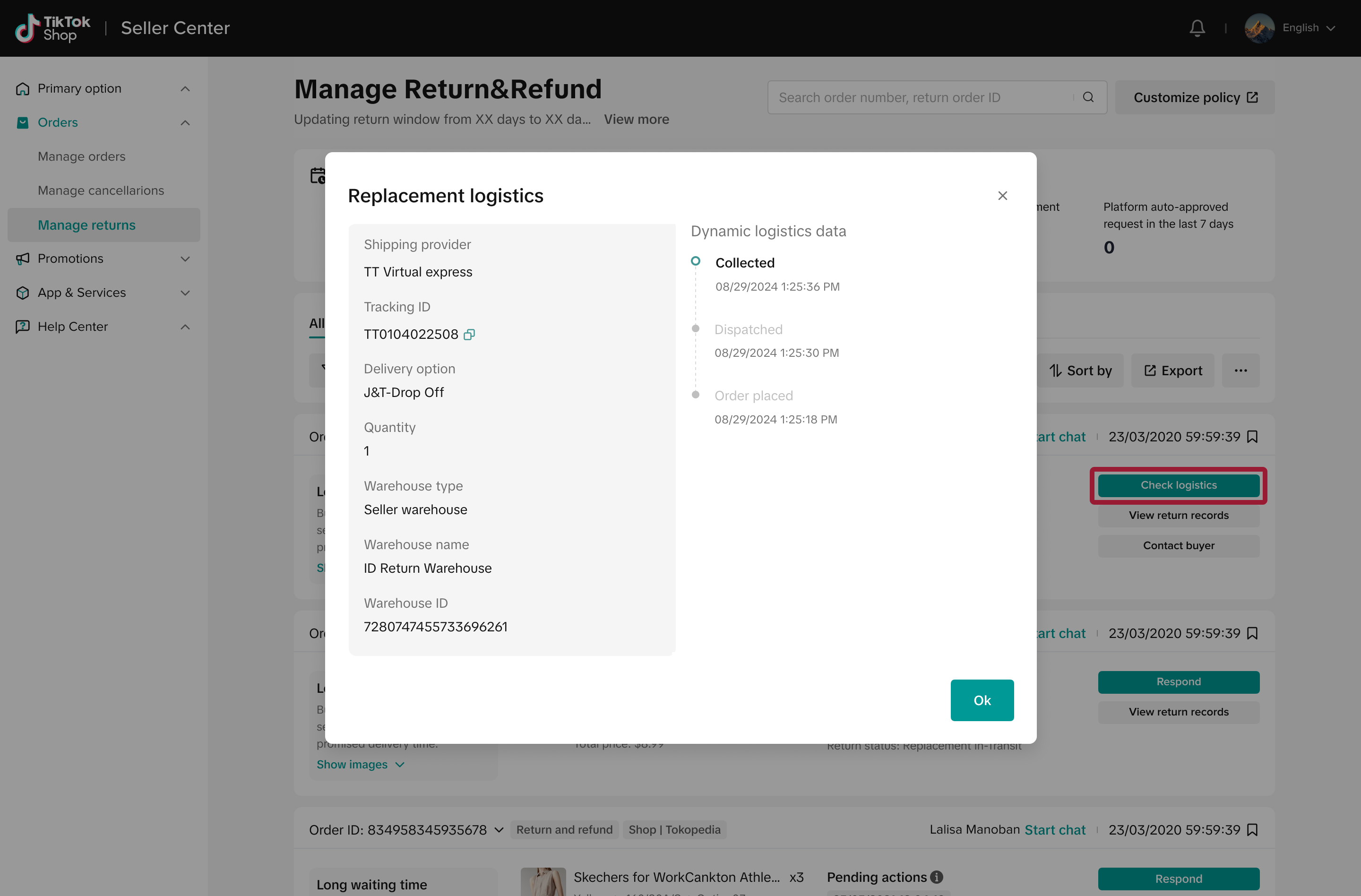
- Alternatively, click on 'Check Logistics' to open a new window displaying the logistics information and latest shipping status.
Có thể bạn cũng quan tâm về
- 1 lesson
Return and Refund Policy on TikTok Shop
Sellers will learn guidelines for managing order cancellations requested by buyers, as well as refun…
Managing Refund-Only Request
This article provides a clear overview of the refund-only process, giving you the tools to respond e…

Initiating an Appeal for Return/Refund Requests
This article aims to improve seller's understanding regarding appeal management on Seller Center fro…
"Change of Mind" Returns
What are "Change of Mind" returns? These are returns when a customer selects "No Longer Needed"/"Cha…
Required Evidence for Rejecting Buyer's Aftersale Requests
This article aims to provide a comprehensive guide on how to effectively reject a buyer's return, re…
TikTok Shop Customer Order Cancellation, Return and Refund P…
Overview This TikTok Shop Customer Order Cancellation, Return and Refund Policy (hereafter referred…

Partial Refund
In this article, we will introduce a step-by-step guide for partial refunds. This feature aims to in…

Return Failed Package
Note: this rule applies only to local-to-local transactions. What is a failed return package? A fail…
Auto Rule Settings for Cancellation Requests
This article will provide you with a quick walkthrough on how to set up automated rules for acceptin…

Managing Returns and Refund Requests
This article walks you through the basics of the returns and refunds process, equipping you with the…