

Setting Shipping Channels
01/29/2024
Setting Shipping Channels
Understanding shipping channels
After the order is placed, you need to pack the corresponding items and handover the parcel to delivery partner. This process is known as order fulfillment. Typically, the fulfillment process involves:- Picking items in order
- Consolidating and packing items
- Attaching shipping label to the parcel
- Handing over the parcel to your delivery partner for delivery to your customer
Service Name | J&T Express |
Collection Method | ✔️Pickup ✔️Drop-off |
Minimum Weight | N/A |
COD | YES |
COD Coverage | NATIONWIDE |
Web | |
Pickup Coverage | Nationwide |
Delivery Coverage | Nationwide |
Drop-off method vs scheduled pick-up
- To ship > Awaiting shipment to To ship the system will trigger a collection/pickup or drop-off request to your assigned delivery partner.
- Choose drop-off at your own convenience.
- Click the "Arrange shipment" action button of an "Awaiting shipment" order, and then the available collection methods will be displayed.
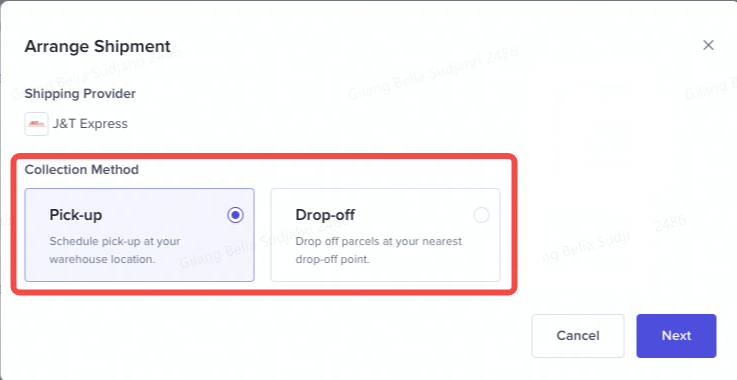 Drop-Off
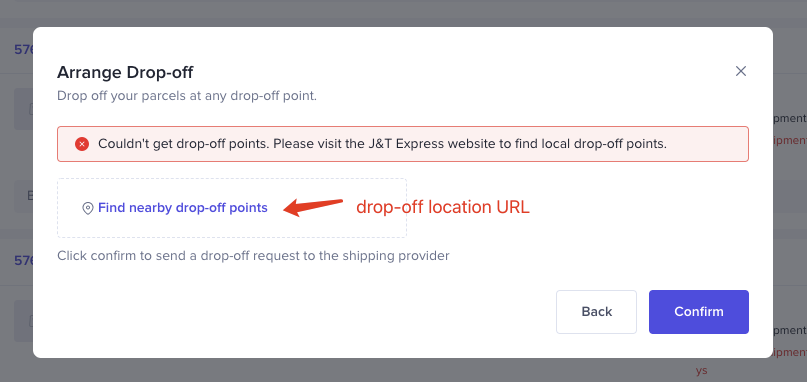
- If drop-off is selected, drop-off location URL will be provided to you. You can click "Find nearby drop-off points" and then he/ she will be redirected to the carrier website accordingly.
- Click "Confirm" button and then the order will be updated to "Arrange collection" status. Collection method will be displayed in the order list for sellers reference
- You can also get the shipping instructions & collection method details by clicking "View logistics".
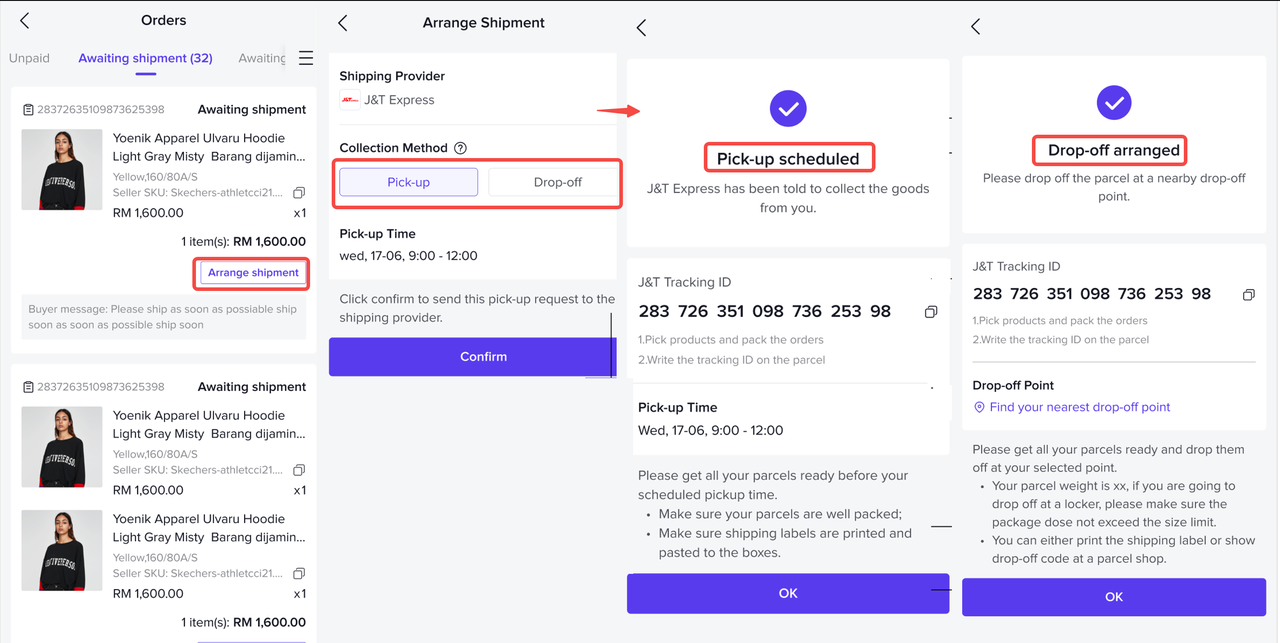
Setting shipping channels (Seller App)
Now there is an option for package delivery when the Seller requests a pickup from the application: Pickup or Drop off to the nearest JNT Agen.More detailed information regarding the package to be sent: eg: more complete payment details, tag "pre-sell / PO" for PO products etc.
Warehouse or Pick Up Address
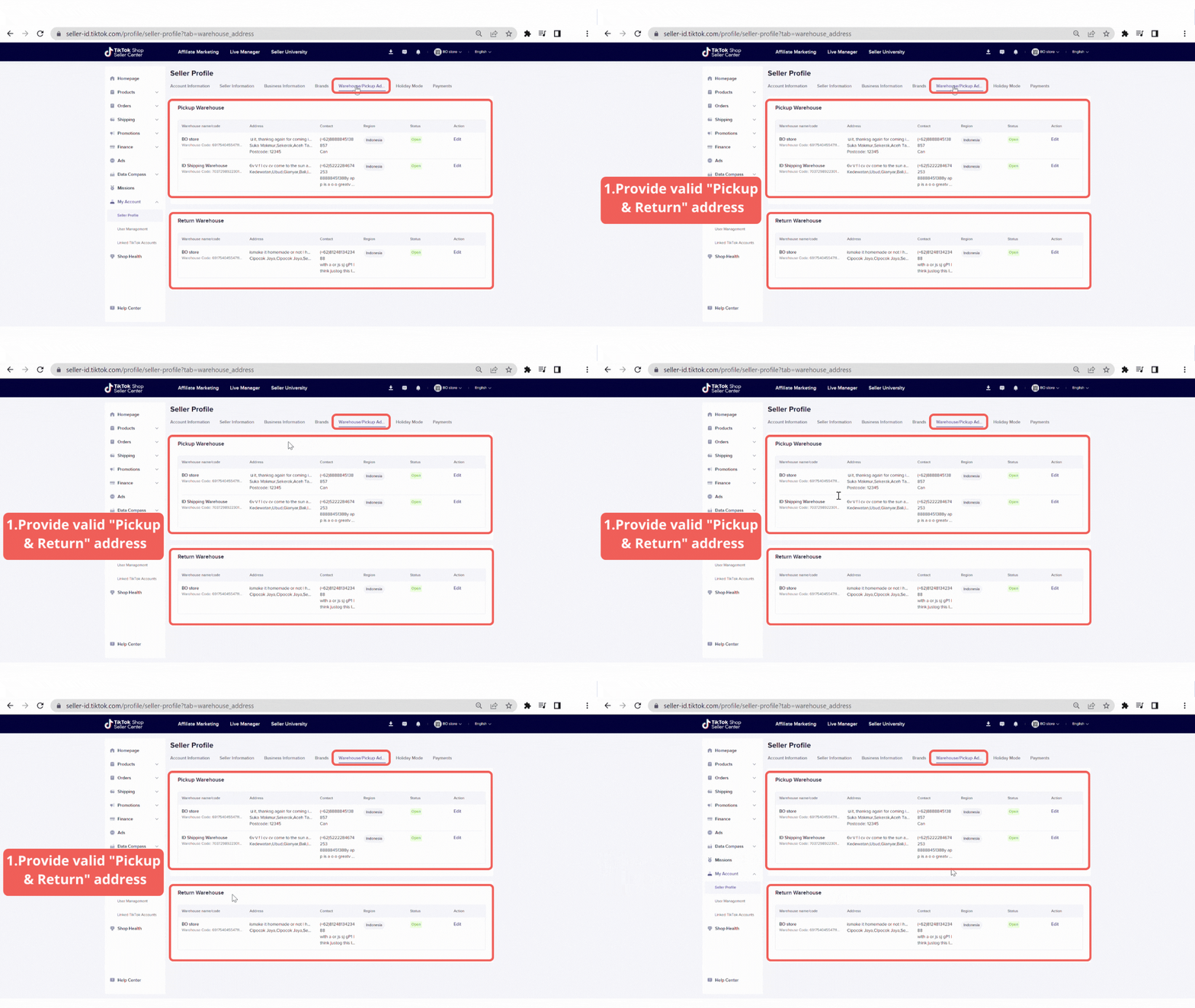 Provide valid "pick up & warehouse" address. The address information must include country, province, district, and full geographic address
You may also be interested in
- 1 lesson
🔖How to join Mall Combo Package
Take advantage of exclusive benefits as soon as you join
- 1 lesson
How to Upload Your First Listing
Learn more about Listing to Your First Product
- 1 lesson
Brand Qualification on TikTok Shop
Learn about the importance of "Brand qualification" on TikTok Shop, along with guidance on preparing…
- 4 lessons
Easy Ways to Register on TikTok Shop
The registration process on TikTok Shop is very convenient. You can register with an existing TikTok…
- 1 lesson
How to Manage Your Store's Finances
The registration process on TikTok Shop is very convenient. You can register with an existing TikTok…

I've tried all of the methods above but am still unable to l…
If you've followed the troubleshooting steps and your problem still persists, kindly reach out to th…
Seller Registration
Registration process in TikTok Shop is very convenient. You can sign up with your existing TikTok ac…
TikTok Shop Seller Registration Guidelines
Overview 1.1 Introduction These TikTok Shop Seller Registration Guidelines have been drafted with…
New Shop Adjustment Period
All new shops on TikTok Shop start in the Shop Adjustment Period. During this period, your shop will…

TikTok Shop Mall Qualification
What is TikTok Shop Mall TikTok Shop Mall is a virtual shopping mall that features a curated selecti…